
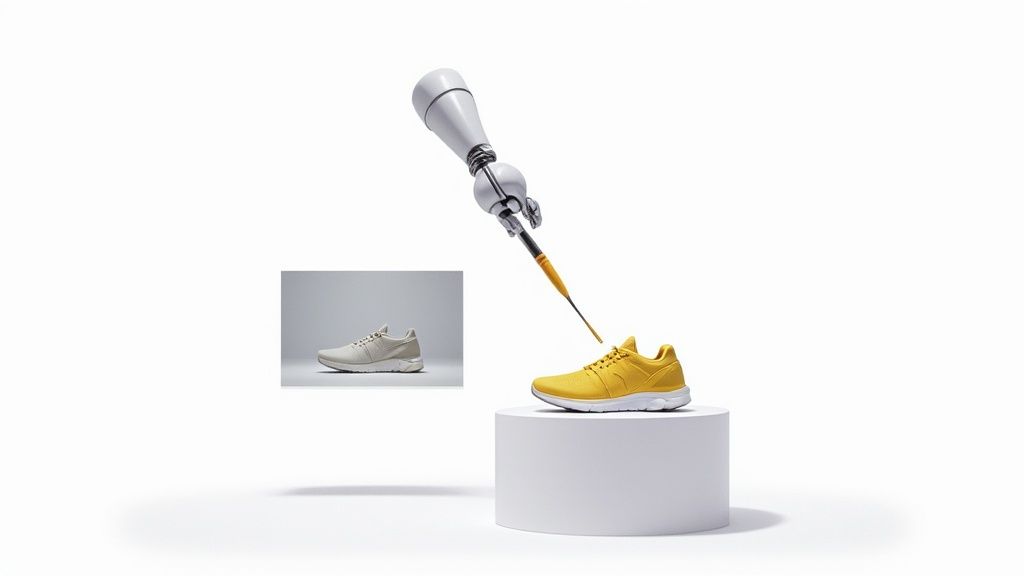
Ever feel like you need a pro photo editor on call 24/7? That’s pretty much what AI image enhancement brings to the table. It's not about slapping on a simple filter; it’s about using smart algorithms to dive deep into an image, understand its flaws, and rebuild it from the pixel level up.
What Is AI Image Enhancement
Think of this technology as a digital artist that automatically spots and fixes the classic problems that plague product photos. It can rescue a dimly lit shot, sharpen a detail that's just a little soft, or clean up distracting background noise with a single click.
It’s less about editing and more about revealing the best possible version of your photo that was hiding in the original file.
For anyone selling online, this isn't just a neat trick—it's a must-have. Your product images are your silent salespeople on the digital shelf. They’re the first thing a customer sees, and the quality instantly shapes their perception of your brand and their decision to buy.
Why Quality Images Are Non-Negotiable
Having crystal-clear, professional photos is no longer a perk for big-name brands. Today's online shoppers have high expectations. They want to zoom in and inspect every detail, and grainy or poorly lit images create doubt and kill sales.
AI image enhancement completely levels the playing field. It lets sellers hit that high bar for quality without needing a fancy studio or becoming a Photoshop wizard.
Here’s how it directly helps your business:
- Builds Customer Trust: Crisp, accurate photos signal professionalism and quality, making shoppers feel more confident hitting the "buy" button.
- Increases Conversions: Let's be honest, amazing visuals grab attention and are proven to get more people to purchase.
- Reduces Returns: When your photos show the true color, texture, and detail, customers know exactly what they’re getting. Fewer surprises mean fewer costly returns.
This soaring demand for top-notch visuals is lighting a fire under the industry. The global AI image enhancer market is on track to jump from USD 2.6 billion in 2024 to an incredible USD 50.7 billion by 2034. That's a massive 34.6% compound annual growth rate. You can explore more data on this rapidly expanding market to see just how big this trend is becoming.
At the end of the day, using AI image enhancement is a smart, strategic move. It helps you create a polished and consistent brand look, makes your products pop, and drives real growth in a world where visuals are everything.
So, how does this AI image magic actually happen?
You don’t need a computer science degree to get the gist. At its heart, the technology is built to copy how we see the world, but with the superhuman ability to spot and fix flaws down to the individual pixel. It all begins by teaching the AI what a "good" picture even looks like.
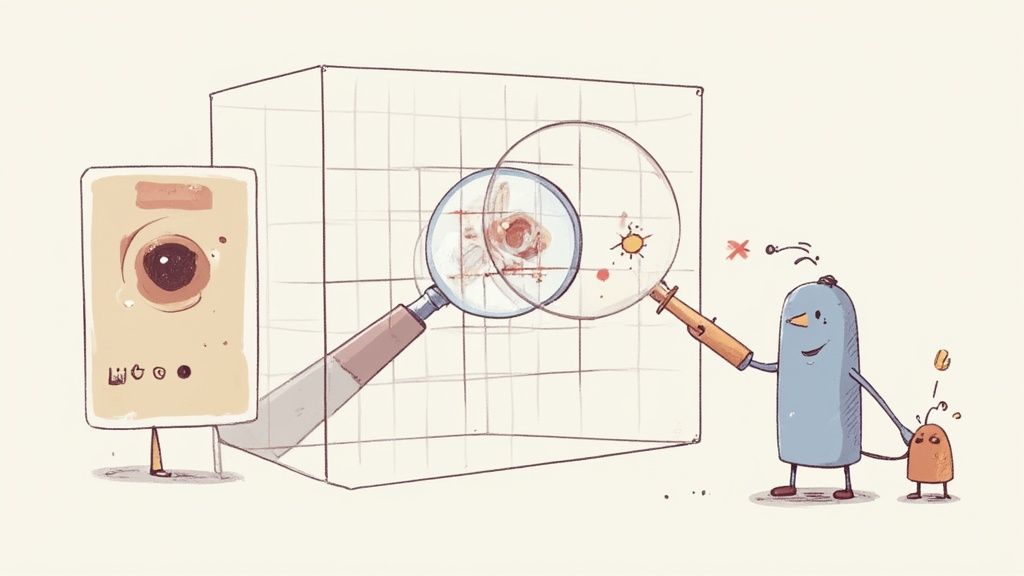
The real power comes from sophisticated machine learning algorithms that are fed enormous datasets. These systems are shown millions of pairs of images—one low-quality, one high-quality—until they learn to recognize the difference. Over time, the AI develops an internal library of what makes an image pop.
This whole process is driven by complex models, but two specific types are crucial for creating the stunning product shots we're after.
The Brains of the Operation: Convolutional Neural Networks
First up is the Convolutional Neural Network (CNN). Think of a CNN as the AI’s visual cortex. Just like our brains learn to recognize a face by identifying its edges, shapes, and textures, a CNN breaks down an image into its most fundamental parts.
It scans the photo layer by layer, looking for patterns. Is that a patch of grainy texture? A blurry edge on a logo? A color that looks a little washed out? By spotting these tell-tale signs, the CNN can pinpoint exactly what needs to be fixed, whether it's sharpening the intricate stitching on a leather handbag or brightening a product shot taken on a cloudy day.
The Artist and the Critic: Generative Adversarial Networks
Next, we have Generative Adversarial Networks (GANs), which take the whole process to another level. A GAN operates like a creative team of two: an artist and a brutally honest critic, working together in a constant feedback loop.
-
The Generator (The Artist): This part of the AI tries to create a better version of the image. It adds new details and refines pixels, essentially trying to paint a masterpiece that looks completely real.
-
The Discriminator (The Critic): This part acts like an expert art detective. It meticulously inspects the Generator's work and compares it against a library of real, high-quality images. Its one and only job is to spot any fakes or imperfections.
This constant back-and-forth pushes the Generator to get better and better, creating images so realistic that the Discriminator can no longer tell the difference between the AI's work and the real thing. This is how an AI can intelligently add believable pixels to a low-resolution photo or fill in missing details from a blurry shot.
Common AI Enhancement Techniques in Action
These powerful models are what enable the specific, practical improvements that are so valuable for e-commerce. You can see how these features come together by checking out our guide on the best AI product photo generator.
Here are the most common techniques you’ll see in action:
-
Upscaling and Super Resolution: This is the tool for rescuing low-resolution images. The AI intelligently adds new pixels to increase an image’s size and sharpness without that blocky, pixelated look. It’s what allows customers to zoom in on your product details without hitting a blurry wall.
-
Denoising: Grainy photos, usually the result of bad lighting, can make a product look cheap. Denoising algorithms find and remove this visual "noise" while carefully preserving important textures, leaving you with a clean, crisp shot.
-
Color Correction and Enhancement: AI can analyze the colors in a photo and adjust them to be more vibrant and true-to-life. It fixes weird white balance issues and restores faded tones, making sure the color of that t-shirt or piece of jewelry in the photo perfectly matches what the customer gets in the mail.
How AI Enhancement Lifts Your E-Commerce KPIs
It’s one thing to understand the tech behind AI image enhancement, but connecting it to your bottom line? That’s where the magic really happens. For any online store, great visuals aren’t just nice to have; they are the engine driving the key performance indicators (KPIs) that define success. Every little tweak, from sharpening a detail to perfecting a color, has a real, measurable impact on how customers see and interact with your products.
This technology isn't abstract—it directly moves the needle on the metrics you obsess over daily. Clearer, more attractive product photos build instant trust and confidence, which is a massive step towards making a sale. When a customer can zoom in and see the fine stitching on a handbag or the true texture of a piece of furniture, their hesitation melts away. The result is a direct lift in your conversion rates.
Driving Conversions and Building Trust
Think of high-quality images as your best, most effective salespeople. They work 24/7. In a digital storefront, your customers can't physically touch or hold a product, so the photos have to do all the heavy lifting. AI image enhancement ensures every picture is crisp, vibrant, and professional, taking the guesswork out of the shopping experience.
A blurry or poorly lit photo creates friction. It plants a seed of doubt about the product's quality and, by extension, your brand's credibility. It’s no surprise that a study found 75% of online shoppers rely heavily on product photos when deciding whether to buy. By using AI to get these crucial assets right, you smooth out the path from browsing to checkout.
Key Insight: Professional-grade images are directly tied to higher perceived value. An AI-enhanced photo can make a product look more premium, justifying its price and giving customers the confidence to click "buy now."
To put this in perspective, here’s how specific AI enhancements translate into tangible business results.
AI Enhancement Impact on E-Commerce KPIs
| Enhancement Feature | Direct Impact on Image | Primary E-Commerce KPI Affected | Potential Business Outcome |
|---|---|---|---|
| Super Resolution | Increases pixel density, sharpens details | Conversion Rate | Higher sales from clearer, zoomable images |
| Color Correction | Ensures true-to-life color accuracy | Return Rate | Fewer returns due to "not as described" issues |
| Smart Cropping | Creates consistent, centered compositions | Brand Consistency, Engagement | A more professional, trustworthy brand look |
| Background Removal | Isolates product on a clean background | Add-to-Cart Rate | Increased focus on the product, fewer distractions |
| Lighting Correction | Balances shadows and highlights | Customer Trust | Builds confidence with well-lit, honest photos |
Ultimately, each of these features works together to create a visual experience that not only looks better but performs better, turning casual browsers into loyal customers.
Slashing Costly Product Returns
One of the biggest leaks in an e-commerce profit bucket is product returns. And what’s a top reason for returns? A mismatch between what the customer thought they were buying and what actually showed up. When the product that arrives looks different from the photo—especially when it comes to color—a return is almost guaranteed.
AI-powered color correction tools are brilliant at solving this. They analyze and adjust tones to ensure they’re true-to-life, meaning the "forest green" jacket a customer sees on screen is the same forest green they pull out of the box. This accuracy is vital. By making sure your images reflect reality, ai image enhancement helps set the right expectations from the start, which has been proven to slash return rates.
The same goes for detail. Enhancing texture and resizing images so they load quickly without losing quality lets customers get a really good look at what they’re buying. This level of detail makes them more informed and confident, which also helps minimize post-purchase disappointment. Getting your image dimensions right is a big part of this, and a good https://prodshot.net/image-resizer is an essential tool for adapting photos to different platform needs.
Strengthening Your Brand Look and Feel
Your product images are the face of your brand. Inconsistent, low-quality photos create a sloppy and unprofessional vibe, which slowly chips away at customer trust. AI tools offer a powerful and efficient way to lock in a consistent visual standard across your entire product catalog.
This consistency makes your brand feel more reliable and established. When every single product is presented with the same high level of quality, it tells a story of professionalism and care. That’s how you build long-term brand equity and keep customers coming back. The broader AI market that supports these tools is growing at a staggering pace, showing a massive industry-wide shift. For example, the AI image generator market is projected to reach USD 60.8 billion by 2030, growing at a CAGR of 38.2%. This explosion highlights just how reliant businesses are becoming on AI for creating top-tier visual content.
To see how these visual strategies fit into the bigger picture, it can be helpful to explore comprehensive e-commerce solutions. These resources provide a wider context for how high-quality imagery is a cornerstone of any successful online business.
Your Step-By-Step Product Photo Workflow
Turning a basic smartphone picture into an image that actually drives sales might seem like a huge leap, but an AI-powered workflow makes it surprisingly simple. Think of this as your practical roadmap for taking a raw photo and polishing it into a marketplace-ready asset. Forget the headache of complex software—this process is all about getting great results, fast.
Each step here builds on the last, systematically knocking out the common problems that make product photos fall flat. The idea is to create a repeatable process that gives you professional, consistent images every single time, so you can build a stunning product catalog without spending a fortune.
Step 1: Assess Your Source Image
Before you touch a single button, take a hard look at what you’re starting with. Not all photos are created equal, and knowing the core issues from the get-go helps you pick the right AI tools for the job. A quick, honest assessment is the foundation of a fantastic final image.
Keep an eye out for these common culprits:
- Poor Lighting: Are parts of your product hidden in shadows? Or are there bright, glaring hotspots that wash out the details?
- Soft Focus: Does the image look a little blurry or just not quite crisp, especially around the product's edges?
- Color Inaccuracy: Does the color in the photo look dull or just off compared to the real-life product?
- Distracting Background: Is there clutter in the background that’s stealing the spotlight from your product?
Nailing these down first means you can be much more targeted and efficient with your edits.
Step 2: Apply One-Click AI Corrections
With your assessment done, it's time for the heavy lifting—which AI makes feel incredibly light. Most modern image enhancement tools have one-click solutions that tackle the biggest problems instantly. This step is all about making broad, impactful fixes to the fundamentals: lighting, color, and clarity.
Kick things off with an auto-enhance or auto-correct function. This one click usually adjusts exposure, contrast, and color balance all at once. The AI looks at the image's data and automatically brings it up to a professional standard, saving you from messing with a dozen different sliders. This is the fastest way to get 80% of the way to a perfect shot.
Step 3: Upscale for Ultimate Detail
Once the basic corrections are locked in, the next move is to make sure your image is sharp enough for today's shoppers. Customers expect to zoom in and see every last detail, and a fuzzy, low-resolution photo is an instant turn-off. This is where AI upscaling, or super resolution, shines.
This tech intelligently adds pixels to your image, making it bigger and sharper without that ugly, blocky look. It’s perfect for making the fine stitching on a handbag or the subtle texture of a piece of jewelry really pop.
Pro Tip: As a rule of thumb, aim for an image that’s at least 1600 pixels on its longest side. This guarantees it looks great on high-resolution screens and gives shoppers the confidence-building zoom experience they want.
This isn’t just about looking pretty. As the infographic below shows, there’s a direct line between image quality and your most important e-commerce numbers.
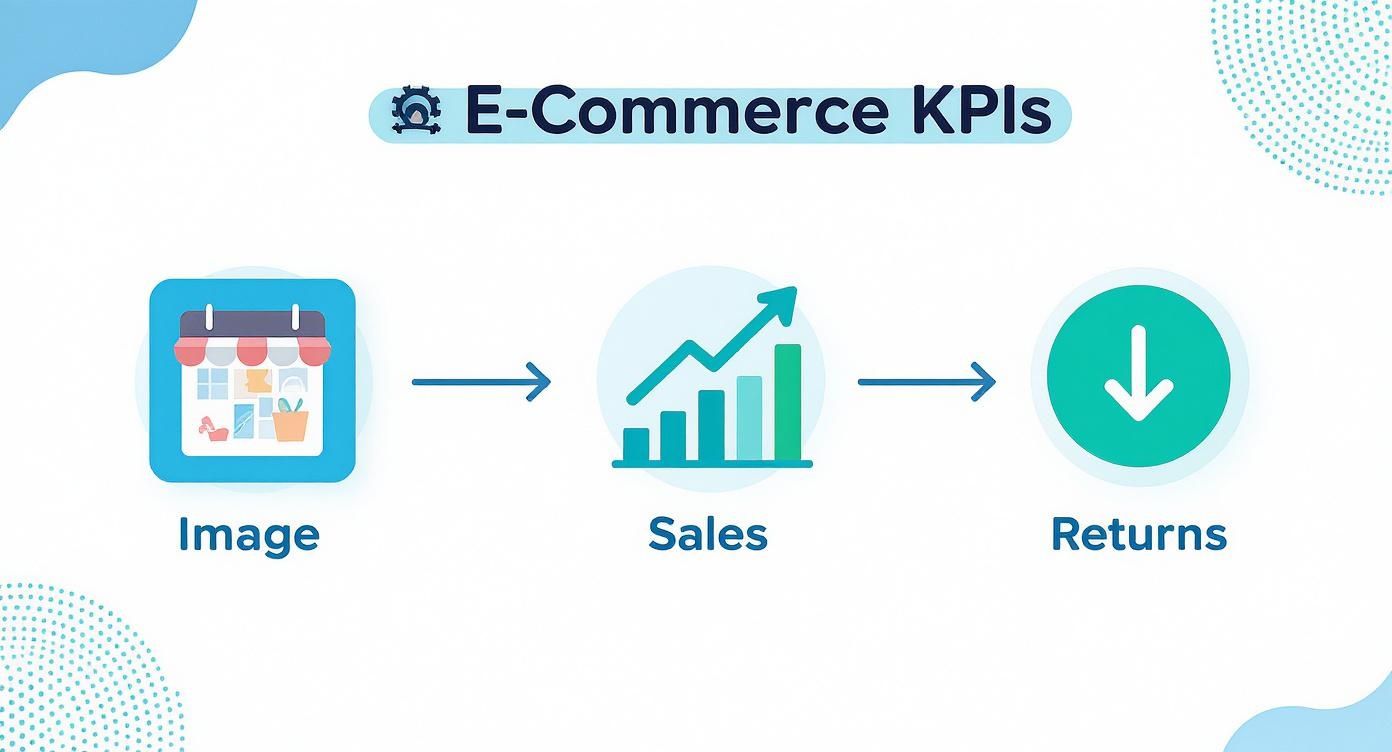
The flow is simple: better images lead to more sales and fewer returns. It's a clear ROI on polishing your visual strategy.
Step 4: Perfect the Background
A clean, simple background makes your product the undeniable hero of the shot. AI-powered background removal tools can lift your product out of its original setting with surgical precision, even handling tricky spots like wisps of hair or fuzzy fabric.
You generally have two great options here:
- Clean White Background: This is the gold standard for marketplaces like Amazon. It creates a crisp, professional look that keeps your entire catalog consistent.
- Lifestyle or Branded Background: AI can also place your product in a whole new scene—think a marble countertop for a kitchen gadget or a cozy living room for a blanket. This helps customers imagine the product in their own lives.
For sellers on specific platforms, having a tool that understands your needs is a game-changer. You can see how a dedicated Shopify photo editor streamlines this whole process.
Step 5: Perform a Final Quality Review
The last step is a quick, but absolutely essential, quality check. AI is amazing, but a final human once-over ensures everything is truly perfect. Open up your enhanced image and put it side-by-side with your other product photos.
Ask yourself these final questions:
- Is the color accurate? Does it honestly represent the product a customer will receive?
- Is the enhancement natural? Does it look sharp and clear, not fake or over-edited?
- Is it consistent? Does it match the style and feel of your other product shots?
This final check guarantees visual harmony across your store, strengthening your brand and giving your customers a smooth, trustworthy shopping experience. Follow these five steps, and you’ll have a reliable system for turning any photo into a powerful, conversion-driving asset.
Common AI Enhancement Mistakes to Avoid
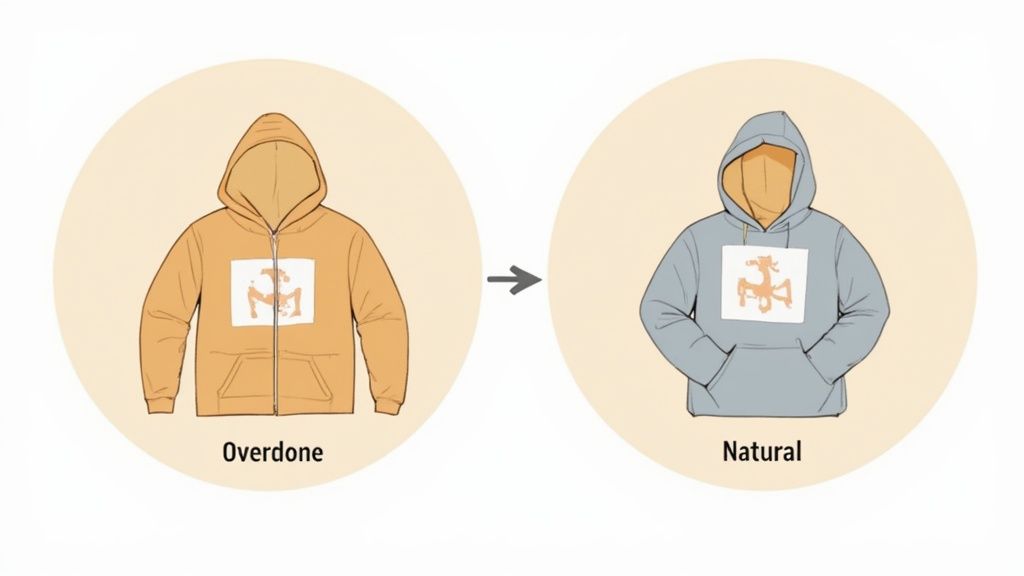
AI image enhancement can feel like a superpower for e-commerce sellers, but it’s not just a magic "make it better" button. Like any powerful tool, it’s easy to do more harm than good if you don't know how to handle it. Pushing all the sliders to the max might feel like an instant upgrade, but it's the fastest way to make common mistakes that can tank your sales.
The real goal is to enhance, not to invent a new reality. When you over-process an image, you get that hyper-real, almost plastic-like finish that triggers the "uncanny valley" for shoppers. It makes your products look artificial and erodes the very trust you're trying to build. Avoiding these traps is about using AI like a scalpel, not a sledgehammer.
The Over-Processing Trap
By far, the most common mistake is simply doing too much. It’s tempting to crank up the sharpness, saturation, and contrast, but this almost always backfires. An over-sharpened product photo gets weird, unnatural halos around the edges, while pumping up the saturation makes colors look cartoonish and cheap.
This hyper-edited style screams "fake" to today's savvy online shoppers. Instead of building their confidence to buy, it creates a subtle feeling of distrust. The best AI image enhancement is often the one you don't even notice—it just looks like a great, natural photo.
How to Fix It:
- Go Easy on the Sliders: Start with small, subtle adjustments. Don't just jump straight to 100%.
- Keep it Natural: Look for enhancement tools that have presets or settings designed to maintain a realistic look.
- A/B Test Your Images: Put your edited photo side-by-side with the original. If it looks like a completely different product, you’ve probably gone too far.
Destroying Authentic Product Textures
Another huge pitfall is accidentally smoothing away the very details that make your products feel real and valuable. Aggressive "denoise" or "smoothing" filters can be especially brutal on products with rich textures, like clothing, furniture, or anything handcrafted.
Think about it: a beautifully woven sweater can lose all its character and end up looking like a flat sheet of plastic. The rustic grain of a wooden table can be erased into a featureless, sterile surface. These are the exact details customers zoom in on to judge the quality of something they can't physically touch.
Key Takeaway: When you erase texture, you erase value. Customers rely on those visual cues to gauge quality, and a textureless image can make a premium product seem cheap and generic.
Creating Inaccurate Color Shifts
Getting colors right is absolutely non-negotiable in e-commerce. If a customer orders a "forest green" jacket and gets something that's closer to teal, that's an almost guaranteed return. While AI is great at fixing bad lighting, some automated tools can get confused and cause major color shifts.
This usually happens when an algorithm tries to "correct" a color without understanding the original intent. It might make your product look warmer or cooler than it actually is, creating a massive disconnect between what a customer sees on their screen and what shows up at their door.
How to Fix It:
- Use a Color Reference: If you can, keep the actual product next to you while you edit on a calibrated monitor. It's the best way to gut-check the colors.
- Use Manual Overrides: If an auto-correction throws your colors off, dive into the manual hue and saturation controls to dial them back to what’s true-to-life.
- Check on Multiple Devices: Before you publish, look at your final images on your phone, your laptop, and maybe a tablet. Screens vary, so you want to ensure the color looks consistent across the board.
What's Next for Visuals in E-Commerce?
The AI image enhancement tools we use today—the ones that sharpen, upscale, and clean up our product photos—are really just the first step. They’re building the foundation for a future of online retail that’s far more interactive and personal. The next wave of visual tech is about to completely change how customers find and connect with what they want to buy.
We’re moving past flat, two-dimensional pictures and into a world of dynamic, immersive experiences. This shift will turn the digital storefront from a simple catalog into a virtual showroom, making the entire shopping journey more engaging and giving customers the confidence to click "buy."
From Flat Images to Interactive Models
One of the most exciting developments on the horizon is the AI-powered creation of interactive 3D product models. Just imagine a customer being able to digitally “pick up” a product, spin it around, and zoom in on every detail, all from their couch.
New AI is making this a reality by generating detailed 3D models from just a handful of regular 2D product photos. This isn't some far-off sci-fi concept; it’s happening now. Soon, even small businesses will be able to offer the kind of rich, interactive visuals that used to be reserved for giant brands with equally giant budgets.
This leap from passive viewing to active interaction is a total game-changer. It closes the gap between shopping online and in a real store, giving customers a genuine feel for a product’s size, shape, and texture.
The Rise of Hyper-Personalization and Virtual Try-Ons
The future of e-commerce visuals is also going to be intensely personal. AI will soon be able to generate hyper-personalized product images that change in real-time based on a shopper's individual tastes, browsing history, or even the weather in their city. Think about a website showing a jacket on a model that matches a shopper’s personal style, or in a setting that looks just like their neighborhood.
On top of that, AI-driven virtual try-on technology is getting more sophisticated and accessible by the day.
- For Fashion: Shoppers will be able to upload a photo and see exactly how a dress or a pair of sunglasses will look on them, not a generic model.
- For Home Goods: Augmented reality apps will let customers point their phone’s camera at their living room and place a virtual sofa right there to see how it fits the space.
These advancements aren't just cool gimmicks; they solve a fundamental problem of online shopping by taking the guesswork out of the equation. Getting started with AI image enhancement today isn't just about making your current photos look better. It’s a strategic move that gets your business ready for this more immersive, dynamic, and high-converting future of commerce.
Frequently Asked Questions
Jumping into new technology always stirs up a few questions, especially when it’s a tool that can directly affect your sales. The world of AI image enhancement is no different. We’ve pulled together some of the most common things e-commerce sellers ask when they’re thinking about using these tools.
Think of this as your no-nonsense guide. We’re cutting through the jargon to give you the clear, practical info you need to make the right call for your business. Let’s tackle the big questions about image quality, workflow, and how AI handles the real-world grit of product photography.
Can AI Actually Fix a Super Blurry Product Photo?
Honestly, AI can work some serious magic on a blurry photo. It’s fantastic at sharpening up details and redefining soft edges to make a slightly out-of-focus shot totally usable. It's a lifesaver for those "almost perfect" pictures.
But let's be real—it has its limits. If a photo is extremely blurry, the AI has to essentially guess what’s missing. Sometimes, this can lead to a look that feels a bit artificial or "overcooked." It’s an amazing recovery tool, but nothing beats starting with the clearest possible source image for getting that perfect, crisp result.
Is AI Image Enhancement Really Better Than Manual Editing?
This really comes down to what you're trying to do. If you need speed, consistency across hundreds of photos, and a budget-friendly solution, AI wins hands down. It automates all the tedious, repetitive work and pumps out high-quality images in a fraction of the time, no Photoshop wizardry required.
On the other hand, a professional human editor might give you more creative flair for a single, high-stakes "hero" shot. But when it comes to making sure your entire product catalog looks cohesive and polished, AI offers an unbeatable mix of quality and efficiency. It lets you manage your visuals at a scale that's nearly impossible to do manually.
Key Insight: AI’s true power is in handling volume. It ensures every single product photo meets a high standard, creating that consistent, trustworthy brand look that’s so tough to achieve one by one.
How Does AI Handle Tricky Product Textures?
Modern AI enhancers are surprisingly good with complex textures—think the detailed weave of fabric, the natural grain of wood, or the sleek shine of metal. Because these systems have been trained on millions of different images, they've learned to spot and preserve these critical details.
They can sharpen a texture to make it stand out without accidentally making it look flat or plasticky. Of course, results can vary from one tool to the next, but the best platforms are built to maintain the authentic look and feel of your products. It's always a smart move to test a few photos on different services to see which one best captures the unique character of what you sell.
Ready to see how easy professional product photos can be? With ProdShot, you can turn simple smartphone pictures into images that are ready to convert—all in a matter of seconds. No studio, no stress. Just stunning results. Start your free trial today and elevate your product visuals at ProdShot.