
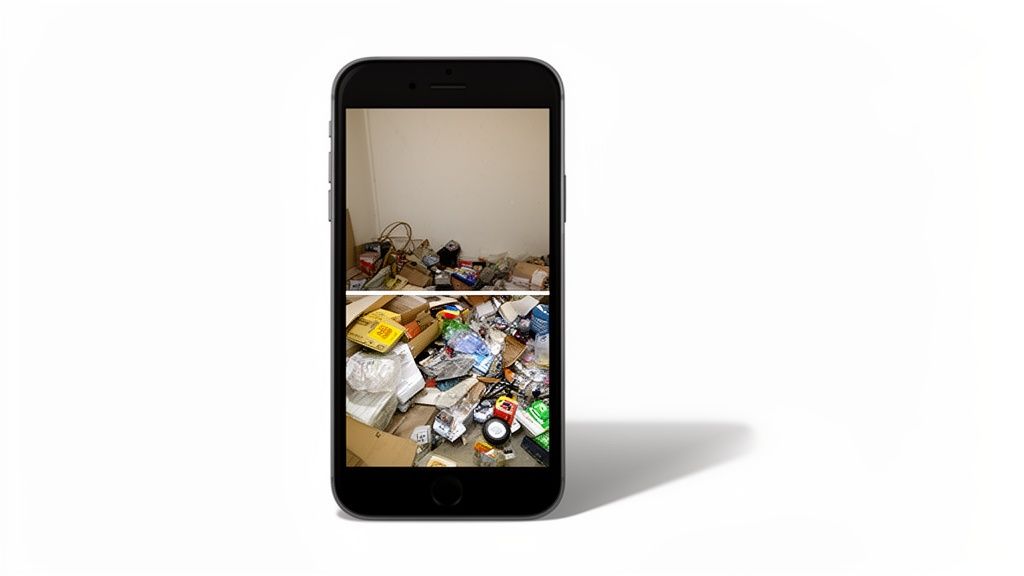
So, what exactly are e-commerce photo editing services? Think of them as the professional touch that turns a simple product snapshot into a high-converting masterpiece. It’s the critical step that makes your products look their absolute best for anyone browsing your online store.
The Hidden Engine Behind Online Sales
Ever see an online store with fantastic products that just seems to be struggling? The problem is often hiding in plain sight: the product photos. The real secret behind the most successful e-commerce brands isn't just their products—it's the stunning visuals that instantly build trust and create desire.
Picture a small business owner who launches a boutique selling beautiful, handcrafted jewelry. The quality is there, but sales are flat. Why? Their product photos are a mess. Some have cluttered backgrounds, others have weird lighting, and the colors look different from one image to the next. That kind of inconsistency makes a shopper hesitate and, more often than not, click away.
This is where e-commerce photo editing services come in. They are the hidden engine that powers online sales, transforming raw, amateur-looking photos into compelling, consistent images that stop shoppers mid-scroll.
Turning Clicks Into Customers
Professional photo editing is so much more than slapping on a filter. It's a strategic move that directly impacts your bottom line by tackling common customer concerns and boosting how people perceive your brand's value. It’s the bridge between a raw photo and a polished, professional image ready for major platforms like Shopify or Amazon.
Essential services typically include:
- Background Removal: Isolating your product on a clean, white, or branded background gets rid of distractions and creates a uniform look across your entire store.
- Color Correction: This ensures the color in the photo is a perfect match for the real-life item, which is huge for cutting down on costly returns from disappointed customers.
- Retouching: This is all about the little things—removing dust, scratches, or fingerprints to present your product in its most pristine state.
By turning ordinary photos into high-quality visual assets, you level the playing field. It allows smaller brands to compete with industry giants, projecting an image of professionalism and quality without needing a massive photography budget.
The Growing Importance of Visuals
In a crowded digital marketplace, looking good isn't optional. The demand for professional photography services, driven largely by e-commerce, hit a staggering $55.6 billion globally in 2023. And it's not slowing down. Projections show that number soaring to $81.83 billion by 2032, highlighting just how critical high-quality visuals have become.
For online sellers, this focus on visuals pays off. Crisp, retouched product photos can boost conversions by up to 250%. You can learn more about the photography industry's growth and its impact on e-commerce.
Think of e-commerce photo editing services as your own specialized toolkit. Every tool inside has a very specific job, and when you use them together, you create a polished, professional, and trustworthy visual experience for your customers. Let's open up that toolkit and see what's inside.
These services aren't just about making things look pretty; they're about solving real business problems. Whether it's cutting down on returns or just making your products pop on a crowded marketplace page, every single edit is a strategic move designed to boost your bottom line.
Creating a Clean Digital Stage
First up, and arguably the most important tool, is background removal. Imagine you took a photo of your product on a cluttered kitchen table. Where does a potential buyer's eye go? Straight to the mess, not your product. Background removal clears that table and puts your item on a clean, professional stage.
By isolating the product against a pure white or solid-colored background, you kill all distractions. This isn't just a suggestion—it's a hard rule for platforms like Amazon, which requires a white background for main images. The result is a consistent, clean catalog that looks professional and helps customers focus entirely on what you're selling.
This simple step does more than just clean up an image; it elevates your brand's perceived value. A uniform, professional look across all your products builds subconscious trust with shoppers, making them more likely to see your store as a legitimate and reliable business.
Perfecting Product Presentation with Retouching
Next in the toolkit is retouching. This is like polishing a beautiful piece of jewelry before putting it in the display case. Even the best photos can capture tiny imperfections—a speck of dust on the lens, a small smudge on a reflective surface, or a stray thread on a shirt.
Retouching meticulously removes these distracting little flaws, making sure the product is shown in its absolute best condition. This is especially vital in fashion e-commerce. A recent study revealed that a whopping 76.1% of fashion brands use multiple photography styles that lean heavily on retouching to perfect their images. You can dive deeper into how top brands use photo editing by exploring the latest market analysis.
Good retouching ensures that the only thing a customer sees is the quality of your product.
Advanced Techniques for Apparel and Realism
Beyond the basics, a couple of specialized techniques can solve some very specific product presentation challenges. Two of the most effective are the ghost mannequin effect and shadow creation.
-
The Ghost Mannequin Effect: If you sell clothing, showing the fit and shape of a garment is everything. The ghost mannequin, or "invisible mannequin," technique digitally removes the model or mannequin from the photo. This creates a 3D, hollowed-out effect that lets customers see the garment's form and even interior details as if it were floating, all without the distraction of a person.
-
Shadow Creation: A product just floating on a white background can look a bit flat and unnatural. Adding a subtle drop shadow or reflection grounds the item, giving it a sense of weight, depth, and realism. It's a small detail, but it makes the product feel more tangible to the online shopper.
For store owners trying to apply these techniques, especially on platforms like Shopify, it's worth knowing how different tools can automate this process. Getting a feel for a modern Shopify photo editor can show you how to get these professional results without a ton of manual work. This is the kind of advanced editing that separates amateur-looking listings from polished, high-converting product pages.
How Better Images Deliver Powerful ROI
Thinking about professional photo editing as just another expense is a mistake. It's actually a direct investment in your sales, and the return is something you can see right on your balance sheet. High-quality images act as your best, most silent salesperson, working 24/7 to convince customers and boost your bottom line.
When a shopper lands on your site, polished and consistent product photos immediately signal that you're a credible, trustworthy brand. That professional look is what separates you from amateur sellers and gives you the confidence to charge what your products are worth. It’s all about building the trust needed to close the sale.
This isn't just a hunch; the market backs it up. The global photo editing software market is on track to hit $3.29 billion by 2032. A massive 44.6% of this growth comes from small and medium-sized online stores—sellers just like you who need pro-level results without the massive enterprise budget.
Reducing Returns and Boosting Conversions
So, where does the real money come from? First, from cutting down on product returns. When an image is professionally color-corrected, what your customer sees on their screen is exactly what shows up at their door. This simple act of accuracy slashes those "not as described" returns that eat away at your profits.
But the main goal is turning browsers into buyers. Stunning images are what get a hesitant shopper to finally click "Add to Cart." When someone can zoom in and see the fine texture of a leather bag or the intricate details of a piece of jewelry, their confidence to buy goes through the roof.
Key Takeaway: Every dollar you put into professional photo editing is an investment in building trust, cutting operational costs, and directly increasing your sales. The ROI isn't some fuzzy concept; you'll see it in your revenue and return rate data.
For a deeper look at the numbers, check out this excellent data-driven playbook for improving ecommerce conversion rates.
This infographic breaks down some of the most popular editing techniques that drive sales.
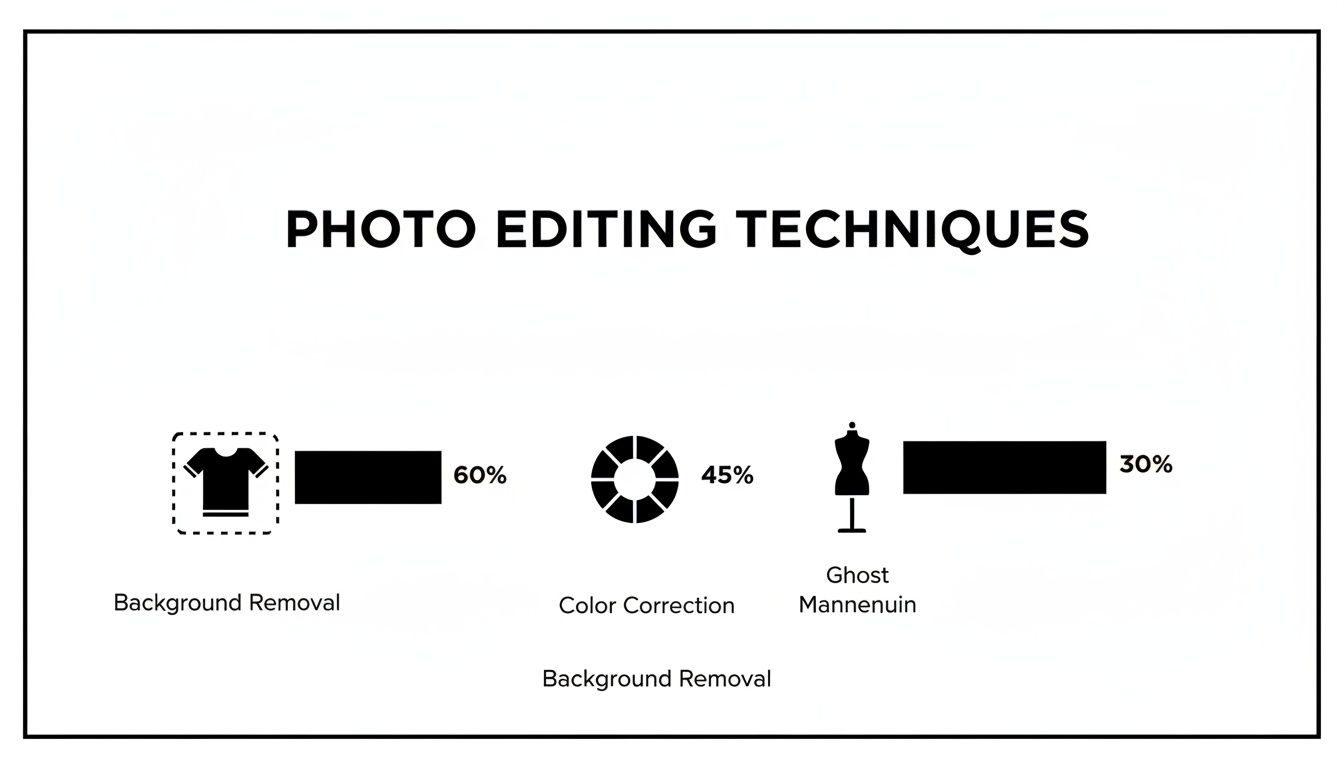
As you can see, foundational edits like background removal are non-negotiable for most sellers, while specialized edits like the ghost mannequin effect are absolutely critical for categories like apparel.
The Hidden ROI of Reclaimed Time
Beyond the direct cash benefits, there’s another huge, often overlooked return: your time. As a business owner, your hours are your most valuable asset. Wasting them on tedious, manual photo editing is a poor use of your skills. It's just not where your focus should be.
Think about what you gain by outsourcing:
- Focus on Growth: Offload the editing, and you suddenly have hours back to pour into marketing, customer service, and actually growing your business.
- Faster Time-to-Market: A slick editing service gets your products online in hours or days, not weeks. Every day you wait for images is a day of lost revenue.
- Scalability: Got a huge batch of new products coming in? An outsourced service can handle the volume instantly. An in-house process would just create a major bottleneck.
Of course, to see the full picture, you need to factor in the cost of the photography itself. For a complete financial overview, take a look at this detailed breakdown of the cost of professional product photography. When you see the total investment against the sales lift, you'll understand just how impressive the ROI on professional images can be.
Meeting Image Requirements for Major Marketplaces
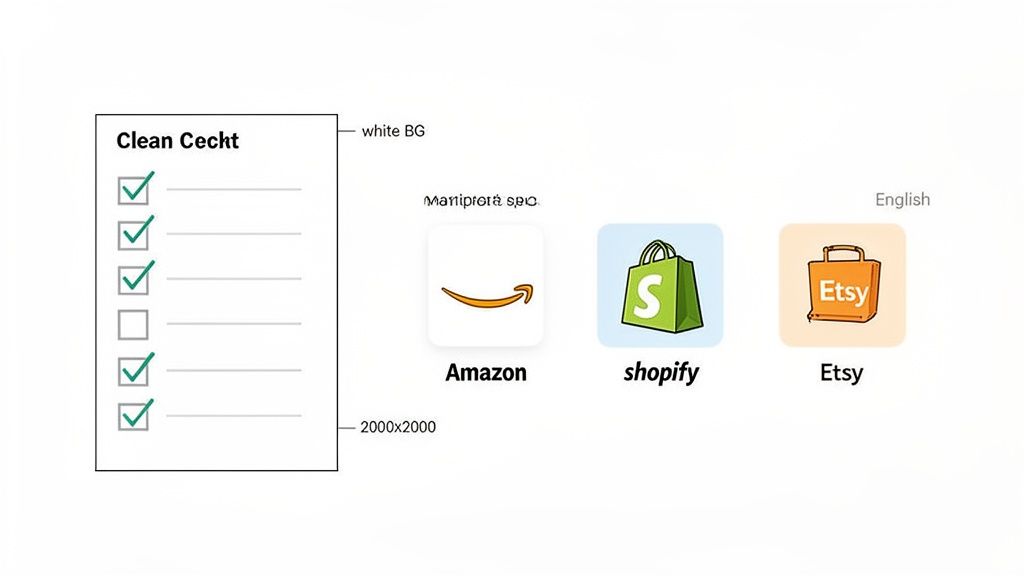
Think of platforms like Amazon, Shopify, and Etsy as the world's biggest digital shopping malls. Each one has its own unique architecture and, more importantly, its own set of rules for the storefronts inside. These rules, especially for product images, are designed to create a clean and trustworthy experience for millions of shoppers. If you break them, you risk getting your listings buried—or worse, taken down completely.
This is where the nitty-gritty of platform-specific requirements comes into play. They aren't just arbitrary guidelines; they're the blueprint for a good customer experience. An e-commerce photo editing service is your secret weapon for nailing these technical specs without losing your mind manually tweaking every single image for every platform you sell on.
You can't just use a one-size-fits-all approach. That perfect lifestyle shot on your Shopify store might get flat-out rejected by Amazon because it doesn't have a pure white background. It's a headache every multi-channel seller knows all too well.
Decoding Amazon's Strict Visual Standards
Amazon is legendary for its rigid image requirements—and they are absolutely non-negotiable. Their goal is to create a uniform, professional catalog that builds customer trust and makes shopping incredibly straightforward.
Here are the big ones for your main product image on Amazon:
- Pure White Background: The background has to be pure digital white, or RGB (255, 255, 255). This is probably the number one reason images get rejected and demands a flawless background removal job.
- Product Occupancy: Your product must fill up at least 85% of the total image area. This ensures customers can immediately see what they’re buying without squinting.
- Image Size: To enable the all-important zoom feature, images need to be at least 1000 pixels on their longest side. Shoppers rely on this for a closer look.
- File Format: They accept TIFF, JPEG, GIF, and PNG files. In most cases, JPEG is the way to go.
Amazon's rules are all about making the product the undeniable star of the show. While meeting these specs is the price of entry, truly great listings go a step further. To see how top sellers make their products pop, check out our guide on professional Amazon product photography.
Mastering Shopify and Etsy for Brand Expression
Where Amazon demands uniformity, platforms like Shopify and Etsy give you the creative keys to the kingdom. This is your chance to build a unique brand identity through your visuals, but that freedom comes with its own set of best practices.
Shopify Best Practices:
With Shopify, you control your brand's entire look and feel. But for a great user experience and fast site speed, you need to keep your images optimized.
| Aspect | Recommendation | Why It Matters |
|---|---|---|
| Image Dimensions | 2048 x 2048 pixels (square) | Delivers sharp, high-res quality and a consistent look on all pages. |
| File Size | Under 200 KB | Keeps your pages from loading at a snail's pace, which hurts SEO. |
| File Format | JPEG for most products, PNG for transparency | A good balance between image quality and small file sizes for quick loads. |
Etsy's Artisan-Focused Guidelines:
Etsy is a visual marketplace that thrives on unique photos reflecting the quality and craftsmanship of its sellers. While the technical rules are more relaxed than Amazon's, the expectation for beautiful imagery is sky-high.
- Resolution: Aim for at least 1000 pixels wide to keep things looking crisp.
- Aspect Ratio: Make your first photo horizontal (landscape) or square. This prevents it from being awkwardly cropped on category and search pages.
- Photo Variety: Use all ten photo slots! Show your product from every angle, show it in use, and include a shot that gives a sense of scale.
Juggling these different rulebooks can feel like a full-time job. This is exactly the problem a good e-commerce photo editing service is built to solve. They can take one set of great photos and churn out perfectly optimized versions for every single channel you sell on, saving you countless hours and preventing costly mistakes. Your products will look their best, everywhere.
How to Choose the Right Photo Editing Service
Let's be honest, wading through the sea of photo editing services can feel like a chore. You've got so many options, and it's a big decision that affects your daily workflow, your budget, and most importantly, how good your products look online. The choice really comes down to two main camps: traditional agencies with human editors or modern AI-powered software.
Making the right call isn't about finding a single "best" service. It's about finding the right fit for your business. That means getting crystal clear on what you actually need before you even start looking.
First, Figure Out What You Actually Need
Before you start comparing vendors, take a moment to look inward at your own operations. Getting this clarity upfront saves a ton of time and prevents you from signing up for a service that's either overkill or can't keep up with your demand.
Ask yourself a few direct questions:
- How many photos are we talking about? Are you editing 50 images a month or 5,000? High-volume sellers usually lean towards AI for its sheer speed and lower cost per image. If you have a smaller, more curated shop, the personal touch of a manual service for tricky edits might be more your speed.
- How fast do you need them back? Is waiting 24 hours okay, or do you need photos ready in minutes to get a new product live right now? Turnaround time is one of the biggest differences between manual and automated services.
- What’s your budget per photo? Be realistic about what you can spend. Knowing your magic number helps you immediately filter out services that are way out of your price range.
- How complex are the edits? Do you just need clean background removals and a bit of color tweaking? Or are you dealing with things like intricate jewelry retouching or creating composite images from multiple shots?
Once you're ready to bring in help, understanding the core strategies for finding the right design agency is a huge advantage. The same logic of vetting portfolios and checking for a good fit applies perfectly here.
Manual Services vs. AI Platforms
Okay, now that you know what you need, let's look at the options. Manual editing services, powered by skilled human artists, are fantastic when you need that nuanced, detailed touch for a really complex job. On the other side, AI platforms deliver incredible speed and perfect consistency for the common, high-volume tasks that clog up your workflow.
Choosing the right photo editing partner is a critical step. To help you weigh your options, we've put together a simple checklist. Think of this as your guide to asking the right questions and making sure a potential vendor truly aligns with your business goals.
Vendor Selection Checklist
| Evaluation Criterion | Key Questions to Ask | What to Look For |
|---|---|---|
| Portfolio & Quality | Can I see examples of their work on products similar to mine? Do they offer a free trial to test the quality? | Look for clean edges, realistic shadows, and consistent color correction. The examples should match the quality you need. |
| Turnaround Time (TAT) | What is the guaranteed delivery time? Do they offer expedited services if I'm in a rush? | A service that matches your product launch speed. For AI, this should be minutes. For manual, it should be a clear and reliable SLA (e.g., 24 hours). |
| Pricing & Value | Is the pricing model clear and transparent? Are there hidden fees? Does the cost per image fit my budget? | A structure that aligns with your volume (per-image, subscription, or credits). No surprise charges. |
| Ease of Use | How easy is it to upload photos and place an order? Is their platform or communication process intuitive? | A simple, drag-and-drop interface or a clear briefing process. You shouldn't need a user manual to get started. |
| Customer Support | How can I contact support if there's an issue? What are their support hours? Are they responsive? | Accessible and helpful support (chat, email, or phone). Quick responses are a sign of a good partner. |
After running through this checklist, you'll have a much clearer picture of which service is the best long-term partner for your store. It's about finding a balance between quality, speed, and cost that makes your life easier.
Understanding the Price Tag
Finally, think about how you want to pay. The right pricing model should feel comfortable and match your business's cash flow.
- Per-Image Pricing: This is the classic model for most manual services. You pay a flat rate for every photo you submit. It's simple and direct but can add up quickly if you have a lot of products.
- Subscription Plans: The go-to model for AI software. You pay a monthly fee for a set number of photo edits. This is a game-changer for businesses with a steady stream of new products, making costs predictable and low.
- Credit Packs: A super flexible pay-as-you-go option. You buy a bundle of editing "credits" upfront and use them whenever you need them. It's perfect for sellers with seasonal spikes or unpredictable inventory drops.
By taking the time to map out your needs, compare your core options, and pick a payment plan that works for you, you can confidently choose a partner that will make your product photos shine and, ultimately, help you sell more.
Here’s how you get started.
Knowing is one thing, but doing is what actually gets results. You understand why professional product photos are so critical, so now it’s time to build a repeatable system to get them done right, every single time. This isn’t about some massive, complicated project. It's about making a few smart tweaks to your workflow.
Think of it as a simple, 4-step plan to weave professional e-commerce photo editing services into your day-to-day operations. Follow these steps, and you’ll create a process that churns out images that don't just look good—they actually sell.
Step 1: Audit Your Current Images
Before you can fix anything, you have to know what’s broken. Take a quick, honest look at your current product listings. This simple visual audit will show you what’s working, what isn’t, and where the biggest opportunities are hiding.
Start with your best-sellers. Are their images up to par with the standards we’ve talked about? Now, look at your worst-performing products. You’ll often find that bad photos are the main culprit holding them back.
Whip up a quick checklist for your review:
- Consistency: Do all your photos look like they belong to the same brand? Think background, lighting, and overall vibe.
- Clarity: Are the images sharp? Can customers zoom in and see the details without everything turning into a blurry mess?
- Compliance: Do your photos meet the specific image requirements for platforms like Amazon, Etsy, or eBay?
- Completeness: Are you showing off your product from all the important angles? Think front, back, side, and a nice close-up shot.
Once you’re done, you'll have a clear, prioritized hit list of which product photos need an upgrade, stat.
Step 2: Create a Simple Style Guide
A style guide is basically the rulebook for your brand’s look. It ensures that every single photo, whether you take it today or a year from now, looks and feels like your brand. And no, this doesn't need to be some hundred-page corporate manual. A simple one-pager is usually all you need.
A consistent visual style across your store is a powerful, non-verbal signal of professionalism and trustworthiness. It tells shoppers you are a serious brand that pays attention to detail, which builds the confidence they need to make a purchase.
Your guide just needs to cover a few key things:
- Background: Are you a pure white background kind of brand? Or do you prefer a specific brand color or a subtle lifestyle setting? Decide and stick with it.
- Lighting: Are you going for bright and clean, or something more dramatic with soft shadows?
- Angles: List out the must-have shots for every product (e.g., front, back, 45-degree angle, detail shot).
- Props: If you use them, define what’s on-brand and what’s not.
This little document becomes the blueprint you hand over to your photo editing service. It’s your guarantee that you get exactly what you want, every single time.
Step 3: Streamline Your Workflow
Speed is your friend here. The goal is a super smooth process to get products shot, edited, and live on your site as fast as possible. You want to shrink the time between a new product arriving at your door and a customer being able to buy it.
A good, repeatable workflow usually looks like this:
- Shoot: Take photos of new products in batches, using your new style guide.
- Upload: Send the raw, unedited images straight to your photo editing partner.
- Review: Give the professionally edited shots a quick once-over and approve them.
- Publish: Get those beautiful, optimized images uploaded to your Shopify store or marketplace listing.
Services like ProdShot are a game-changer here. By using AI, they can turn around perfect product shots in just a few seconds, dramatically cutting down your time-to-market.
Step 4: Measure Your Success
Finally, you need to track what’s working. The data will prove the value of your investment and show you where to double down. Before you launch your new photos, take a snapshot of a few key numbers. Then, check them again a month or two after the images go live.
Focus on these key performance indicators (KPIs):
- Conversion Rate: The percentage of people who visit a product page and actually buy. This is the ultimate test of your images' selling power.
- Add-to-Cart Rate: This tells you how well your photos convince people to take that first step toward buying.
- Return Rate: Are you getting fewer returns? Better, more accurate photos often mean fewer surprises for customers, which leads to happier buyers and lower return rates.
By keeping an eye on these metrics, you can draw a straight line from your investment in great photos to real, tangible growth for your business.
Your Questions, Answered
If you're busy running an online store, you've probably got a few questions about how e-commerce photo editing services fit into your workflow. Let's cut through the noise and get you some straight answers to the most common things we hear from sellers.
How Much Do E-commerce Photo Editing Services Actually Cost?
The price tag can feel like it's all over the place, but it really boils down to two main approaches. You've got your traditional manual editing agencies, which might charge anywhere from $1 to $15 per image. The price creeps up depending on how much work is involved—a simple background removal will be on the low end, while getting a piece of jewelry to sparkle just right will cost you more.
Then there are the AI-powered platforms, which usually run on a subscription. This is often a game-changer for stores with a constant stream of new products, giving you a set number of edited photos for one flat monthly fee. Many also offer pay-as-you-go credit packs if your needs are less predictable.
Can I Really Just Use My Smartphone for Product Photos?
Absolutely. The camera in your pocket is more powerful than you think, and you definitely don't need a pricey studio to get great starting shots. The real transformation happens in the edit.
The secret for tons of successful small retailers isn't a massive photography budget. It's using smart tools to turn simple smartphone pictures into polished, professional assets. It completely levels the playing field.
That’s exactly what modern e-commerce photo editing services are built for. They take a basic photo, instantly clear out the background, balance the lighting, and can even add a realistic shadow. The result? A studio-quality image without the studio price tag.
How Long Will I Be Waiting to Get My Photos Back?
This is probably the biggest difference you'll see between services. A freelance editor or a manual agency will typically take 24 to 72 hours to send your images back. If you have a big batch or need complex edits, you can expect that timeline to stretch.
This is where AI platforms have a massive edge. Since the whole process is automated, you can get professionally edited photos back in a matter of seconds. That speed means you can get your products listed and ready to sell almost instantly.
Do I Need to Be a Tech Whiz to Use This Stuff?
While pro-level software like Adobe Photoshop has a notoriously steep learning curve, the new wave of AI editing services was created specifically for people who aren't designers. You don’t need a single bit of technical or design experience.
These tools are all about simple, intuitive interfaces. The process is usually dead simple: upload your photo, click on the edits you want from a menu, and the AI does all the heavy lifting in the background. It’s built for any online seller to pick up and use right away.
Ready to see what your product photos are capable of? With ProdShot, you can turn basic snapshots into stunning, sales-driving images in seconds—no skills required. Try ProdShot for free and see the AI difference for yourself.