
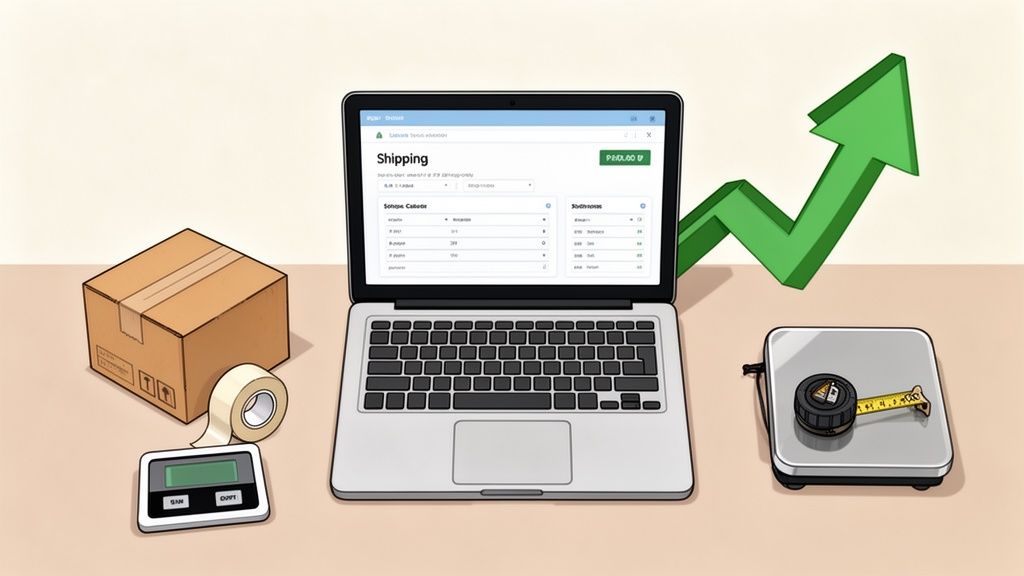
Shipping costs can absolutely make or break an eBay sale. Get it wrong, and you're either eating into your profits to cover unexpected postage or scaring off buyers with prices that look way too high. For anyone serious about making money on eBay, getting a handle on the shipping cost calculator is non-negotiable.
Why Accurate Shipping Is Your Secret Weapon on eBay
Guessing your shipping costs is one of the fastest ways to turn a good sale into a loss. I've seen so many new sellers do it—they estimate postage based on a similar item they sold last week, only to get burned when the buyer lives across the country or the package is a few ounces heavier than they thought. This kind of guesswork leads to two big problems: undercharging and overcharging.
If you undercharge, that difference comes straight out of your pocket. It's a direct hit to your earnings. But if you overcharge, you might kill the sale before it even begins. A buyer can love your item, but if the shipping feels unreasonable, they'll be on to the next listing in a heartbeat.
The Foundation of a Profitable Listing
Think of the eBay shipping cost calculator as more than just a tool—it's a core part of your selling strategy. It lets you lock in your numbers and sell with confidence.
- Protect Your Profit Margins: Getting an exact quote before you list means every single dollar is accounted for. No surprises.
- Offer Competitive Rates: You can give buyers a fair, accurate shipping charge that actually encourages them to click "Buy It Now."
- Run "Free Shipping" Promotions Smartly: Figure out the highest possible shipping cost for an item, then simply build that into your list price. This makes your listing far more attractive without you losing a dime.
Here’s a look at the calculator's main interface. This is where you'll plug in the key details like the destination ZIP code, package dimensions, and weight.
You can see how it gives you options for different package types and carrier services, which is what allows you to dial in such a precise estimate.
Avoiding Those Costly Miscalculations
The real magic of this tool is that it pulls live data directly from the carriers. Back in the day, you might have had to guess, but now these integrated calculators are essential. They factor in the special discounted rates eBay has negotiated, which you wouldn't get at the post office counter.
Because it also includes real-time surcharges, even a 1–2 pound miscalculation can swing the price by several dollars. That's enough to flip a profitable item into a loss leader. This precision is absolutely essential, especially when you've already invested in great visuals. You can learn more about that in our guide on how eBay sellers can improve their product photos.
Navigating the eBay Shipping Calculator Like a Pro
If you want to move beyond guesswork and start shipping with precision, you need to master eBay's shipping calculator. This isn't just a handy feature; it's your direct line to accurate quotes that protect you from losing money or scaring off a buyer with a wild miscalculation. Let's walk through exactly how to use it so you can nail your shipping estimate every single time, whether you're listing from a desktop or your phone.
I see new sellers make one mistake over and over: they weigh an item before it's actually packed up. A sturdy box, a little bubble wrap, and some packing tape can easily add several ounces. That tiny bit of extra weight can be just enough to bump your package into a more expensive shipping tier.
Always, always, always pack your item completely first. Then, and only then, should you weigh and measure it.
The Core Inputs for an Accurate Quote
Getting a reliable shipping price hinges on feeding the calculator the right information. Every single field matters, so don't eyeball it—accuracy is the name of the game here.
- Package Type: Are you shipping in a standard box, a padded envelope, or one of those flimsy poly mailers? The calculator needs to know. For most things you'll sell, choosing "Package (or thick envelope)" is a safe and reliable bet.
- Weight: This is where that pre-packing comes in. Enter the final, fully-packed weight in both pounds and ounces. A digital shipping scale is a small investment, maybe $20-$30, that will pay for itself almost immediately by preventing costly under-charges.
- Dimensions: Grab a tape measure and get the length, width, and height of your packed box. These numbers are critical, especially for big but lightweight items, because carriers use them to calculate dimensional (DIM) weight.
- Origin and Destination ZIP Codes: Your "ship from" ZIP code is usually saved in your account. The key variable is the buyer's "ship to" ZIP code. If you're trying to estimate costs before listing an item, use a ZIP code that's far away from you (like 90210 if you're in New York) to see the absolute worst-case scenario.
This little diagram perfectly illustrates what happens when you get this right versus getting it wrong.
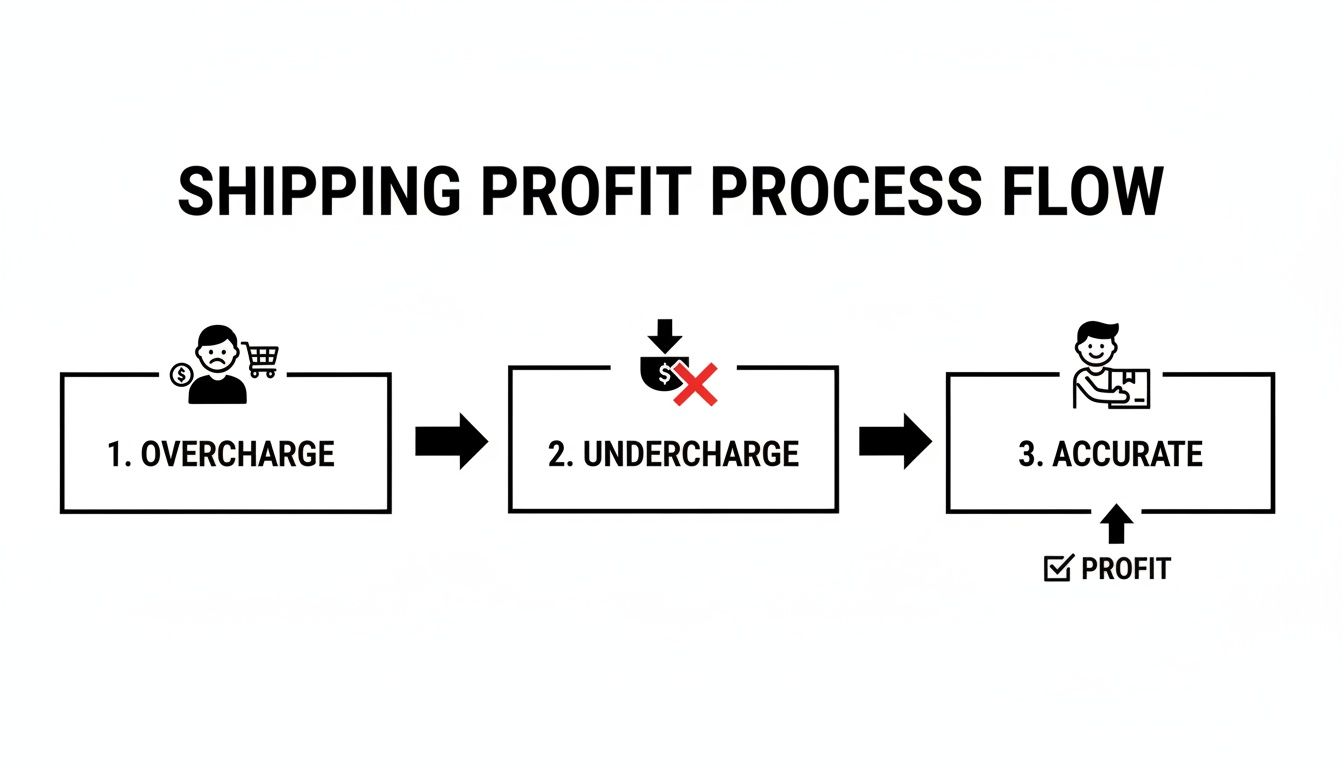
As you can see, both overcharging and undercharging hurt you. One costs you the sale, and the other costs you profit. The goal is to land right in that sweet spot where the transaction is healthy for both you and the buyer.
From Quote to Actionable Listing Price
Once you’ve plugged in the details, eBay's calculator will spit out a list of available shipping services from carriers like USPS, UPS, and FedEx. You’ll see a range of prices based on delivery speed, from slower, cheaper ground services to faster, pricier priority options.
For instance, a two-pound package that measures 10"x8"x4" might cost you $8.50 to ship with USPS Ground Advantage but jump to $11.50 for Priority Mail. This is where you have to make a judgment call, balancing your cost against what a typical buyer expects for that kind of item.
The price you see in the calculator is what you will pay to ship the item. It’s not necessarily what you have to charge the buyer. You can pass on the exact cost (calculated shipping), set a flat rate for everyone, or roll the cost into your item's price and offer "free" shipping.
Sometimes it's helpful to get a second opinion. Beyond eBay's built-in tool, a general shipping calculator can give you a broader view of different carrier rates. I use this sometimes to cross-reference prices, especially for unusual items or destinations.
Using these tools gives you the confidence to price your shipping competitively while still protecting your bottom line on every single sale you make.
What Actually Drives Up Your Shipping Costs?
It's easy to think shipping is all about weight and distance, but a few other critical factors can sneak up and take a bite out of your profits. If you want to use eBay's shipping calculator like a pro, you have to get a handle on these details. Knowing how each piece of the puzzle affects the final price lets you make smart choices that balance cost, speed, and safety for every single item you ship.
The first big choice you’ll make is the shipping service itself. The price difference between a slower, no-frills service and an expedited one can be shocking. For example, a 3 lb package in a 12x10x5 inch box going from Chicago to Los Angeles might cost $10.50 with USPS Ground Advantage. But switch that to USPS Priority Mail, and the price can easily jump to $15.20 or more.
Sure, Priority Mail gets it there faster and usually includes up to $100 of insurance, but you have to ask yourself: does my customer for this specific item really need it that fast? Sometimes the answer is yes, but often, the cheaper option is perfectly fine.
The Hidden Cost of "Dimensional Weight"
Here’s a sneaky one that catches new sellers all the time: dimensional weight, or DIM weight. This is how carriers like USPS, UPS, and FedEx deal with big, lightweight packages. If your box hogs a ton of space on a truck but doesn't weigh much, they'll charge you for the space it occupies, not its actual weight.
They have a formula for this—multiplying the length, width, and height, then dividing by a special number (a "DIM divisor"). If that number is higher than the actual weight on the scale, you pay the higher price. This is exactly why you can’t ship a lightweight sweater in a giant box without getting burned. That mistake could literally double your shipping cost.
My Two Cents: Always use the smallest box you can while still leaving enough room for padding. I often trim down oversized boxes or switch to poly mailers for clothes and other soft goods. It’s a simple trick that helps you dodge DIM weight surcharges entirely.
Now, let's break down how these different inputs really change the number you see on the screen.
How Shipping Variables Impact Your Final Cost
Understanding the calculator's inputs is one thing, but seeing their real-world impact is another. This table breaks down how your choices—from the box you pick to the services you add—can swing your shipping costs from surprisingly cheap to painfully expensive.
| Variable | Low-Cost Impact Example | High-Cost Impact Example | Seller Tip |
|---|---|---|---|
| Package Dimensions | A small, 8x6x4" box for a coffee mug. | A large but light 20x20x10" box for a decorative pillow. | Use the smallest box possible. Poly mailers are great for non-fragile items like clothing. |
| Package Weight | A 10 oz. First-Class package for a t-shirt. | A heavy 15 lb. box for a set of vintage books. | Use a digital scale for accuracy. Even a few ounces can push you into a higher price tier. |
| Shipping Service | USPS Ground Advantage (5-day delivery). | FedEx 2Day (2-day delivery). | Offer both economy and expedited options and let the buyer choose (and pay for) speed if they want it. |
| Add-Ons | None. Standard shipping with no extras. | Adding Signature Confirmation and extra insurance for a $900 item. | Only add Signature Confirmation when required by eBay (for items over $750) to ensure seller protection. |
| Destination | Shipping to a nearby state within the same postal zone. | Shipping internationally, which includes customs forms and potential fees. | Use eBay's Global Shipping Program to simplify international sales and protect yourself from shipping issues. |
Ultimately, every choice is a trade-off. By seeing the potential cost swings, you can decide where it makes sense to save money and where it's worth spending a little extra for speed or security.
Don't Forget the Add-Ons and International Fees
The final costs are layered on with optional services and the complexities of shipping abroad. These might seem like small charges, but they add up fast if you're not paying attention.
- Shipping Insurance: Services like Priority Mail often have some insurance built-in, but for a high-value item, you'll want to buy more coverage. This gives you peace of mind, but it comes at a cost, usually a few bucks for every hundred dollars of value.
- Signature Confirmation: This is your proof that the package was delivered directly to someone. It typically costs an extra $3-$4 and is a non-negotiable for seller protection on any sale over $750. Don't skip it on expensive items.
- International Fees: Sending items to another country opens a whole new can of worms. You’ll run into customs duties, taxes (like VAT), and other carrier fees you never see with domestic shipping. eBay’s calculator does a decent job estimating these, but remember that the buyer is the one responsible for paying any import charges on their end.
By thinking through each of these variables—the service, the size, the extras, and the destination—you can stop just accepting shipping costs and start managing them. That's how you protect your margins and run a smarter business.
Calculating Shipping Costs for Real-World Products

Theory is one thing, but seeing how the eBay shipping calculator works with actual items is where it all clicks. Let's walk through three common scenarios I see all the time. You’ll see how different products demand unique packing strategies, which in turn leads to totally different shipping costs.
Think of these as your repeatable blueprints. For these examples, we'll imagine we're shipping from a central U.S. ZIP code (like 66210 in Kansas) to a cross-country destination (like 90210 in California). This helps us estimate a realistic "worst-case" cost.
Example 1: The Collectible Vinyl Record
A vinyl record is a classic eBay item. It's flat and pretty light, but it needs serious, rigid protection to keep it from snapping in transit. A specialty cardboard mailer isn't optional here—it's a must.
- Item: One 12" vinyl LP.
- Packaging: A dedicated vinyl record mailer (12.5" x 12.5" x 0.5") plus two cardboard stiffeners for extra support.
- Final Packed Weight: 1 pound, 4 ounces.
- Final Packed Dimensions: 13" x 13" x 1".
Once you punch this into the calculator, USPS Media Mail immediately stands out as the cheapest option. But here’s the trade-off: Media Mail can be painfully slow and is subject to inspection. Many experienced sellers, myself included, will often opt for the slightly pricier but faster USPS Ground Advantage. It's a business decision you’ll have to make based on the record's value and how you want to manage customer expectations.
Example 2: The Bulky Pair of Sneakers
Sneakers aren't fragile, but they are bulky. Most people ship them in their original box, but that box eats up a lot of space. This makes it a prime candidate for getting hit with dimensional weight pricing if you're not careful.
- Item: A pair of men's size 11 athletic shoes in their original shoebox.
- Packaging: The shoebox goes inside a slightly larger shipping box with just enough filler paper to keep it from sliding around.
- Final Packed Weight: 2 pounds, 14 ounces.
- Final Packed Dimensions: 14" x 10" x 6".
For a package like this, USPS Ground Advantage or UPS Ground will almost always be your most economical bet. Since the box isn't excessively large for its weight, you probably won't get slammed with a big DIM weight surcharge. The key takeaway is simple: use a shipping box that’s just a little bigger than the shoebox. Don't give carriers an excuse to charge you for empty space.
Example 3: The Fragile Ceramic Vase
With fragile items, protection is everything. This means lots of padding, which adds both weight and, more importantly, bulk to your final package. Your choice of packing materials is critical.
- Item: A medium-sized ceramic vase, 8" tall.
- Packaging: First, wrap the vase in multiple layers of bubble wrap. Then, place it in a box with at least 2 inches of cushioning (like packing peanuts or air pillows) on all sides.
- Final Packed Weight: 3 pounds, 8 ounces.
- Final Packed Dimensions: 12" x 12" x 10".
Because of all that protective padding, this package's dimensional weight might actually be higher than its actual weight. Always, always double-check this in the calculator. For fragile items, paying a little extra for a service like USPS Priority Mail, which often includes some insurance, is a worthwhile investment for peace of mind.
These examples show that packing isn't just about safety; it's a core part of controlling your costs. Of course, great shipping doesn't matter if your listings don't convert. For sellers managing a high volume, figuring out the logistics of product photography for 1000 items in a batch can be a real game-changer. When you master both presentation and postage, you're setting yourself up for success.
Insider Strategies to Lower Your eBay Shipping Expenses
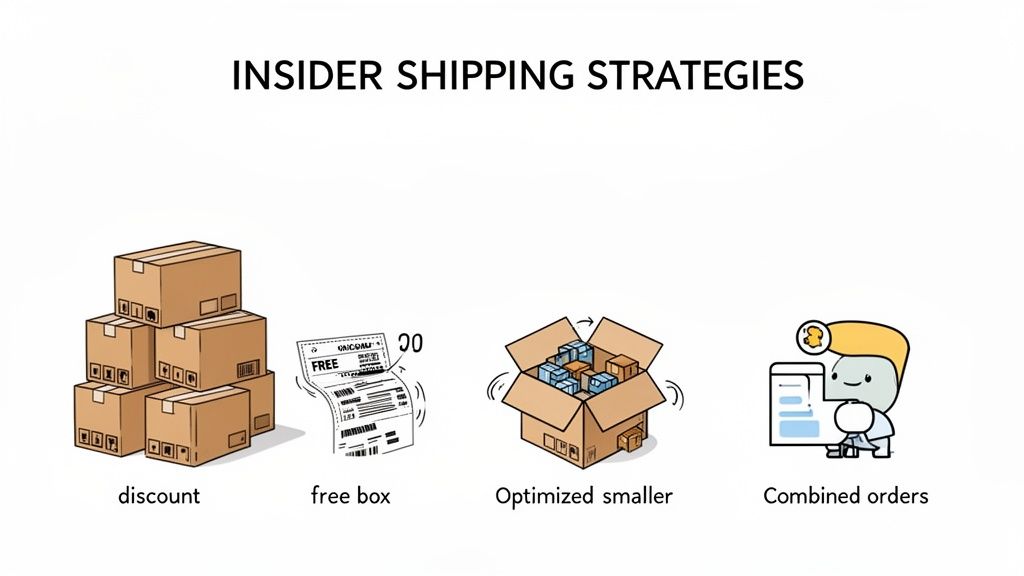
Getting an accurate quote from the eBay shipping cost calculator is just the start. The real skill is actively finding ways to shrink that number, because every penny saved on postage goes straight into your pocket.
Fortunately, there are a handful of proven strategies you can use to turn shipping from a necessary evil into a genuine competitive advantage. One of the easiest wins? Stop paying for boxes. Seriously. Carriers like USPS will send you a whole variety of free Priority Mail boxes right to your door. For everything else—poly mailers, bubble wrap, tape—skip the office supply stores and buy in bulk from online suppliers to slash your costs.
Master Your Packaging Game
How you pack an item has a massive impact on your bottom line. Your goal is to get that package as small and light as possible without ever compromising on safety. This is how you dodge those dreaded dimensional (DIM) weight surcharges.
- Pick the Right Container: A t-shirt doesn't need a box. A lightweight poly mailer is cheaper, lighter, and gets the job done perfectly.
- Kill the Empty Space: Use just enough filler material to keep your item from rattling around. All that extra air can trigger higher DIM weight fees from carriers.
- Don't Be Afraid to Customize: If your box is a bit too big, cut it down to size. It might seem like a small thing, but those inches add up.
When you nail your packaging, carriers charge you for what the item actually weighs, not the space it hogs in their truck. You put in the work to make your product images look fantastic; you want the final shipping cost to be just as appealing. On that note, if you want to dial in your visuals, take a look at our guide on the cost of professional product photography.
Be Smart with Carriers and Labels
Here’s a non-negotiable rule for selling on eBay: always buy your shipping labels through the platform. eBay has negotiated commercial pricing with USPS, UPS, and others, unlocking discounts you simply can't get at the post office counter. These savings are the real deal, often shaving 15% to 30% off retail rates.
Don’t just default to the same carrier out of habit. A package that’s cheap to send via USPS to a nearby state might be way more affordable with UPS if it's heavy and going cross-country. Use the calculator to compare your options every single time.
You also have to get real about your total costs. Remember, eBay's final value fee (around 13.6% for most categories) applies to the entire transaction amount—item price plus what the buyer pays for shipping. If you sell an item for $25 with $5 shipping, that fee is based on $30. If your actual discounted label ends up costing $6.50, you’ve just lost $1.50 on postage alone, and that's before the fee is even calculated.
Finally, think about offering combined shipping. This is a brilliant way to encourage buyers to grab multiple items at once. You pack them all into a single box, they get a great deal on shipping, and you increase your average order value. It's a win-win. Many of these tips are universal for e-commerce; for a broader look, this resource on how to reduce shipping costs for small business has some excellent advice.
Even with a tool as handy as the eBay shipping calculator, you're bound to run into questions. It happens to everyone. Sellers, especially when they're new or listing a weirdly shaped item for the first time, tend to get tripped up on the same few things.
Let's walk through some of the most common snags I see and get you the straight answers you need.
How Do I Figure Out Shipping Before I Even List My Item?
This is probably the single biggest—and most costly—mistake new sellers make. They list an item, it sells, and only then do they realize shipping is going to eat up all their profit. Don't let that be you.
The solution is simple: get ahead of it. You can use the standalone eBay Shipping Calculator without an active listing, and it's a lifesaver. Here’s how you do it right:
- Pack it up for real. Don't just guess. Put the item in its box, add your packing peanuts or bubble wrap, and seal it shut with tape.
- Get the final numbers. Now, weigh and measure the fully packed box. Use a digital scale for accuracy—your bathroom scale won't cut it.
- Run the numbers in the calculator. Enter your ZIP code and then a "worst-case scenario" destination. If you're on the East Coast, pop in a West Coast ZIP like 90210. This little trick shows you the absolute most it could cost to ship, which is the number you need to know to price your item correctly.
Doing this bit of homework upfront is non-negotiable. It’s the only way to avoid that sinking feeling when you realize you’ve lost money on a sale.
What Happens If I Undercharge for Shipping?
This is a painful lesson, but one most of us only have to learn once. If the actual cost to ship is more than what the buyer paid, the difference comes out of your pocket.
That money is pulled straight from your profit margin. For an item where you're only making a few bucks, a shipping miscalculation can instantly turn a good sale into a loss. This is exactly why getting that pre-listing calculation right is your best friend.
How Can I Offer Free Shipping Without Losing My Shirt?
Let's be clear: "free shipping" is a fantastic marketing tool, but it's never actually free for the seller. To make it work for you, you have to bake the cost into your price.
It's a simple bit of math. Use the eBay calculator to find that maximum shipping cost we talked about. Then, just add that amount to your item's price. If your widget is $25 and the priciest shipping option is $10, you list it for $35 with "free" shipping.
This strategy covers your postage no matter where the buyer lives. More importantly, it gets your listing in front of all those shoppers who specifically filter for "free shipping."
Is It Really Cheaper to Buy Shipping Labels Through eBay?
Yes. A thousand times, yes. This isn't even a debate.
eBay has massive contracts with carriers like USPS, UPS, and FedEx, and they pass those commercial discounts on to you. The rates you get through eBay are significantly lower than what you'd pay if you walked up to the counter at the post office.
Plus, there's the convenience factor. When you buy your label on eBay, tracking is automatically uploaded to the order. This is huge for seller protection, cuts down on "where's my stuff?" messages, and helps you keep your seller metrics high. It's a win-win that saves you both time and money.
Ready to make every product photo count? With ProdShot, you can turn simple phone pictures into stunning, professional-quality images that grab attention and drive sales. No studio, no fancy equipment—just your phone and our powerful AI. See the difference for yourself and elevate your listings today. Visit ProdShot to start your free trial.