
For online sellers, the best AI photo editing software isn't about slapping on creative filters. It's a specialized tool built for one thing: turning your basic smartphone pictures into professional, marketplace-ready images that actually sell products. Think of it as an automated shortcut for all the tedious editing tasks, like background removal and lighting correction.
What Is AI Photo Editing for E-Commerce?
Imagine hiring a visual assistant who works around the clock for your online store. This assistant already knows the exact photo specs for Shopify, Amazon, and Etsy. You just hand over a simple photo from your phone, and a few seconds later, you get back a perfectly polished, high-converting image.
That’s what AI photo editing feels like in the real world. You get to skip the headache of complex software or the high cost of photographers and use smart tools that get what commercial imagery is all about. This isn't about art; it's a business solution designed to make your products look amazing, every single time, even when you have hundreds of them.
From Raw Snapshot to Sales-Ready Asset
Getting from a cluttered, poorly lit photo to a crisp, clean product shot used to take a lot of manual work and a good eye. AI automates the whole process, transforming your images with incredible precision.
- Instantly removes distracting backgrounds, leaving you with a clean, professional look.
- Fixes weird shadows and bad lighting so all the important details of your product are clear.
- Ensures your colors are accurate, so the customer gets exactly what they see online.
- Generates brand new, realistic backgrounds that match your store's vibe.
This whole transformation is often just a single click in platforms designed to make complex editing simple.
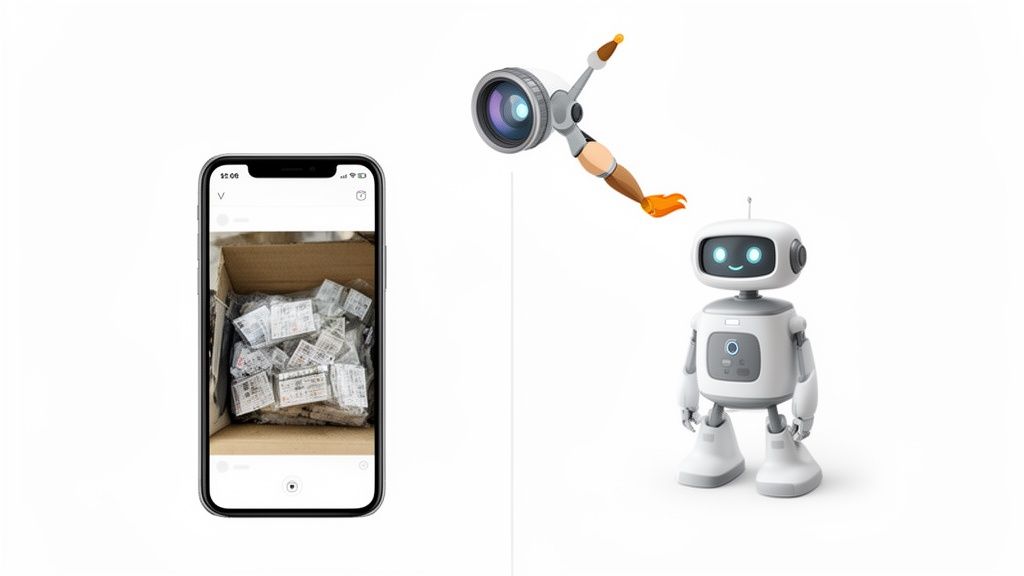
The image here gives you a good idea of how an AI system can take a basic photo and intelligently enhance it, creating a studio-quality shot without you lifting a finger. If you want to see this in action, it's worth exploring what an AI product photo generator can do.
The Business Case for AI Editing
This move toward automation isn’t just a passing trend—it's a massive shift in the market. Analysts predict the global photo editing software market will hit USD 1.73 billion by 2035, with AI-driven automation being the main engine of that growth.
E-commerce brands are expected to make up a huge chunk of this—around 42.3% of the revenue, to be exact. This tells you that the best AI tools are the ones built to handle the high-volume, commercial needs of online sellers. You can dig into more of this data on the photo editing software market over at businessresearchinsights.com.
For an online seller, AI photo editing isn't just another tool—it's a real competitive advantage. It completely levels the playing field, letting smaller businesses get the same visual quality as the big brands, but without the budget-busting costs or long turnaround times.
Essential Features for Online Sellers
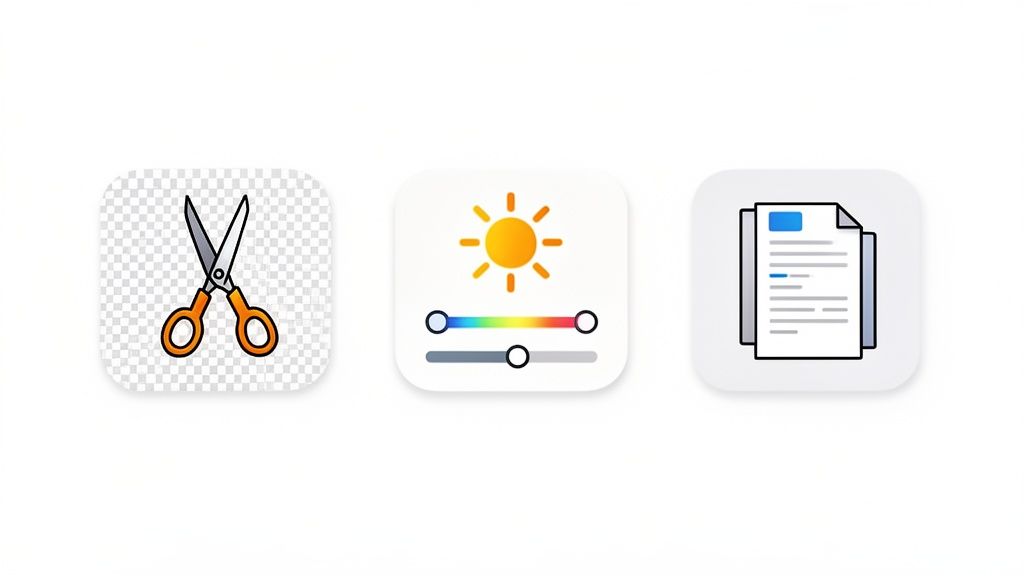
When your business runs online, you quickly learn that not all AI photo editors are built the same. For online sellers, the fancy artistic filters don't matter nearly as much as a core set of features that solve real-world e-commerce problems.
Think of it this way: you need a workhorse, not a show pony. The best AI photo editing software for your store should be a tool that saves you time, keeps your listings compliant, and, most importantly, helps you sell more products. Let's dig into the non-negotiables.
Instant Background Removal
If there's one feature that's an absolute game-changer, this is it. Marketplaces like Amazon and Shopify have strict rules, often requiring a pure white or transparent background. Manually cutting out every single product is a soul-crushing, time-intensive task that used to require a graphic designer.
AI completely flips the script. One click, and the software intelligently snips your product out from its background, leaving you with a clean, professional cutout. This isn't just about saving hours of tedious work; it's about meeting platform guidelines and making your products pop.
The goal is consistency. When every product in your catalog has the same clean background, your entire storefront looks more professional and trustworthy, which directly influences a customer's decision to buy.
Smart Lighting and Color Correction
Ever order something online, only to have it show up in a completely different color? It's a frustrating experience for the customer and a costly one for you, as it’s a major driver of returns. This almost always comes down to bad lighting and inaccurate colors in the photos.
This is where smart AI correction comes in. The software analyzes your image and automatically tweaks the brightness, contrast, and color balance to make it true-to-life. Getting the color right on screen builds huge trust with your customers and can seriously slash your return rate.
Batch Processing for Entire Catalogs
Editing photos one by one is fine when you have five products. When you have fifty, or five hundred? It's a nightmare. Whether you’re dropping a new collection or just refreshing your listings, you need a tool that can handle volume.
Batch processing is the answer. It lets you upload an entire folder of photos and apply the same edits—like background removal or a specific lighting fix—to all of them at once. A task that would have taken an entire day can now be done in minutes. For sellers, finding a specialized Shopify photo editor with robust batch capabilities is often a top priority.
E-Commerce Export Presets
An image that looks perfect on your website might be a blurry mess on Instagram or get rejected by Google Shopping for being the wrong size. Each platform has its own finicky requirements for image dimensions, file types, and sizes.
The best AI editors take the guesswork out of this with built-in export presets. With a click, you can format an image perfectly for Amazon, Shopify, social media, or wherever else you sell. This ensures your photos load fast and look sharp everywhere, which is a big deal for both customer experience and your site's SEO.
To really understand why these features are so vital, it helps to see exactly what problems they're designed to fix.
Essential AI Editing Features for E-Commerce
| Feature | What It Does | Why Sellers Need It |
|---|---|---|
| Instant Background Removal | Intelligently cuts the main subject out from its original background. | Creates a clean, consistent look and ensures compliance with marketplace rules (e.g., pure white backgrounds). |
| Smart Color & Lighting Correction | Automatically adjusts exposure, white balance, and saturation for accuracy. | Ensures the product's color is true-to-life, which builds customer trust and reduces return rates. |
| Batch Processing | Applies the same edit (or sequence of edits) to hundreds of photos at once. | Saves an enormous amount of time when launching new collections or updating an entire product catalog. |
| E-Commerce Export Presets | Resizes, formats, and optimizes images for specific platforms with one click. | Eliminates manual resizing and guarantees your photos meet the requirements for every sales channel. |
When you're shopping for an AI editor, prioritizing tools with these core functions will ensure you're getting a true business asset—one that simplifies your workflow and helps you present your products in the best possible light.
How to Choose the Right AI Photo Editor
Picking the right AI photo editor for your business feels a lot like hiring a new team member. A flashy resume packed with features is one thing, but how do they actually perform on the job? That’s what really matters. Can they deliver high-quality work, day in and day out? Are they fast enough to keep up when you’re swamped?
Instead of getting lost in a sea of feature lists, it's smarter to judge these tools by the real-world impact they'll have on your business. By zeroing in on a few core criteria, you can find a solution that genuinely helps you sell more, not just a fancy piece of software.
Quality and Consistency Above All Else
First and foremost, an AI photo editor has one job: to produce professional, high-quality images every single time. If the results are all over the place—one perfect background removal followed by a jagged, sloppy one—you're just creating more work for yourself. Your new "hire" has to be dependable.
Before you commit to any tool, put it to the test. Throw your most challenging products at it. I’m talking about images with fine jewelry chains, fuzzy sweaters, or clear glass. You need to see if the AI can handle the tricky stuff and deliver clean, believable edits that don't need any manual cleanup.
A great AI editor acts like a seasoned pro. It gets the nuances of different products and consistently produces studio-quality results. The final image should be so clean that nobody would ever guess an AI touched it.
Speed and Scalability During Peak Times
An online business rarely runs on a predictable schedule. You've got flash sales, new product launches, and the madness of seasonal rushes like Black Friday. Your AI photo editor needs to perform under pressure, just like a star employee during a crunch.
Check how the software handles volume. Can it process a batch of several hundred images without choking or slowing to a crawl? The best AI photo editing software is built to scale, letting you refresh an entire product catalog in minutes, not days. This is what keeps you agile in a market that moves at lightning speed.
Usability and Team Adoption
The most powerful tool on the planet is useless if your team can't figure it out. A steep learning curve just leads to wasted time and frustration. The ideal AI photo editor should be so intuitive that anyone—from a marketing manager to a summer intern—can jump in and start creating great images right away.
Look for a clean interface and a simple workflow. Does it take just a couple of clicks to get from a raw photo to a marketplace-ready shot? An easy-to-use platform means photo editing never becomes a bottleneck, empowering your whole team to produce stunning visuals on demand.
This focus on efficiency is fueling massive industry growth. The photo editing software market is projected to grow by USD 542.87 million between 2021 and 2026. A big reason is the demand from businesses—which already make up over 42.3% of the market—for AI tools that slash operational costs and accelerate content creation. You can dig into more of these photo editing software market trends at PR Newswire.
By focusing on these three pillars—quality, speed, and usability—you stop comparing feature lists and start assessing real business value. It's how you "hire" the right AI partner, one that will reliably support your brand as it grows.
Your AI Workflow for Professional Product Images
Turning a simple smartphone snapshot into a pro-level product photo might sound like a huge undertaking, but with the right AI tools, it’s actually a straightforward and repeatable process. The goal isn't to get bogged down in complex software. It's about letting automation handle the grunt work so you get consistent, high-quality results in minutes.
This frees you up to focus on what really matters: growing your business.
Let's walk through a proven, step-by-step process that any online seller can start using today to transform raw photos into assets that actually sell.
Step 1: Capture and Upload Your Images
First things first, and thankfully, it's the easiest part. Forget about booking a photo studio or dropping hundreds on expensive lighting rigs. Modern AI photo editors are built to work with the camera you already have in your pocket.
Just place your product on a plain, uncluttered surface and take a few clear shots. That’s it.
Once you have your photos, you just need to upload them to the AI platform. This is where a killer feature like batch processing saves you a ton of time. Instead of editing photos one by one, you can upload your entire shoot at once—whether it's 10 images or 500. This is the secret to making your workflow scalable.
Step 2: Apply AI Enhancements with a Single Click
With your images uploaded, the real magic happens. This is where all those tedious manual tasks get automated. You’re not messing around with dozens of confusing sliders and tools; you’re letting the AI do all the heavy lifting for you.
A typical AI enhancement sequence only takes a few clicks:
- Instant Background Removal: The AI intelligently finds your product and zaps the background away, leaving you with a clean, transparent cutout. This step alone gets your images ready for marketplaces like Amazon.
- Smart Lighting and Shadow Generation: The software then analyzes the product’s shape to add realistic, soft shadows. It’s a small detail, but it’s what makes your product look grounded and professional, not like it’s just floating in space.
- Color and Texture Correction: Finally, the AI fixes any weird color casts from your lighting, making sure the product looks true-to-life. It also sharpens key details so that fabric textures or metal finishes look crisp and appealing.
The best part? This entire sequence is often applied to all of your uploaded images at the same time, creating a perfectly consistent look across your entire product line in seconds.
The flowchart below breaks down the key decisions you’ll make when picking an editor, homing in on the balance between quality, speed, and usability in your workflow.
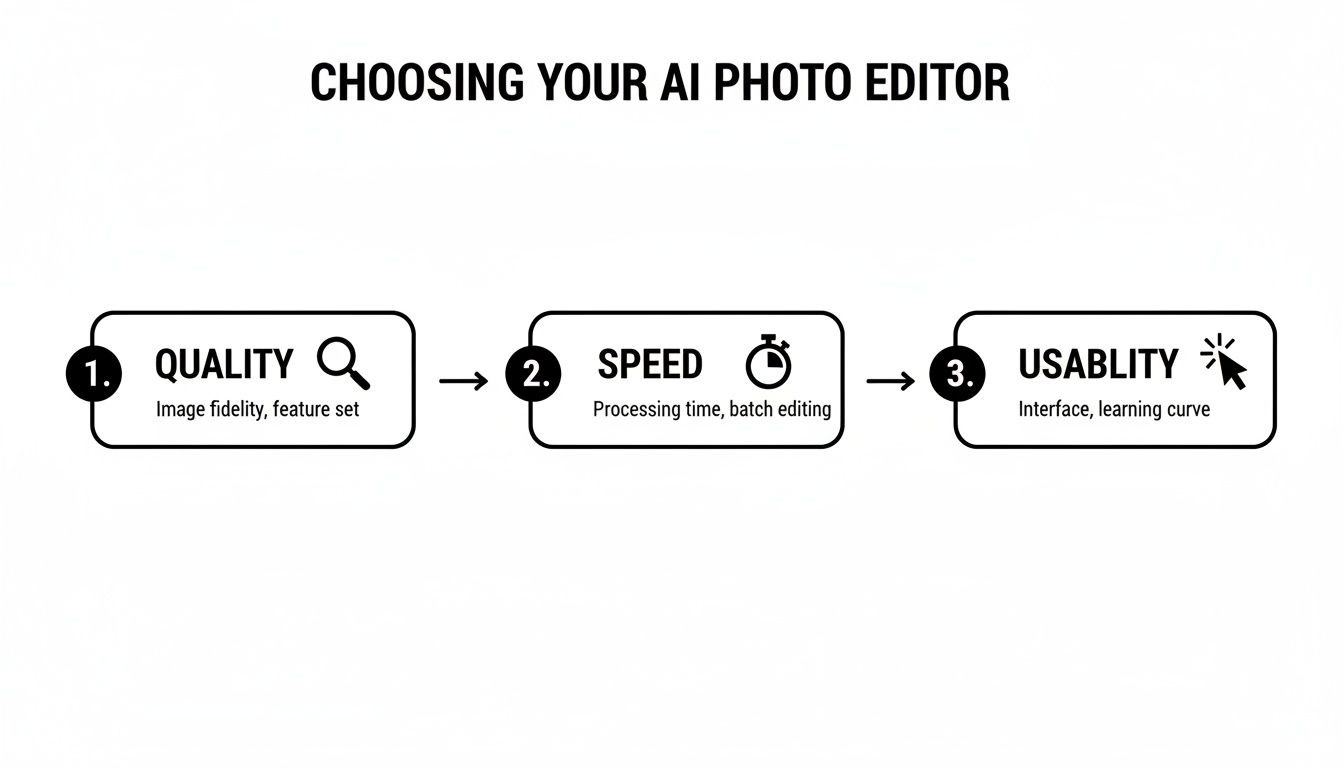
This visual really drives home the point: a successful AI workflow hinges on finding a tool that delivers fantastic results quickly and is easy enough for anyone on your team to master.
Step 3: Export Perfectly Optimized Images
The final step is getting your polished images ready for the world. The thing is, different sales channels have their own specific rules for image sizes, file types, and dimensions. An image that looks great on your Shopify product page won't work as a thumbnail for an Instagram post.
An efficient AI workflow completely eliminates the guesswork. Instead of manually resizing every single image for every platform, you just use built-in export presets. This makes sure your photos are perfectly optimized for every channel, which improves site loading speed and the customer’s experience.
With just one click, you can get versions of your images perfectly sized for:
- Shopify and BigCommerce: High-resolution shots with clean, white backgrounds.
- Amazon and eBay: Compliant main images that meet their strict platform guidelines.
- Social Media: Square or vertical formats that are ideal for Instagram and Facebook.
Of course, after exporting, you might still need to make small tweaks for a blog post or email campaign. For those one-off adjustments, having a dedicated image resizer handy is an incredibly useful tool to have in your back pocket.
This simple three-step workflow—capture, enhance, and export—demystifies the whole process. It’s a system any seller can use to create stunning visuals over and over, save a ton of time, and ultimately, drive more sales.
Seeing the Impact of AI-Powered Photos
It's one thing to talk about features, but it's another thing entirely to see the results in the real world. The best AI photo editing software isn't about a long list of specs; it's about solving real problems that sellers face every single day. Let's look at how AI-powered editing takes challenging product photos and turns them into professional assets that actually drive sales.
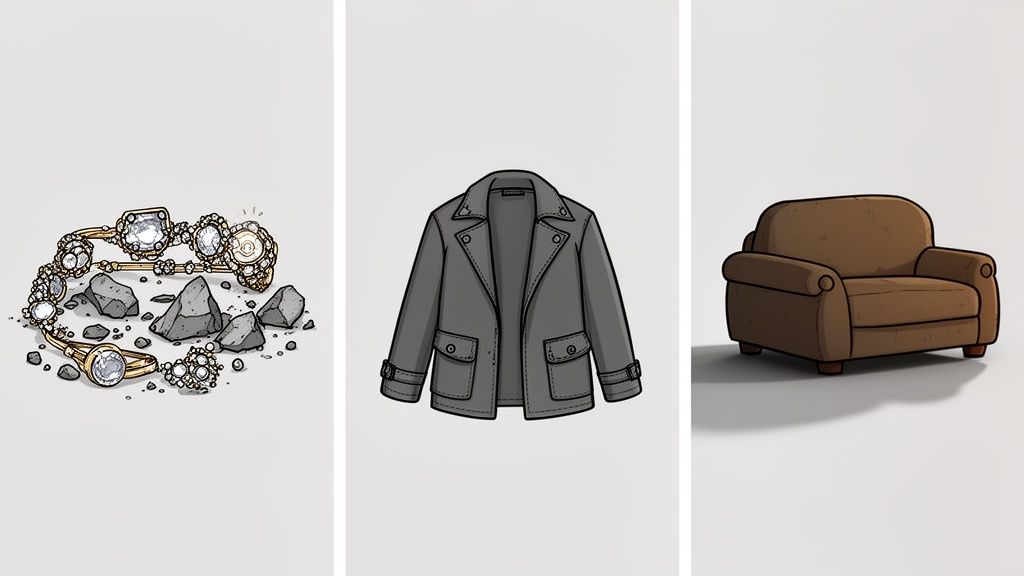
These aren't just simple tweaks. These examples show how automation can directly lift your brand perception and make your operations a whole lot smoother, one product at a time.
The Etsy Seller and Reflective Jewelry
Imagine an Etsy seller who makes beautiful, handmade silver necklaces. Her biggest headache? The photos. The shiny metal surfaces always caught distracting glares and reflected the clutter in her living room, hiding the intricate details of her work. Her images were inconsistent and poorly lit, which made her high-quality craft look cheap. Unsurprisingly, sales were flat.
She decided to try an AI editor, uploading her entire collection. In just a few minutes, the software did what used to take her hours of frustrating work in Photoshop.
- Problem: Harsh reflections and bad lighting made the jewelry look amateurish.
- AI Solution: Smart lighting correction instantly softened the glares and evened out the exposure. At the same time, background removal placed each necklace on a perfectly clean, neutral canvas.
- Outcome: The new images were stunning, highlighting every fine detail. Her shop suddenly looked cohesive and professional, leading to a 30% jump in click-through rates from Etsy search.
The Shopify Store and a Rapid Apparel Refresh
Now think of a Shopify brand selling vintage clothes. They needed to get their entire catalog ready for the new season, but with over 200 unique items—all shot on different mannequins with different backgrounds—a consistent look seemed impossible without a hugely expensive reshoot. The owner needed a fix, and he needed it fast.
He turned to batch processing. In a single afternoon, he completely overhauled his store's visual inventory.
AI-driven batch editing is a massive force multiplier for e-commerce. It lets one person do what used to require a small team, turning a week-long project into something you can finish before lunch.
The AI automatically stripped out every background, standardized the lighting so every photo looked like it was from the same shoot, and even added subtle, realistic shadows. The result was a uniform, high-end gallery that instantly elevated the entire brand.
Streamlining for Marketing and Growth
Once you have these professional-grade images, you can take things even further. They become powerful assets for your marketing campaigns. When you understand concepts like Dynamic Creative Optimization (DCO), you can start using your visuals to create personalized ads in real-time, getting even more mileage out of them.
These stories all point to the same thing: the right AI tool is so much more than an editor. It breaks down bottlenecks, gives sellers the power to look professional, and directly helps the bottom line by improving your brand's look while saving you an incredible amount of time.
The Future of E-Commerce Is Automated
In the cutthroat world of online retail, professional product photos aren't just a nice-to-have anymore. They’re the bare minimum. Customers expect it. The good news is that AI is leveling the playing field, giving small businesses and solo sellers the power to create images that once required a massive budget and a pro photography team.
This shift lets you put your entire visual content workflow on autopilot. By handing off the repetitive, soul-crushing tasks of photo editing, you get your time back. That means you can finally focus on what actually grows your business—marketing, developing new products, and talking to your customers.
Beyond Pictures to Profitability
The conversation around the best AI photo editing software isn't just about making things look pretty. It's a strategic business decision about efficiency and growth. These tools don't just create slick images; they help you build a more agile, scalable, and—most importantly—profitable business.
When you embrace this technology, you can jump on market trends faster, launch new products in a fraction of the time, and keep your storefront looking polished with almost no effort.
And this isn't some niche trend; it's gone completely mainstream. Recent data shows just how fast AI imaging is taking over. One report called AI image editing and generation the fastest-growing software category of 2024, with a mind-boggling 441% year-over-year growth. For anyone selling online, that’s a clear signal: manual photo retouching is quickly becoming a competitive disadvantage. You can find more of these eye-opening AI image statistics on photoroom.com.
The future of e-commerce isn’t just about having an online store; it’s about having an automated online store. AI photo editing is a critical piece of that puzzle, turning a major operational bottleneck into a streamlined asset.
As we look ahead, this kind of automation is expanding beyond just photos. We're seeing AI integrated into every part of a product listing. For a deeper look at how this works on major platforms, check out this guide on AI optimization for Amazon listings.
Ultimately, the sellers who adopt these tools aren't just keeping up. They're setting themselves up to win in a modern marketplace that prizes speed, consistency, and quality above all else.
Common Questions About AI Photo Editing
Jumping into the world of AI-powered tools can bring up a lot of questions. And for online sellers, where every minute and every dollar counts, it’s smart to be a little skeptical before adopting new tech.
Our goal here is to cut through the noise and give you clear, practical answers. Understanding how these tools really work is the first step toward using them to actually grow your business.
Do I Need a Professional Camera to Use AI Photo Editors?
Absolutely not. This is one of the biggest myths out there and, honestly, one of the best things about AI photo editing software. These platforms are built specifically to take ordinary photos from any modern smartphone and make them look incredible.
The AI’s job is to compensate for a phone camera’s limitations. It corrects weird lighting, sharpens up details, and gets rid of messy backgrounds. This saves you from dropping thousands on fancy photography gear and makes high-quality images accessible to everyone.
How Much Time Can I Realistically Save?
The time savings aren't just a small perk; they are massive. A task that might take a skilled designer an hour—like carefully cutting out the background from ten different product photos—can often be done by an AI in less than a minute.
For sellers managing hundreds or thousands of products, this is a total game-changer. What once took days of painstaking manual work each month can now be knocked out in a single afternoon. That’s time you can put back into marketing, customer service, or finding new products.
This kind of speed is especially critical when you're trying to refresh an entire product catalog or prep for a big seasonal sale.
Is AI Editing Suitable for All Product Types?
Yep, it sure is. Modern AI models are incredibly versatile because they’ve been trained on millions of images from just about every product category you can think of.
Whether you sell delicate jewelry, fuzzy sweaters, shiny electronics, or bulky furniture, the software is smart enough to identify the unique qualities of each item.
- For Jewelry: It can handle complex edges and shiny surfaces without losing important details.
- For Apparel: It knows how to preserve the natural texture of fabrics like wool or silk.
- For Electronics: It creates clean, sharp lines and removes distracting glares.
- For Home Decor: It accurately shows colors and scale, even for big items.
The technology adapts its approach based on what it sees, ensuring a high-quality result no matter what you sell.
Will My Photos Look Generic or AI-Generated?
This is a totally valid concern, but a good e-commerce AI editor is designed to do the exact opposite. It aims to produce clean, realistic, and authentic images—not something that looks fake or overly processed.
The AI is focused on solving real-world photography problems. It adjusts lighting to look more natural, tweaks colors to be true-to-life, and adds subtle, soft shadows that make products look grounded and real. The final image should look like it was shot in a professional studio, not made by a robot. The best tools are invisible, leaving you with a polished photo that truly represents your product.
Ready to transform your product photos in seconds? ProdShot gives you the power to create professional, studio-quality images with AI. Try it today and see how easy it is to elevate your brand. Get started at https://prodshot.net.