

When we talk about "photography for marketing," we're not just talking about taking nice pictures. It's the strategic art of using images to grab attention, pull customers in, and convince them to buy. From a clean, crisp product shot on a white background to a vibrant lifestyle photo showing your product in action, these visuals are doing the heavy lifting of building trust, showing value, and ultimately, driving sales on every platform you use.
Why Your Marketing Photography Is a Crucial Investment

Think of it this way: in the packed, noisy world of online shopping, your photos are your digital storefront. They're your best salesperson and your brand ambassador, all rolled into one. Let's be honest—bad photos don't just look unprofessional; they're actively costing you money by making potential customers scroll right past.
High-quality photography isn't a luxury; it's a fundamental part of doing business online. For most shoppers, the visual appeal of your product is the single biggest factor in their decision to click "add to cart." The data backs this up, with studies showing that about 90% of online shoppers say photo quality is the most important element in their buying decision. It’s a direct line to better conversion rates.
The Direct Impact on Your Bottom Line
It goes deeper than just that first sale. Great visuals have a ripple effect on other key parts of your business. When your photos are clear, accurate, and appealing, you set the right expectations. This leads to happier customers, better reviews, and more repeat business.
That accuracy also hits your wallet in a very positive way. A staggering 22% of all product returns happen because the item a customer received looks different from the photo online. By showing your product exactly as it is, from all the right angles, you build the confidence someone needs to make that first purchase—and you dramatically reduce the cost and headache of returns.
Investing in your visuals isn't just about looking good. It’s a strategic move to boost revenue and protect your profit margins. Every image is an opportunity to either win or lose a customer.
The best part? You don't need a massive budget to get this right anymore. As you’ll see in this guide, all it takes is your smartphone and some smart AI tools to get professional results. It’s a world away from the traditional cost of professional product photography.
Planning Your Photoshoot With Marketing Goals in Mind
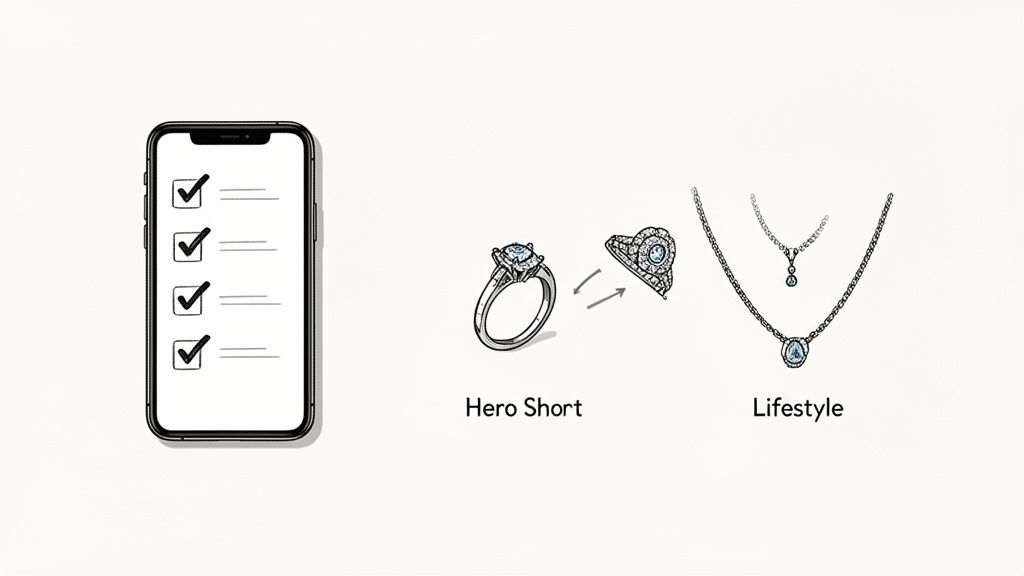
Before you even think about picking up your camera, your most powerful tool is a solid plan. Let's be real—great marketing photography doesn't just happen by accident. It's the direct result of thoughtful prep work that ties every single shot back to a specific business goal. This all starts with a simple but surprisingly effective photoshoot brief.
Think of the brief as your roadmap. It makes sure every photo you snap has a clear purpose. Before you dive into your next shoot, get your vision on paper by crafting an effective creative brief that locks in your campaign goals. It doesn't have to be some long, formal document, but it absolutely needs to answer a few key questions to guide your creative direction.
Define Your Visual Style and Goals
First up, what’s your brand's personality? Are you sleek and modern, or more rustic and cozy? Your visual style needs to be a direct extension of that identity, creating a consistent look and feel everywhere your customers see you. That consistency is what builds brand recognition and, more importantly, trust.
Next, you need to get hyper-specific about what these photos must accomplish. The goal isn't just to "get some product shots." You need to pinpoint the essential images for different platforms, because what kills it on a Shopify product page is totally different from what stops someone mid-scroll on Instagram.
A well-planned shot list is your secret weapon. It transforms a potentially chaotic shoot into an efficient, goal-oriented process, saving you hours of frustration and preventing those dreaded, costly reshoots.
Scenario: A Small Jewelry Brand
Let’s imagine you run a small business selling handmade silver rings. Your photo needs are going to change drastically depending on where you're marketing them. A little prep work here makes all the difference. For bigger projects, agencies create detailed visual guidelines, and honestly, it's a smart strategy for small teams, too. You can find more insights on how agencies use planning to streamline their visual content workflows at https://prodshot.net/for-ad-agencies.
Here’s a practical look at how you might plan your shots:
-
For an Etsy Listing: You'll need clean, high-resolution photos on a pure white background—that's just table stakes for most marketplaces. You should also grab detailed macro shots showing off your craftsmanship, an image of the ring on a model’s hand for scale, and a nice shot of the packaging. These are the photos that build buyer confidence.
-
For an Instagram Reel: Here, the game changes completely. It's all about storytelling and grabbing attention. You’d want to plan for short video clips of the ring catching the light, maybe a cool behind-the-scenes shot of you polishing it, and a lifestyle photo of someone wearing it while sipping coffee. These shots feel authentic and relatable.
This kind of detailed planning ensures every visual you create is perfectly tailored for its platform and is actively working to attract, engage, and convert your ideal customer.
Shooting Beautiful Product Photos with Just Your Smartphone
You don't need a thousand-dollar DSLR and a full studio to create images that sell. In fact, the most powerful tool for incredible product photography is probably in your pocket right now. Modern smartphone cameras are ridiculously good, and with just a few core techniques, you can start capturing professional-grade photos that will stop scrollers in their tracks.
This isn't about becoming a master photographer overnight. It's about focusing on the three pillars that make the biggest impact: lighting, composition, and styling. Get these right, and you’ll be able to consistently produce beautiful shots that build your brand and connect with customers.
Master Your Lighting with a Single Window
Great lighting is everything in photography, and you don’t need to spend a dime to get it. Your best friend is a large window. The soft, diffused natural light that streams through a window is perfect for product photos, creating gentle shadows that add depth and highlight texture without being harsh or distracting.
Find a room with a window that isn't getting blasted by direct, intense sunlight. Set up a small table right next to it, place your product down, and watch the magic happen. The light should be hitting your product from the side—this is called side lighting, and it's the secret to making your products look three-dimensional and detailed.
Whatever you do, never use your phone’s built-in flash. It’s a one-way ticket to flat, cheap-looking photos. If you notice the shadows on the side of your product opposite the window are a little too dark, there's a simple fix. Grab a piece of white foam board or even just a sheet of printer paper and prop it up on the shadow side. It will act as a reflector, bouncing soft light back into the shadows and brightening everything up beautifully.
Simple Composition to Make Your Product Pop
How you frame your product has a massive impact on how customers see it. Composition is just the art of arranging things in the frame to look good and guide the viewer's eye. The easiest and most powerful trick in the book is the rule of thirds.
Just imagine your screen has a tic-tac-toe grid over it. The rule of thirds says that instead of plunking your product right in the dead center, you should place it along one of the lines or at one of the four points where the lines cross. It sounds small, but this simple shift makes an image feel way more dynamic and professional. Give it a try—you’ll be surprised at the difference.
Another quick win is to change up your angles. Don't shoot everything from the same boring eye-level view.
- Shoot from slightly above (a 45-degree angle): This is your go-to, versatile angle that works for most products.
- Get down to its level (a straight-on shot): This can make a product feel more impressive and substantial.
- Capture the details (a close-up shot): Zoom in to show off unique textures, logos, or high-quality materials.
Your goal with e-commerce photography is simple: show the product clearly and make it look irresistible. Always keep your backgrounds clean and uncluttered so the focus stays right where it belongs—on what you're selling.
On-Set Smartphone Photography Checklist
Before you start snapping away, it’s worth running through a quick mental checklist. Getting these small details right on set will save you a ton of headaches in editing later and ensure your results are consistently great.
| Checklist Item | Why It Matters | Quick Tip |
|---|---|---|
| Clean Your Lens | A smudged lens is the #1 cause of blurry, hazy photos. | Wipe it with a microfiber cloth before every single shoot. |
| Tap to Focus | Ensures the most important part of your product is tack-sharp. | After framing your shot, tap on the key feature of your product. |
| Adjust Exposure | Avoids photos that are too bright (blown out) or too dark (crushed). | Tap and hold on the screen, then slide the sun icon up or down. |
| Turn Off Flash | The on-camera flash creates harsh, ugly, and flat light. | Make sure the flash icon has a line through it. Always! |
| Check Your Background | A distracting background pulls focus away from your product. | Look for stray items, dust, or awkward lines before you shoot. |
This simple rundown takes less than a minute but makes a world of difference. Consistency is key, and this little routine helps you nail the fundamentals every time.
Basic Styling That Tells a Story
Styling is where you give your product some personality. It’s about creating a little scene that tells a story and helps the customer imagine your product in their own life. If you're selling a leather handbag, maybe a pair of sunglasses and a magazine nearby suggest a stylish weekend. For a handmade ceramic mug, a few scattered coffee beans can evoke a cozy morning vibe.
The trick is to keep your props relevant and minimal. They are there to support the hero product, not steal the spotlight. Use them to give a sense of scale, hint at how the product is used, or just add a pop of color that fits your brand. This is how you turn a simple product shot into a lifestyle image that truly connects with your ideal customer.
Editing Your Photos in Minutes with Smart AI Tools
So you’ve snapped some great shots with your smartphone. Awesome. But the job isn't quite finished. Now comes post-production, the step where a good photo gets turned into a high-converting marketing asset. Not too long ago, this meant sinking hours into complex software like Photoshop, a major headache for anyone trying to run a business.
Today, that entire workflow has been flipped on its head by smart, AI-driven editing tools. This isn't about fussing with layers or painstakingly tracing around your product. The new tools offer a straight line from your camera roll to a polished, professional image in just a few clicks. Suddenly, high-quality photography for marketing is within reach for everyone.
The New AI-Powered Workflow
The whole process is built for speed. You just upload your best smartphone photo directly into an AI editor, and from there, the magic happens almost instantly.
For e-commerce, the single most critical function is background removal. With one click, the AI isolates your product and drops it onto a clean, pure white background—the gold standard for marketplaces like Amazon and a crisp look for any Shopify store. This step alone used to demand serious time and skill, but now it's completely automated.
Next, the AI gets to work on the lighting and color. It analyzes your image and applies smart enhancements, cleaning up shadows, making the colors pop, and ensuring your product looks its absolute best. This is crucial for making sure your colors are accurate, which helps cut down on returns from customers whose expectations weren't met.
The goal of AI editing isn't just to make a photo look better; it's to make it perform better. It creates consistency across your product gallery, which builds brand trust and gives your entire store a more professional, cohesive feel.
Getting a good source image is the foundation for this whole process. This flowchart breaks down what to focus on during your shoot.
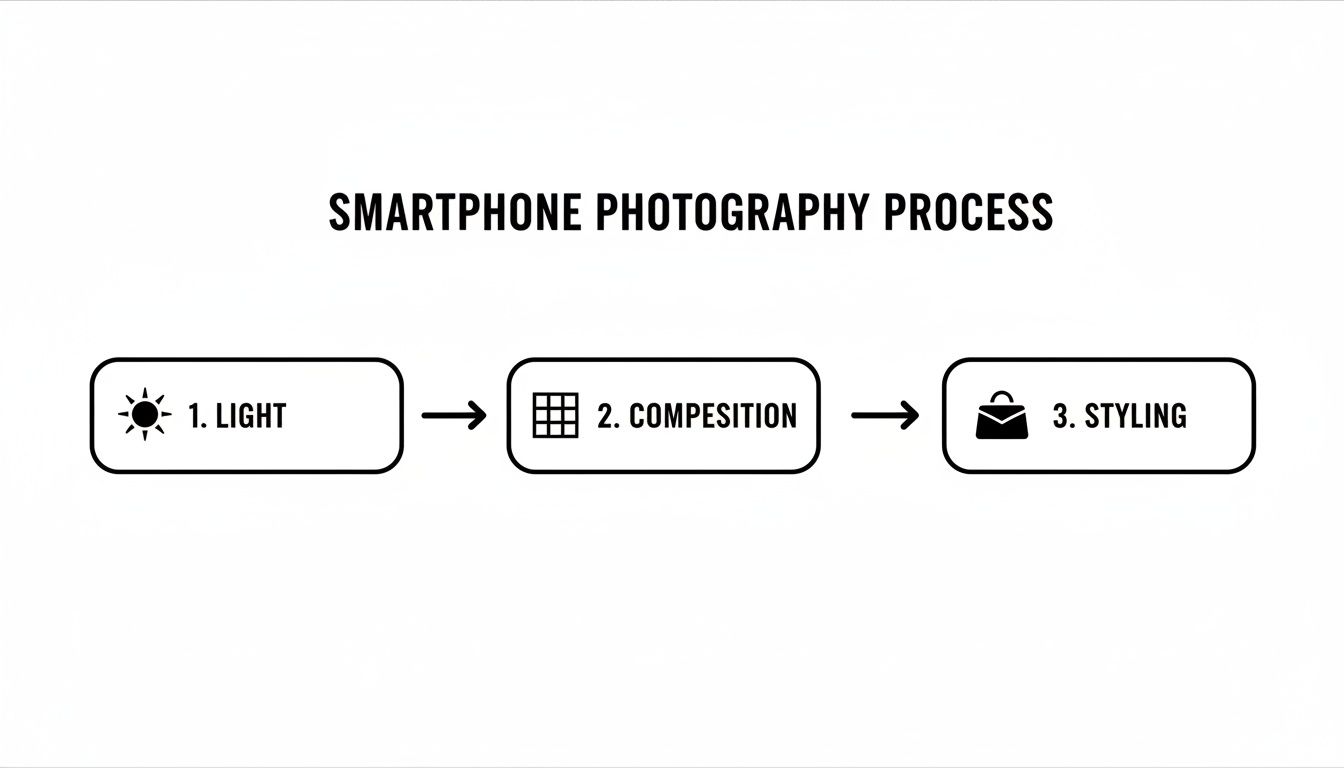
As you can see, mastering lighting, composition, and styling during the shoot gives the AI a much stronger base to work with, leading to far better final images.
From One Photo to Every Platform
One of the biggest time-savers here is automated resizing. Instead of manually creating different versions of an image for your website, Instagram, and Etsy, these tools can spit out perfectly optimized crops for every channel in seconds. Need a square for an Instagram post and a vertical shot for a Story? It’s done.
This move toward automated visual production is part of a much bigger trend. The global photography services market hit a staggering $55.6 billion in 2023, and the e-commerce product photography niche is a huge driver of that growth. It signals a major shift toward scalable, AI-assisted workflows that can keep up with the demands of online selling.
This new approach is a game-changer for small businesses. You can create an entire gallery of market-ready photos in the time it used to take to edit a single image, all without expensive software or time-consuming manual work. If you're looking to see this in action, ProdShot's AI product photo generator is a perfect example of these principles at work. This kind of efficiency means you can get products listed faster, test different visuals, and keep your storefront looking fresh without blowing your budget.
Optimizing Your Photos for Every Sales Channel
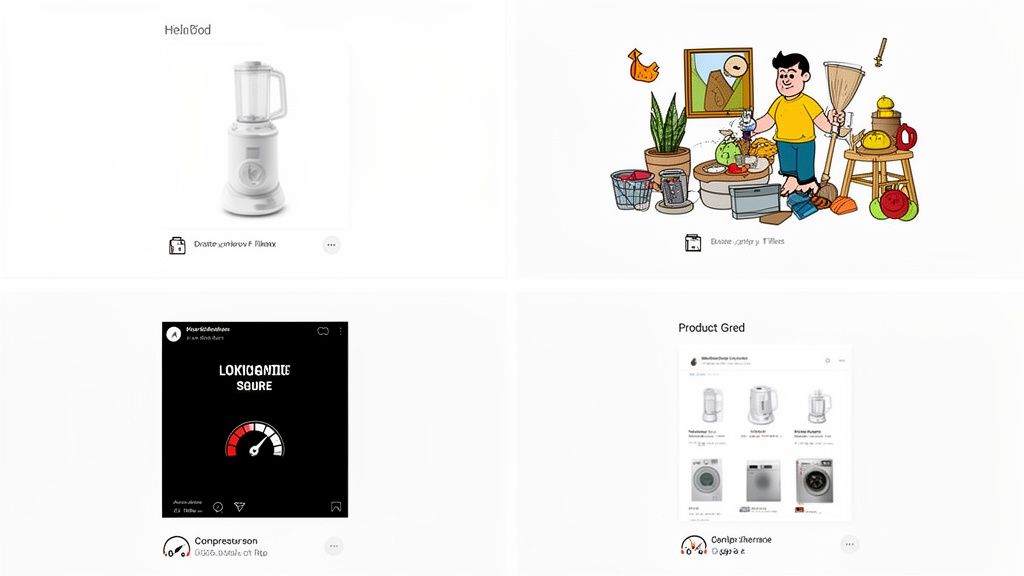
Getting a stunning product photo is really only half the job. A brilliant image only starts working for you once it’s perfectly tailored for the specific platform where your customers will actually see it.
Let's be real: what works on Amazon will likely fall flat on Instagram. This makes platform-specific optimization a non-negotiable step in your workflow.
Each channel has its own set of rules—some written, some just understood—that dictate what kind of imagery gets the best results. Marketplaces like Amazon, for instance, are sticklers for a clean, pure white background on the main product image. That’s not just a suggestion; it’s a hard requirement to create a uniform, distraction-free shopping experience.
On the other hand, a platform like Etsy thrives on personality and storytelling. While a white background shot is still a good idea to have in your gallery, the images that truly drive discovery and sales are often stylized lifestyle photos that show your product in a relatable, real-world context.
Tailoring Your Visuals for Top Marketplaces
Think of each platform as a different room with a different vibe. You wouldn't talk the same way at a business conference as you would at a backyard barbecue. The same goes for your visuals. You need to speak the right visual language to connect.
Here’s a quick breakdown of how to adapt your shots for the big players:
- Amazon & eBay: Your main image must be on a pure white background. No exceptions. Follow it up with supporting images showing different angles, key features, and something for scale.
- Etsy: Lead with an inviting lifestyle or styled shot that tells a story. This is your hook. Then, fill out the gallery with clean product shots, close-ups of details, and maybe even a photo showing your handmade process.
- Shopify: This is your house, your rules. Use a mix of clean product shots for the main gallery and sprinkle in lifestyle images on the product page or homepage to build your brand’s unique atmosphere.
Once you've captured and polished your photos, the next step is getting them out there effectively. For great insights on using visuals on platforms like Facebook and Instagram, it's worth checking out a comprehensive guide to social media marketing.
Getting the Technical Details Right
Beyond the creative stuff, the technical side of image optimization is critical. These small details can have a massive impact on your search rankings and the user experience, which directly affects your sales.
Proper image optimization isn't just about shrinking a file. It's about making your photos work harder for you by boosting site speed, improving search visibility, and ensuring your site is accessible to everyone.
Start with your file names. Seriously. Instead of uploading IMG_2475.jpg, rename it to something descriptive and keyword-rich, like brand-product-name-color.jpg. This simple action gives search engines valuable context about your image and what it shows.
Equally important is alt text. This is the short description that shows up if an image fails to load and is also read aloud by screen readers. Write clear, concise alt text for every single photo (e.g., "Handmade ceramic coffee mug with a blue glaze") to improve both accessibility and your SEO.
Finally, compress your images. Large image files are the number one cause of slow-loading websites, and nothing sends customers running faster than a slow site. Use a simple compression tool to reduce the file size without a noticeable drop in quality. This ensures a fast, smooth experience for every visitor and turns all your hard work behind the camera into tangible results.
Got Questions About Marketing Photography? We’ve Got Answers.
Jumping into product photography often feels like opening a can of worms. You get the basics down, but then a million little questions pop up. Let's clear up some of the most common ones so you can get back to shooting with confidence.
So many sellers wonder how many photos they actually need for a single product listing. The magic number is usually between 5 to 8 images. That’s enough to show everything a customer needs to see without overwhelming them with options.
Think of it like telling a visual story. You’re giving the shopper a complete picture, letting them mentally "hold" the product from every angle.
What Are the Must-Have Shots for Any Product?
While every product has its own personality, there’s a core set of shots that work for almost anything you sell online. Make sure you capture these for every single item:
- The Hero Shot: This is your star player. It’s a clean, crisp shot of the entire product, usually on a white background. It's the first thing people see.
- Detailed Close-Ups: Get right in there. Show off the texture of the fabric, the quality of the stitching, or any unique features. This is where you prove its value.
- In-Context or Lifestyle Shot: Put the product to work. Show it on a kitchen counter, on a model, or in a beautifully styled scene. This helps customers imagine it in their own lives and get a sense of its size.
- Multiple Angles: Don't be shy. Give them the front, back, sides, and even the top and bottom. No mysteries here—the more they can see, the more confident they'll feel buying.
Nailing this mix answers most of a customer’s questions before they even think to ask, which is a huge step toward clicking "add to cart."
How Do I Choose the Right Background?
Simple: the best background is one that makes your product the absolute center of attention. For marketplaces like Amazon, a pure white or light neutral background is almost always the right call. It’s clean, professional, and lets the product’s true colors shine through.
But for your own website or social media, feel free to get a little more creative. A colored piece of paper, a slab of marble, or a rustic wood plank can add a ton of personality that lines up with your brand.
The golden rule for backgrounds is simple: does it support the product or compete with it? If your eyes are drawn to the background first, it’s the wrong choice. Keep it clean and intentional.
Getting these questions sorted out early on makes the whole process smoother. You stop worrying and start creating beautiful, effective photos that actually move the needle on sales.
Ready to turn your smartphone snaps into money-making product shots? ProdShot is your AI-powered photo studio. It removes backgrounds, perfects your lighting, and creates stunning, on-brand images in just a few clicks. Try it for free and see the difference at https://prodshot.net.