
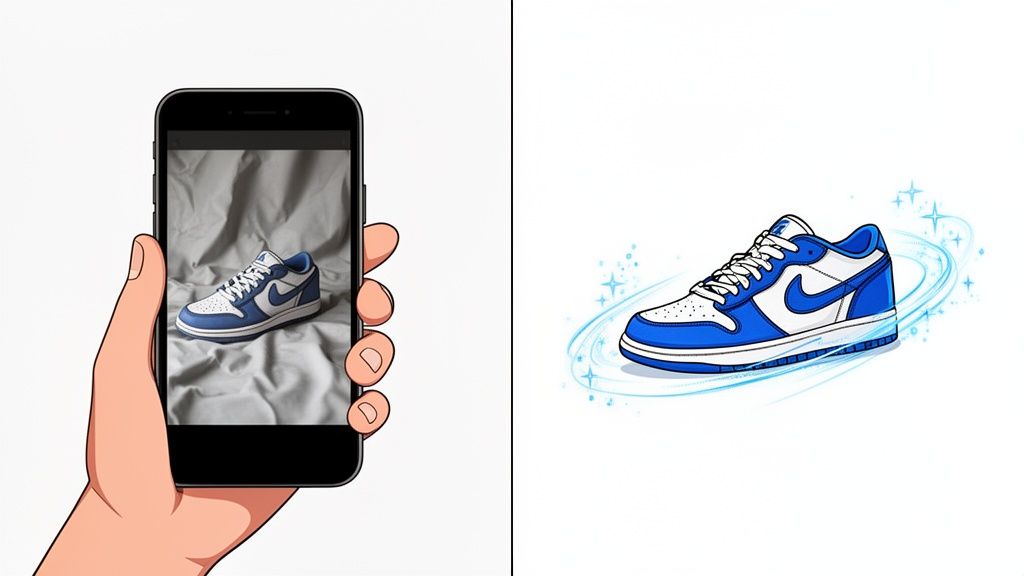
So, what exactly is AI photo cleanup? In a nutshell, it's using smart software to automatically handle the tedious parts of getting your product photos ready for primetime. This means removing backgrounds, fixing wonky lighting, and zapping away any little blemishes on your products.
For anyone selling online, it's a way to turn a decent smartphone picture into something that looks professional and ready for a marketplace listing—all in a matter of seconds. It completely sidesteps the need for a professional photoshoot or wrestling with complicated editing software.
Why AI Photo Cleanup Is a Game-Changer for Sellers
If you're in e-commerce, you live and die by your product photos. It’s a simple truth. Your customers can't pick up your product, feel its weight, or see it from every angle, so your images have to do all of that work. For a long time, the only way to get those perfect shots was to hire a professional photographer, which was often a slow and expensive process, especially for small businesses and solo entrepreneurs.
This is exactly where AI photo cleanup flips the script. Forget spending hours learning your way around complex software or paying for every single manual edit. Now, you can get incredible, polished results almost instantly.
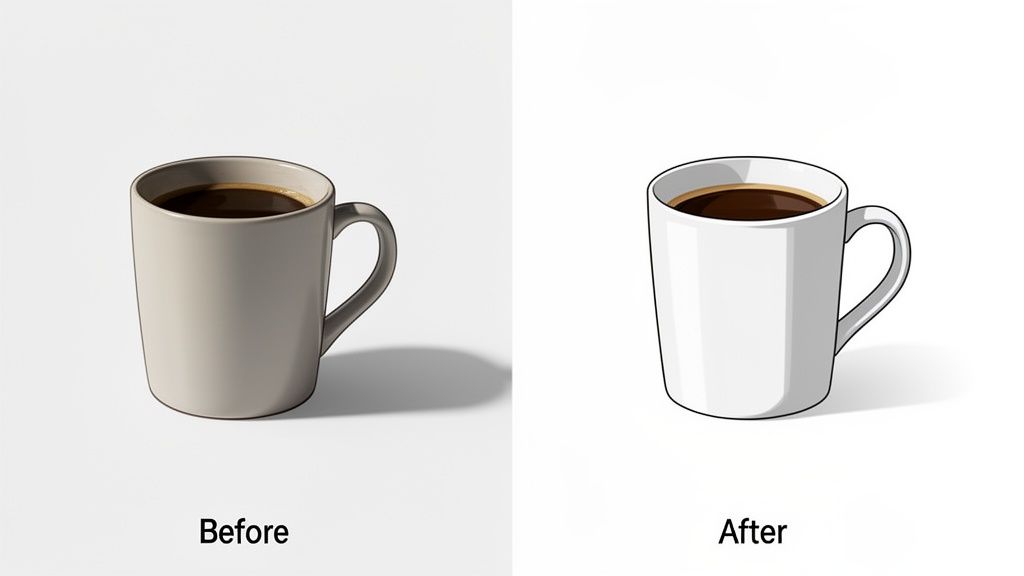
The Power of Automation for E-commerce
Just think about the most mind-numbing photo editing tasks you’ve ever had to do. Cutting a product out from its background, especially if it has fuzzy edges or intricate details. Trying to make the lighting look consistent across a dozen different photos. Spotting and removing a tiny speck of dust you didn’t see until after you uploaded everything.
Tasks like these used to be a real time-sink. Now, AI-powered tools can knock them out in a click, giving smaller sellers the kind of efficiency that was once only available to big brands.
This isn't just some passing fad; it's a fundamental shift in how e-commerce works. The market for AI photo editors is on track to hit a massive $8.9 billion by 2034. The AI product photography niche alone is projected to reach $5 billion by 2035. This huge growth is happening because retailers are moving away from traditional photoshoots, which can easily cost $50-$200 per image, and embracing more affordable and scalable AI alternatives.
Key Takeaway: AI photo cleanup isn't about taking a shortcut. It's about being smart with your two most precious resources—time and money—and putting them back into activities that actually grow your business.
By automating the visual side of things, sellers on platforms like Shopify, Amazon, and Etsy can finally build a clean, consistent look across their entire store. That kind of visual consistency is what builds trust and has a direct, positive effect on sales. While there's still a place for human touch, which you can see by looking at traditional product photo editing services, AI gives you the power to make your products look their absolute best, no design degree required.
Good AI Edits Start With a Good Photo
Here’s a secret every seasoned e-commerce seller knows: the magic of AI photo cleanup doesn't happen in a vacuum. It starts with a solid photo. The great news? You don't need a thousand-dollar camera or a fancy studio. The smartphone in your pocket is more than powerful enough to get the job done right.
Think of it this way—you're giving the AI a clean canvas to work with. A few small tweaks to how you shoot your products will make a world of difference, saving you tons of time fixing problems later and leading to a much more professional result.
Find Your Best Light
Before you even think about buying a ring light, find the biggest window in your home. That's your new best friend. You're looking for bright, indirect natural light.
Direct sun is the enemy. It creates those ugly, harsh shadows and bright, blown-out hotspots that even sophisticated AI struggles to fix. The ideal setup is placing your product near a window on a slightly overcast day, or at a time when the sun isn't beaming straight in.
This kind of soft, diffused light wraps gently around your product, showing off its true texture and color without creating distracting shadows. Getting the color right is a huge deal—it can slash returns by as much as 40% for things like clothing and home goods.
Pro Tip: If you see crisp, dark shadows, your light is too harsh. You want soft, fuzzy shadows that add a bit of depth without hiding any of the details.
Get Your Background Right
A clean background is non-negotiable, but you don't need to get complicated. Just grab a large piece of white poster board. You can prop it up against a wall and curve the bottom onto a table to create a seamless, "infinity" look that makes your product pop.
This simple trick does two things. First, it gives the AI background removal tool a clean, high-contrast edge to work with, which means fewer errors. Second, a neutral background prevents color cast—that weird tint your product gets when light bounces off a colored wall.
Nail the Focus and Stability
Even the tiniest bit of camera shake can make your photos look blurry and amateurish. Your phone’s built-in stabilization is good, but a few extra steps will guarantee tack-sharp images every single time.
- A Tripod is Your Friend: Even a cheap, little smartphone tripod is a game-changer for consistency and sharpness.
- No Tripod? No Problem: Just brace yourself. Prop your elbows on a table or lean your phone against a sturdy object like a stack of books.
- Set a Timer: This is my favorite trick. Tap the screen to set your focus, then use the 2 or 3-second self-timer. This completely eliminates the little jiggle that happens when you press the shutter button.
By spending just a few minutes on these setup steps, you’re setting your AI photo cleanup tool up for success. You'll get better results, faster, and end up with images that truly sell.
Mastering Your AI Photo Cleanup Workflow
Once you've snapped a solid, well-lit photo, you're ready to let the AI do the heavy lifting. This is where the magic really happens—transforming a good shot into an irresistible, sales-driving image. The whole process is surprisingly quick and intuitive, focusing on three key areas: getting a clean canvas, fixing any little imperfections, and making your product pop with perfect lighting and color.
Let's say you're selling a handmade silver necklace. In your original photo, you can see the faint reflection of your phone and a few tiny dust specks on the table. The ai photo cleanup process is built for exactly these kinds of real-world problems. It turns that distracting, homemade shot into a clean, professional product photo that instantly builds a buyer's confidence.
Getting that great source image is the foundation of any successful AI edit. It all starts with the basics.
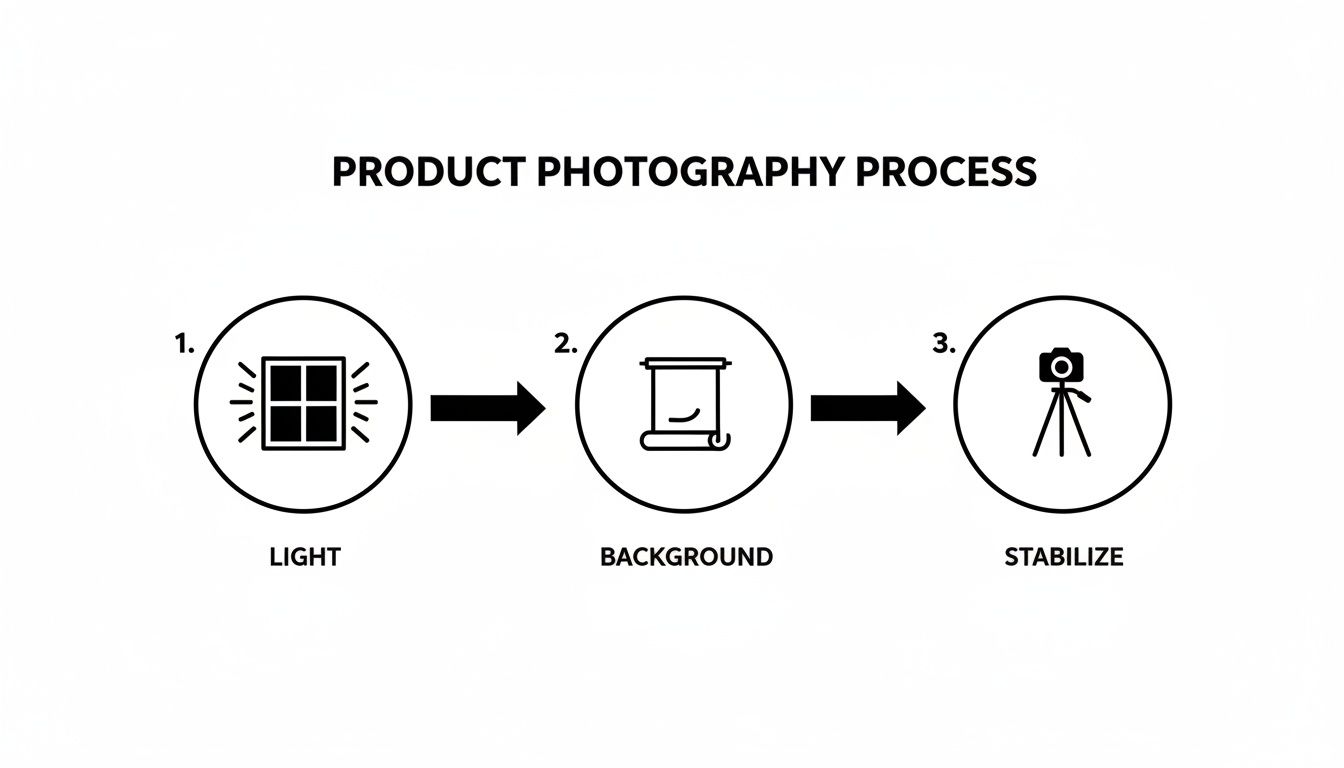
As you can see, mastering your light, background, and stability sets you up for success. When the AI has a high-quality photo to work with, the results are always better.
Creating a Clean Canvas with Background Removal
The first and most impactful step in any cleanup is isolating your product. I remember spending hours manually tracing objects with a pen tool in Photoshop—it was tedious and required a very steady hand. Now, it's usually just a single click.
Today's AI algorithms are trained to instantly identify the main subject of your photo and erase everything else. You're left with a perfectly clean, transparent background, ready for whatever you need.
- For Complex Items: Have a product with tricky edges, like a fuzzy sweater or a plant with dozens of leaves? Modern AI is surprisingly good at handling these, but I've found that starting with a plain, contrasting background still makes its job much easier and the results cleaner.
- Marketplace Compliance: This step is absolutely essential for platforms like Amazon, which demand a pure white background. The AI tool ensures you meet these standards without any fuss.
Key Insight: A clean, consistent background across all your product listings is one of the fastest ways to make your entire store look more professional and trustworthy. It cuts out the visual noise and forces the shopper's attention right where you want it: on your product.
Automatically Fixing Blemishes and Imperfections
No matter how carefully you prep your product and shooting area, tiny imperfections can sneak in. It happens to everyone. A stray fingerprint on a glass surface, a loose thread on a shirt, or a small scratch on a leather bag can really hurt the perceived quality of your item.
This is where AI blemish repair is a lifesaver. The software can automatically detect and erase these minor distractions, often without you even having to point them out. It intelligently samples the surrounding area to fill in the spot, making the fix look completely natural. This is so much faster and more accurate than fiddling with clone and stamp tools by hand.
Enhancing Lighting and Color for Maximum Impact
Your initial photo might have a slight yellow cast from your indoor lighting, or maybe it just looks a little flat and dull. AI-powered lighting and color correction tools analyze your image and make smart adjustments to bring it to life.
These tools can:
- Neutralize Color Casts: They get rid of those unwanted yellow or blue tints, revealing your product's true, accurate color.
- Adjust Brightness and Contrast: The AI can brighten up dark shadows and tone down harsh highlights, ensuring all the important details are visible.
- Boost Vibrancy: It intelligently saturates colors to make them pop without looking fake or oversaturated—a common mistake when you do it manually.
This table breaks down how these AI features translate into real benefits for your online store.
Key AI Cleanup Features and Their Impact
| AI Feature | What It Does | Marketplace Benefit |
|---|---|---|
| Background Removal | Instantly isolates the product on a transparent or solid background. | Meets marketplace requirements (e.g., Amazon's white background) and creates a uniform, professional store aesthetic. |
| Blemish & Defect Repair | Automatically detects and removes dust, scratches, fingerprints, and smudges. | Increases perceived product value and quality, reducing reasons for customer hesitation. |
| Smart Lighting Correction | Adjusts brightness, contrast, and exposure for optimal clarity. | Ensures product details are clearly visible, even on small mobile screens, improving the shopping experience. |
| Automatic Color Correction | Neutralizes color casts and enhances vibrancy for true-to-life colors. | Reduces returns from customers claiming "item not as described" due to color discrepancies. |
In short, each AI function is designed not just to make the image look better, but to directly address a pain point that could otherwise cost you a sale.
This kind of automation is quickly becoming central to e-commerce. AI image editing was the fastest-growing software category recently, with a staggering 441% year-over-year growth in traffic on major software platforms. This explosion is driven by massive cost savings—manual retouching can run $20-$100 per image, while AI slashes that cost to just pennies. With the AI-based image analysis market projected to hit $36.36 billion by 2030, it’s clear this tech is here to stay.
As you get more comfortable with your workflow, you can look into more powerful image automation strategies to scale up your visual content production. And for those who want to take it even further, an AI product photo generator can take your perfectly cleaned-up product shot and place it into entirely new, hyper-realistic scenes created by AI.
Getting Your Images Ready for Amazon, Shopify, and Etsy
You’ve done the hard work of cleaning up your product photos with AI, and they look fantastic. But don't hit "upload" just yet. The final, crucial step is making sure those beautiful images are formatted perfectly for the specific e-commerce platform you're selling on.
A stunning photo is completely useless if it gets rejected, distorted, or flagged by a marketplace for not meeting its technical rules. I’ve seen it happen—a tiny formatting mistake can get an entire listing suppressed. A little prep work here saves a massive headache down the line.
Each platform—Amazon, Shopify, Etsy—plays by its own rules when it comes to image dimensions, file sizes, and even background colors. Amazon, for example, is notoriously strict. They demand a pure white background (RGB 255, 255, 255) for all main product images, and they mean it. No exceptions.
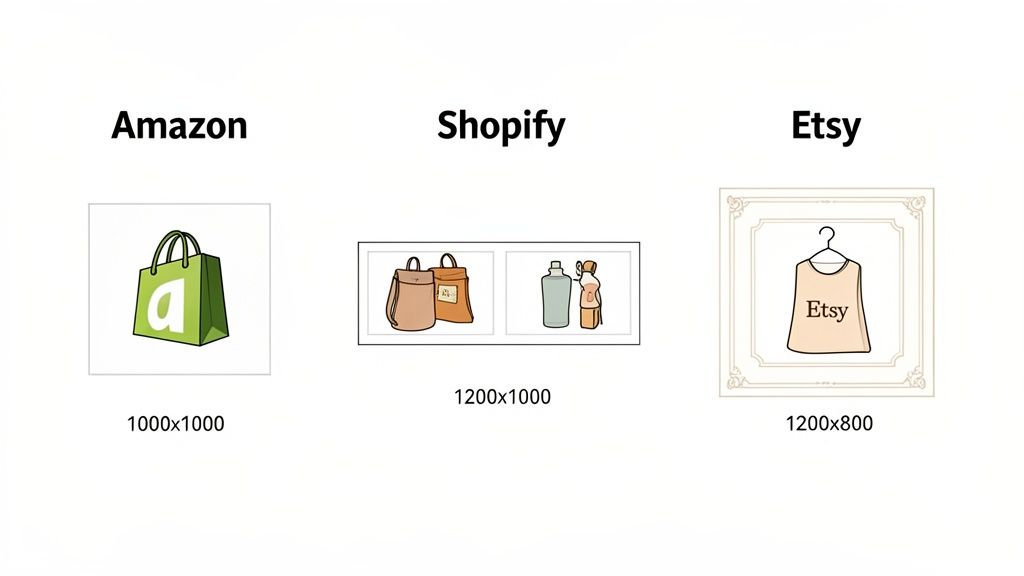
Manually resizing every single photo for each marketplace is a soul-crushing task. Thankfully, this is where modern AI tools really shine. Many have built-in export presets for this exact problem. You just pick "Amazon" or "Shopify" from a menu, and the tool automatically saves a version of your image that meets all the right specs.
A Quick Rundown of Marketplace Specs
Even with automation, it’s a good idea to know the basic requirements yourself. Understanding why the rules exist helps you troubleshoot problems and maintain control over how your brand looks online.
- Amazon: Their game is all about consistency and customer trust. Images need to be at least 1000 pixels on the longest side to activate the zoom feature, which is a huge factor in conversions. Shoppers expect to see every detail.
- Shopify: You get more creative freedom here, but they strongly recommend a square 2048 x 2048 pixel format. This ensures your product grid looks clean, organized, and professional.
- Etsy: This platform is built for visual storytelling. They prefer a 4:3 aspect ratio and a minimum width of 2000 pixels so your photos look crisp and inviting, no matter what device a shopper is using.
My Two Cents: Before you start exporting for different platforms, always save a high-resolution "master copy" of your final edited image. This is your pristine original. If you need to create a new size or format later, you can go back to this master without losing any quality.
Marketplace Image Requirements at a Glance
Juggling all these rules can make your head spin. Here's a simple cheat sheet to keep the key specs for the big three platforms straight.
| Marketplace | Recommended Dimensions | Aspect Ratio | Max File Size | Background Rules |
|---|---|---|---|---|
| Amazon | At least 1600px on longest side | 1:1 (Square) preferred | 10 MB | Pure White (RGB 255, 255, 255) for main image |
| Shopify | 2048 x 2048 px | 1:1 (Square) | 20 MB | Flexible, but consistent background recommended for branding |
| Etsy | 2700px on shortest side | 4:3 (Landscape) | 1 MB | Flexible, lifestyle and branded backgrounds are common |
By leaning on an AI photo tool with built-in marketplace presets, you can bypass the technical busywork and focus on what matters: listing your products and making sales. This ensures your images aren't just pretty, but are also optimized to perform on every channel you sell on.
For Amazon sellers, getting the photography details right is especially critical. To dive deeper, check out our complete guide on professional Amazon product photography. Nailing this final step means a smooth upload process and a storefront that truly stands out.
Solving Common AI Photo Cleanup Problems
Even the best AI photo cleanup tools aren't mind-readers. They’re incredibly powerful, but sometimes they need a nudge in the right direction. You might see a background removal tool get confused by a fuzzy sweater, or an automatic lighting fix that comes out looking a little too clinical.
Don't sweat it. These are common hiccups, and the fixes are almost always simple. A quick manual touch-up or a small tweak to an AI setting is usually all you need to get that perfect, polished result. This is your go-to guide for handling any little imperfections the AI might miss.
When Background Removal Isn't Perfect
It happens all the time. You upload a great shot of a hand-knit scarf, but the AI’s cutout looks jagged or misses some of the fluffy fibers along the edge. This is probably the most frequent issue, especially with products that lack a sharp, clean silhouette.
Instead of throwing out the image, dive into the editor’s manual tools. Look for a feature called "Refine Edge" or a simple brush tool. These let you paint over the problem spots, either adding back the details the AI erased or smoothing out a rough cut. A few seconds of this targeted correction can completely save the shot.
Pro Tip: Next time you photograph a fuzzy or intricate item, make your life easier by using a background with high contrast. A dark, fluffy sweater shot against a clean white poster board gives the AI a much clearer line to follow from the start.
This small change in your setup can dramatically boost the AI's accuracy, saving you a ton of editing time later on.
Fixing Unnatural Lighting and Color Shifts
Sometimes, an AI’s idea of "fixing" the lighting can strip the personality right out of your product. Imagine an AI over-brightening a photo of a wooden bowl, completely washing out the rich, natural grain. The goal is to enhance your product, not make it look sterile.
Nearly all AI photo editors give you sliders to control the strength of their automatic adjustments. If an image looks too bright or the color feels off, here’s what to do:
- Dial back the intensity: Nudge the "Brightness" or "Exposure" setting down a bit. This often brings back the natural shadows that give an object depth and shape.
- Check the temperature: Find the "Color Temperature" or "Warmth" slider. A tiny shift toward the warmer (yellow) end of the scale can restore a more inviting and true-to-life look.
- Adjust saturation: If the colors look a little too loud, pulling back the "Saturation" or "Vibrancy" slider just a touch can make the product look much more realistic.
These small tweaks put you back in the driver's seat, letting you blend the AI's processing power with your own eye for what looks right. Once you know how to handle these common quirks, your ai photo cleanup workflow will reliably turn out professional, authentic images that actually help you make more sales.
Got Questions About AI Photo Cleanup? We've Got Answers
Jumping into AI photo editing for the first time? It's natural to have a few questions. This stuff is powerful, and it pays to know exactly how it works and where it fits into your workflow. We've heard these same questions from sellers over and over, so let's clear them up.
This isn't about tech jargon or buzzwords. It's about practical, real-world answers to help you decide if this is the right move for your business.
Can AI Really Replace a Professional Photographer?
For the bread-and-butter of e-commerce—those clean, consistent, white-background shots—the answer is a definite yes. While you'll still want a pro for that big brand campaign or a complex lifestyle shoot, AI photo cleanup is a workhorse for your day-to-day product listings.
Think about it: AI handles the most tedious, repetitive tasks in a flash. Background removal, minor blemish fixes, lighting adjustments—it's all done automatically. If you're a small shop trying to get hundreds of products online, that speed is a game-changer. It’s how you get that polished, high-end look at scale without booking a photographer for every single item.
Will My Product Colors Look Right After AI Editing?
They'll probably look more right. One of the biggest headaches with DIY product shots is weird color casting. Your indoor lights might throw a yellow tint, or window light might cast a blue hue, making your product look completely off. Good AI tools are specifically trained to spot and neutralize these color casts, bringing the item back to its true-to-life color.
A smart AI tool isn't trying to slap on a weird, oversaturated filter. Its job is to strip away the environmental "noise"—the bad lighting—to reveal the product's authentic color underneath.
For the absolute best results, give the AI a good starting point. A photo snapped in soft, natural daylight gives it the most accurate color information to work with from the get-go.
How Does the Cost of AI Photo Cleanup Stack Up Against Manual Editing?
The difference is night and day. If you hire a freelance retoucher, you could be looking at anywhere from $5 to over $100 per image, depending on how much work is needed. For a store with a decent-sized catalog, that bill gets out of hand, fast.
On the other hand, AI photo cleanup tools usually run on a subscription or a pay-as-you-go credit system. This brings your cost per image down to pennies, not dollars. You can often process your entire catalog for what it would cost to have just a few images manually edited. It completely changes the economics of creating professional product visuals, making it affordable for absolutely everyone.
Ready to see what AI can do for your own product shots? ProdShot takes your everyday photos and turns them into high-converting, professional images in seconds. Try it for free and give your products the spotlight they deserve.