
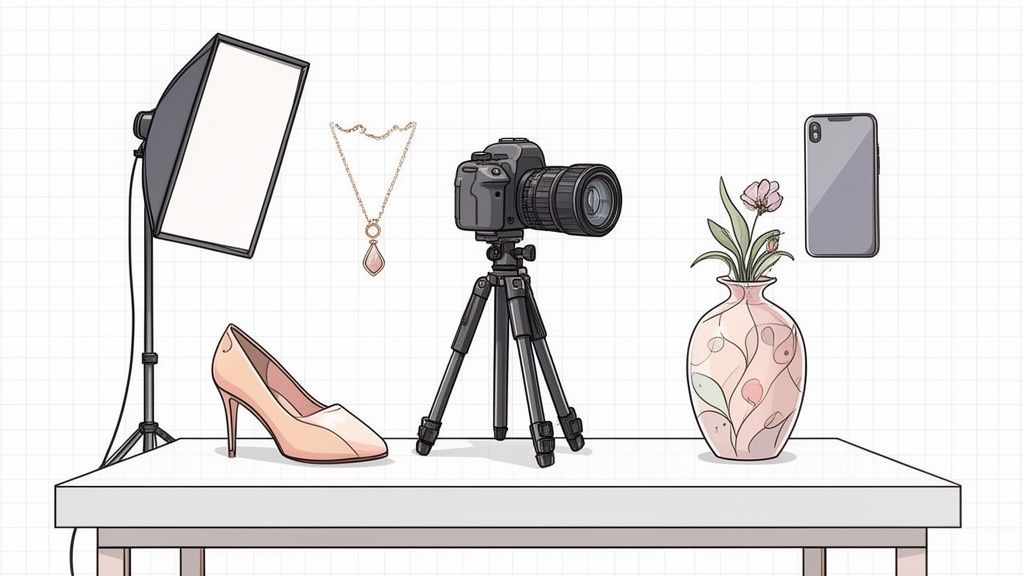
In today's visually-driven e-commerce landscape, a simple product photo is no longer enough. Your images must do more than just display an item; they need to tell a story, build trust, and create a powerful brand identity that resonates with your ideal customer. A strategic photoshoot can turn a potential customer into a loyal advocate by showcasing not just what your product is, but what it represents and the lifestyle it enables. This is where moving beyond basic, sterile images becomes critical for standing out.
This guide dives into actionable branding photoshoot ideas that move beyond generic shots, offering clear blueprints for creating images that stop the scroll and drive sales. From minimalist setups perfect for marketplace compliance to rich, in-context lifestyle scenes that build an emotional connection, you will learn how to craft a compelling visual narrative. Each idea is designed to be practical, whether you're a solo entrepreneur on Etsy or a growing Shopify brand. We'll explore specific setups for various product types, from fashion to electronics, ensuring you have the creative direction needed to elevate your visual marketing. This collection provides the inspiration and tactical advice required to transform your product listings into powerful brand statements.
1. Lifestyle and In-Context Product Photography
This approach moves beyond sterile, white-background shots by placing your products in authentic, real-world settings. The goal is to show potential customers how your product fits into their daily lives, helping them visualize ownership and build an emotional connection. This is one of the most powerful branding photoshoot ideas because it tells a story, making your product feel relatable and desirable rather than just an object for sale.
Brands like IKEA and Warby Parker excel at this by staging their products in meticulously designed yet lived-in environments. An armchair isn't just an armchair; it's part of a cozy reading nook next to a window. This context answers unspoken customer questions about size, style, and utility, which can significantly reduce return rates.
How to Implement This Idea
- Setup & Props: Create a scene that reflects your target customer's lifestyle. For a coffee brand, this could be a bright kitchen counter with a french press, a morning newspaper, and a half-eaten croissant. Use props that complement the product without overpowering it.
- Styling: Maintain brand consistency. If your brand is minimalist, keep the scene clean and uncluttered. If it's bohemian, use textures, plants, and warm tones.
- Lighting: Natural light is often best for lifestyle shots. Position your scene near a large window for soft, diffused light that feels authentic and inviting.
- Shot Types: Capture a mix of wide shots to establish the scene, medium shots to show the product in use, and close-ups to highlight key details within the environment.
Pro Tip: You don't need a professional studio. Start with simple home settings like a clean desk, a styled bookshelf, or a comfortable living room corner to create high-quality, in-context visuals.
Post-Production Workflow
After the shoot, a crucial step is optimizing the images. If the background isn't quite right or you need to swap elements, you don't need to reshoot. You can use an AI product photo generator to instantly place your product into thousands of hyper-realistic lifestyle scenes, perfect for A/B testing ad creative or refreshing your product listings without a new shoot.
2. Minimalist and Clean Background Product Shots
This timeless approach is the bedrock of e-commerce, featuring your products against a plain, uncluttered background like white, light gray, or a solid brand color. The goal is to eliminate all distractions, placing the sole focus on the product's details, quality, and form. This method creates a professional, consistent, and premium aesthetic that builds trust and clarity, making it one of the most essential branding photoshoot ideas for online stores.
Marketplaces like Amazon and Zappos have made this style the industry standard for a reason: it works. By presenting products in a clean, uniform way, they ensure a seamless and predictable shopping experience. This approach removes ambiguity and allows customers to compare items easily, which is crucial for making confident purchasing decisions and reducing returns.
How to Implement This Idea
- Setup & Props: Use a seamless paper background, a lightbox, or a clean wall. The only "prop" should be the product itself. The goal is complete focus on the item being sold.
- Styling: Ensure the product is pristine. Clean off any dust, smudges, or fingerprints. Position it to showcase its most important features and angles.
- Lighting: Use even, diffused lighting to minimize harsh shadows. A two or three-light setup (key, fill, and sometimes a backlight) is ideal for wrapping the product in soft light and highlighting its shape.
- Shot Types: Capture a comprehensive set of images: a straight-on front shot, a 45-degree angle shot, a side profile, a back shot, and close-ups of key details like textures, logos, or unique features.
Pro Tip: Adding a subtle, soft shadow or a slight reflection beneath the product can give it a sense of place and dimension, preventing it from looking like it's "floating" unnaturally.
Post-Production Workflow
Achieving a perfect, pure-white background can be challenging in-camera. Instead of tedious manual editing, you can use a background remover tool to instantly create a clean, professional look. This is especially useful for platforms like Shopify, where consistent catalog imagery is key to a polished storefront. With the right tools, you can ensure all your product shots meet marketplace standards in just a few clicks. You can learn how to remove the background from your product photos for Shopify to streamline this process.
3. Flat Lay and Styled Composition Photography
This technique involves arranging products from a top-down perspective alongside complementary props and styled elements. The goal is to create a visually appealing, grid-worthy composition that tells a story about the product's use, aesthetic, or the lifestyle it represents. As one of the most versatile branding photoshoot ideas, it excels on visual platforms like Instagram and Pinterest for showcasing everything from fashion and beauty to home goods.
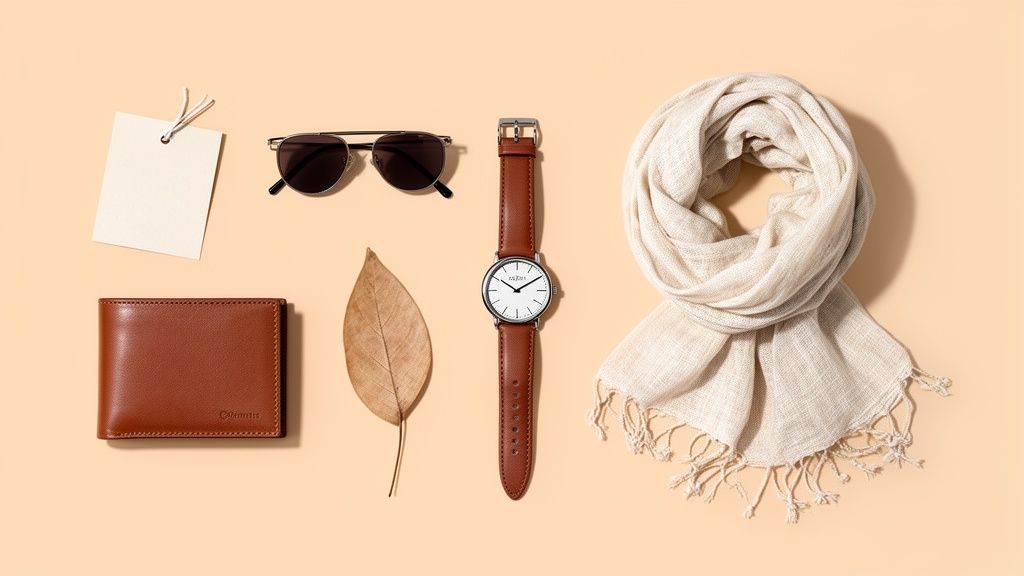
Brands like Everlane and Anthropologie master this by creating clean, narrative-driven arrangements that feel both curated and authentic. A sweater isn't just shown folded; it's laid out with a pair of jeans, a book, and a cup of coffee, instantly communicating a cozy weekend vibe. This visual storytelling helps customers connect with the brand's identity and see how multiple products can work together.
How to Implement This Idea
- Setup & Props: Start with a clean, neutral background like a wooden table, marble slab, or colored poster board. Choose props that align with your brand story and product theme, such as botanicals for a natural skincare line or tech gadgets for an electronics brand.
- Styling: Create a balanced composition using principles like the rule of thirds. Mix textures (e.g., soft fabric, hard metal, smooth ceramic) to add depth and visual interest. Intentionally leave negative space to avoid a cluttered look and draw focus to the main product.
- Lighting: Use a single, large, diffused light source positioned directly overhead to eliminate harsh shadows. A large softbox or a window with sheer curtains on an overcast day works perfectly for creating even, flattering light.
- Shot Types: While the primary shot is a direct overhead view, also capture angles from 45 degrees to add variety. Take close-up shots of specific product groupings within the flat lay to highlight details.
Pro Tip: Create a color and texture palette before you start shooting. This ensures all your props and backgrounds work harmoniously and reinforces a consistent brand aesthetic across your entire flat lay series.
Post-Production Workflow
Consistency is key for flat lays, especially for a cohesive social media feed. After shooting, ensure each product is perfectly lit and color-corrected. To streamline this, you can perfect individual product shots using a tool like an AI product photo generator. This allows you to generate flawless, studio-quality images of each item first, which you can then digitally composite into various flat lay arrangements, saving significant time on setup and styling.
4. Detail and Texture Close-Up Photography
This branding photoshoot idea zooms in on the fine details that define your product's quality and craftsmanship. By using macro or close-up shots, you highlight the materials, stitching, patterns, and intricate features that might otherwise be missed. This approach builds trust by transparently showcasing construction and quality, which is crucial for premium, artisan, or handmade goods where every detail matters.
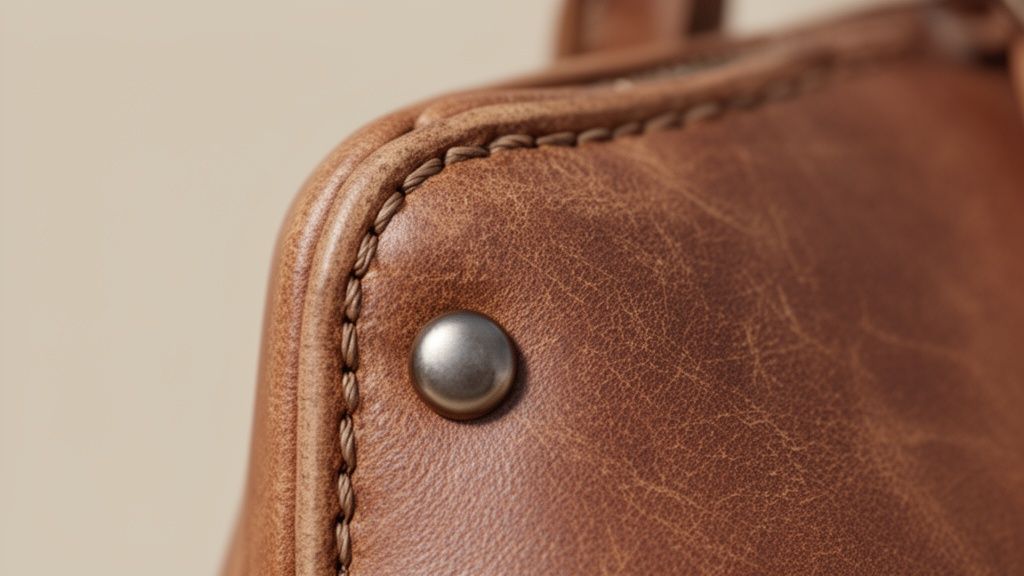
Luxury brands like Hermès and outdoor gear companies like Patagonia master this technique to justify a higher price point and convey durability. On platforms like Etsy, these shots are essential for communicating the unique value of handcrafted items, helping customers appreciate the skill and care invested in each piece. It's a visual promise of quality.
How to Implement This Idea
- Setup & Props: Keep the setup minimal. The focus should be entirely on the product's texture. Use a clean, neutral background like a piece of slate, wood, or plain linen that complements the product's material without distracting from it.
- Styling: No external styling is needed. The product’s own details are the hero. Ensure the product is perfectly clean, as macro lenses will pick up any dust or imperfections.
- Lighting: Use a single, direct light source angled from the side to create soft shadows that emphasize texture. Natural light from a window works beautifully to reveal the true feel of fabrics, wood grains, or metal finishes.
- Shot Types: Focus on tight macro shots of key features: the weave of a fabric, the stitching on a leather good, the facets of a gemstone, or the brushstrokes on a handmade ceramic.
Pro Tip: For every product, identify its three most compelling physical details. These are your primary targets for close-up shots and should be featured prominently in your product gallery to answer questions about quality before they're even asked.
Post-Production Workflow
After capturing your shots, enhancing clarity is key. If lighting or focus wasn't perfect, you don't need a complete reshoot. You can use an AI photo editor to sharpen images, improve contrast, and bring out the subtle textures that define your product's quality. This ensures your detail shots look professional and compelling on any device.
5. Size and Scale Comparison Photography
This practical photography technique shows your product next to a common, universally understood object to clearly communicate its actual size. For online shoppers who can't physically hold the item, this context is crucial. It answers the fundamental question, "How big is it really?" and is one of the most effective branding photoshoot ideas for building customer trust and managing expectations.
This method is a staple on platforms like Etsy and Amazon Handmade, where product dimensions are a major factor in the purchase decision. A tiny pair of earrings shown next to a dime, a wallet held in a hand, or a print leaning against a familiar object like a coffee mug instantly grounds the product in reality. This clarity helps prevent disappointment and significantly reduces return rates related to size misunderstandings.
How to Implement This Idea
- Setup & Props: Choose a reference object that is universally recognizable and relevant. A human hand is excellent for jewelry or handheld electronics, while a coin, a ruler, or a standard-sized book works well for smaller items. Keep the background simple and neutral so it doesn’t distract from the size comparison.
- Styling: Ensure the reference object is clean and doesn't overpower the product. The goal is to complement, not compete. Use the same reference object across a product line for consistency.
- Lighting: Use clear, even lighting that illuminates both the product and the reference object equally. Avoid harsh shadows that might obscure the edges and make it difficult to judge the scale accurately.
- Shot Types: Capture a straightforward, top-down or front-facing shot where both items are in sharp focus. This shot should be placed as a secondary image on your product page, following a clean primary hero shot.
Pro Tip: While these shots are functional, they still represent your brand. Ensure your model's hands (if used) are well-groomed and the props are in good condition to maintain a professional and trustworthy image.
Post-Production Workflow
After capturing the photos, enhance them for maximum clarity. Use editing software to ensure both the product and the reference item are sharp and color-accurate. For an even more polished look, you can use an AI product photo generator to place your product and a digital reference object into a clean, studio-like scene, ensuring perfect lighting and consistency across all your comparison shots.
6. Video and Dynamic Motion Product Photography
This technique captures a product's functionality, form, and features through movement. By creating sequential images, 360-degree rotations, or short video clips, you give customers a comprehensive understanding that static photos cannot provide. This is one of the most effective branding photoshoot ideas for demonstrating how a product works, moves, or changes, which directly addresses customer uncertainty and builds purchasing confidence.
Brands like Apple and Dyson master this by showing their products from every angle or in animated sequences that highlight key innovations. A 360-degree view of an iPhone shows its slim profile and material finish, while a Dyson animation reveals the vacuum's powerful cyclonic technology in action. This dynamic approach transforms passive viewing into an interactive and informative experience.
How to Implement This Idea
- Setup & Props: Use a motorized turntable for smooth 360-degree rotations. For action shots, like a piece of clothing in motion, have a model or a rig that can create movement. Keep the background simple and consistent to ensure the product remains the hero.
- Styling: Ensure the product is perfectly clean and presented from all angles. For apparel, make sure the garment flows naturally and isn't stiff.
- Lighting: Use consistent, even lighting to avoid shadows or hotspots as the product moves. A multi-light setup or a light box is ideal for maintaining uniformity across all frames.
- Shot Types: Capture 24-36 still frames from consistent angles for a seamless 360-degree view. For video, shoot short clips focusing on one key feature at a time. Compile image sequences into animated GIFs for social media and emails.
Pro Tip: Use these dynamic assets on your most important pages. Add them to your Shopify product gallery, use them in Amazon A+ Content, or feature them as the hero element on a landing page to maximize engagement.
Post-Production Workflow
Consistency is key for dynamic content. After capturing your sequence, you may find that lighting or background details vary slightly between frames. Instead of manually editing each one, use an AI product photo generator to apply a uniform, professional background to every image in your sequence. This ensures a flawless, professional-grade rotation or GIF without tedious frame-by-frame adjustments.
7. Brand Story and Founder/Creator Photography
This approach puts a face to the name, featuring the people behind the product, such as founders, artisans, or team members. The goal is to humanize your brand and build trust by sharing the authentic story of its creation. This is one of the most effective branding photoshoot ideas for small businesses and artisan producers because it taps into the consumer's desire for transparency and connection.
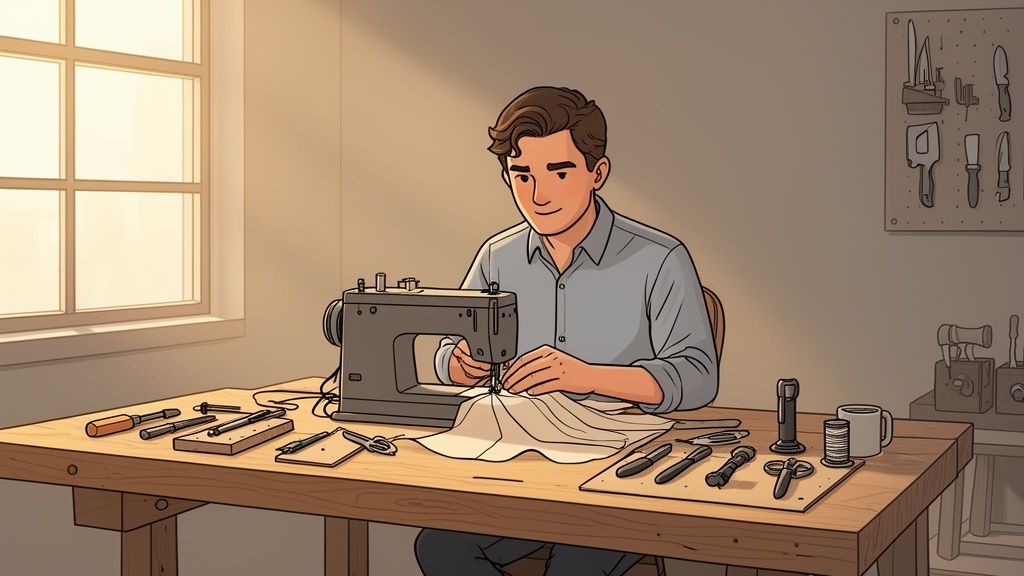
Brands like TOMS and countless Etsy sellers build strong followings by integrating their founder's mission and crafting process into their marketing. Seeing the person behind the work creates a powerful narrative that can turn a simple purchase into a meaningful act of support. It answers the "why" behind your brand, fostering loyalty beyond the product itself.
How to Implement This Idea
- Setup & Props: Shoot in the actual workspace: a studio, workshop, or kitchen. Props should be the real tools of the trade, such as sewing machines, pottery wheels, or design sketches. This adds a layer of authenticity.
- Styling: Focus on being genuine. The creator should wear what they would normally wear while working. The styling should prioritize realism over perfection to make the story feel true and relatable.
- Lighting: Use natural, directional light to create a dramatic yet inviting atmosphere. A single light source from a window can highlight the creator’s focus and the texture of their work.
- Shot Types: Capture a mix of candid action shots (the creator at work), environmental portraits (the creator in their space), and close-ups of hands-on-work to emphasize craftsmanship and skill.
Pro Tip: Don't just take posed portraits. Document the entire creation process from start to finish. This behind-the-scenes content is perfect for social media stories and "About Us" pages, providing a wealth of marketing material.
Post-Production Workflow
Once you have your founder and process shots, ensure they align with your overall brand aesthetic. Agencies often use specialized tools to polish these images while retaining their authentic feel. You can explore how professional services prepare creative assets for campaigns to see the impact of a consistent visual identity. After editing, use these images on your website, social media profiles, and even in your product listings to tell a compelling story.
8. Color Variation and Option Showcase Photography
This photoshoot idea focuses on systematically presenting a single product in all its available colors, materials, or configurations. The goal is to eliminate customer uncertainty and make it easy for them to compare options side-by-side. For brands offering customizable products, this is one of the most crucial branding photoshoot ideas, as it directly addresses customer questions about variety and boosts conversion rates by simplifying the selection process.
Major fashion and athletic brands like Nike and H&M master this by displaying every shoe or garment colorway with absolute consistency. This practice builds trust and shows transparency, assuring customers that what they see is exactly what they’ll get, regardless of the color they choose. It turns a potential point of friction into a seamless browsing experience.
How to Implement This Idea
- Setup & Props: The setup should be identical for every single variation. Use a tripod and mark the product's position on the surface to ensure perfect alignment. Props should be minimal or non-existent to keep the focus entirely on the product options.
- Styling: Consistency is paramount. The product must be styled, folded, or positioned in the exact same way for each shot. Any deviation can make the variations look like different products.
- Lighting: Use controlled studio lighting rather than natural light, which can change. This guarantees that the color of the product is represented accurately across all images without any variation in shadows or highlights.
- Shot Types: Create a primary hero shot for each color variation, supplemented by a composite image or gallery that shows all colors together. A "color swatch" view is also highly effective for quick comparison on product pages.
Pro Tip: When shooting multiple colors, photograph the lightest-colored item first. This helps prevent dye transfer or smudges from darker items onto your backdrop or shooting surface.
Post-Production Workflow
Maintaining consistency in post-production is just as important as during the shoot. You can use an AI product photo generator to apply the same background, shadows, and effects to every color variation instantly. This batch-processing capability ensures a perfectly uniform look across your entire product line, saving hours of manual editing and creating a professional, cohesive catalog.
9. Seasonal and Holiday-Themed Product Photography
This approach involves styling products with seasonal or holiday-specific props and aesthetics to tap into timely consumer purchasing occasions. By aligning your brand with key moments like Christmas, Valentine's Day, or summer vacation, you make your products feel more relevant and giftable. This is one of the most effective branding photoshoot ideas for driving urgency and connecting with shoppers' immediate needs and festive mindsets.
Retailers like Anthropologie and J.Crew masterfully use this tactic by creating holiday gift guides and seasonal lookbooks. A simple coffee mug, when photographed next to pinecones and a cozy blanket, is instantly transformed into the perfect Christmas gift. This contextual styling helps customers visualize the product as part of their own seasonal celebrations, boosting its perceived value and appeal.
How to Implement This Idea
- Setup & Props: Curate props that clearly communicate the season without overwhelming the product. For an autumn theme, use elements like pumpkins, colorful leaves, and warm textiles. For Valentine's Day, think soft pinks, subtle heart shapes, and floral accents.
- Styling: Align the color palette with the holiday or season. Use deep reds and greens for Christmas, pastels for spring, and bright, vibrant colors for summer. Ensure the styling feels authentic to your brand's overall aesthetic.
- Lighting: Adapt the lighting to the seasonal mood. Use warm, soft light for cozy winter scenes and bright, crisp light for energetic summer shots. Natural light remains a strong choice for maintaining an authentic feel.
- Shot Types: Capture a mix of styled flat lays for social media, in-context lifestyle shots showing the product as a gift, and simple themed shots for product pages.
Pro Tip: Plan your seasonal photoshoots at least 6-8 weeks before the corresponding shopping season begins. This gives you ample time for editing, marketing material creation, and campaign scheduling.
Post-Production Workflow
Creating fresh visuals for every holiday can be costly and time-consuming. Instead of organizing a new shoot for every occasion, you can adapt existing evergreen photos. Using an AI product photo generator, you can place your product into professionally designed seasonal backdrops, from a festive holiday scene to a sunny beach setting, allowing you to quickly generate timely marketing assets.
10. Comparison and Bundling Product Photography
This technique showcases multiple products together to highlight compatibility, create value-driven bundles, or draw direct comparisons. By presenting items as a complete solution or a complementary set, you can significantly increase the average order value. This is one of the most commercially effective branding photoshoot ideas because it visually answers the “what else do I need?” question for the customer.
Retail giants like Amazon have perfected this with their "Frequently Bought Together" suggestions, often accompanied by a single image showing the items as a group. Similarly, beauty brands create gift sets and fashion retailers style complete outfits, demonstrating how individual pieces work in harmony. This approach transforms single-item browsing into a curated shopping experience. For strategies around showcasing multiple items, consider emphasizing how to effectively photograph product bundling to create appealing visual narratives.
How to Implement This Idea
- Setup & Props: Arrange products in a logical, visually pleasing composition on a clean, neutral background. The goal is to show the relationship between items, so grouping them closely together is key. Use minimal props to avoid distracting from the products themselves.
- Styling: Create a clear visual hierarchy. The main product should be the focal point, with complementary items arranged around it. Ensure the styling reflects the products' collective use-case, like a desk setup or a skincare routine.
- Lighting: Use even, diffused lighting to ensure every product is clearly visible without harsh shadows. A softbox or a large window with a diffuser works perfectly to illuminate the entire set uniformly.
- Shot Types: Capture a primary flat lay or angled shot showing all products together. Supplement this with close-ups of how two or more items interact, such as a phone in a case with a matching pop socket.
Pro Tip: Use these bundle shots as secondary images in your product gallery or for dedicated social media posts. The primary product photo should almost always feature the single item for sale to avoid customer confusion.
Post-Production Workflow
After capturing your individual product shots, you can easily create compelling bundle images. An AI product photo generator is perfect for this, allowing you to place multiple, separately photographed items into a single cohesive scene. This saves you the trouble of complex staging and lets you test different bundle combinations digitally to see which compositions perform best in ads and on your store.
10-Point Branding Photoshoot Comparison
| Style | Implementation Complexity (🔄) | Resource Requirements (⚡) | Expected Outcomes (⭐📊) | Ideal Use Cases (💡) | Key Advantages |
|---|---|---|---|---|---|
| Lifestyle and In-Context Product Photography | High 🔄 — staging, models, locations | High ⚡ — props, stylists, location fees, post‑production | ⭐⭐⭐⭐ — strong emotional engagement; 📊 higher conversions, lower returns | Home goods, apparel, beauty, social campaigns | Storytelling context, brand-building, shareability |
| Minimalist and Clean Background Product Shots | Low 🔄 — simple studio setup, consistent framing | Low ⚡ — backdrop, basic lighting, batch AI tools | ⭐⭐⭐⭐⭐ — clear product focus; 📊 fastest to scale and marketplace‑compliant | Marketplaces, catalogs, high-volume SKUs | Scalable, compliant, ideal for AI automation |
| Flat Lay and Styled Composition Photography | Medium–High 🔄 — careful composition and styling | Medium ⚡ — props, stylist time, creative direction | ⭐⭐⭐⭐ — highly shareable; 📊 strong social engagement and multi-product display | Fashion, beauty, accessories, social content | Visually appealing, shows product ecosystems |
| Detail and Texture Close-Up Photography | Medium 🔄 — macro technique, controlled lighting | Medium ⚡ — macro lenses, lighting, skilled photographer | ⭐⭐⭐⭐ — builds trust; 📊 justifies premium pricing, reduces returns | Luxury goods, handmade items, textiles | Highlights craftsmanship, quality differentiation |
| Size and Scale Comparison Photography | Low 🔄 — simple reference composition | Low ⚡ — reference objects (hands, coins), minimal setup | ⭐⭐⭐⭐ — clarifies scale; 📊 reduces size-related returns | Jewelry, small items, home decor, collectibles | Simple, effective at preventing misunderstandings |
| Video and Dynamic Motion Product Photography | High 🔄 — sequencing, motion capture, edit | High ⚡ — rigs, video production, editing time | ⭐⭐⭐⭐⭐ — highest engagement; 📊 increases time-on-page and conversions | Tech products, active gear, items with movement | Demonstrates function, 360° understanding |
| Brand Story and Founder/Creator Photography | Medium 🔄 — portrait and narrative shoots | Medium ⚡ — talent, locations, professional portraiture | ⭐⭐⭐⭐ — builds authenticity; 📊 strengthens brand loyalty | Small brands, artisan makers, crowdfunding | Humanizes brand, fosters trust and transparency |
| Color Variation and Option Showcase Photography | Low–Medium 🔄 — consistent setup across variants | Medium ⚡ — many images, batch processing, storage | ⭐⭐⭐⭐ — improves selection clarity; 📊 increases AOV, reduces inquiries | Apparel, footwear, accessories, configurable products | Simplifies variant selection; efficient with batch AI |
| Seasonal and Holiday-Themed Product Photography | Medium 🔄 — themed styling, timing considerations | Medium ⚡ — season-specific props, reshoots for campaigns | ⭐⭐⭐ — timely relevance; 📊 boosts seasonal conversions | Gifts, seasonal merchandise, holiday campaigns | Creates urgency, aligns with buying occasions |
| Comparison and Bundling Product Photography | Medium 🔄 — balanced multi-item composition | Medium ⚡ — multiple SKUs, styling and staging | ⭐⭐⭐⭐ — encourages bundles; 📊 raises average order value | Bundles, accessory kits, room sets, outfit looks | Demonstrates compatibility, drives cross-sell opportunities |
Bringing Your Vision to Life: Your Next Steps
You now have a robust playbook of branding photoshoot ideas designed to elevate your product visuals from simple pictures to strategic brand assets. We've explored everything from the clean, conversion-focused power of minimalist shots to the narrative depth of brand story photography. The journey has taken us through the artistic arrangements of flat lays, the tactile appeal of texture close-ups, and the practical clarity of size comparisons.
The core takeaway is this: a powerful brand visual strategy is not about choosing just one idea. It's about creating a dynamic, multi-faceted visual language. Your most successful competitors are likely blending these concepts to engage customers at every touchpoint.
Building Your Visual Strategy
Your next step is to move from inspiration to implementation. Don't feel overwhelmed by the options; instead, see them as a modular toolkit.
- For Marketplaces (Amazon, Etsy): Prioritize Minimalist Shots (Idea #2) and Color Variation Showcases (Idea #8) as your primary images to meet platform requirements and ensure clarity.
- For Social Media (Instagram, Pinterest): This is where you bring your brand to life. Lean heavily on Lifestyle and In-Context Photos (Idea #1), Flat Lays (Idea #3), and Video Content (Idea #6) to capture attention and tell a story.
- For Your Website and Blog: Use a mix of all types to build a rich user experience. A hero image could be a stunning lifestyle shot, while the product page requires detailed close-ups and scale comparisons. Founder photos build trust on your "About Us" page.
Remember, consistency is your brand's greatest ally. Select a color palette, a lighting style, and a few core photoshoot concepts that reflect your brand’s personality, and apply them diligently. This creates the visual cohesion that builds brand recognition and trust over time. Just as with product visuals, setting a scene is crucial; to further refine your approach and ensure your visuals truly resonate, consider integrating proven real estate photography tips to master composition and lighting.
Ultimately, the most effective branding photoshoot ideas are the ones that you execute with confidence and creativity. Start small. Pick one or two concepts from this list that excite you and align with your immediate goals. Shoot them, analyze the results, and listen to your audience's feedback. Each photo you take is another step toward building a brand that not only looks professional but feels authentic and compelling to your ideal customer.
Ready to turn your new photoshoot concepts into stunning, marketplace-ready images without the complex editing? ProdShot is an AI-powered tool that instantly transforms your raw product photos into professional-grade visuals with perfect backgrounds, lighting, and shadows. Stop wrestling with complicated software and start creating beautiful product shots in seconds with ProdShot.