

Think of an AI photo background changer as your personal, on-demand photo studio. It’s a tool that takes your everyday product photos, strips away the messy background, and drops in a clean, professional one. For anyone selling online, this is huge. It means you can turn basic smartphone pictures into high-quality, marketplace-ready images in seconds. No more wrestling with complex editing software or shelling out for expensive photoshoots.
Why AI Background Changers Are an E-commerce Game Changer

If you've ever scrolled through Amazon or Etsy and felt that pang of envy over the big brands' polished product shots, you get it. Visuals are everything in online sales. An AI photo background changer completely levels the playing field, especially for sellers on platforms like Shopify, Amazon, and Etsy.
I see it all the time with small business owners. Picture someone handcrafting jewelry at their kitchen table. Instead of booking a pricey studio session, they can just snap a few clear photos with their phone, upload them to an AI tool, and instantly get images with that perfect, crisp white background. This simple step makes every single product listing look clean, consistent, and professional.
The Power of Automation and Consistency
The real magic here is the automation. Manually cutting a product out from its background in Photoshop is a nightmare. It’s tedious, takes a skilled hand, and consumes hours you don't have. An AI tool does it all for you, handling even tricky details like wispy fabric or delicate chains with surprising accuracy. This frees up so much time to pour back into marketing, talking to customers, or actually making your products.
But this isn't just about saving time; it's about building a brand that people trust. When your product imagery is consistent, it creates a cohesive and professional online storefront. Shoppers who see a gallery where every item is presented with the same clean aesthetic feel more confident in their purchase. It just looks more legit.
The benefits are pretty clear-cut:
- Reduced Costs: You can forget about paying for professional photographers, studio rentals, and manual editing services.
- Increased Speed: Go from taking a raw photo to having a ready-to-list image in minutes, not hours or days.
- Enhanced Brand Image: Finally achieve that uniform, high-end look across your entire product catalog.
At its core, an AI photo background changer is an empowerment tool. It gives every seller, no matter their budget or technical skill, the power to create high-converting product visuals that actually drive sales.
It’s no surprise that the demand for these tools is exploding. The AI image editor market, already valued at USD 5.121 billion, is expected to rocket to USD 48.74 billion by 2035, mostly because of the relentless need for quick, quality content on e-commerce sites.
To get a better sense of how this tech is shaking up online retail, this guide on AI product photography offers a great wider perspective. And if you want to see these ideas in practice, check out our guide on how to start using AI for your own shots: https://prodshot.net/productgen.
The quality of your final, AI-generated product shots lives and dies by the quality of the photos you start with.
It's a classic case of "garbage in, garbage out." You need to give the AI the best possible ingredients to work with. The good news? You don't need a high-end DSLR or a professional studio. Your smartphone is more than capable of capturing fantastic source images that an AI photo background changer can process into clean, professional results.
The entire goal here is to remove anything that might confuse the algorithm. We're talking clear product edges, simple surroundings, and even lighting. Nail this part of the process, and you'll slash the time you spend on manual clean-up later.
How to Prepare Your Photos for Flawless AI Editing
Bad lighting and busy backgrounds are the two biggest culprits behind sloppy AI cutouts. Getting these right from the start is non-negotiable.
Master Your Lighting and Background
Harsh shadows are public enemy number one. They completely muddy the waters for an AI trying to figure out where your product ends and the background begins. Forget your phone's built-in flash—it's way too harsh.
Instead, find a spot near a window with plenty of soft, natural daylight. This diffused light wraps around your product, minimizing hard shadows and showing off its true colors and textures.
Your choice of background is just as critical. Even though the AI is going to remove it, a cluttered or low-contrast background makes its job ten times harder. The solution is simple: use a solid-colored surface that contrasts sharply with your product. Think a dark gadget on a plain white poster board, or a silver necklace on a simple black cloth. That clean separation gives the AI a crystal-clear roadmap to follow.
The less guesswork the AI has to do to separate your product from its surroundings, the cleaner your final cutout will be. A little simplicity upfront saves a ton of time on the backend.
Nail the Focus and Framing
It sounds obvious, but a blurry photo is a useless photo. Before you take the shot, tap your smartphone screen right on the product to lock in the focus. You want the entire item to be tack-sharp, especially if it has fine details like text or intricate patterns. AI is powerful, but it can't magically invent details that were never there.
Pay attention to your framing, too. Don't zoom in so much that the product is touching the edges of the frame. Leaving a little breathing room around the item gives the AI some wiggle room and prevents any part of your product from getting accidentally cropped out. I always recommend taking a few extra shots from slightly different angles—it's always better to have more options than you need.
And for the simplest tip that makes a huge difference: clean your phone’s lens! A quick wipe with a microfiber cloth gets rid of smudges and fingerprints that can soften the focus and degrade your image quality.
If you end up needing to resize your images after editing, using a high-quality tool is key to maintaining that clarity you worked so hard for. You can learn more about how to resize images for web use in our dedicated guide.
Smartphone Photography Checklist for AI Success
Getting great source photos with your phone is easier than you think. Here's a quick checklist to run through before you start shooting. It's designed to give the AI the cleanest possible image to work with, which means better results for you.
| Element | Best Practice | Why It Matters for AI |
|---|---|---|
| Lighting | Use soft, diffused natural light (e.g., near a window). Avoid direct flash or harsh overhead lights. | Minimizes hard shadows that can confuse the AI's edge-detection algorithms. |
| Background | Use a plain, solid-colored background that contrasts with your product (e.g., white, black, gray). | Creates a clear distinction between the subject and the background, making removal much easier and more accurate. |
| Focus | Tap your screen to lock focus directly on the product. Ensure the entire item is sharp. | A sharp, in-focus subject provides the AI with clear data, resulting in a cleaner, more detailed cutout. |
| Framing | Leave a small amount of "breathing room" around the product. Don't crop too tightly in-camera. | Gives the AI context and prevents it from accidentally clipping the edges of your product during processing. |
| Stability | Hold your phone steady, or use a small tripod. Avoid camera shake. | Prevents motion blur, which can soften edges and make it difficult for the AI to create a crisp outline. |
| Lens Clarity | Wipe your phone's camera lens with a soft, clean cloth before shooting. | Removes smudges, dust, and fingerprints that can reduce image sharpness and overall quality. |
Following these simple steps will dramatically improve the consistency and quality of your AI-generated product photos, saving you countless hours of frustration and manual editing down the line.
A Practical Workflow for Perfect Product Images
Turning a messy folder of raw product shots into a polished, marketplace-ready gallery isn’t about random clicks. It's about building a repeatable system. You need a streamlined process that gives you consistent, high-quality results every single time, without the headache.
Let’s walk through a common scenario. Imagine you’re an apparel seller launching a new collection of t-shirts. You've got 50 photos of different designs, all shot on your smartphone. The lighting is okay, but the backgrounds are a chaotic mix of your stockroom wall and a wrinkly bedsheet. Your goal? Clean, uniform images for your Shopify store that look like they belong there.
Your first move should always be to lean on batch processing. Instead of painstakingly editing one image at a time, a solid AI photo background changer lets you upload the entire folder at once. This one move can literally save you hours. The AI gets to work, automatically detecting the product in each photo and stripping away those inconsistent backgrounds. Just like that, you have 50 clean cutouts, ready for the fun part.
Choosing Your Background Style
With the tedious background removal out of the way, you can finally focus on the creative stuff. What kind of background is actually going to make your products sell? The answer really depends on your brand and, more importantly, where you're selling.
- Classic E-commerce White: This is the industry standard for a reason. A crisp, pure white background (#FFFFFF) is a hard requirement for marketplaces like Amazon. It creates a clean, distraction-free look that puts all the focus squarely on your product.
- Branded Colors: Using a consistent brand color—maybe a specific shade of off-white, beige, or a soft gray—is a great way to build a strong, recognizable look on your own website or on social media. It creates a cohesive, professional feel.
- Lifestyle Scenes: Some of the newer AI tools can generate surprisingly realistic lifestyle backgrounds. You could place your t-shirt on a minimalist wooden hanger against a clean, modern wall, adding context and appeal without ever needing to set up a physical photoshoot.
For our t-shirt seller, the smartest approach is often a hybrid. Use pure white for the main marketplace images to meet their requirements. Then, create a second set with a branded off-white or a subtle lifestyle scene for secondary gallery images and social media posts. This workflow is incredibly efficient and covers all your marketing bases.
The real magic of an AI workflow is in batching similar tasks. Rip out all the backgrounds at once, apply your main background style to the whole set, and then circle back to make individual creative tweaks where you need them.
Before any AI editing even starts, though, getting the initial shot right is critical. The visual below breaks down the foundational steps.
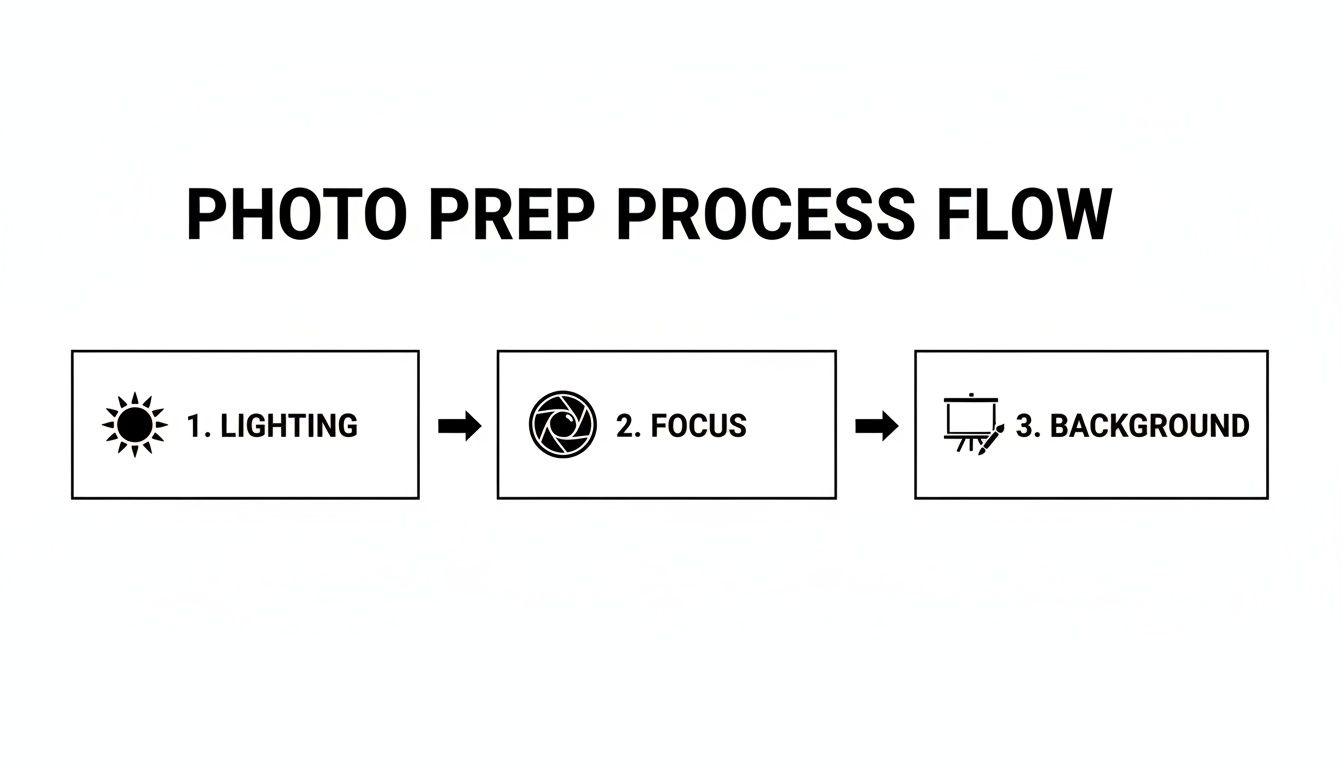
Nailing the lighting, focus, and original background ensures the AI has clean data to work with. Get this part right, and your final images will be miles better.
Refining Edges and Adding Realistic Shadows
Let's be real—even the best AI can sometimes leave a slightly harsh edge, especially on soft or fuzzy things like t-shirts. A good tool will give you AI-assisted refinement brushes. These aren't the clunky, complicated tools you'd find in Photoshop. They’re smart brushes that let you quickly soften or feather the edges, making the product blend much more naturally into its new background.
The final touch that separates an amateur-looking shot from a professional one is the shadow. A product just floating on a white background looks fake and completely flat. Modern AI tools can generate a realistic drop shadow with a single click. You can usually tweak the shadow’s direction, softness, and opacity to match the lighting in your original photo. This simple step grounds the product, giving it a real sense of weight and dimension. If you want to go deeper on professional finishing touches, checking out various product photo editing services can offer some great ideas.
This entire workflow isn't just a clever trick; it represents a fundamental shift in how e-commerce visuals get made. The AI product photography market is absolutely exploding, jumping from USD 450 million to a projected USD 5 billion by 2035, all driven by these kinds of efficiency gains. With 68% of users now using AI-assisted editing, they're seeing workflow improvements of up to 45%. That’s a massive advantage in a world where the demand for fresh visual content never stops.
You’ve used an AI photo background changer to create a killer product image, but that’s only half the job done. If that beautiful new shot gets rejected by a marketplace or makes your page load at a snail's pace, all your effort goes down the drain.
Getting your export settings right isn't just a technicality—it's absolutely essential. Every platform, from Shopify to Amazon, has its own rulebook.
One of the most common hangups I see is the file type. PNGs are great for their ability to handle transparent backgrounds, but they can be heavy. For your main product photos on a solid background, a well-compressed JPEG is almost always your best bet. It hits that perfect balance between quality and small file size, which is exactly what you need for fast-loading pages that don't make customers bounce.
The trick is finding the sweet spot with compression. Go too far, and your product looks pixelated and cheap. Don't compress enough, and you're stuck with a slow-loading site that costs you sales. From my experience, a quality setting between 75-90% is where the magic happens—it keeps the details sharp without bloating the file.
Nail Your Platform-Specific Requirements
Every major e-commerce marketplace has its own quirky specs. If you ignore them, you risk getting your listings flagged or, even worse, looking unprofessional. Amazon, for example, is famously strict, while Etsy gives you a bit more breathing room.
Here’s a quick rundown of what to watch for:
- Amazon: They demand a pure white background (#FFFFFF). It's non-negotiable. They also want images to be at least 1000 pixels on the longest side so customers can use the zoom feature.
- Shopify: I always recommend square images for Shopify, ideally 2048 x 2048 pixels. It creates that clean, uniform grid on your collection pages that looks incredibly professional.
- Etsy: This platform is all about the landscape orientation. A width of around 2700 pixels works perfectly with their gallery and thumbnail layouts.
- eBay: Similar to Amazon, eBay wants your images to be at least 1600 pixels on the longest side. This ensures your photos are crisp and clear, letting buyers zoom in on the details.
Here's the bottom line: one size does not fit all. An AI tool makes the creative part a breeze, but it's tailoring your exports for each specific platform that turns a good image into one that actually sells.
Marketplace Image Specification Cheat Sheet
Trying to remember all these different rules is a headache, especially if you're selling across multiple channels. It’s a pain I know all too well.
That's why I've put together this quick reference table. Think of it as your final quality control step. Before you hit "export," give this a quick scan to make sure you're saving your images in the right format, at the right size, for the right marketplace.
This small habit will save you from the massive frustration of having to re-edit and re-upload everything later.
| Platform | Recommended Dimensions (pixels) | File Type | Key Tip |
|---|---|---|---|
| Amazon | 1000px on the longest side (min) | JPEG | Requires a pure white background. Sticking to this is essential for compliance and visibility. |
| Shopify | 2048 x 2048 | JPEG/PNG | Square images create a professional and consistent grid view on your collection pages. |
| Etsy | 2700px wide (approx. 5:4 ratio) | JPEG | A landscape orientation fits best with Etsy’s user interface and search results layout. |
| eBay | 1600px on the longest side | JPEG | High-resolution images are vital for building trust and allowing buyers to inspect item details. |
The best way to make this stick is to create export presets in whatever editing tool you use. Set one up for "Amazon," another for "Shopify," and so on. It’ll save you a ton of time and prevent costly mistakes down the line.
Advanced Techniques to Elevate Your Product Visuals

Once you've nailed clean, crisp cutouts, the real fun begins. Moving beyond a simple white background is where you start telling a story with your products and carving out a strong brand identity. This is about using an ai photo background changer as a creative partner, not just a removal tool.
Imagine you're selling a high-end, organic skincare product. Sure, a plain white background is clean, but it does absolutely nothing to convey that natural, luxurious vibe. With a solid AI tool, you can instantly generate a lifestyle scene—maybe placing the bottle on a minimalist marble countertop next to a fresh green leaf. That simple change adds context and emotional appeal without the cost or headache of a full-blown photoshoot.
Creating Believable Lifestyle Scenes
The make-or-break factor for a good AI-generated background is realism. I see this mistake all the time: a total mismatch between the product's lighting and the new scene's lighting. A product clearly lit from the left will look jarring and fake in a background where the sun is streaming in from the right. It just feels… off.
To get this right, you have to pay close attention to the highlights and shadows in your original photo. Then, when you're generating a new background, tell the AI what you need.
- Prompt Example: "A sunlit bathroom counter with soft morning light coming from the right."
- Refinement Step: After placing your product, use the AI’s shadow tool to cast a soft shadow that falls away from your new light source. It's a small adjustment that makes the final image far more believable.
This kind of technology is a huge reason the AI photo editing market, valued at USD 1,040 million, is expected to more than double to USD 2,229.3 million by 2033. It’s all being driven by generative AI that can automate these complex creative tasks. You can dig deeper into the market's drivers on congruencemarketinsights.com.
Maintaining Brand Consistency at Scale
Consistency is everything when you're building a brand people remember. An AI photo background changer is an incredible tool for enforcing a uniform visual style across your entire product catalog. You can create a signature look and roll it out across hundreds of products with just a few clicks.
For example, you could establish a specific color palette for all your backgrounds. Instead of pure white, maybe your brand's look is a particular shade of warm beige or a cool, light gray. Just save those color codes and make them the default for all your main product shots.
Here's a pro tip that adds a serious layer of realism: generate subtle reflections. For products like sunglasses, electronics, or glossy cosmetics, placing them on a surface and using AI to add a faint, realistic reflection can dramatically elevate how premium the product feels.
This approach means that whether a customer is browsing your new arrivals or your bestsellers, they get a cohesive, professional experience. That consistency builds trust and makes your brand instantly recognizable in a sea of competitors. You're turning a simple utility into a strategic branding asset.
Common Questions About AI Photo Background Changers
Jumping into any new tech always sparks a few questions. When it comes to using an AI photo background changer, I’ve found that most sellers are wrestling with the same core concerns: quality, cost, and just how hard it is to actually use.
Let's get right into it.
Can AI Handle Tricky Products?
This is probably the number one worry I hear. "What about my delicate jewelry? Or my fluffy scarves?"
It's a fair question. The good news is that modern AIs are trained on mountains of data to nail these exact challenges. They can trace the finest chains and keep the subtle glint on a gemstone without making it look fake. For fuzzy or furry items, advanced edge refinement means you don't get that harsh, 'cookie-cutter' look. Instead, the AI preserves a much more natural, soft edge.
Look, will a super-intricate product occasionally need a tiny manual touch-up? Maybe. But the AI is going to handle 95% of the heavy lifting for you, saving you a ton of time.
Is It Really More Cost-Effective?
For almost every online seller I know, the answer is a resounding yes.
Think about it: a single professional photoshoot can set you back hundreds, if not thousands, of dollars for just a handful of images.
AI tools flip that model on its head. You're typically looking at a small monthly subscription that gets you a huge volume of edits. The return on investment is massive. Suddenly, you can:
- Refresh your product catalog whenever you want without booking another expensive shoot.
- Whip up different image styles to A/B test your ad creative.
- Create seasonal marketing shots on a whim.
How Much Technical Skill Is Required?
Basically none. And that's the whole point.
These tools were built for entrepreneurs and marketers, not professional photo editors. The interfaces are clean, simple, and usually built around drag-and-drop. All the complicated stuff—like creating a pixel-perfect mask around your product—is done by the AI behind the scenes. You can go from signing up to having pro-level images in a matter of minutes.
For more deep dives, expert tips, and answers to advanced questions on AI photo editing, the lunabloomai blog is a fantastic place to learn.
Ready to see for yourself? Try ProdShot today and transform your product photos in seconds. It’s genuinely easy to create stunning, sales-driving images for your store. Get started for free at https://prodshot.net.