
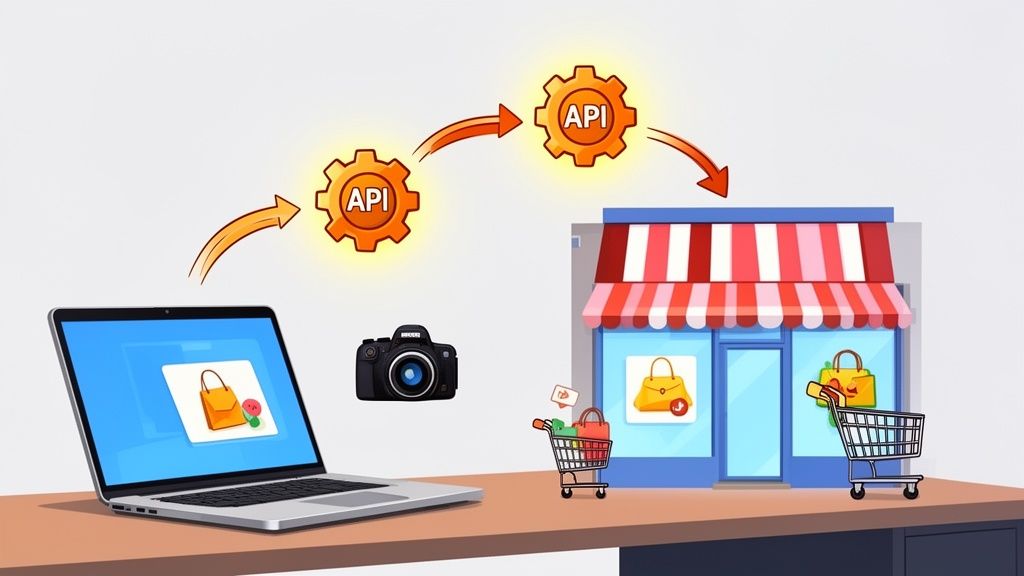
Ever wondered how all your e-commerce apps seem to just… work together? The secret sauce is something called an API.
Think of an API for e-commerce as a digital messenger that lets your online store talk to other software. It’s the invisible glue connecting your inventory system, marketing tools, and even product photography services, allowing them to share information and automate tasks. This connection is the engine of any modern, efficient online business.
What Is an E-commerce API and Why It Matters

Let’s imagine your online store is a bustling restaurant. You've got the kitchen (your inventory), the front-of-house staff (your marketing), and the menu board (your product pages). For everything to run without a hitch, they all need to be in constant communication.
An Application Programming Interface (API) is the waiter in this restaurant. When a customer orders, the waiter takes that request from the front-of-house to the kitchen. The kitchen cooks the meal, and the waiter brings it back. The waiter doesn't need to know how to cook; they just need to know how to pass the order and deliver the result correctly.
That’s exactly what an API for e-commerce does for your business. It allows different software systems to send requests and get data back without ever needing to know the complex, nitty-gritty details of how the other system works.
Connecting Your Business Tools
This digital "waiter" can link every part of your operation. When a product sells on your Shopify store, an API can instantly tell your accounting software to log the sale, alert your shipping provider to create a label, and update your inventory count across all channels. No more manual data entry.
This automated communication eliminates countless hours of tedious work and drastically cuts down on the risk of human error. It’s the key to building an operation that can scale up without you feeling completely overwhelmed.
An API isn't a tool you use directly. It's the invisible bridge that makes all your favorite tools work together seamlessly. It’s the behind-the-scenes engine that powers automation and efficiency in your store.
For a concrete example, think about how an API for sending SMS works. It acts as a technical bridge to send an abandoned cart reminder from your store to a customer's phone. E-commerce APIs work the same way, just for different tasks like updating inventory or syncing orders.
The table below breaks down the core functions that an e-commerce API handles, giving you a clearer picture of what it does for your store day-to-day.
Core Functions of an E-Commerce API
| API Function | What It Does for Your Store |
|---|---|
| Product Management | Creates, updates, and deletes product listings, including details like price, SKU, and descriptions. |
| Order Management | Fetches new orders, updates order statuses (e.g., from "processing" to "shipped"), and handles returns. |
| Inventory Management | Syncs stock levels across multiple sales channels and warehouses to prevent overselling. |
| Customer Management | Creates and updates customer profiles with their order history and contact information. |
| Shipping & Fulfillment | Generates shipping labels, retrieves tracking numbers, and calculates shipping rates. |
Essentially, these API functions are the building blocks for automating almost every aspect of your business operations.
The Driving Force of Modern Retail
The demand for this kind of connectivity is absolutely exploding. The market for API-driven e-commerce is projected to climb from $13.92 billion in 2026 to a massive $61.83 billion by 2034. Why the huge jump? It's all about the need for flexible, cloud-based stores that can effortlessly connect to specialized tools for things like analytics, fulfillment, and image creation.
This is especially critical now that mobile commerce accounts for 59% of the $6.42 trillion global online retail market.
At the end of the day, an e-commerce API gives you the power to:
- Automate repetitive tasks like syncing inventory and processing orders.
- Integrate powerful third-party services, like an AI product photo generator that automatically creates stunning images.
- Create a seamless customer experience by making sure all your systems are working with up-to-date information.
Once you understand what an API is, you can start seeing opportunities everywhere to connect, automate, and grow your business.
The Essential API Endpoints for E-Commerce Growth

So, if an API is the messenger carrying requests between your store and other apps, then API endpoints are the specific doors that messenger knocks on. Think of your store's backend as a large building with different departments. There’s a door for "Products," another for "Orders," and a separate one for "Inventory."
For any api e commerce integration to do its job, it needs to know exactly which door to use. An app doesn’t just shout a generic request into the void; it sends a precise command to the correct endpoint. This structure is what keeps everything running smoothly and securely, making sure an inventory tool can’t accidentally wander into your private customer data. Getting a handle on these core endpoints is the first step to truly understanding how this automation magic actually happens.
The Products and Media Endpoints
For anyone who cares about how their store looks, the Products endpoint is ground zero. This is where your entire product catalog lives and breathes. Through this endpoint, an app can ask to see product details, update a price, or change a description. It's the digital equivalent of walking into your stockroom to check the label on a box.
Of course, a product listing is nothing without great visuals. That's where the Media endpoint steps in, handling all the images and videos tied to your products. These two endpoints are designed to work hand-in-hand.
Here’s how a service like ProdShot uses this workflow to completely automate product photography:
- GET Request to Products: The service first asks for a list of your products so it can show them to you in its own interface.
- GET Request to Media: After you pick a product, it pulls the original, raw image file using the Media endpoint.
- POST/PUT Request to Media: Once the AI works its magic and polishes the photo, it sends the new, beautiful image right back to the Media endpoint, making sure it’s linked to the correct product.
This seamless process means your product images get updated directly in your store, and you never have to manually download, edit, and re-upload a single file. It’s a perfect, real-world example of how a smart api e commerce integration can give you back hours of your day.
By splitting functions into distinct endpoints like Products and Media, e-commerce platforms create a clean and secure system. A photo editing tool can access and change images without ever needing permission to see your sensitive order details.
Core Endpoints for Store Operations
Beyond just making your products look good, several other endpoints are the lifeblood of a modern e-commerce business. Each one maps to a critical part of your store's operations, opening the door for powerful automation across your entire workflow.
Orders Endpoint
This is the heart of your sales operation. When a customer clicks "buy," a new order pops up here, and this endpoint lets your other tools know about it.
- Use Case: Your fulfillment partner’s software can "listen" to this endpoint for new sales. The moment an order comes in, it automatically grabs the shipping details and starts the packing process, no manual entry required.
Inventory Endpoint
Overselling is a nightmare for any shop owner. This endpoint acts as the single source of truth for your stock levels, tracking the real-time quantity of every item you sell.
- Use Case: If you sell on both Shopify and Etsy, an inventory sync tool can use this endpoint to instantly update the stock count on both platforms the second an item sells on either one.
Customers Endpoint
This endpoint is your digital rolodex, managing all your customer data, from their contact info to their complete order history.
- Use Case: A marketing tool like Mailchimp or Klaviyo can connect here to segment your customers. This allows you to send a special "thank you" discount only to repeat buyers or re-engagement emails to customers who haven't purchased in a while.
Once you understand these specific "departments," the abstract idea of an api e commerce connection snaps into focus. It becomes a clear map for automation, showing you exactly how a tool for shipping, marketing, or image editing plugs into the right part of your business to get its job done.
Automating Your Product Image Workflow with APIs
So far, we've talked about e-commerce APIs in a pretty abstract way. Now, let’s get practical and see how they can solve one of the biggest headaches for any online seller: getting perfect product photos.
Imagine you just got a new product in. You snap a quick photo with your phone in a spare room—the lighting isn't great, and the background is cluttered. In the old days, this was the start of a long, frustrating journey with Photoshop or an expensive freelance editor. But with the right API integration, that entire slog can be handled automatically.
The whole process starts with a simple, one-time permission. When you connect your Shopify, Etsy, or Amazon store to an AI tool like ProdShot, you're giving it a secure "key." This key only unlocks specific doors, allowing the app to talk to your store's API and safely pull that raw photo from the Product Media endpoint for the correct listing.
From Raw Photo to Polished Asset
Once the AI tool has your photo, the real fun begins. Instead of you spending hours painstakingly tracing edges to remove the background or fiddling with brightness and contrast sliders, the AI gets to work. It instantly identifies your product, lifts it from its messy background, and applies lighting and color corrections that mimic a professional photo shoot.
This kind of automation is a game-changer. It makes sure every single one of your product photos is clean, crisp, and consistent with your brand. If you're managing a catalog with dozens or hundreds of products, this isn't just a nice-to-have; it's a massive competitive advantage. If you want to dive deeper into optimizing your visuals, you can learn more about resizing images for different channels.
After the image has been perfected, the API closes the loop. The AI tool simply sends the new, polished image back to the Product Media endpoint using a POST or PUT request. It replaces the original, unedited photo, and just like that, the new shot is live on your storefront. The best part? You never had to download, upload, or manually edit a single file.
The screenshot below gives you a glimpse into how this works in a typical AI tool, showing the incredible leap from a basic photo to a studio-quality asset.
You can see the dramatic difference here. The AI doesn't just cut out the background; it adds realistic shadows and lighting, making the product look far more tangible and appealing to a potential buyer.
The Tangible Benefits of Automation
The most obvious win here is the huge savings in time and money. A task that used to eat up hours of skilled work is now done in minutes with a couple of clicks. This means you can get new products listed faster, give your existing catalog a visual refresh, and keep your brand looking sharp across the board.
For an e-commerce business, time is money. Automating the product image pipeline with an API-driven tool can reduce the time it takes to get a new product to market by up to 40%. It’s the difference between launching a new line in a week versus a single afternoon.
But the impact goes much deeper than just nice pictures. The market for AI in e-commerce was projected to hit $8.65 billion by 2026, with an estimated 80% of businesses using it in some form. For small shops and Etsy sellers, AI-powered imaging is what helps them compete with the big players. Powerful e-commerce API integrations make this possible, contributing to a better customer experience—after all, things like automated product recommendations have been shown to increase revenue by up to 300% and conversions by 150%.
By leaning into this technology, you can stop worrying about the technical side of product photography and put your energy back into what you do best: sourcing, creating, and selling fantastic products. This is what a smart e-commerce API strategy looks like in the real world—making automation a concrete, powerful tool for any online business.
How Major E-Commerce Platforms Handle APIs
When it comes to e-commerce APIs, one size definitely does not fit all. While they all aim to connect your store with other software, the way each major platform is built can completely change the game for sellers. The platform you're on dictates the flexibility and ease of using tools that automate crucial tasks, especially your product photography workflow.
Understanding the unique personalities of the APIs from giants like Shopify, Amazon, and Etsy is the key to picking the right tools for your business. Each one has its own philosophy, catering to different kinds of sellers. An api e commerce strategy that works perfectly on one platform might hit a wall on another.
Shopify: The App-Friendly Playground
Shopify is famous for its open and incredibly friendly API, which has helped create a massive app marketplace. For sellers, this is fantastic news—it means you have a giant toolbox of plug-and-play solutions for almost any problem you can think of.
Developers love it because the documentation is crystal clear and the API is structured logically. This accessibility is exactly why tools that automate visual content, like a Shopify photo editor, can connect so seamlessly. They can pull product data, grab your raw photos, and push back perfectly polished images without any clunky workarounds. Shopify is designed to let third-party apps add value, giving you powerful features with just a few clicks.
Amazon: Power for High-Volume Sellers
Amazon’s Selling Partner API (SP-API) is a completely different animal. It’s a hugely powerful system built for professional, high-volume sellers operating at an enormous scale. If Shopify’s API is an open playground, Amazon’s is more like a fortified industrial complex—it offers immense power but requires more technical skill to get inside.
The SP-API is more intricate and has much stricter rules for access. This makes sense given the sheer size of Amazon’s marketplace and its need for ironclad security and performance. While it gives you deep control over listings and inventory, getting a new tool connected often takes a more involved development effort. For services handling image updates, working with Amazon means navigating a rigorous system built for enterprise-level operations.
The diagram below shows a simple workflow where an API turns a manual photo process into a completely automated one—a flow that each platform handles in its own way.

This visual breaks down the key moments where an api e commerce connection transforms a tedious manual job into a hands-off, automated process.
Etsy: An API Built for Creators
Etsy’s API is shaped by the unique spirit of its community—artisans, crafters, and vintage sellers. It's plenty powerful, but its focus is less on massive inventory management and more on the things that matter to individual creators: managing listings, handling conversations, and organizing shop sections.
"At Etsy, our responsibility is to ensure that our sellers’ work can be discovered wherever buyers choose to shop. [API-driven] integration solution[s] make this easier than ever, enabling us to surface sellers’ unique items to buyers across platforms." – Rafe Colburn, Chief Product and Technology Officer at Etsy.
This creator-first philosophy means the API is designed to help small businesses and individual makers succeed. Connecting a photo editing tool is straightforward, as the API gives developers what they need to access and update listing images. This helps sellers put their best foot forward and show off their unique products with stunning photos.
Platform API Comparison for Image Management
To make it even clearer, here's a quick breakdown of how these platforms compare when it comes to managing your product images through an API.
| Platform | API Ease of Use | Primary Image API Strength | Best For |
|---|---|---|---|
| Shopify | High | Flexible and direct access to product media endpoints, supporting bulk operations. | Sellers wanting easy, quick integration with a wide variety of photo editing and automation apps. |
| Amazon | Moderate | Robust but requires more complex authentication and adherence to strict image standards. | High-volume sellers who need programmatic control over thousands of listings in a structured environment. |
| Etsy | High | Simple and direct, focused on individual listing image management for creative products. | Artisans and small businesses who need to easily update photos for unique, handcrafted items. |
Ultimately, the platform you sell on will shape which automation tools are easiest to use. Knowing the lay of the land helps you make the best choice for your api e commerce needs and keep your visual merchandising on point.
Keeping Your Store Secure with API Best Practices

Connecting a new app to your e-commerce store can feel a lot like handing over the keys to your business. It's a totally valid concern. But with modern api e commerce security, you're not giving away the master key.
Think of it like giving a valet a special key. That key can start the car and lock the doors, but it won't open the trunk or your glove box. That’s exactly how API permissions work.
When you authorize an app, you aren’t giving it total control over your store. You're giving it a specific set of keys (API keys) that only unlock the specific doors (endpoints) it needs to do its job. A photo editing app gets access to product media; an inventory tool gets access to stock levels. Simple as that.
This concept is a core security principle called least privilege access. It just means every app gets the bare minimum permissions it needs to function, which dramatically reduces your store's risk.
Smart API Management for Store Owners
The great news is you don’t need to be a security guru to keep your store safe. Following a few simple best practices gives you total control and peace of mind when using powerful, API-driven tools like ProdShot.
A crucial first step is to always check the permissions an app requests when you install it. Before clicking "approve," just take a second to read what it wants to do. Does a simple photo editor really need access to your customer data or order history? If the permissions seem over the top for what the app does, that's a major red flag.
A Practical Checklist for API Security
Managing your app connections is an ongoing task, not a set-it-and-forget-it thing. Regularly checking your integrations and sticking to trusted sources will protect your business as it scales.
Here is a simple checklist to keep handy:
- Stick to Official Marketplaces: Whenever you can, install apps directly from your platform's official app store, like the Shopify App Store or Etsy's App Marketplace. These apps are vetted by the platform, which adds an important layer of security.
- Regularly Review Active Apps: Set a calendar reminder every few months to review your installed apps. If you’re not using a service anymore, revoke its access completely. Forgotten apps are just unnecessary security risks waiting to happen.
- Understand Data Handling: Reputable developers will have a clear privacy policy that explains exactly how they handle your data. Make sure they use encryption and follow standard security protocols.
An API key is like a password for a specific app. Treat it with the same care you would your own login credentials. Never share it publicly or in an insecure email, and if you suspect it has been compromised, revoke it immediately.
By following these simple rules, you can confidently use the full power of api e commerce integrations. A solid understanding of security, including API Authentication Best Practices, turns integrated tools from a risk into a secure, professional way to automate and grow your business.
Common Questions About E-Commerce APIs
Getting into the world of e-commerce APIs can feel a bit daunting. When you hear "API," it's easy to picture complex code and technical headaches. But what if I told you that you're likely already using them without even knowing it?
Let's cut through the jargon and tackle the questions I hear most often from store owners. My goal is to show you that these powerful tools are far more accessible than you think and to give you the confidence to make them work for your business.
Do I Need to Be a Developer to Use E-Commerce APIs?
Absolutely not. This is probably the biggest myth out there. While APIs are built by developers, they're designed to be used by everyday store owners through simple, easy-to-use apps.
Think about the apps you’ve added to your store. The process is usually just a few clicks: you find the app, click install, and hit an “authorize” button to grant it permission. That’s it. You've just used an API.
All the complicated code and server communication happens completely behind the scenes, handled by the app's creators. You get all the benefits of powerful automation—like having your product photos instantly enhanced and uploaded—without ever having to see or write a line of code. It's like driving a car; you don't need to be a mechanic to get where you're going.
What Are the Real Costs of Using APIs?
This is a fair and important question for any business owner. The good news is that access to the APIs themselves from platforms like Shopify, Amazon, and Etsy is typically free. The cost comes from the third-party apps and services that use these APIs to solve a problem for you.
But it’s crucial to reframe this from a "cost" to an "investment." Take a moment to calculate the real return:
- Your Time: How many hours do you sink into manual tasks like photo editing or syncing inventory every week? What’s an hour of your time actually worth?
- Hiring Help: What would it cost to hire a freelance photographer or a data entry specialist? These services can easily run into thousands of dollars.
- Lost Sales: This is the big one. How much potential revenue are you missing out on because of slow product launches or unappealing, amateur-looking product photos?
When you weigh the small monthly fee for an automation tool against these massive expenses and lost opportunities, the value is undeniable. A good API-driven tool almost always pays for itself many times over through saved time and increased sales.
Will an API Connection Slow Down My Store?
It's a valid concern. You've worked hard to make your site fast and responsive, and the last thing you want is an app that ruins the customer experience. Fortunately, the answer here is a clear no. A well-built API integration will not slow down your storefront.
Most API tasks, like updating a product image with ProdShot or syncing inventory, happen asynchronously. This means they run entirely in the background, communicating directly between the app's server and your e-commerce platform's server.
This server-to-server conversation is completely separate from what your customer sees. Someone browsing your products will never experience a lag or freeze while an API process is running. Their experience stays fast and smooth.
Think of it like a restaurant. The chefs can be busy in the back preparing a huge catering order, but it doesn't slow down the service for the diners out front. The two operations run in parallel without ever interfering with one another.
How Can I Fix a Failing API Connection?
Even the best tech can hit a snag. If an app suddenly stops working or an integration fails, don't panic. The fix is usually surprisingly simple and doesn't require any technical skills.
Here are a few steps you can take to get things running again:
- Check the App’s Status Page: Most professional app developers have a status page that reports any known outages. This should always be your first stop.
- Re-Authenticate the Connection: This is the most common fix. The digital "handshake" between the app and your store just needs to be refreshed. Simply go to your platform’s app settings, revoke access for the app, and then go through the one-click authorization process again. This solves the issue 90% of the time.
- Review App Permissions: Sometimes, a platform update can change app permissions. It's worth double-checking that the app still has the permissions it needs to read and write product data.
- Contact Support: If you're still stuck, just reach out to the app's support team. They deal with these issues every day and can pinpoint the problem and walk you through a solution.
Ready to see how a simple API integration can transform your product visuals and save you countless hours? With ProdShot, you can turn basic smartphone photos into studio-quality images in seconds, automatically updated on your store.
Start your free trial today and give your products the spotlight they deserve!