
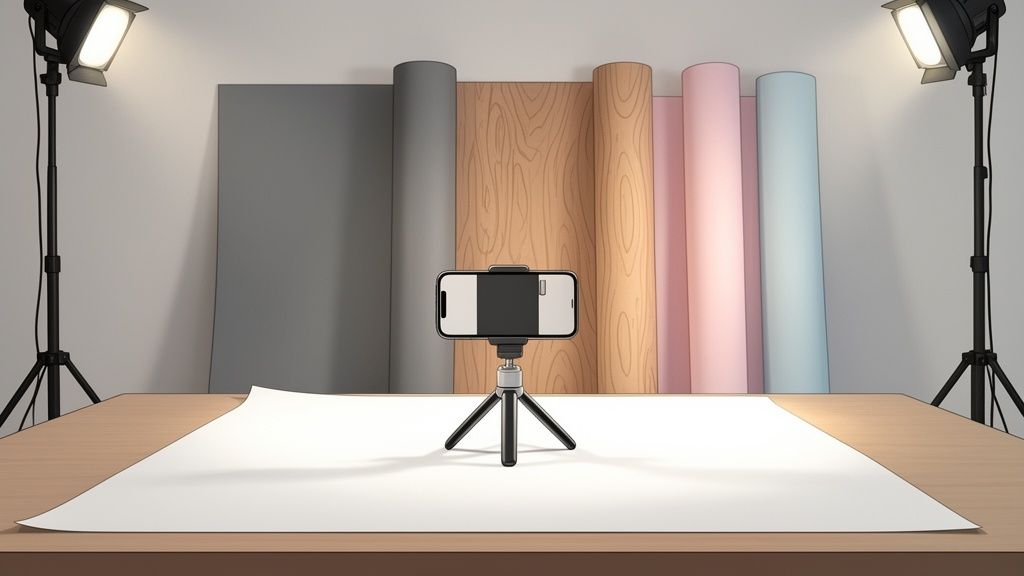
Think of your product photo as a stage. The backdrop is the set design, and your product is the star of the show. If that set is cluttered or distracting, the audience won't know where to look.
A professional backdrop for photography, on the other hand, is more than just a background. It’s a foundational tool that cuts through the noise, directs the customer's eye, and instantly elevates how people see your brand. It’s your silent salesperson, working 24/7 to make your products look their absolute best.
How a Backdrop Can Transform Your Product Photography
When you remove all the visual clutter, you create a direct path from the shopper's eyes to the item you're selling. This has a powerful psychological effect.
It communicates quality, care, and professionalism. An item shot against a crisp, well-lit background just feels more premium than the exact same product photographed on a wrinkled bedsheet or a busy kitchen counter. It’s an instant upgrade in perceived value.
Guide Customer Focus and Reduce Returns
The real-world impact of a bad backdrop choice is huge. A staggering 30% of customers have returned products simply because they didn't match the photos online.
When your backdrop ensures true-to-life color and highlights a product's details accurately, you're setting clear expectations. This simple step can dramatically minimize those costly returns. With the e-commerce photography market projected to hit $422.5 million by 2034, getting the basics right isn't just nice—it's essential for survival.
Your backdrop is a silent partner in your sales process. Its primary job is to make your product the undeniable hero of every image, ensuring what customers see is exactly what they get.
Build a Cohesive Brand Identity
Beyond just one photo, your backdrops are key to building a consistent brand aesthetic across every single listing and social media post.
Whether you stick to minimalist white for marketplace compliance or use a specific textured surface for your lifestyle shots, these choices create a recognizable visual signature. This same principle applies to live events, where custom backgrounds like step and repeat signs are used to create a consistent and professional look in every photo.
This consistency is what turns casual browsers into loyal customers. When shoppers start to recognize your brand's unique style on platforms like Amazon or Etsy, it builds familiarity and trust, which is the foundation of repeat business. For anyone selling on crowded marketplaces, digging into the specifics of professional Amazon product photography can give you a massive competitive advantage.
Choosing Your Backdrop Material and Size
Walk into any photo supply store—or browse online—and the sheer number of backdrop options can feel dizzying. You've got paper, vinyl, fabric, even wood planks. The truth is, there's no single "best" material. The right choice for your setup hinges entirely on what you’re selling, where you're shooting, and the brand image you want to build.
Getting this right is one of the most important steps in creating a professional backdrop for photography that doesn't just look good, but actually works for you.
Backdrop Material Comparison for E-commerce Sellers
Each material has its own pros and cons, especially for a busy e-commerce seller. Let's break down the most common options to see how they stack up.
| Material | Best For | Pros | Cons |
|---|---|---|---|
| Seamless Paper | Crisp, clean e-commerce shots (jewelry, electronics, small goods) | Flawless, non-reflective surface; wide color variety | Tears and creases easily; becomes a recurring cost |
| Vinyl | Messy or high-volume shoots (food, cosmetics, liquids) | Extremely durable; wipe-clean matte surface; long-term value | Higher initial cost; can be heavy and hard to store |
| Fabric | Lifestyle or brand-focused shots (apparel, home goods, textiles) | Adds soft texture and depth; reusable and washable | Prone to wrinkles that are hard to remove; can reflect light |
| Wood / Faux Surfaces | Creating a specific mood or context (handcrafted goods, luxury items) | Adds authentic texture and context; high-end look | Can be expensive and heavy; limited versatility |
As you can see, the trade-offs are real. Seamless paper is the studio standard for a reason—it gives you that perfect, distraction-free surface. But in a home office, it's easily damaged, and you'll find yourself buying new rolls more often than you'd like. Vinyl, on the other hand, is a workhorse. It costs more upfront, but its durability pays for itself if you're shooting anything that might spill or drip.
Matching Material to Your Product
Your product is your best guide. Think practically about what you're shooting and the story you want the image to tell. A rustic wood plank can beautifully ground a handmade leather wallet, while a faux marble slab can add instant luxury to a skincare line.
This flowchart can help you decide whether your primary goal is driving immediate sales with clean, simple shots or building a memorable brand with more stylized backgrounds.

Ultimately, your choice should support your main business objective. Are you trying to get a quick conversion on Amazon, or are you building an Instagram feed that tells a unique brand story over time? The answer will point you to the right material.
Selecting the Right Backdrop Size
Once you’ve landed on a material, it's time to pick a size. The key factors here are the size of your largest product and how much "sweep" you need—that's the seamless curve from the vertical backdrop down onto the surface your product sits on.
For small items like jewelry, watches, or cosmetics, a 2-foot by 3-foot board or a 27-inch wide paper roll is usually plenty. For slightly larger products like shoes or handbags, a 53-inch wide roll is a much safer, more versatile bet.
If you plan on shooting apparel on a model or larger items like small furniture, you’ll need to go bigger. A 107-inch wide roll is the standard for ensuring you have full coverage without the background's edges creeping into your shot. Knowing the typical cost of professional product photography can help you budget for the right gear from day one, preventing costly mistakes.
Don’t underestimate the impact this has on your bottom line. Globally, 67% of buyers say image quality is more important than product descriptions. And poorly shot photos are a major reason for returns—22% of returns happen because the item looked "different in real life," a problem often caused by a bad backdrop. As shoppers expect to see more angles and detailed close-ups, a clean, versatile backdrop is no longer a nice-to-have; it's essential.
Using Color and Texture to Define Your Brand

While a clean white background is the undisputed champion for marketplace listings, your brand’s real story often lives in the colors and textures you use everywhere else. Think of a well-chosen backdrop for photography as a branding tool that works just as hard as your logo or font. It’s all about moving past the defaults to build a visual language your customers instantly recognize.
The colors you pick can completely change how your product feels. A soft, neutral gray, for instance, is fantastic for making vibrant products pop without the harshness of pure white. It’s a sophisticated, modern choice that lets the product’s true colors shine.
On the other hand, bold and saturated colors inject energy and personality. A bright yellow background might feel perfect for a playful children’s toy, while a deep navy can signal luxury and trust for a high-end watch. The real goal is to build a palette that lines up with your brand’s personality and looks great with your product line.
Beyond Color: Adding Depth with Texture
Texture is where you can really start telling a story. It adds a tangible, sensory feeling to a flat image, giving customers a deeper sense of context and quality. A smooth, reflective surface might scream modern and sleek, while a rough, organic texture can hint at heritage and craftsmanship.
Think about how different surfaces can frame your product:
- Polished Marble: This one instantly signals luxury and elegance. It’s perfect for high-end cosmetics, jewelry, or premium home goods.
- Rustic Wood: This surface gives off a feeling of warmth, authenticity, and a connection to nature. It's an ideal backdrop for artisanal foods, handcrafted leather goods, or eco-friendly products.
- Brushed Metal: Use this to create a cool, industrial, or high-tech vibe that works well for electronics, men's grooming products, or automotive accessories.
- Soft Linen: A linen texture adds a feeling of comfort, calm, and home. It’s perfect for bedding, baby products, or wellness items.
These textural cues help customers imagine your product in their own lives. A skincare bottle sitting on a marble slab feels like a bathroom upgrade, not just another item on a shelf. This kind of contextual storytelling is how you build a brand that people connect with emotionally, not just one they buy from.
Building a Versatile Backdrop Collection
You don’t need a closet full of options to be effective. The goal is to build a small, curated collection that gives you versatility for different marketing channels.
Start with the essentials: a pure white for your main e-commerce listings, a neutral gray for versatile product shots, and one or two textured surfaces that truly reflect your brand's personality.
For example, a brand selling organic coffee might use a dark-stained wood plank for its website and social media photos, creating a rich, earthy vibe. This look contrasts with the clean white background required for their Amazon store but works together to build a cohesive brand world. By strategically using color and texture, you transform your product photography from simple documentation into a compelling brand narrative. It's a thoughtful approach that ensures every image is working to define who you are, no matter where it's posted.
Creative and Budget-Friendly DIY Backdrops

Let's be real—you don't need a huge budget or a fancy studio to create a killer backdrop for photography. Some of the most compelling backgrounds I've ever used were cobbled together with materials from the local hardware or craft store. Your biggest assets here are a bit of creativity and some good old-fashioned resourcefulness.
One of the simplest and most effective hacks is a big sheet of white or colored poster board. For less than $10, you can create a perfect seamless curve by bending the board from a vertical surface down onto your table. It’s an instant, clean, reflection-free background that works wonders for smaller items like jewelry, cosmetics, or gadgets.
Textures on a Budget
Want to add a touch of luxury or some rustic charm without lugging around heavy, expensive materials? Contact paper is your best friend. You can find rolls with shockingly realistic faux textures like marble, dark wood, granite, or even brushed metal.
Just apply the contact paper to a rigid surface like a foam board or a spare piece of plywood. In a few minutes, you’ve got a durable, lightweight, and wipeable backdrop that looks just like the real deal. This trick is fantastic for building lifestyle scenes that help tell your product's story.
Get Creative with Everyday Materials
Start looking beyond the photo supply aisle. Your next great backdrop might already be sitting in your house or garden.
- Fabric and Textiles: A simple piece of linen or canvas in a neutral tone can add a soft, organic feel. Just be sure to steam or iron out any wrinkles first—they’re incredibly distracting in the final shot.
- Natural Elements: If your brand has an earthy or eco-friendly vibe, lean into it. A large slate tile from a garden center, a piece of reclaimed wood, or even a bed of sand can create a powerful, authentic scene.
- Painted Surfaces: A can of matte paint and a spare board is a blank slate for any background you can dream up. Try creating an ombre effect, using a sponge to mimic a concrete texture, or just painting it a solid color from your brand palette.
The point of a DIY backdrop isn't to look cheap—it's to look intentional. A thoughtfully chosen texture or color, no matter how inexpensive, shows a level of care that elevates your product and builds trust with your customers.
Think about it: a handmade soap looks incredible on a simple slate tile, while a colorful piece of pottery pops against a custom-painted pastel board. These aren't just cost-cutting tricks; they're proven, practical techniques that let you create professional images on your own terms. It’s all about being resourceful.
Smartphone Photos to Pro Shots With AI Editing
So, you’ve set up your product, found a great physical backdrop for photography, and snapped a picture with your phone. That’s a fantastic start, but the work isn't quite done. The last piece of the puzzle—post-production—is where you take a good smartphone photo and turn it into a professional image that actually drives sales.
Not long ago, this meant wrestling with complex editing software for hours, trying to painstakingly trace around your product to remove the background or fix little lighting mistakes. Thankfully, a new wave of AI editing tools has completely changed the game, putting professional results within everyone's reach.
The Power of AI in Product Photography
Imagine taking that photo on your phone and, just seconds later, having a whole gallery of perfectly polished images ready for your store. This is exactly what AI photography platforms now make possible. These tools automate the tedious tasks that once required specialized skills and a serious time commitment.
They’re smart enough to handle the jobs that are absolutely critical for e-commerce success:
- Flawless Background Removal: The AI automatically finds your product and cuts it out from the background with incredible precision, saving you from the headache of manual outlining.
- Realistic Shadow Creation: It adds natural, soft shadows under your product, which gives it a sense of weight and makes it look like it's really sitting in the scene.
- Smart Lighting Adjustments: The software analyzes your photo and automatically corrects the lighting and color balance to make your product look its absolute best.
This is all about working smarter, not harder. You can take a simple photo against a clean, solid-colored wall and let the AI do all the heavy lifting to generate consistent, top-quality images for your entire product line.
The core idea is to let technology handle the technical perfection so you can focus on creativity and selling. It ensures every product photo meets professional standards, without needing a professional photographer.
The growth in this space is absolutely explosive. The AI product photography market, valued at $450 million in 2024, is projected to rocket to $5 billion by 2035. This surge is fueled by real results, as high-quality images with optimized backdrops can deliver 94% higher conversion rates. AI tools are shrinking editing time from hours down to mere seconds—a massive shift that empowers anyone to create stunning, on-brand galleries without any prior design skills. You can dig into these powerful AI photo editing stats to see the full picture.
From a Single Photo to a Full Gallery
Platforms like ProdShot take this a step further. Instead of just cleaning up one image, they use your single smartphone photo to generate an entire set of visuals.
Here’s a look at the ProdShot interface, where one simple upload gets turned into multiple, ready-to-use product shots in an instant.
This screenshot shows how the platform instantly creates variations with perfect white backgrounds for marketplaces like Amazon, alongside custom-branded options for your social media or website. It’s an incredibly efficient way to build a consistent and professional brand presence online. For a deeper look, check out this guide on the AI product photo generator and what it can do.
And for those times when physical backdrops aren't practical, or you need to digitally furnish an empty space in a photo, it's worth exploring advanced tools. For example, virtual staging software can dramatically transform your images, bridging the gap between the real world and digital perfection. These technologies offer powerful solutions for any creator looking to up their visual game.
Common Backdrop Photography Questions Answered
When you're trying to get your product photos just right, the backdrop can feel like the final, frustrating puzzle piece. You've got the product, you've got your phone, but suddenly you're battling weird shadows and wrinkles you didn't even know were there.
Don't worry, we've all been there. Over the years, the same questions pop up time and time again. Here are the answers to the most common backdrop headaches, based on plenty of real-world trial and error.
What Is the Best All-Around Backdrop Color for a Beginner?
If you can only choose one, go with light gray. It's the unsung hero of product photography.
While pure white seems like the obvious choice for e-commerce, it's surprisingly tough to light properly. It loves to bounce harsh light back at your camera, which can wash out your product's details. Light gray, on the other hand, is far more forgiving. It gives you a clean, modern look without the lighting headaches, making your product colors look rich and accurate.
How Do I Prevent Shadows on My Backdrop?
Pesky shadows are the number one frustration when using a backdrop for photography. The fix is all about two things: creating distance and managing your light.
First, simply pull your product further away from the backdrop. The closer your item is to the background, the harder and darker its shadow will be. Adding even a foot or two of space will instantly soften the shadow, making it far less distracting.
Next, you need to play with your lighting.
- Move your main light source closer to your product and angle it away from the backdrop.
- If you have a second light, aim it at the backdrop itself. This "background light" effectively erases the shadows cast by your main light.
- Working with just one light? Grab a simple white foam board or a reflector. Place it on the opposite side of your product to bounce light back into the shadowed areas, brightening everything up.
Can I Use a Wrinkled Fabric Backdrop?
A wrinkled backdrop can feel like a disaster, but you've got a couple of solid options. For standard e-commerce shots, smooth is almost always better, but a few wrinkles aren't a deal-breaker.
You can either lean into it and embrace the texture for a more rustic, lifestyle vibe, or you can use a clever camera trick to hide them.
Here's a photographer's secret weapon for wrinkled fabric: use a wide aperture. By setting your camera to a low f-stop (like f/1.8 or f/2.8), you create a shallow depth of field. This blurs the background beautifully, making those wrinkles practically disappear.
Of course, the most direct approach is to just get rid of them. A cheap handheld steamer is a fantastic investment. A few minutes of steaming will release the creases from most fabrics, giving you that smooth surface you were hoping for.
Are Digital Backdrops Good for E-commerce?
Absolutely. In fact, using digital backdrops is one of the smartest and most efficient ways to handle modern e-commerce photography. The workflow is simple: shoot your product on any clean, simple background, and then let software do the heavy lifting.
AI-powered tools have made this process incredibly easy. They can instantly remove your original background and replace it with a perfect, marketplace-compliant white background. Better yet, they can place your product into unique, branded scenes. This approach saves a massive amount of time on editing and guarantees every photo in your catalog looks consistent and professional.
Ready to skip the setup and get straight to stunning images? ProdShot uses AI to instantly transform your simple smartphone photos into a gallery of professional, on-brand product shots. Ditch the wrinkles and shadows—get your free trial and see the difference at prodshot.net.