Introduction
In the fast-paced world of e-commerce, particularly on platforms like eBay, product images are the silent sales team that never sleeps. They shape a buyer's first impression, build trust, and drive sales conversions. This guide enriches a basic checklist with deeper insights into creating captivating and effective product images that adhere to eBay's standards.
Understanding eBay's Image Requirements
Before diving into techniques, understanding eBay’s specific image requirements is vital:
- Minimum Size: 500 pixels on the longest side.
- Recommended Size: 1600 pixels on the longest side to enable the zoom feature.
- Maximum File Size: 12 MB per image.
- Accepted Formats: JPEG, PNG, TIFF, BMP, GIF, WEBP, HEIC, and AVIF.
- Aspect Ratio: Recommended square (1:1) or 16:9 for optimal display.
Complying with these standards ensures images display correctly across devices, leveraging features like zoom to boost buyer engagement. (eBay Picture Policy)
eBay Product Image Checklist
1. Use High-Resolution Images
- Resolution: Images should be at least 1600 pixels on the longest side to activate eBay's zoom functionality, offering buyers intricate details of your product.
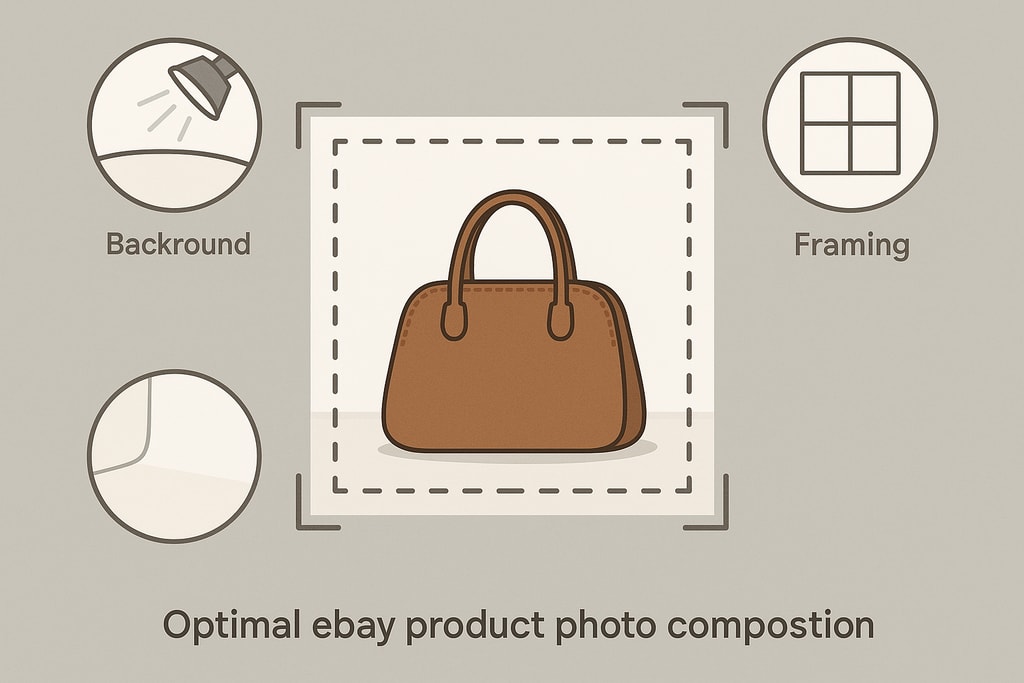
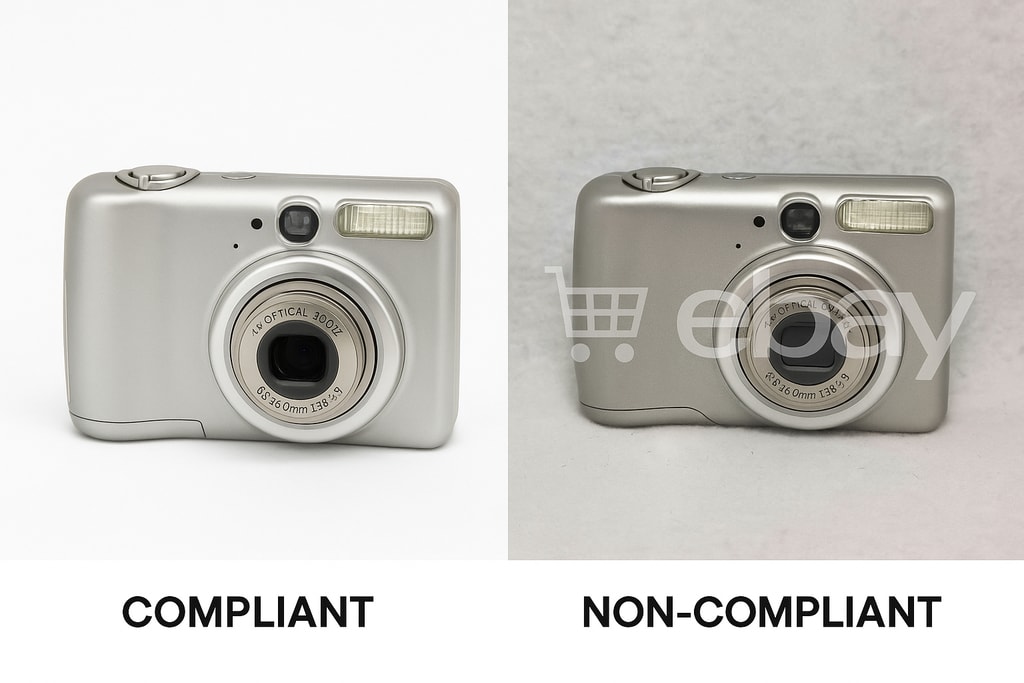
2. Maintain a Clean Background
- Background: A solid white or light gray background highlights your product, ensuring it stands out and appears professional. (Free product photo tools)
3. Avoid Prohibited Elements
- No Watermarks or Text: eBay prohibits watermarks, text overlays, logos, or borders. Ensure all photos comply to prevent potential listing removal.
4. Showcase Multiple Angles
- Variety: Utilize up to 24 images per listing to display your product from various angles, highlighting key features and unique details.
5. Accurately Represent the Product
- Authenticity: Accurately depict the item. Use real photos for used items, not stock images, to meet authenticity guidelines.
6. Optimize Image Composition
- Framing: Center your product, occupying 80-90% of the frame without touching the edges.
- Lighting: Use even, diffused lighting to avoid harsh shadows and ensure color accuracy. (Create product photos)
7. Ensure Consistency Across Listings
- Uniformity: Maintain consistent style, background, and lighting across all images to create a cohesive brand appearance.
8. Utilize eBay's Image Editing Tools
- Enhancements: Leverage eBay’s editing tools for cropping, brightness adjustments, and color corrections, ensuring standard adherence.
Advanced Tips for eBay Product Photography
1. Use a Tripod
- Reduces camera shake, ensuring sharper images that showcase product detail.
2. Leverage Natural Light
- Position products near a window for soft, natural lighting. Midday lighting provides the best neutrality.
3. Experiment with Angles
- Capture unique angles showcasing texture or special features. Certain products may benefit from close-up shots to highlight detail.
4. Consider Lifestyle Shots
- Show products in context to help buyers visualize usage, enhancing emotional appeal and contextual understanding.
Mistakes to Avoid
- Using Low-Quality Images: Blurry photos diminish credibility.
- Ignoring Background Clutter: Distracts from the main product.
- Over-Editing: Can mislead buyers, leading to dissatisfaction and returns.
eBay Marketplace-Specific Advice
1. Niche Audience Considerations
- Understand what your target demographics value and adjust your photo strategy to meet these expectations, such as eco-friendly backgrounds for sustainable products.
2. Seasonal Adjustments
- Alter images seasonally to appeal to timely buyer needs, using props relevant to holidays or seasonal changes when appropriate.
Enhanced FAQ
Q: Can I use stock photos for my eBay listings?
A: Stock photos may be used for new items, but used items require actual photographs. (eBay Picture Policy)
Q: How many images can I upload per listing?
A: eBay allows up to 24 images per listing, perfect for thorough product showcases.
Q: Are there any restrictions on image content?
A: Yes, images must not feature watermarks, text overlays, logos, or inaccurate representations. (eBay Picture Policy)
Q: How can I improve shot consistency?
A: Use the same lighting, camera settings, and backdrop for all shots. Consistency builds customer trust and brand recognizability.
Sources and Further Reading
- eBay Picture Policy
- eBay Image Size Guide & Photo Resizer
- Complete Guide to eBay Product Images 2026
By following these advanced tips and checklist, your eBay product images will not only meet platform standards but also enhance buyer trust and improve your sales performance.
For a streamlined approach to creating professional product photos, consider using ProdShot's AI-powered tools to transform your images effortlessly.