

Introduction
In the realm of Facebook Marketplace, where hundreds of listings compete for attention, the quality of your product photos stands as a crucial differentiator. Effective images attract viewers, nurture trust, and convey professionalism, significantly influencing your sales success. In this guide, we'll dive into various strategies, practical examples, and AI tools to help you create compelling product photos for your Marketplace listings.
The Impact of Quality Photos on Sales
When users peruse Facebook Marketplace listings, your photo is the first impression they receive, making it vital to capture their interest instantly. According to EditThisPic, engaging, well-lit images can accelerate sales by up to three times compared to lackluster photographs. Quality images deliver essential information visually, minimizing customer inquiries and facilitating quicker buying decisions.
Facebook Marketplace Photo Specifications
To ensure your photos are optimized for Marketplace:
- Resolution: Minimum of 720 pixels on the shortest side; recommended resolution is 1080 pixels or higher for better clarity.
- Aspect Ratio: Utilize a 1:1 square ratio for maximum compatibility; however, a 4:3 ratio is also acceptable.
- File Formats: Stick to JPEG or PNG for quality preservation.
- Photo Limit: You can display up to 10 photos per listing.
Keep in mind that the first image is auto-cropped to square in search results, so compose with this in mind. Explore more on specifications at Pixel Image.
Essential Techniques for Capturing Product Photos
Lighting
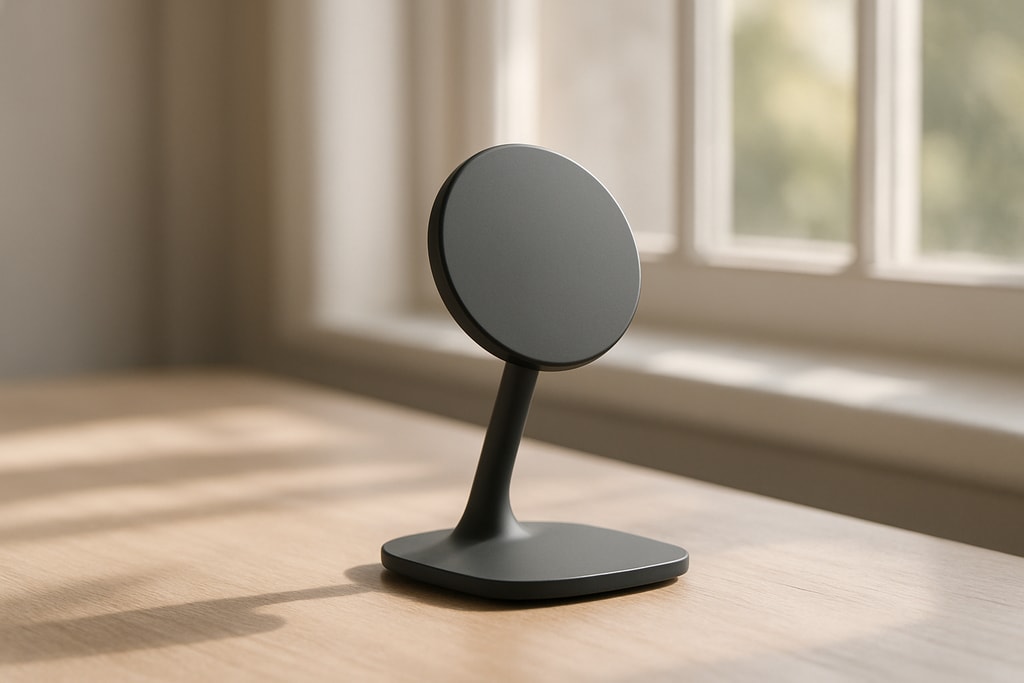
- Natural Light: Prioritize shooting near windows during daylight or outdoors either early morning or late afternoon for softer light. Avoid using flash to prevent harsh shadows.
- Consistent Lighting: Stick to one type of light source to maintain accurate colors; avoid mixing daylight and artificial lighting, which can cause white balance issues.
Background
- Minimalist Approach: Employ plain backgrounds like walls, tables, or sheets to prevent distractions.
- Contrast: Utilize contrasting backgrounds to highlight your product effectively, ensuring dark products on light backgrounds and vice versa.
Composition
- Frame Your Product: Your product should take up 70-80% of the photo frame to showcase details without cramming.
- Variety of Angles: Feature multiple angles such as front, back, sides, and close-ups for unique features or labels.
- Expose Flaws: Transparently document any imperfections to build trust and avoid disputes.
For a deeper dive, refer to FLUF Connect's guide.
Enhancing Photos with AI Technology
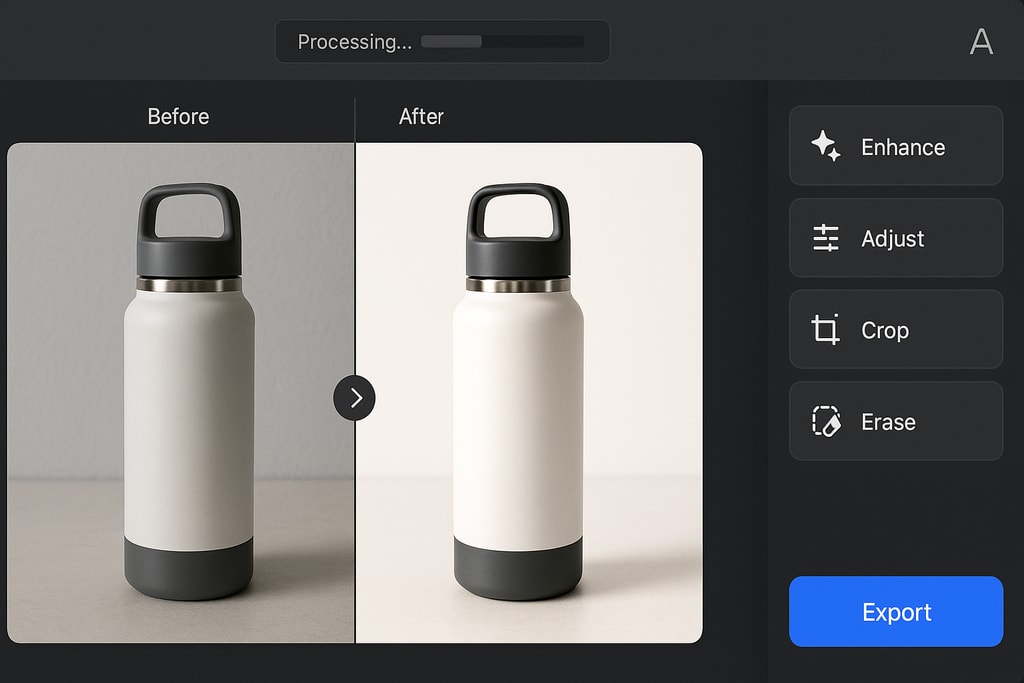
AI photo enhancements can elevate quality without professional tools or expertise. Below are some top AI tool choices tailored for e-commerce:
1. Topaz Photo AI
- Functions: Capable of upscaling images up to sixfold without quality loss, reducing noise, and benefiting from batch processing.
- Ideal For: Sellers needing high detail and print-grade resolution.
2. Pixelcut
- Features: Offers easy background removal, generates product mockups, and provides quick edits.
- Best For: Mobile-friendly editing for Shopify, Etsy, and Amazon sellers.
For a comparison on AI enhancers, visit Photo Quality Enhancer.
Step-by-Step Guide: Enhancing Photos with AI
- Initial Capture: Use your mobile device to capture multiple shots, focusing on good lighting and background clarity.
- AI Tool Selection: Choose a suitable AI photo enhancer. Avriro's AI Product Photo Enhancer is noted for lighting corrections and shadow enhancements.
- Enhancement Process: Upload photos to your chosen AI tool. The AI will adjust lighting, shadow, and color for optimal presentation while keeping the product's integrity.
- Quality Check: Review the final enhanced images to ascertain they fulfill your standards before download.
- Ready for Marketplace: Use the enhanced images in your listings to capture attention.
AI-Enhanced Photography Checklist
| Action | Description | | — | — | | Capture | Take multiple high-quality photos utilizing good lighting and a clean background. | | AI Tool Selection | Identify the AI enhancement tool that offers the features you need. | | Upload & Enhance | Process photos through the AI tool to auto-correct key elements. | | Review | Ensure quality and authenticity of the enhanced images. | | Listing | Implement upgraded photos in your Facebook Marketplace listings. |
Avoiding Common Pitfalls
- Over-Editing: Resist the urge to over-process images, ensuring authenticity is retained.
- Flaws Ignorance: Always document imperfections; revealing them nurtures transparency.
- Lighting Mismatch: Maintain uniform lighting across all images in your listing for a consistent feel.
Frequently Asked Questions
Q: Can AI tools be used on smartphones? A: Yes, many AI tools like Pixelcut provide mobile-friendly apps for convenient, on-the-go edits.
Q: Will AI-enhanced images be accepted on Facebook Marketplace? A: Certainly, provided they depict products accurately and conform to Facebook’s guidelines.
Q: Do AI tools usually require payment? A: It depends on the tool; some have free versions with limited features, while others may require a subscription for advanced functions.
Sources and Further Exploration
- Facebook Help Center: Marketplace Selling
- EditThisPic: Facebook Marketplace Guide
- Pixel Image: Listing Photo Guide
- FLUF Connect: Selling on Facebook Marketplace
- Photo Quality Enhancer: AI Tools for Product Images
- Avriro: Photo Enhancement Tool
Internal Links
Conclusion
Elevating your Facebook Marketplace listings with captivating images does not necessitate fancy equipment or advanced skills. By adhering to proven methods and employing AI enhancements, you can craft alluring product photos that allure buyers, effectively boosting sales.