
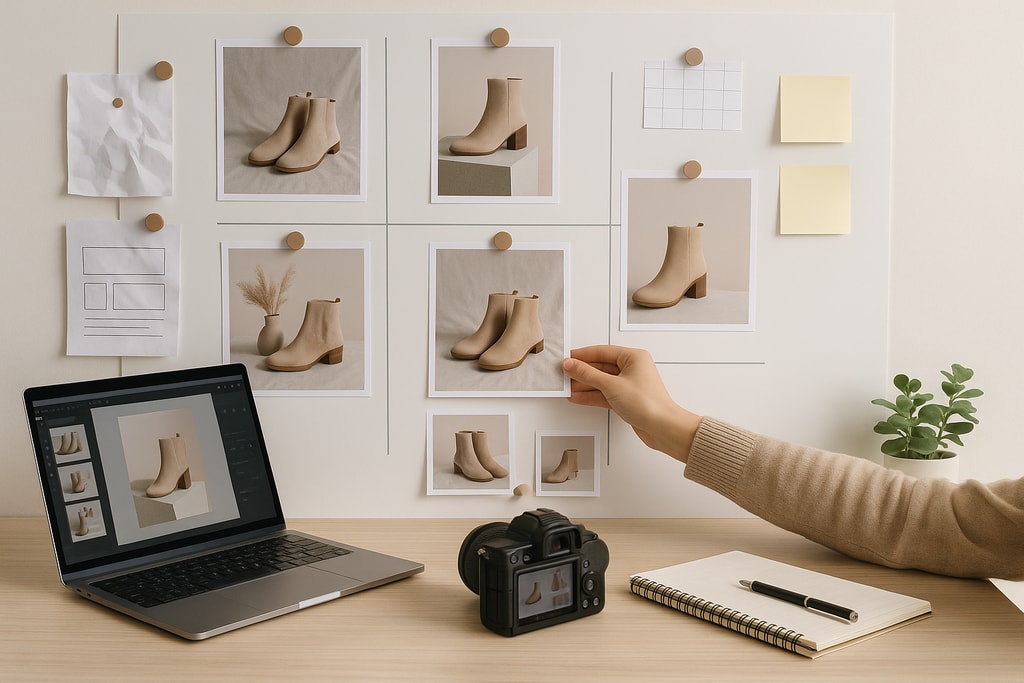
In the competitive world of e-commerce, high-quality product photography is not just an option—it's a necessity. Studies consistently show that image quality is the number one factor influencing online purchase decisions, ahead of price, brand reputation, and product descriptions. (dreamshot.io) Effective product photos can significantly enhance your brand's credibility, engage potential customers, and ultimately drive sales. This guide will walk you through the essential steps to plan and execute product photos that captivate customers and boost your e-commerce success.
Understanding the Importance of Product Photography
Product photography serves as the visual handshake between your product and potential customers. In the absence of physical interaction, customers rely heavily on images to assess quality, functionality, and desirability. High-quality images can reduce return rates by accurately representing products, thereby setting correct customer expectations. (dreamshot.io)
Current Trends in E-commerce Product Photography
Staying abreast of current trends can give your product images a competitive edge. Here are some notable trends:
AI-Generated Lifestyle Photography
Artificial Intelligence (AI) tools now enable the creation of realistic lifestyle images without the need for traditional photoshoots. These tools can place your product in various settings, helping customers visualize its use in real life. (pixel-prep.com)
360-Degree Spin Imagery
Offering a 360-degree view allows customers to examine products from all angles, enhancing their understanding and confidence in the purchase. This approach has been shown to increase engagement and sales. (1worldsync.com)
Hyper-Realistic Textures and Details
High-resolution images that capture intricate details and textures provide a tactile sense of the product, which is particularly effective for items like clothing and accessories. (dresma.com)
Planning Your Product Photo Shoot
A well-planned photo shoot ensures efficiency and consistency. Consider the following steps:
Define Your Objectives
- Target Audience: Understand who your customers are and what appeals to them.
- Brand Identity: Ensure that the photography style aligns with your brand's image and values.
- Platform Requirements: Different e-commerce platforms have specific image guidelines. Familiarize yourself with these to ensure compliance.
Create a Shot List
A shot list outlines all the images you need, ensuring no essential shots are missed. Here's an example:
| Shot Type | Description | Purpose | |—————————|—————————————————————————–|——————————————————————————————-| | Hero Shot | Main product image on a white background | Provides a clear, unobstructed view of the product | | Lifestyle Shot | Product in a real-life setting | Helps customers visualize the product in use | | Detail Shot | Close-up of product features | Highlights unique features and quality | | Scale Shot | Product next to a common object | Gives a sense of size and proportion | | Group Shot | Multiple products together | Shows variations or complementary items | | Packaging Shot | Product with its packaging | Displays packaging quality and design |
Gather Necessary Equipment
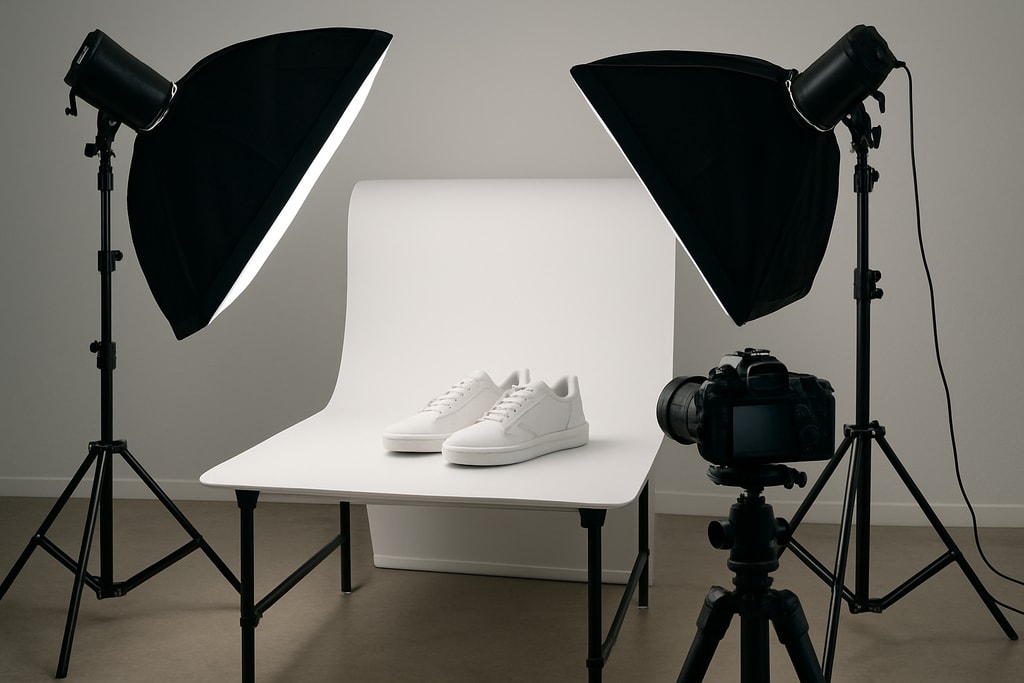
- Camera: A DSLR or mirrorless camera is ideal, but high-end smartphones can also suffice.
- Tripod: Ensures stability and consistency across shots.
- Lighting: Softbox lights or natural light can be used to achieve desired effects.
- Backgrounds: White or neutral backgrounds are standard, but colored or textured backgrounds can add interest.
- Props: Relevant props can enhance lifestyle shots.
Set Up Your Shooting Space
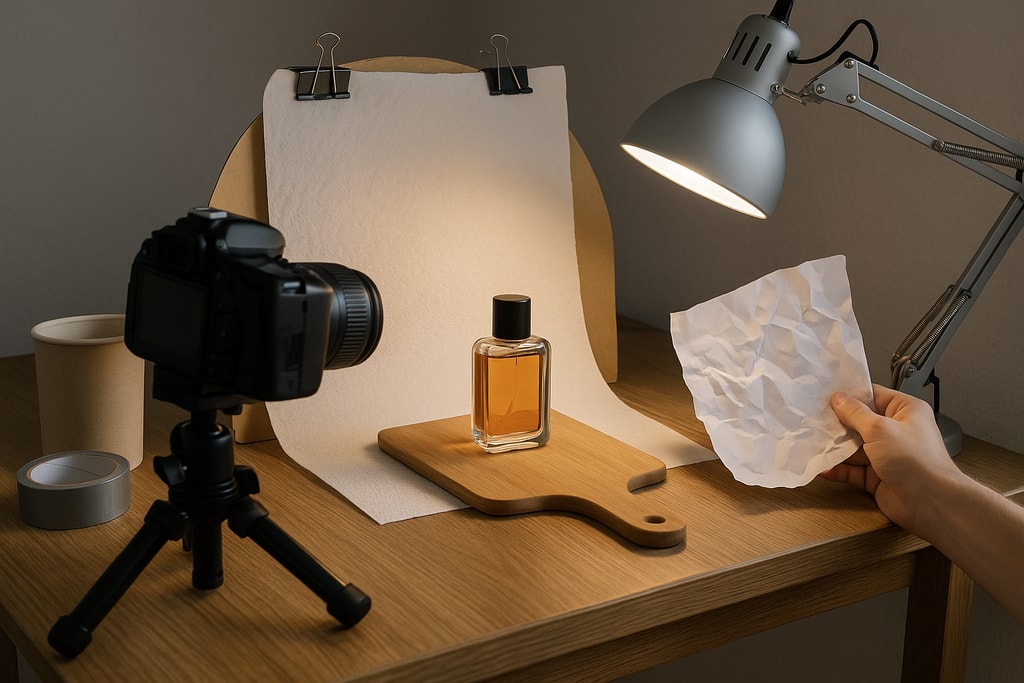
- Lighting: Ensure even lighting to avoid harsh shadows.
- Background: Use a clean, uncluttered background to keep the focus on the product.
- Staging: Arrange the product and props thoughtfully to create an appealing composition.
Executing the Photo Shoot
Camera Settings
- Aperture: A moderate aperture (e.g., f/8) ensures the product is in sharp focus.
- ISO: Keep ISO low (100-200) to reduce noise.
- White Balance: Adjust according to the lighting to ensure accurate colors.
Composition Techniques
- Rule of Thirds: Place the product off-center to create a balanced image.
- Leading Lines: Use lines to draw attention to the product.
- Negative Space: Allow space around the product to avoid a cluttered look.
Consistency Across Images
- Angles: Maintain consistent angles for similar products.
- Lighting: Keep lighting consistent to ensure a cohesive look.
- Backgrounds: Use the same background for a uniform appearance.
Post-Processing and Editing
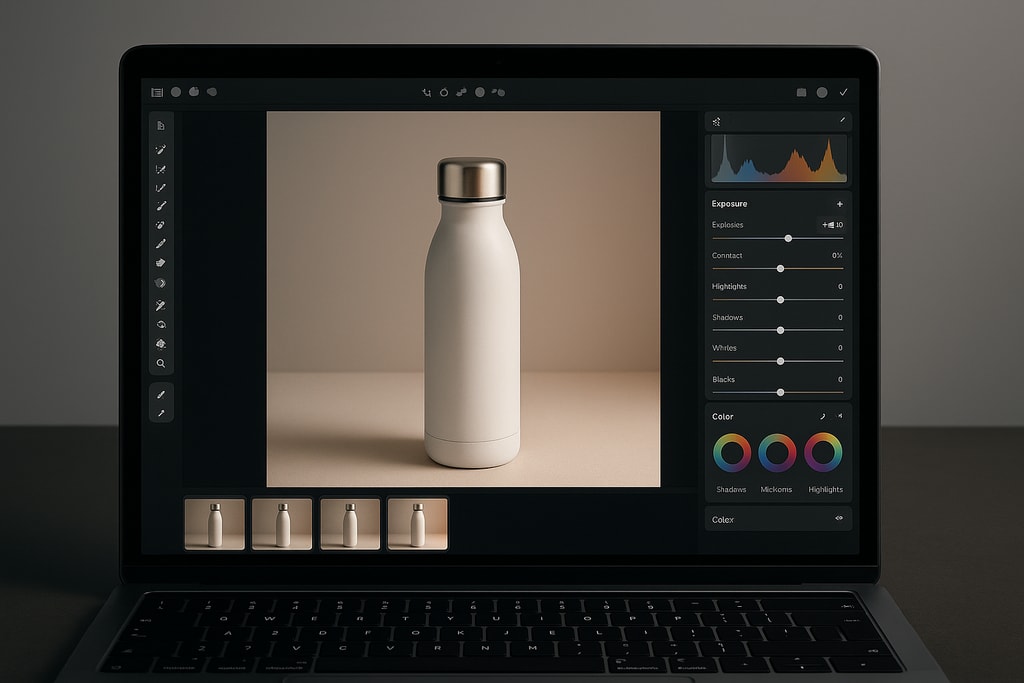
Editing enhances the quality of your images. Focus on:
- Color Correction: Ensure colors are true to life.
- Background Removal: Remove distractions to keep the focus on the product.
- Retouching: Fix imperfections without altering the product's authenticity.
Tools like ProdShot can streamline this process by transforming casual product photos into professional, marketplace-ready images.
Practical Examples and Decision Criteria
Choosing the Right Photography Style
Selecting the right style is crucial. For example, if you're selling luxury watches, focus on elegance and premium settings. Conversely, for outdoor gear, opt for adventurous, rugged environments.
Mistakes to Avoid
- Inconsistent Lighting: Differing lighting can make images look unprofessional.
- Ignoring Platform Guidelines: This mistake might result in images being cropped or distorted. Always align with platform-specific requirements.
- Over-editing: Avoid applying excessive filters or edits that misrepresent the product.
Marketplace-Specific Advice
E-commerce platforms like Amazon, Etsy, and your own online store may have unique requirements or best practices.
Amazon
- Use a plain white background for main images.
- Utilize Amazon’s Enhanced Brand Content to showcase lifestyle images.
Etsy
- Handmade and vintage items perform better with lifestyle photography that tells a story.
- Emphasize details that cater to the craft and uniqueness of the product.
Own Store
Invest in diverse photo types: hero shots, lifestyle images, and detail shots to give your audience a complete visual experience.
Internal Resources
For more detailed assistance, refer to the Ecommerce product photo checklist to ensure you've covered all necessary steps. To further enhance your skills, explore resources on how to Create product photos effectively.
FAQs
What background is best for product photos?
A white or neutral background is recommended for clarity, but lifestyle shots can benefit from more dynamic settings.
How can I make my product photos more engaging?
Incorporate lifestyle elements, use 360-degree views, and highlight unique product features to increase engagement.
What camera settings are ideal for product photography?
Aperture around f/8, low ISO (100-200), and appropriate white balance typically produce the best results.
Can I use smartphone cameras for product photography?
Yes, modern smartphones with good lighting and additional lens attachments can deliver excellent quality images.
How important is post-processing?
It's crucial for enhancing image quality and ensuring consistency, but avoid over-editing to keep integrity.