
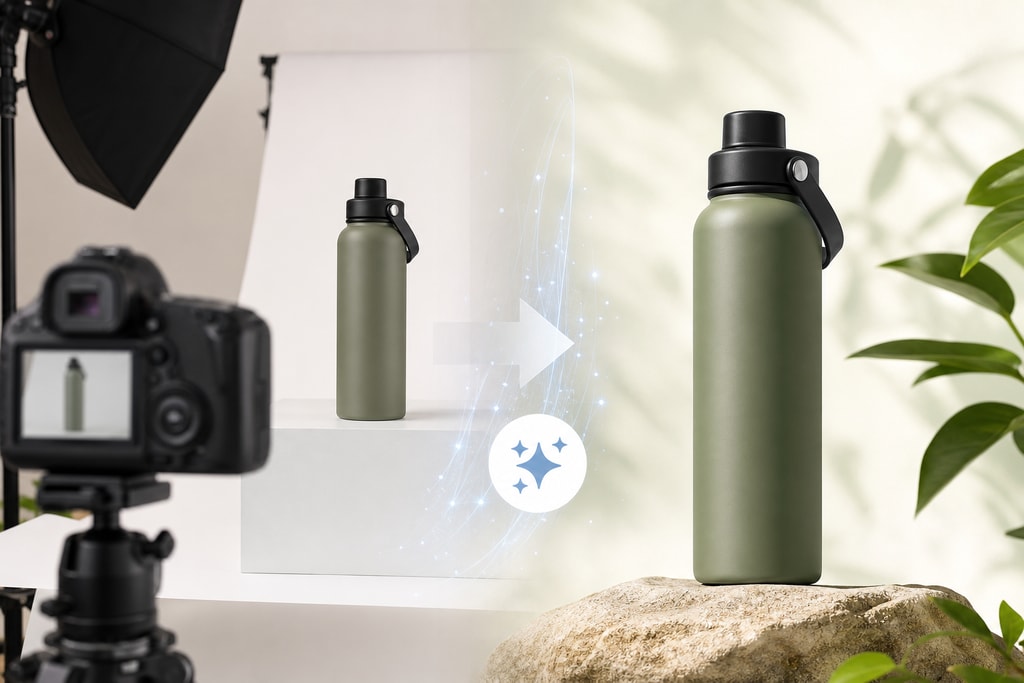
Introduction
In the fiercely competitive world of Amazon selling, high-quality product images are critical. They not only captivate potential buyers but also ensure compliance with Amazon's rigorous image requirements. For small e-commerce sellers, meeting these standards can be daunting, but AI tools offer a powerful solution.
Understanding Amazon's Product Image Requirements
Amazon's image guidelines ensure a consistent and professional shopping experience. Key requirements include:
- Image Size and Resolution:
- Minimum of 1,000 pixels on the longest side, allowing zoom functionality.
- Recommended size of 2,000 x 2,000 pixels for optimal quality.
- Background and Composition:
- Pure white background (RGB 255, 255, 255) for main images.
- Product must occupy at least 85% of the frame.
- File Format and Color Mode:
- Accepted formats: JPEG, PNG, GIF, TIFF.
- sRGB color mode is preferred.
- Content Restrictions:
- No additional text or graphics.
- No watermarks or logos.
- No offensive or adult content.
For detailed guidelines, visit Amazon's official Product Image Requirements.
Challenges in Meeting Amazon's Image Standards
Adhering to these guidelines presents several challenges:
- Background Removal: Achieving pure white backgrounds without professional tools.
- Image Resizing and Formatting: Maintaining precise size and format.
- Image Quality Maintenance: Avoiding pixelation during edits.
- Compliance Verification: Checking each image against standards manually.
Common Mistakes
- Using inappropriate lighting, leading to shadows.
- Inadequate focus, causing blurry images.
- Adding non-compliant text or graphics.
How AI Tools Facilitate Compliance

AI-driven tools have transformed product image creation and management. Here's how they help:
- Automated Background Removal: Instantly replaces backgrounds with pure white.
- Intelligent Resizing and Formatting: Adjusts dimensions and formats to meet Amazon's standards.
- Quality Enhancement: Enhances clarity, sharpness, and color balance.
- Compliance Checks: Analyzes images for guideline adherence.
Top AI Tools for Amazon Image Compliance

Several platforms offer AI solutions for sellers:
1. ProdShot
Overview:
ProdShot offers a suite of AI-powered photography services tailored for online sellers, transforming casual photos into professional shots.
Key Features:
- AI Model Shoot for Fashion: Generate polished visuals without live shoots.
- Batch Processing: Efficiently handle large image volumes.
- Smart AI Editing: Deliver clean, professional-quality images.
Explore More:
2. BigCom.ai
Overview:
BigCom.ai provides Amazon product intelligence and analytics to enhance image compliance and optimization.
Key Features:
- Image Scoring: Rates compliance and quality.
- Content Optimization: Refines product listings for higher conversions.
- Backend Audits: Identifies and remedies catalog issues.
3. MediaReduce
Overview:
MediaReduce automates image processing, converting supplier photos to marketplace-ready formats.
Key Features:
- Pre-Built Workflows: Designed for Amazon, Shopify, Etsy.
- Batch Processing: Process hundreds of images at a time.
4. Prodify
Overview:
Prodify creates Amazon-compliant listing image sets from a single photo, rapidly generating complete listings.
Key Features:
- Rapid Image Generation: Produces main images, lifestyle scenes, infographics.
- Compliance Checks: Ensures all images meet standards.
5. Foca AI
Overview:
Foca AI caters especially to small businesses, converting casual shots to polished, compliant images.
Key Features:
- White Backgrounding: Formats images with correct framing.
- Precision Editing: Preserves product geometry without distortion.
Implementing AI Tools in Your Workflow
To leverage AI tools effectively, follow these steps:
- Assess Your Needs: Identify areas needing automation or enhancement.
- Choose the Right Tool: Select software based on needs and budget.
- Test the Tool: Use trials to assess effectiveness.
- Integrate Seamlessly: Incorporate into existing processes with team training.
- Monitor Performance: Regularly review and adjust usage for optimal results.
Practical Examples and Tips
- Example Scenario: A small boutique uploads product images.
- Before AI: Manual editing took hours per image.
- After AI: Automated tools reduced time to minutes.
- Avoiding Pitfalls:
- Regularly review AI outputs ensuring it meets brand standards.
- Stay updated with Amazon’s changing requirements.
FAQ
How often should I update my catalog images?
Regularly, especially if Amazon updates guidelines or you modify products.
What’s the best way to handle image rejection?
Quickly identify why images failed compliance, adjust, and re-upload using AI assessments.
Can AI tools entirely replace professional photographers?
AI enhances efficiency but unique, high-end visuals may still require expert touches.
What size should lifestyle images be?
While the main image should meet strict guidelines, lifestyle images should prioritize creativity without losing resolution quality.
How do I choose the right AI tool?
Consider budget, specific needs (e.g., fashion products), and integration ease.
Conclusion
AI tools simplify the process of creating Amazon-compliant product images, offering efficiency and consistency. By choosing the right tools and incorporating them into your workflow, you enhance image quality, meet guidelines effortlessly, and ultimately boost sales performance.
Explore more about improving your product images with our Amazon product image checklist.