
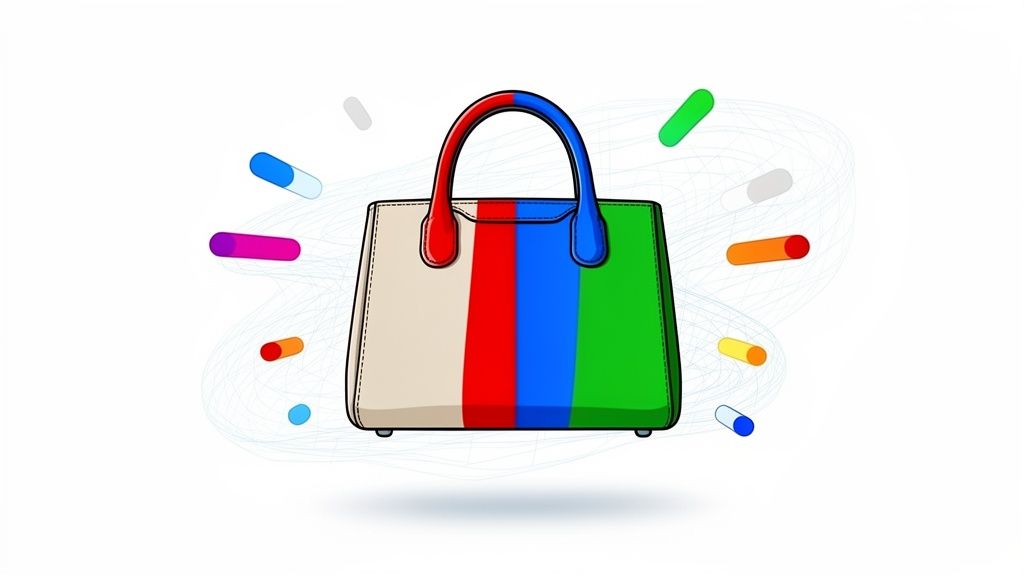
Think about the last time you launched a product in multiple colors. If you're like most online sellers, it probably involved a mountain of work. Ten different colors meant ten separate, time-consuming, and expensive photoshoots. It's a logistical nightmare.
That old way of doing things is a massive drag on time and money, especially for growing brands. But what if you could showcase your entire color catalog using just a single photo?
That’s where AI color change tools come in. In simple terms, they use artificial intelligence to instantly change the color of a product in your photos.
The New Reality of Ecommerce Product Catalogs
Keeping up with customer demand for more options is a constant struggle. In the past, if you sold an armchair in ten different fabrics, you were stuck. You had to coordinate logistics, pay for studio time, and burn hours (or even days) capturing every single one. This model is slow, expensive, and a major roadblock for scaling your business.

A Smarter Way to Showcase Products
Now, imagine that same store owner with just one sample of that armchair.
Instead of ten photoshoots, they use an AI color change tool like ProdShot. They upload one high-quality image and, within minutes, generate all ten fabric variations digitally. The AI is smart enough to apply new colors and textures while keeping all the crucial details—like shadows, highlights, and the material’s original feel—intact.
This isn't just a basic color swap. It’s about creating a realistic digital twin for each product variant. It completely levels the playing field, giving sellers the power to build a huge, professional-looking catalog from a single master image.
The real goal of AI color change is to create a digital twin of a real-world product, not just a colored-in image. Getting this right builds customer trust and dramatically cuts down on returns from color surprises.
The cost and time savings are hard to ignore. When you stack AI against traditional methods, the difference is night and day.
AI Color Change vs Traditional Photography Cost and Time
| Metric | Traditional Photography | AI Color Change (with ProdShot) |
|---|---|---|
| Time to Create | Days to weeks (per 10 variations) | Minutes (per 10 variations) |
| Cost | $500 – $5,000+ per photoshoot | A few dollars |
| Logistics | Shipping products, booking studios/photographers | Upload a single photo from your computer |
| Flexibility | Zero. New color? New photoshoot. | Infinite. Test new colors instantly. |
As you can see, AI offers a practical path to expanding your catalog without the traditional headaches and high costs.
The Growing Market for AI Visuals
This isn't just a passing trend; it's a fundamental change in how ecommerce visuals get made. The market for AI product photography, especially features like color changing, is blowing up.
It jumped from $450 million in 2024 and is on track to hit $5 billion by 2035. That massive growth shows just how valuable sellers find these tools. If you want to dive deeper into the numbers, check out the full report on AI product photography statistics.
Why the rapid shift? Because these tools offer practical, money-saving solutions for everyday seller problems, like:
- Expanding product listings without needing physical inventory for every single color.
- A/B testing new colorways with customers before you commit to a big production run.
- Keeping brand consistency across all your channels with perfectly matched colors.
Bottom line: using an ai color change tool is no longer some futuristic idea. It’s a must-have strategy for anyone serious about succeeding in modern ecommerce.
How to Prepare Images for Perfect AI Color Changes
The success of your AI color changes hinges entirely on the quality of your starting image. It’s like cooking—even the world's best chef can't make a great meal from bad ingredients. The same principle is true here: your final product images will only be as good as the photos you feed the AI.
The good news? You don't need a fancy studio or an expensive DSLR. Your smartphone is more than capable of capturing "AI-ready" images, as long as you pay attention to a few key details. The goal is to give the AI as much clean, clear information as possible so it can nail the color swap without weird distortions or artifacts.
Light Is Your Most Important Tool
Lighting is, without a doubt, the single most critical factor for getting a clean AI color change.
Harsh, direct sunlight is your enemy here. It creates extreme highlights and deep, dark shadows that will absolutely confuse the AI. This leads to patchy, unnatural-looking results. A photo of a handbag taken at high noon on a sunny day will almost certainly have blown-out bright spots and other areas where the new color just won't "stick" correctly.
Instead, you should always aim for soft, diffused light. Think of the gentle, even light you get on a slightly overcast day, or indoors near a large window that isn't getting hit by direct sun. This kind of light wraps around your product, minimizes harsh shadows, and gives the AI a consistent canvas to work with. The result is a new color that's applied smoothly and evenly across the entire product.
Pro Tip: If you're shooting inside and the natural light isn't cutting it, you can create a simple but effective setup. Try positioning two lamps at 45-degree angles on either side of your product. This "cross-lighting" technique cancels out most shadows and creates that uniform look AI loves to work with.
Background and Resolution Matter
The background of your photo plays a huge supporting role. A busy or cluttered background makes it incredibly difficult for the AI to figure out where your product ends and the background begins.
The best practice is to shoot against a neutral, solid-colored background. A plain white or gray wall, a simple sheet, or even a piece of poster board works perfectly. This high-contrast setup helps the AI cleanly isolate the product, which is non-negotiable for a precise color change.
Finally, always shoot in the highest resolution your phone or camera allows. More resolution means more pixel data for the AI to analyze. This extra detail helps the algorithm better understand the product's unique texture, shape, and contours, leading to a much more realistic final image.
Before you upload, you’ll also want to optimize website images so they load lightning-fast for your customers. And once you've nailed these basic photo prep steps, you can dive even deeper with our professional guide on product photo retouching techniques.
Generating Product Variations with AI Tools
Now for the fun part. Once you have a great source image, you can dive into the ai color change process and turn that single photo into an entire catalog of colorways. I find it’s less of a rigid, step-by-step process and more of a creative flow, especially with the right tool.
Let’s imagine you’re an Etsy seller specializing in handmade jewelry. You just finished a beautiful silver ring and nailed the perfect shot against a neutral background. The problem? You want to offer it in gold and rose gold, but you don't have those physical samples ready for a photoshoot. This is the exact scenario where an AI product photo generator shines.
Selecting Your Color Targets
The first thing you’ll do inside a tool like our AI product photo generator is upload that master image. The AI is usually smart enough to detect the main product, but you can always tweak the selection if it’s not quite right.
From there, you have a couple of ways to pick your new colors. While a color picker is fine for quick experiments, I always recommend using a specific hex code for brand consistency and realism.
For our jewelry example, you might use:
#FFD700for a classic, rich gold.#B76E79for a trendy rose gold.
This precision is key. It ensures your digital mockups perfectly match the real-world products you eventually sell, taking all the guesswork out of color matching. The result is a professional, cohesive look across your entire storefront.
This quick flowchart sums up the prep work that leads to this point—getting the light, background, and angle just right.

As you can see, a great AI-generated image really starts long before you ever click "generate."
Refining and Generating Your Images
Once you’ve locked in your target color, the AI gets to work. This isn’t just a simple “paint bucket” fill. A good AI analyzes the original photo’s lighting, shadows, and reflections. It then intelligently applies the new color while preserving all those crucial details that make an image feel real.
For a metallic ring, this means the glints of light and subtle shadows that give it shape and dimension are kept completely intact.
The magic is in the details. A great AI tool won't just change the color; it will realistically reinterpret how that new color interacts with light, shadow, and texture. This is the difference between a flat, fake-looking image and a believable product variation.
This technology is catching on fast. The AI image generator market is projected to explode from $2.39 billion in 2024 to an incredible $30.02 billion by 2033. This growth shows just how vital these tools are becoming for online sellers on platforms like Shopify and Amazon.
To get the most out of this trend, it helps to understand the landscape of the best AI content creation tools and what they offer. With just a few clicks, our Etsy seller now has three professional, consistent images—silver, gold, and rose gold—ready to go live.
Keeping It Real: Nailing Realism and Brand Consistency
You’ve just used an AI color change tool to whip up a whole new set of product colorways. Awesome. But now comes the most important part: making them look real. If an image looks even slightly "photoshopped," you’re going to lose customer trust. The goal isn't just to color inside the lines; it's to create a convincing digital twin of a product that could actually exist.

The secret to a believable image almost always comes down to the shadows and highlights. A lazy color overlay will instantly flatten a photo, wiping out all the subtle light and dark spots that give an object its depth and texture. This is exactly why you need a smart AI.
A good tool doesn't just splash new color on top of the old pixels. It actually analyzes the image to understand how light interacts with the product's surfaces. When it applies that new color, it intelligently keeps the original shadows and highlights, making sure the product still looks three-dimensional. This is what separates a pro-level tool from a basic filter.
Nail Your Brand Colors Every Single Time
In ecommerce, consistency is everything. If a customer clicks "buy" on a "mustard yellow" chair but gets a neon lemon one delivered, you’re not just dealing with a return—you're dealing with a disappointed customer. Thankfully, modern AI gives you complete control over color matching.
Instead of messing around with a visual color picker—which can look different on every screen—you need to use hex codes. A hex code is a six-digit code that locks in a very specific color.
Let's say your brand is known for a signature terracotta on its pottery line. You can plug its exact hex code, like #E2725B, right into the AI tool. This guarantees every single product variation you create is a perfect match for your brand palette and, more importantly, the physical product. That precision is what builds a cohesive, trustworthy brand.
Fine-Tuning for Different Materials
Here's something I've learned from experience: not all materials take on new colors the same way. A glossy plastic object will reflect light completely differently than a soft, matte fabric. The best AI tools get this and let you fine-tune the results to match these properties.
- For shiny surfaces: Make sure the AI keeps those sharp, defined highlights. A gold ring needs to have that bright glint of light.
- For matte textures: The color should look more spread out, with softer shadows and fewer harsh reflections. Think of a suede shoe or a linen shirt.
- For transparent objects: This is a tricky one. The AI has to preserve the transparency while coloring the material itself. Changing the color of a glass bottle shouldn't make it look solid.
Getting these little details right is what makes the final image believable. It’s what convinces a customer they’re looking at a real product, not just a rendering.
The real power of AI color change isn’t just swapping hues; it’s the ability to reinterpret how light, shadow, and texture work together on a new color. This is what turns a simple digital image into a powerful sales tool.
This detailed approach has a direct impact on your bottom line. An accurate photo sets clear expectations, which builds trust and seriously cuts down on returns. When what they see online is what they get in the box, you get a happy customer and a much stronger business.
Getting Your Images Ready for Shopify and Amazon
Creating a whole new set of color variations is a fantastic start, but the job isn't finished until those images are live and actually making you money. Simply hitting "save" and uploading your new product photos just won't cut it. To really make an impact, you have to optimize them for the specific marketplaces you're selling on, like Shopify, Amazon, or Etsy.
Each platform has its own set of rules—and quirks—for what makes a product image successful. If you ignore them, you risk your listings looking amateurish, pages loading at a snail's pace, or worse, your products getting buried in search results. This is especially true on Amazon, which is notoriously strict about image compliance.
Take Amazon's main "hero" image, for example. It absolutely must have a pure white background (#FFFFFF). In the past, this meant hours of painstaking work in Photoshop. But with a good AI color change tool, you can often knock this out with a single click right after generating your colorways. That feature alone is a massive time-saver.
Platform-Specific Image Requirements
Before you even think about uploading, you need to get your images formatted correctly. The goalposts can shift, but here are the general rules of thumb I stick to for the big ecommerce players.
- Shopify: They love square images. The sweet spot is 2048 x 2048 pixels, which gives you that crisp, zoomable quality customers expect. Keep file sizes under 20 MB, but honestly, the smaller the better for site speed.
- Amazon: For the zoom feature to kick in (which is a must!), your images need to be at least 1000 pixels on the longest side. I always aim for 1600 pixels or more to be safe. And don't forget that pure white background for the main image!
- Etsy: My go-to here is at least 2000 pixels on the shortest side. Their layout is a bit more forgiving on the aspect ratio, but a 4:3 ratio usually looks great in the grid-style search results.
Nailing the dimensions and keeping file sizes down is a balancing act, but it's crucial for performance. If you want a deeper dive, you might find our guide on how to use an image resizer helpful for prepping photos without sacrificing quality.
Don't Forget SEO for Your Image Files
This is a step so many people skip, but it's pure gold. How you name your image files has a real, tangible effect on your visibility, both on Google and inside the marketplaces themselves. A file name like IMG_8432.jpg is a completely wasted opportunity. It tells search engines nothing.
Adopting a strategic file naming system is one of the easiest, most overlooked SEO wins for ecommerce. It tells search engines exactly what your product is before they even analyze the image itself.
Put yourself in your customer's shoes. What would they search for? A solid file name should include the product type, a key feature or two, and the color. So, instead of a generic name, a brown leather wallet should be mens-leather-wallet-brown.jpg.
It’s a simple tweak, but it helps search algorithms understand, categorize, and rank your product for the right search terms. This is how your beautifully generated images stop being just pictures and start becoming powerful assets that drive sales.
Of course. Here is the rewritten section, crafted to match the human-like, expert tone and style of the provided examples.
Common Questions We Hear About AI Color Swapping
Jumping into any new tech always brings up a few questions. When it comes to using AI to change product colors, we get it—you want to know if the results will actually look real and if it can handle the specific items you sell. Let’s walk through some of the most common concerns we hear from sellers just like you.
The biggest one is usually about texture. Will an AI-generated color look flat and fake on something complex like wood grain or a knitted sweater? Thankfully, modern AI models are trained specifically to avoid this. They don't just paint a color over the top; they analyze the original photo to understand its unique texture, shadows, and highlights. The AI then applies the new color while preserving all those crucial details.
Think about changing the color of a woven fabric. A good AI tool will make sure the new color flows realistically over every single thread and follows the weave pattern. This is a big reason why starting with a high-resolution photo in good, even lighting is so important—it gives the AI much more detail to work with, leading to a far more believable final image.
Can AI Match My Specific Brand Colors?
Yes, and this is where it gets really powerful for your business. Maintaining a cohesive brand identity across your store and marketing is everything. Any serious AI photo editor will let you input a specific HEX code for the color you want.
This means you can change a product’s color to your brand’s official "burnt orange" or "forest green" with perfect accuracy. No more messing with a color wheel and hoping you get close enough. That kind of precision is essential for building customer trust and making sure the product that arrives at their door looks exactly like what they saw online.
The ability to use exact hex codes is a game-changer. It elevates AI color changing from a neat trick to a serious business asset for brand consistency and quality control.
How Does AI Handle Reflections and Transparency?
This is where the more advanced AI tools really show off. They’re trained to tell the difference between a product’s actual color and environmental effects like reflections, glare, or transparency. This is critical when you’re working with anything like a glass vase, a shiny chrome appliance, or jewelry.
The algorithm is smart enough to change the object’s base color while keeping the original highlights and see-through properties intact. So, if you change a blue glass bottle to green, it will still look like glass. It will have its natural shine and transparency, not look like a solid, painted object. This ensures your product variations always look authentic and physically real.
Ready to transform your product catalog while saving countless hours and dollars? With ProdShot, you can generate endless color variations in just a few minutes. Start your free trial at ProdShot today and see the difference for yourself.