
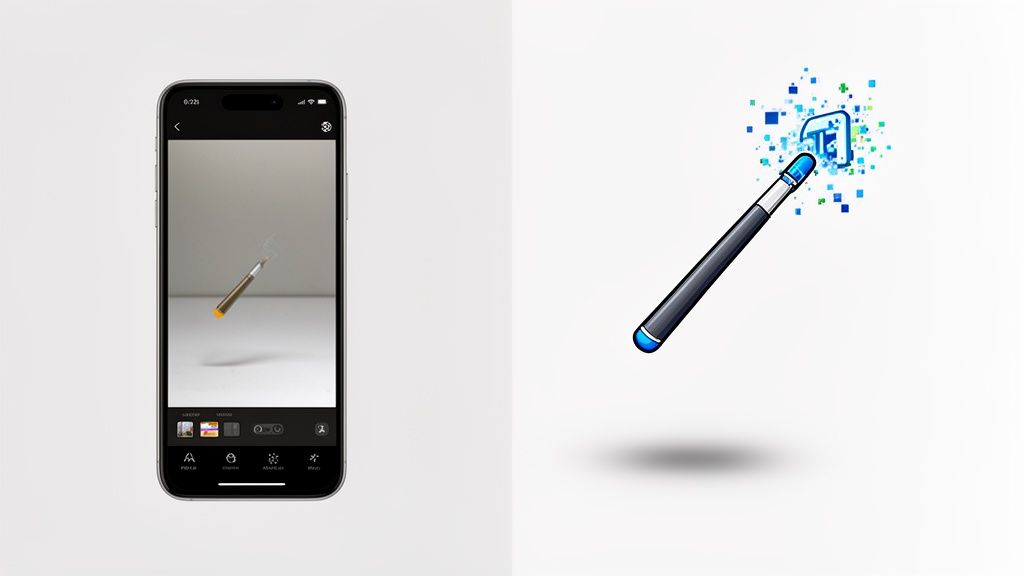
Think of an AI photo enhancer app as your new secret weapon for e-commerce. It’s the tool that turns your simple smartphone pictures into professional, high-converting product images that actually sell. These apps use artificial intelligence to instantly remove backgrounds, correct lighting, and retouch photos, saving you a ton of time and money while delivering studio-quality results.
Why AI Is Your New E-commerce Secret Weapon

Whether you’re a Shopify store owner or an Etsy artisan, your product photos are your most important sales tool. Period. They’re the first impression, the digital handshake, and the main way a customer decides if your product is worth their money.
In the past, getting professional-looking photos meant one of two things: shelling out big bucks for a photographer or losing your weekend wrestling with clunky software like Photoshop. Both options are slow and expensive, creating a real headache for small businesses just trying to get off the ground.
An AI photo enhancer app completely flips that script. It basically puts a photo studio right in your pocket, making high-quality product images accessible to everyone.
The Real-World Business Impact
The benefits here are about more than just pretty pictures. Shifting from manual editing to an AI-driven solution has a direct, measurable impact on how you run your business—and on your bank account.
Let’s get real about the advantages:
- Massive Time Savings: Work that used to take hours of tedious clicking can now be done in seconds. You can even batch-process hundreds of photos at once, freeing you up to focus on things that actually grow your business.
- Significant Cost Reduction: A single professional photoshoot can run into the thousands. An AI app, with a small monthly fee, gives you a huge return on investment by cutting out the need for photographers and pricey software licenses.
- Increased Conversion Rates: It's simple: great, consistent images build trust and make people want to buy. Crisp photos on clean backgrounds help customers focus on your product, leading to more "add to cart" clicks and sales. For anyone selling on big marketplaces, solid Amazon conversion rate optimization is all about using better visuals to drive more revenue.
The true value is efficiency. An AI photo enhancer isn't just another app; it's a workflow game-changer that turns a major business bottleneck into a simple, automated task.
From Smartphone Snap to Marketplace-Ready
Picture this: you take a quick photo of your handmade jewelry on your kitchen table. A few taps later, the AI has completely removed the messy background, brightened the lighting to make the gemstone pop, and even added a soft, realistic shadow. Just like that, the image is perfectly polished and ready for your Etsy listing.
This is the new reality for online sellers. You can get a better feel for how this all works by checking out an AI product photo generator and seeing what it can do firsthand. In this guide, we'll walk you through exactly how to make this transformation happen for your own products, step by step.
Taking Smartphone Photos Primed for AI Success
Getting incredible results from an AI photo enhancer all starts with a solid source image. You really don't need a fancy DSLR camera—the one in your pocket is more than powerful enough, as long as you know a few tricks. The goal is simple: capture photos that make the AI’s job as easy as possible.
It’s all about working smarter, not harder. A couple of quick adjustments before you hit the shutter button can be the difference between a good final image and a truly great one. Think of it as handing the AI a clean, perfect canvas to work with.
Master Your Lighting and Background
Light is, without a doubt, the single most important factor. Please, avoid the harsh, direct overhead lights in your house. They create nasty shadows and unflattering reflections that are a pain to fix.
Instead, find a large window and place your product nearby. You want that soft, natural, indirect sunlight. This beautiful, diffused light wraps around your product, melts away harsh shadows, and shows off its true colors.
Next up is the background. While a good AI photo app is a wizard at background removal, you can guarantee a perfect result by using a simple, plain background that contrasts with your product. A white or gray poster board, a clean bedsheet, or even just a plain wall works wonders. This stark contrast gives the AI a crystal-clear edge to follow, resulting in a 99% perfect cutout almost every time.
A cluttered background with tons of colors and objects forces the AI to guess where your product ends and the junk begins. A clean, contrasting backdrop completely eliminates that guesswork.
Frame Your Shot for Impact
Composition is just how you arrange your product in the photo. An easy but powerful trick is the rule of thirds. Just imagine your screen is split into a 3×3 grid. Instead of plunking your product dead-center, try placing it along these lines or where they cross. This tiny shift makes the whole shot feel more dynamic and professional.
Also, get intentional about your focus and angle. Tap your phone’s screen right on the product to make sure it’s tack-sharp. A blurry source photo is one of the few things even the best AI can't fully save. Make sure to shoot from a few different angles—straight-on, from a bit above, and a three-quarters view—to see what really shows off your product's best features.
Here are a few common mistakes I see all the time:
- Busy backgrounds: Patterns, textures, or other random items in the shot will only confuse the AI.
- Poor focus: Always, always double-check that your product is crystal clear.
- Uneven lighting: A photo with super bright hotspots and deep, dark shadows is tough for any software to correct evenly.
- Leaving too little space: Don't crop in super tight. Leave some breathing room around your product. This helps the AI process it cleanly and gives you flexibility later. You can always crop and resize images when you're done. If you want a deeper dive, our post on using an image resizer for perfect marketplace photos is a fantastic resource.
By following these simple guidelines, you’re giving the AI photo enhancer a high-quality, clean image to work with. This prep work is the real secret to getting those scroll-stopping, professional-looking product shots that actually drive sales.
Turning Your Smartphone Snap into a Pro-Level Product Photo
Alright, this is where we get to the good stuff. You’ve taken your smartphone shot, and now it's time to let an ai photo enhancer app take over the heavy lifting. Our goal is to go from a simple, raw photo to a polished, marketplace-ready image with just a few taps.
Let's walk through a real-world example. Say you just photographed a new ceramic vase for your online home decor store. You set it on your dining room table and got a decent picture, but the background is cluttered and the kitchen light is casting a weird yellowish glow. This is the perfect test case.
From Raw Snapshot to a Clean Cutout
The first thing you’ll want to do is remove that distracting background. This one feature alone is a massive time-saver compared to the old days of manually tracing paths in Photoshop.
With an app like ProdShot, it’s almost laughably easy. You just upload the photo from your phone's gallery, and the AI gets to work. Its algorithm instantly analyzes the image, figures out what your product is, and digitally snips it out from the background.
What you get back is a perfect product cutout on a transparent background. Even tricky parts like the curve of the vase or the empty space inside the handle are usually handled with incredible precision. It’s no wonder so many sellers find weekly plans for these apps valuable—the benefit is immediate.
The AI isn’t just looking at pixels; it’s trained to understand objects. This lets it separate your product from a messy background with an accuracy that used to require a skilled human editor. It's the foundational step for creating those clean, professional product listings everyone is after.
Fixing Light and Color in One Click
With the background gone, the next quick win is correcting the lighting and color. Your dining room shot might look a bit dark or have that unnatural yellow tint from your indoor lights. An advanced ai photo enhancer app tackles this automatically.
The app intelligently looks at the photo's data, identifies exposure problems, and fixes them. It brightens up the shadows, tones down any harsh highlights, and neutralizes weird color casts to bring out the product's true colors. Suddenly, that yellowish vase is a crisp, clean white—exactly how it looks in real life.
This whole process works even better when you give the AI a good starting point.

The takeaway here is simple: if you pay a little attention to light, background, and composition before you even open the app, the AI's job becomes easier and the final result is that much more impressive. In just a few seconds, your simple snapshot is transformed into a bright, color-accurate product photo that looks like it came straight from a professional studio.
So you've used an ai photo enhancer app to get that perfect, clean product shot with a transparent background. The heavy lifting is done. But the job isn't finished just yet.
Now it's time to tailor that image for every single place you sell. Slapping the same photo on Amazon, your Shopify store, and Instagram is a rookie mistake. Each platform has its own rules, both written and unwritten, and customers have different expectations depending on where they're shopping.
Think of your perfectly enhanced image as the master file. From here, you’ll create slightly different versions for each channel. The beauty of a good AI app is that this isn't a chore—it’s a matter of a few clicks to resize, change backgrounds, and export optimized files.
Dialing in Your Images for Each Platform
Amazon isn't Etsy, and Etsy isn't your own website. The visual language is different, and understanding these subtle differences is what separates the pros from the amateurs. What works on one channel might fall completely flat on another.
Here’s what I’ve learned from years of optimizing listings:
- Amazon: They are notoriously strict, and for good reason. Your main image must have a pure white background (RGB 255, 255, 255). No exceptions. This creates the clean, uniform look Amazon is known for. Your product should also dominate the frame, filling 85% or more of the space.
- Shopify: This is your home turf, so you make the rules. While a clean white background is always a safe and professional choice, this is your chance to build a brand. Use consistent brand colors, subtle textures, or even simple lifestyle contexts to make your entire store feel cohesive.
- Etsy: Personality is everything here. Shoppers come to Etsy for unique, handcrafted items, and your photos should reflect that. Many top sellers use a consistent, non-white background—like a light wood grain or a soft pastel color—to make their shop instantly recognizable in a sea of listings.
- eBay: They've moved closer to Amazon's model over the years. A clean white background is strongly recommended to get better placement in search results. Keep it simple and clear.
Once your photos are looking sharp, they become powerful creatives in digital marketing that you can use to build entire campaigns.
Getting the Technical Details Just Right
Getting the background right is only half the battle. You also have to nail the technical specs, like resolution and aspect ratio. If you upload an image that's the wrong size, the marketplace will automatically crop or stretch it, and the result is almost always a blurry, unprofessional-looking mess.
It’s no surprise that a study found 75% of online shoppers lean on product photos to make a purchase decision. Nailing the technical details for each platform isn't just about looking good—it directly impacts your sales.
This used to be a massive headache, requiring manual editing in complex software. Today, most AI photo enhancers have built-in templates. You can literally just pick "Amazon Square" or "Instagram Story," and the app handles the cropping and resizing for you. It's a huge time-saver.
Marketplace Image Specification Cheat Sheet
To make things even easier, I've put together a quick-reference table with the most important specs for the major platforms. Keep this handy when you're exporting your final images.
| Marketplace | Recommended Background | Minimum Resolution | Ideal Aspect Ratio | Pro Tip |
|---|---|---|---|---|
| Amazon | Pure White | 1000 x 1000 pixels | 1:1 (Square) | Use all image slots; add infographics and lifestyle shots after the main image. |
| Shopify | Branded or White | 2048 x 2048 pixels | 1:1 (Square) | Higher resolution gives customers a better zoom experience. It signals quality. |
| Etsy | Branded or White | 2000 pixels (short side) | 5:4 (recommended) | The 5:4 ratio fills more of the screen on search results pages. |
| eBay | White | 500 x 500 pixels | 1:1 (Square) | While 500px is the minimum, aim for at least 1600px for better zoom. |
Taking these extra few seconds to optimize for each marketplace pays off big time. It shows customers you’re a serious, professional seller they can trust, making them that much more confident to click "Add to Cart."
Adding Pro Touches Like Retouching and Shadows

You’ve got your background sorted and the lighting looks great. It’s easy to think you’re done, but the final 10% of the work is what really makes a product photo shine. This is where you add the subtle, professional details that separate good from great—things like realistic shadows and tiny touch-ups.
A product just floating in a white void can feel a bit stark, almost unnatural. The best ai photo enhancer app fixes this by adding smart shadows. These aren't just lazy, dark ovals slapped underneath your item. The AI actually looks at your product's shape and angle to create a soft, believable shadow that makes it feel like it's really sitting on a surface.
That small detail grounds your product and makes it feel more tangible. It adds a layer of professionalism that builds subconscious trust with shoppers, making your item look less like a cheap digital cutout and more like something shot in a high-end studio.
Effortless Retouching for a Flawless Finish
No matter how carefully you shoot, tiny flaws can find their way in. Think of a speck of dust on a necklace or a stray thread on a t-shirt. In traditional software, cloning these out is a slow, tedious process. A modern AI tool, on the other hand, handles it in seconds.
Most apps now have a feature called "AI Retouch" or "Magic Erase." You just tap or brush over the spot you want to remove, and the AI intelligently fills in the area, blending it perfectly with its surroundings. To get a better handle on these methods, diving into a guide on product photo retouching can show you just how to make your images absolutely spotless.
This isn’t about making major changes to the product itself. It’s for removing those tiny distractions that pull a buyer's eye away from what matters. A quick clean-up ensures their focus stays exactly where you want it: on your product.
I can't stress this enough: what used to take a pro retoucher 15-20 minutes per image—spot healing, creating shadow layers, masking—can now be done in less than 30 seconds with a good AI app. This isn't just a time-saver; it’s a complete game-changer for your workflow.
The Real Return on Investment
Let’s talk numbers, because this is where the magic really happens. The true power of an ai photo enhancer app is its massive return on investment, both in time and money. Imagine you’re a small shop with 50 products to list.
The Old Way (Manual Workflow in Photoshop):
- Time per image: At least 20 minutes for background removal, color correction, retouching, and shadow creation.
- Total time for 50 products: A whopping 1,000 minutes, which is over 16 hours of tedious, focused work.
- Cost: If you outsource this, you're looking at $5-$15 per image. That's a bill of $250-$750.
The New Way (AI App Workflow):
- Time per image: About 2 minutes to upload, hit the auto-enhance button, and add a shadow.
- Total time for 50 products: 100 minutes. Just over 1.5 hours, and you can often do it all in one batch.
- Cost: A small monthly subscription, which often costs less than outsourcing just a handful of photos.
This massive drop in effort and cost means you can update your product listings more often, A/B test different images, and jump on new trends instantly. You’re not just saving money; you’re gaining speed and freeing up your own time to focus on what really grows your business—marketing and customer service. That small app fee pays for itself almost immediately.
Frequently Asked Questions About AI Photo Enhancers
As sellers like you start exploring AI photo tools, a few common questions always pop up. We hear them all the time from e-commerce entrepreneurs, so let's get you some straightforward answers based on real-world experience.
Can an AI App Really Replace a Photographer?
For the kind of product shots you need on marketplaces like Amazon, Shopify, and Etsy, the answer is a definite yes. An ai photo enhancer app is built to do exactly what these platforms require: create clean, consistent, high-quality images with perfect white backgrounds.
It automates the tedious work of creating catalog-style images, doing it faster and cheaper than a traditional setup. While you might still hire a pro for a complex lifestyle shoot or a big branding campaign, an AI app handles the day-to-day grind of getting products online. It gives you studio-grade results without the high cost or technical headaches.
What Kinds of Products Work Best with AI?
Honestly, these apps can handle an incredible range of products. They’re especially good with items that have clean, well-defined edges. We see fantastic results with things like:
- Electronics and gadgets
- Home decor and furniture
- Beauty products and cosmetics
- Apparel shot on a mannequin or as a flat lay
Even subjects that used to be a nightmare for background removal are getting much easier. Modern AI can now process intricate jewelry and even transparent items like glassware with impressive accuracy. The secret is to start with a decent photo—good lighting against a simple background gives the AI a clean slate to work its magic.
Will My Photos Look Fake or Over-Edited?
This is a great question, and a real concern. But today’s best AI tools are designed specifically to avoid that "fake" look. The whole point isn't to create a bizarre, synthetic image; it's to replicate what a professional human retoucher would do, just in a fraction of the time.
Modern AI is all about subtlety. The best apps don't just cut out the background—they add realistic soft shadows to ground the product and gently balance the lighting. The goal is to look polished, not plastic.
You also have the final say. Most tools let you adjust the intensity of the edits, so you can find a look that feels right for your brand. The tech is there to enhance what you shot, not create something artificial.
Ready to see the difference for yourself? Stop wrestling with complicated software and expensive photoshoots. With ProdShot, you can turn your smartphone photos into high-converting, professional product images in seconds. Try ProdShot for free and elevate your e-commerce store today!