
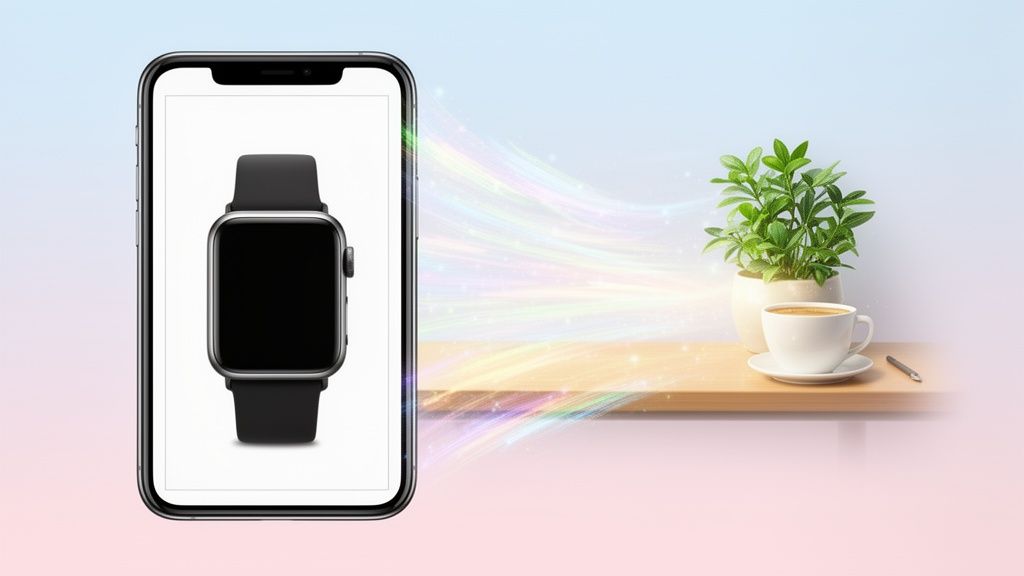
An AI photo extender—you might also hear it called outpainting or inpainting—is a tool that uses generative AI to intelligently build out an image beyond its original borders. It’s designed to create new, contextually-aware backgrounds, effectively turning a tightly cropped product shot into a wide-format visual asset without ever needing a reshoot.
Why AI Photo Extenders Are a Game Changer for E-Commerce
Imagine this: you have the perfect product photo, but it’s a vertical shot. Your website banner, however, demands a wide landscape image. In the past, you were stuck. You could crop it awkwardly, leave a bunch of empty space, or bite the bullet and schedule an expensive, time-consuming new photoshoot. The AI photo extender just completely erases that problem.
It’s a seriously practical solution for a persistent e-commerce headache. By generating new pixels that seamlessly match the existing scene's lighting, texture, and perspective, this tech gives sellers an incredible amount of flexibility. You can take a single product image and spin it into dozens of variations, each one perfectly sized for different marketing channels.

Unlocking Creative and Financial Benefits
This newfound versatility has a direct impact on your bottom line. Instead of seeing product photography as a one-and-done asset, you can now repurpose your images endlessly. For sellers on platforms like Shopify, Amazon, and Etsy, this is a massive advantage.
Just think about the benefits here:
- Cost Efficiency: It completely gets rid of the need for pricey reshoots just to get a different aspect ratio.
- Speed and Agility: You can create new ad creatives, banners, and social media posts in a matter of minutes, not days.
- Brand Cohesion: It's suddenly easy to create a consistent visual style across your entire online presence, from product pages to email newsletters.
- Increased Conversions: Let’s be real—high-quality, context-rich imagery is proven to grab attention and build trust with potential buyers.
This technology is a huge part of the reason the AI photo editing market is growing so fast, and online sellers are the ones who benefit directly. The trend is impossible to ignore, with over 15 billion AI-generated images created since 2022 and 34 million more popping up every single day. This shift shows how tools like extenders are fundamentally changing how we approach product photography.
From Niche Tool to Essential Asset
What was once a niche feature buried in advanced software is now an accessible and frankly indispensable tool for retailers of all sizes. It levels the playing field, giving small brands the power to produce professional-grade visuals that can go toe-to-toe with established giants.
By extending your images, you're doing more than just adding a background. You're adding context, creating lifestyle shots from simple studio photos, and building a more compelling visual story around your products.
At the end of the day, understanding the strategic importance of high-quality product photography for Amazon is key. When you nail the photography, tools like AI photo extenders become a powerful lever to amplify your results. This tech is no longer a novelty; it’s a core component of any modern, successful e-commerce strategy.
Getting Your Product Shots Ready for AI Extension
The final image you get from an AI is only as good as the photo you start with. An AI photo extender is an incredibly powerful tool, but it can't read your mind or fix a fundamentally flawed image. Taking a few minutes to prep your source photo is the single best thing you can do to guarantee a realistic, professional result.
Think of it this way: a little bit of prep work now can save you a ton of painful retouching later. It's what separates a seamless, believable background from a weird, distorted mess. The whole idea is to give the AI a clear, easy-to-understand starting point so it can build out the scene you actually want.
Start with a Clean Canvas
First thing's first, you absolutely have to isolate your product. AI models thrive on clarity. When you feed them an image with a busy or complicated background, you’re introducing chaos. The AI gets confused and might start pulling distracting bits and pieces into the new, extended area.
Removing the background gives the AI a clean slate. It's like telling the AI photo extender in no uncertain terms: "This is the subject. Build around this." This one simple action skyrockets your chances of getting a clean, coherent extension that looks like it belongs in a high-end catalog. If you're selling on Shopify, you already know how critical that clean look is. You can get the full rundown on how to remove the background for Shopify photos to nail this part of the process.
Fine-Tuning the Source Image
Okay, so your product is isolated. Now for a few subtle tweaks that make a huge difference. Before you even think about extending the image, make sure it’s crisp and well-lit.
- Tweak Contrast and Brightness: Don't let your product look flat. A small bump in contrast helps define its edges, giving the AI really clear lines to work from.
- Check the Sharpness: A blurry source photo will only ever produce a blurry extension. Make sure the focus is razor-sharp on the most important parts of your product.
- Fix the Color Balance: Does your photo have a strange yellow or blue tint from the lighting? Correct it now. This ensures the AI generates a background that has neutral, natural-looking light that matches.
We're not talking about a major photo editing project here. These are quick, five-minute adjustments that feed the AI better information, and better information always leads to a more believable result.
The best source photos for an AI photo extender all have two things in common: a clearly defined subject and simple, unambiguous surroundings. The less guesswork the AI has to do, the better your final image will be.
For instance, trying to extend a photo of a purse sitting on a cluttered desk is asking for trouble. The AI might try to continue the desk's wood grain into thin air, pull in parts of a random keyboard, or invent bizarre shadows. But if you take that same purse, put it on a clean background, suddenly the AI can easily generate a beautiful marble surface or a soft-focus lifestyle scene. This prep work is the real secret to getting the most out of the tool.
Alright, let's get into the nitty-gritty of how this actually works. This is the exact process I use to take a regular product photo and transform it into a flexible asset that works across my entire e-commerce setup. It's less about letting the AI run wild and more about giving it specific directions to get the perfect shot for each platform.
Imagine you’ve got a fantastic, tightly-cropped square photo of a watch. It looks great, but you need a wide 16:9 banner for your Shopify homepage. This is precisely where an AI photo extender becomes your creative sidekick. Your first move is to set that new aspect ratio. You're not just adding random pixels; you're defining a whole new canvas and composition.
Optimal Aspect Ratios for E-Commerce Platforms
Choosing the right dimensions upfront is a game-changer. A 1:1 square is classic for an Instagram feed, while a 4:5 vertical is your best bet for a Pinterest pin. Every platform speaks its own visual language, and matching your aspect ratio ensures your product always looks its best. Here's a quick guide to help you choose the right canvas for your AI-extended images.
| Platform or Use Case | Recommended Aspect Ratio | Why It Matters for Engagement |
|---|---|---|
| Instagram Feed | 1:1 (Square) or 4:5 (Vertical) | Vertical shots take up more screen real estate, grabbing more attention as users scroll. |
| Website Banners (Hero) | 16:9 (Wide) | Perfect for creating an immersive, cinematic feel on homepages and landing pages. |
| Amazon/Shopify Main Image | 1:1 (Square) | The standard for most marketplaces, ensuring your product is centered and clear in search results. |
| Pinterest Pins | 2:3 (Vertical) | Tall images are king on Pinterest, standing out in a sea of visual content. |
| Facebook Ads | 1.91:1 (Landscape) or 1:1 (Square) | Square ads perform well on mobile feeds, while landscape is better for desktop placements. |
Getting this right from the start saves you a ton of editing headaches later and makes sure your images are optimized for clicks and conversions, no matter where they show up.
Guiding the AI With Simple Prompts
Once your canvas is set, you need to tell the AI what to fill the new space with. This is all done with simple text prompts. Don't feel like you need to write a novel; clarity beats creativity here. For that watch photo, a prompt like "on a dark wooden table next to a leather-bound book and a pair of glasses" gives the AI concrete objects and textures to build around.
This is your chance to really inject your brand's personality into the shot. You could go for "on a minimalist white marble surface" for a clean, modern vibe, or maybe "on a bed of fresh moss in a forest" if you’re an adventurous, outdoorsy brand. The goal is to provide just enough detail for the AI to grasp the mood and context you're aiming for.
Before you even get to the AI, though, a little prep work goes a long way.

Each of these steps—cleaning, adjusting, and sharpening—gives the AI a much cleaner foundation to work from, which leads directly to a higher-quality final image.
Generating and Picking the Winner
Look, the AI isn’t going to nail it on the first try every single time. That's normal. The best practice is to generate a few variations. Most tools will let you create three or four different options from the same prompt, which dramatically increases your odds of finding one that just works.
When you're looking through the options, keep an eye out for a few critical things:
- Consistent Lighting: Does the light in the new background match the light on your original product? Shadows need to fall in the same direction, or it'll look "off."
- A Logical Scene: Does the new composition make sense? The AI can sometimes get a little weird and create physically impossible arrangements.
- Seamless Edges: Zoom in and check the borders where the original photo meets the AI-generated extension. The transition should be totally invisible.
Choosing the strongest result isn't just about picking the prettiest picture. It’s about selecting the one that most believably and effectively tells your product's story. A good extension adds context without distracting from the product itself.
This kind of tech is quickly becoming a core part of running an online store. In fact, the market for AI Photo Making Software is projected to hit over $2.1 billion by 2032. This trend shows a huge shift for store owners, who can now upload a raw photo, let the AI extend it, and have it ready for multiple platforms in minutes.
If you want to see this in action, check out how we've integrated it into the ProdShot AI product photo generator. This level of automation helps create a polished, professional gallery that can seriously boost sales.
By following this kind of workflow, you're not just using a tool—you're directing a creative process. You stay in control, making sure the final image fits your brand and marketing goals perfectly, turning a simple product shot into a powerful visual asset.
Polishing Your AI-Extended Images to Perfection
The AI does the heavy lifting, getting you about 95% of the way to a finished image. But that last 5%? That’s where your human eye makes all the difference. This is the crucial final touchpoint where a good AI-extended photo becomes a great one. It’s all about spotting and fixing the small imperfections that give away the AI’s involvement, ensuring your final image is flawless and completely on-brand.
The single biggest tell is almost always the lighting. If your original product was shot with a soft light coming from the left, the new AI-generated background must reflect that. A rogue shadow or a highlight coming from the wrong direction is an instant giveaway that something’s not right. This takes a careful eye, but it’s a skill you develop quickly.

Blending and Correcting AI Artifacts
Even the best ai photo extender can leave behind subtle artifacts. These are the little breadcrumbs that hint at AI generation, but they're usually simple to clean up with basic editing tools. You don't need to be a Photoshop wizard to handle this; a little practice goes a long way.
Keep an eye out for these common issues:
- Blurry Seams: Check the exact line where the original photo meets the new extension. Sometimes, there’s a slight softness that needs sharpening to create a crisp, invisible transition.
- Mismatched Textures: If you asked for a wooden background, does the generated wood grain look natural? The AI can sometimes create patterns that feel a bit too repetitive or artificial.
- Illogical Shadows: The AI might add a shadow for an object that isn't there or miss a shadow that should be. Adding or removing these small shadows can make the entire scene feel more grounded and realistic.
The clone stamp and healing brush tools in most editors are your best friends here. Use the clone stamp to copy a clean texture over a repetitive area. The healing brush is perfect for smoothing out blurry seams, blending the new and old sections together seamlessly. For a deeper dive, our guide on using a Shopify photo editor covers similar techniques that are directly applicable here.
The goal isn't to re-engineer the whole image, just to make small, targeted fixes. You want to make the extension completely undetectable to a customer scrolling through your product listings.
Your Final Quality Control Checklist
Before you hit export, run through a quick quality check. This final once-over ensures every image you publish meets a professional standard and reinforces customer trust. It’s a simple but vital habit that prevents embarrassing mistakes.
Here’s what I always look for:
- Perspective Check: Does the perspective of the new background match the product? If your product is shot from a low angle, the background shouldn’t look like it was shot from above.
- Lighting and Shadow Harmony: Confirm that all light sources feel consistent. Shadows should fall in the same direction and have a similar softness or sharpness.
- Edge Integrity: Zoom in and inspect the edges of your product. Make sure there are no weird glows, halos, or fuzzy bits where the product meets the new background.
- Overall Cohesion: Step back and look at the image as a whole. Does it feel like a single, unified photograph? Does it fit your brand’s aesthetic?
This final polishing stage is what separates amateur results from professional e-commerce visuals. By taking just a few extra minutes to refine the output, you ensure the AI serves as a powerful tool that elevates your brand, not detracts from it.
Common Mistakes When Using AI Photo Extenders
Even the slickest AI photo extender can spit out some seriously strange results if you’re not careful. I’ve seen my fair share, and learning to sidestep the common pitfalls is what separates a frustrating afternoon from a set of professional-grade images. These tools are incredibly powerful, but they aren't magic—knowing their limits is just as important as knowing what they can do.
One of the most frequent errors I see is feeding the AI an overly complex source image. If your product photo has a busy, detailed background, the AI will try to continue that chaos into the new space. Trust me, it almost never ends well. You'll get a messy, nonsensical output where random elements are stretched or warped into the new canvas.
Avoiding Unnatural Outputs
To dodge this bullet, always start with a clean, isolated product on a simple or even a transparent background. This gives the AI photo extender a crystal-clear instruction: focus only on the subject and build a new world around it. Don't ask it to interpret a distracting scene. It’s the difference between a clean studio shot and a distorted mess.
Another common slip-up is being too vague with your prompts. Just asking for a "nice background" is like telling a designer to "make it pop"—it leaves far too much to the AI's imagination. You might get lucky, but more often than not, you'll get a style that completely clashes with your brand.
The more specific you are, the better the result will be. For example:
- Weak Prompt: "on a table"
- Strong Prompt: "on a rustic dark wood table with a soft, out-of-focus green plant in the background"
That level of detail guides the AI toward a specific aesthetic, making sure the final image actually matches your creative vision.
The best AI-extended photos come from a partnership. You provide the clean source image and clear direction; the AI handles the technical heavy lifting. If you skimp on your part of the job, the results will show it.
Maintaining Realism and Perspective
Finally, a critical mistake that trips up so many people is ignoring lighting and perspective. If your original product was lit from the top-left, but the AI generates a background with shadows falling to the right, the entire image will feel fake.
The human eye is incredibly good at spotting these inconsistencies, and it can instantly shatter a potential customer's trust. Always, always review the generated images for logical consistency. Do the shadows make sense? Does the perspective of the new background match the angle of your product? A quick check can save you from publishing an image that just feels off. Getting this right is what makes for believable, high-converting product photos.
Got Questions About AI Photo Extenders? We’ve Got Answers.
Jumping into new tech always brings up a few questions. When it comes to using an AI tool to extend your photos, you're probably wondering about the quality, how much control you have, and if it’s genuinely practical. Let's dig into the common things people ask before they start expanding their product shots.
Can I Really Use This on Any Product Image?
The short answer is yes, but your starting point matters. A lot. I’ve found that photos with clean product edges, simple backgrounds, and clear, consistent lighting give you the best results, hands down.
Where does it get tricky? Images with super fine details or transparent elements—think delicate jewelry chains or glassware—can sometimes trip up the AI. You might need to do a little manual cleanup after the fact to get them looking perfect. My advice is to always start with a high-resolution photo where your product is clearly the hero.
Will the New Parts of the Image Look Fake?
This is a huge concern, and a valid one. Thankfully, modern AI is getting incredibly good at matching the original lighting, shadows, and textures to create a seamless look. The secret to a believable result is a combination of a good source image and giving the AI clear instructions.
It's always a good habit to give the generated image a quick once-over. Look for any weird little artifacts or spots where things don't quite blend. A tiny bit of touching up with a simple editing tool can make all the difference.
How Do I Make Sure the Background Matches My Brand?
This is where your creative eye comes into play. Most AI tools don’t just guess; they let you guide them with text prompts. For a deeper dive on this, there are great resources explaining what an AI Image Extender is and how the tech works.
Instead of leaving it to chance, be specific. Tell it you want the product "on a minimalist white marble surface" or surrounded by "soft, natural morning light." When you provide clear direction, you ensure the AI creates a background that fits right in with your brand’s look and feel.
Ready to move past the limitations of your original photos and create stunning, versatile product images in seconds? ProdShot puts the power of an AI photo extender into a simple, fast workflow. You can transform your existing shots into professional, on-brand assets that look amazing on any e-commerce platform. Start your free trial at https://prodshot.net and see what it can do for you.