

When you're selling on Amazon, your main image isn't just a picture—it's your digital handshake, your storefront window, and your first impression all rolled into one. Getting it right is non-negotiable.
Amazon is incredibly specific about this. Your main product image has to be a crisp, professional photograph set against a pure white background (that’s RGB 255, 255, 255 for the designers out there). The product can't just be floating in space, either; it needs to fill at least 85% of the frame so shoppers can see exactly what they're getting. To top it off, the image must be at least 1,000 pixels on its longest side to activate that all-important zoom feature.
Your Essential Main Image Compliance Checklist
Meeting these rules isn't just about looking good. It’s a core part of the Amazon game. A non-compliant image doesn't just feel off to a customer; it can get your entire listing suppressed from search results, making it completely invisible. Think of it as Amazon pulling the shades down on your digital storefront.
To help you stay on the right side of the rules, this guide breaks down everything you need to know. The infographic below gives you a quick visual summary of the three main pillars: the background, the size, and the content itself.
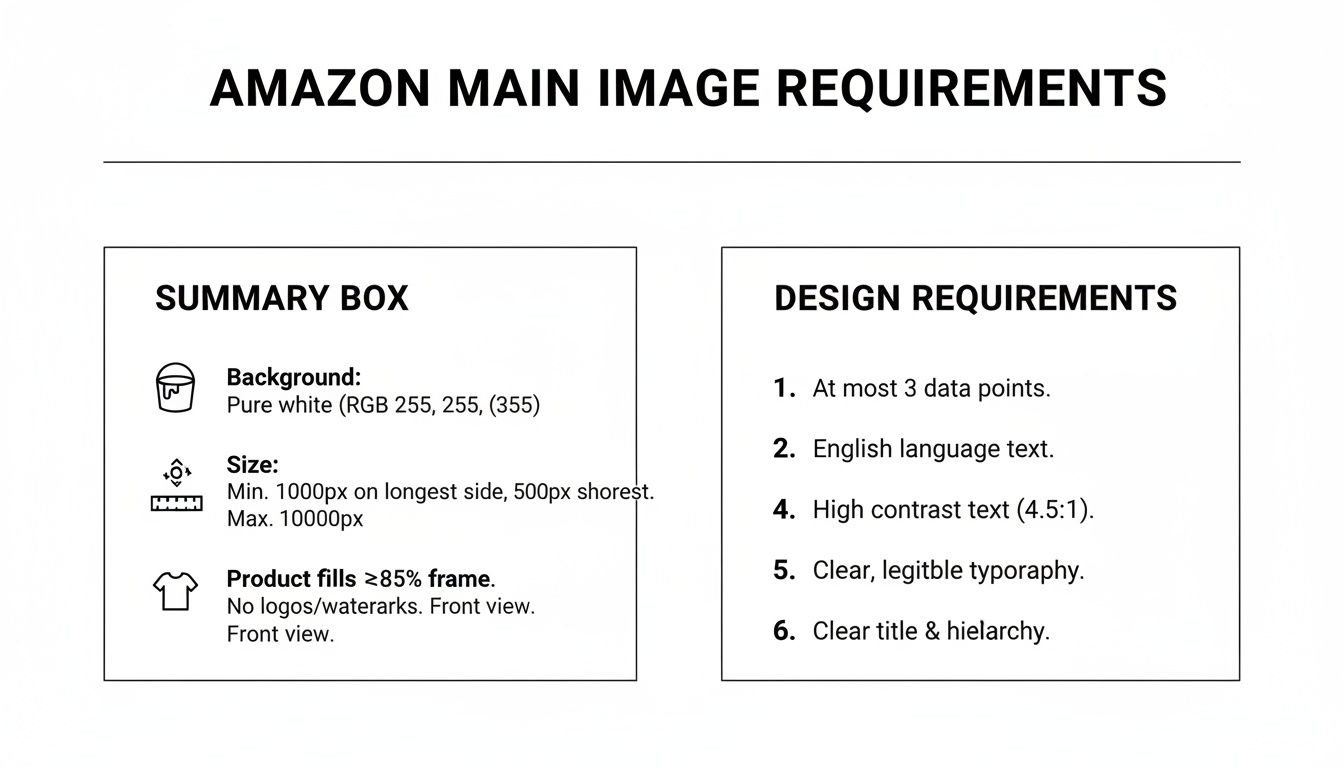
As you can see, every little detail matters. From the exact shade of white to the pixel count, getting these technical specs right is just as important as the photo's quality.
Technical and Content Rules at a Glance
Amazon’s algorithms, like A9 and COSMOS, are getting smarter. They don't just see a picture; they analyze its technical data. This means a seemingly small mistake—like a slightly off-white background or the wrong dimensions—can hurt your search ranking just as much as a blurry photo. Nail these standards, and you're setting yourself up for success. To learn more about Amazon's broader photo standards, check out these insights on Amazon's photography requirements on nightjar.so.
To make this dead simple, I’ve put together a comprehensive checklist. Use it to audit your images before you upload them to Seller Central. It covers everything from file formats (JPEG, PNG, etc.) to things you absolutely cannot include, like logos, text, or extra props.
Amazon Main Image Technical and Content Requirements Checklist
This table is your quick-reference tool. Run your main image against these rules to catch common mistakes that can lead to frustrating listing suppressions and lost sales.
| Requirement Category | Specification | Compliant Example | Non-Compliant Example |
|---|---|---|---|
| Background Color | Pure white (RGB 255, 255, 255). | Product is on a clean, 100% white background. | Product is on an off-white, light gray, or colored background. |
| Product Fill | The product must fill at least 85% of the image frame. | The product takes up most of the image area, with minimal white space. | The product appears small in the frame, surrounded by excessive white space. |
| Pixel Dimensions | Minimum 1,000 pixels on the longest side. Recommended: 1,600+ pixels. | An image sized 1600 x 1600 pixels. | An image sized 800 x 600 pixels. |
| File Format | JPEG (JPG), TIFF (.tif/.tiff), PNG (.png), or GIF (.gif). JPEG is preferred. | A high-quality .jpg file is uploaded. | A .pdf, .webp, or other unsupported file format is used. |
| Content: The Product | Must be a professional photo of the actual product. No drawings or illustrations. | A clear, high-resolution photograph of the item being sold. | A computer-generated rendering, sketch, or illustration of the product. |
| Content: Text/Logos | Absolutely no text, logos, watermarks, or inset images. | The image shows only the product on a white background. | The image has "New Arrival" text, the brand logo, or a "Made in USA" badge. |
| Content: Props | The product must be shown alone, out of its packaging. No extra props. | A single coffee mug is shown. | The coffee mug is shown next to a book and a plant. |
| Image Focus & Lighting | The product must be in focus, professionally lit, and have realistic color. | The photo is sharp, well-lit, and accurately represents the product's color. | The photo is blurry, has harsh shadows, or shows distorted colors. |
Treating this checklist as your final pre-flight check before launching a product can save you a world of headaches down the line. It helps you avoid the common traps that get even experienced sellers flagged.
Getting the Technical Specs Right
Nailing Amazon's technical image requirements isn't just about avoiding a listing suppression. It's about tapping into the platform's most powerful selling tools and giving customers a clear, professional first impression. Every single rule, from pixel count to background color, is there for a reason—to create a uniform shopping experience and make features like zoom possible.
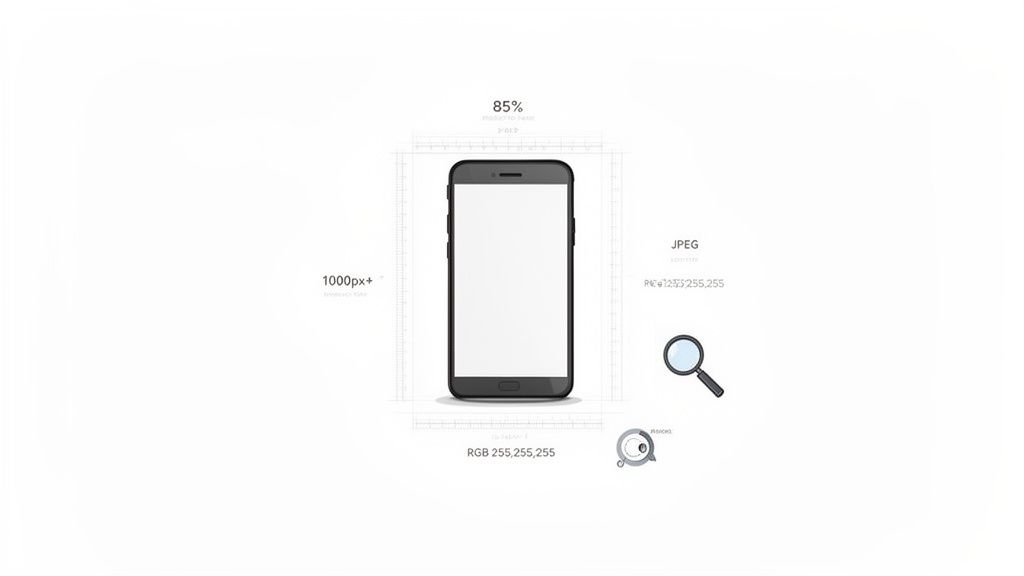
Think of it this way: the minimum size requirement isn't just an arbitrary number. It’s the key that unlocks the zoom function, one of Amazon's best conversion drivers. When a shopper can zoom in and inspect the texture of a fabric or the fine details of a gadget, their confidence skyrockets. Getting the technical side right is where you start winning.
Pixel Dimensions and The All-Important Zoom
Amazon’s hard rule is that your main image must be at least 1,000 pixels on its longest side. But let's be honest, the minimum is never the goal. The real pro move is to aim for 1,600 pixels or more. This ensures the zoom function is not only active but also gives a crisp, high-definition look at your product.
If you upload an image smaller than 1,000 pixels, it will still show up, but customers won't be able to zoom. That puts you at a huge disadvantage. Sizing your photos correctly is step one, and a good tool makes it easy. You can use a dedicated online image resizer to hit these exact pixel counts without wrecking your image quality.
File Formats and Color Modes
While Amazon accepts a few different file types, JPEG (JPG) is the gold standard. It hits the sweet spot between high quality and small file size, which means your page loads faster for impatient shoppers.
Amazon also allows these formats:
- TIFF (.tif/.tiff)
- PNG (.png)
- GIF (.gif) (but absolutely no animated GIFs)
When it comes to color, your images need to be in either sRGB or CMYK color mode. However, Amazon’s entire digital storefront is built on sRGB. To make sure your product’s colors look exactly as you intend, always upload in sRGB. If you use CMYK, you run the risk of strange color shifts once the listing goes live.
Key Takeaway: Always, always, always save and upload your final images using the sRGB color profile. It’s the best way to prevent the dreaded "color not as described" return.
The Pure White Background Rule
This one is non-negotiable. Your main image must have a pure white background (RGB 255, 255, 255). This serves two critical functions. First, it removes all distractions, putting 100% of the focus on your product. Second, it allows your product to blend seamlessly into Amazon's search results, creating that clean, cohesive look the platform is known for.
Anything less than pure white—even a light grey, an off-white, or a photo snapped against a white wall that has shadows—will get your image flagged. Amazon’s bots are incredibly good at spotting even tiny deviations from that perfect RGB value. This rule is all about keeping the focus where it belongs: on the products.
Navigating Main Image Content Policies
It's not just about pixel counts and file types. Amazon's main image content policies are what really separate the pros from the rookies, and they're all about creating a clean, consistent, and trustworthy shopping experience. These rules dictate exactly what can and can't show up in your primary product photo, and ignoring them is one of the quickest ways to get a listing suppressed.
The guiding principle is simple: the main image must be a professional photograph showing only the product for sale. That's it. No extra fluff, no distractions, and nothing that could mislead a customer. Think of it as a digital storefront window—clarity and accuracy are everything.
Prohibited Elements You Must Avoid
To stay in Amazon's good graces, you need to make sure your main image is completely free of certain elements. Amazon's bots and human reviewers are always on the lookout for these, so don't try to sneak them in.
- No Text or Promotional Badges: Your image cannot have any text overlays. This includes everything from "Sale" and "50% Off" to warranty information or shipping details.
- No Logos or Watermarks: Brand logos, icons, or watermarks are strictly forbidden. If your logo is physically on the product, that's fine, but you can't add any extra graphical overlays to the image itself.
- No Props or Extra Items: Only show what the customer is actually buying. Including props or accessories that aren't part of the purchase is a huge no-go, as it creates confusion about what's included.
- No Inset Images or Illustrations: You can't show close-ups or alternate angles in little inset photos on your main image. Likewise, the image must be a real photograph, not an illustration or drawing.
- No Visible Mannequins: For most clothing items, you can't show a visible mannequin. The only real exceptions here are for things like stockings or socks.
Understanding the "Why" Behind the Rules
These restrictions aren't arbitrary; they serve a real purpose. They stop the search results page from turning into a chaotic mess of competing sale banners, logos, and distracting graphics. By standardizing how products are presented, Amazon levels the playing field so customers can easily compare items on their own merits. It keeps the marketplace looking professional.
These policies also wander into the territory of intellectual property. A big part of navigating Amazon's rules is knowing your rights and the rights of others, which is why understanding the process for reporting copyright infringement claims for product photos is so important. It protects your brand and makes sure you're not accidentally stepping on someone else's toes. Ultimately, sticking to these content policies doesn't just keep your listings active—it builds customer trust by presenting your product clearly, honestly, and professionally.
Side-Stepping Common Main Image Pitfalls with AI
It’s one thing to know Amazon's rules, but it’s another to execute them perfectly. So many sellers stumble over the same frustrating hurdles—especially if they don't have a pro photography setup or serious editing chops. Little mistakes like an off-white background, sloppy cropping, or a stray shadow are all it takes to get a listing suppressed.
The good news is, you no longer have to spend hours wrestling with complex software or shelling out for a photographer. AI-powered tools are here, and they can clean up these common issues in a matter of seconds. You can take a basic photo and transform it into a professional, compliant product shot that’s ready to go live.

This kind of automation really bridges the gap between understanding Amazon main image requirements and actually meeting them, saving you a ton of time and headaches.
Nailing Backgrounds and Shadows Instantly
The pure white background is probably the number one rule sellers break. Even if you shoot against a white wall, the final image often looks grayish or has weird shadows from the lighting. Amazon’s bots are designed to spot these imperfections immediately and will flag your image without a second thought.
This is where AI tools really shine. They’re trained to:
- Isolate your product from its original background with incredible accuracy.
- Drop in a pure white canvas that meets the strict RGB (255, 255, 255) standard.
- Eliminate any distracting shadows the product might be casting, creating that clean, "floating" look Amazon loves for main images.
It's an automated fix that ensures your image not only looks professional but also sails right through Amazon's technical review.
Mastering the Crop and Lighting with AI
Another classic trip-up is the 85% rule. The product has to fill at least 85% of the frame, but trying to eyeball that is a recipe for disaster. More often than not, the product ends up looking too small, getting lost in the search results. On top of that, bad lighting can make even the best product look cheap and unappealing.
AI-driven platforms can automate these tweaks with precision. The software analyzes your product’s dimensions and intelligently crops the image to the perfect ratio, making sure it grabs a shopper's attention. Many of these tools also have one-click fixes for lighting and color.
They can brighten up a dark photo, fix weird color casts, and sharpen details to make your product pop. Using an AI product photo generator like this takes all the guesswork out of the equation, letting you focus on selling instead of tedious editing. The end result is a polished, compliant main image that’s truly optimized to get clicks and drive sales.
Understanding Category-Specific Image Rules
Getting the hang of Amazon’s universal main image requirements is a great start, but it's only half the battle. Many product categories have their own unique set of rules, and thinking of them as mere suggestions is a classic mistake. I’ve seen countless listings get suppressed for ignoring these guidelines, even when the seller nailed the pure white background and pixel counts.
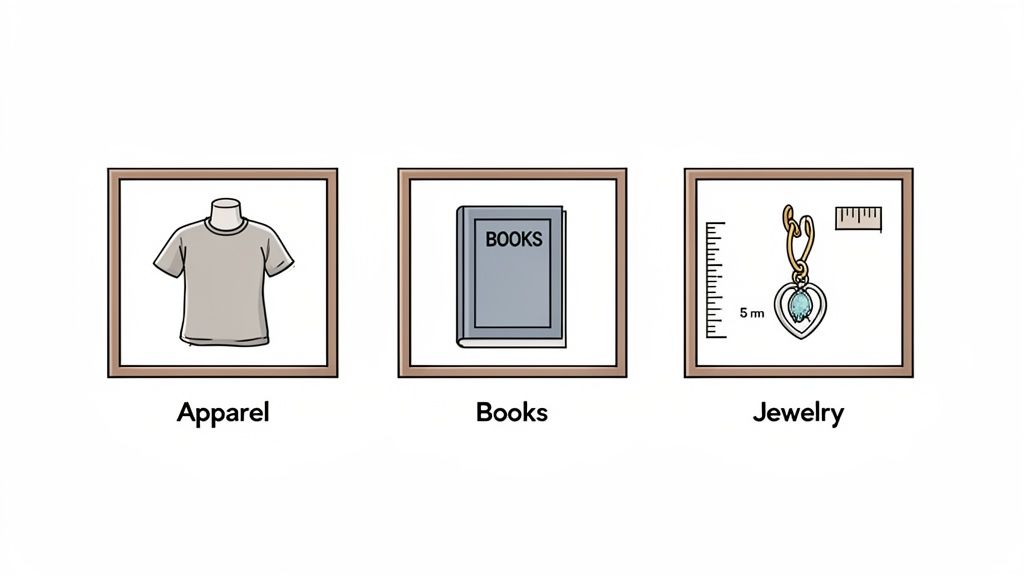
These extra rules exist for a good reason: they create a better, more consistent shopping experience. What helps a customer understand a kitchen gadget isn’t what they need to see when buying a necklace or a book. Let's break down the key exceptions you absolutely need to know.
Apparel and Accessories Nuances
For clothing, the whole point is to help shoppers imagine how an item will fit and hang. Because of this, the rules are often more flexible, and sometimes, showing the product on a person isn't just allowed—it's encouraged.
- Adult Clothing: Main images for shirts, dresses, pants, and similar items should be shot on a model or laid perfectly flat. Just make sure any mannequins are completely invisible.
- Infant Clothing: This one’s a big exception. All baby clothing must be shown flat for the main image. No models, no mannequins. Period.
- Shoes: The standard here is to show a single shoe, facing left, at a slight three-quarter angle.
Important Note: Even when you use a live model, the pure white background rule still applies. The focus has to stay entirely on the product you’re selling, with zero distracting props or backgrounds.
Rules for Books, Music, and Videos
This category is pretty straightforward, but there's a critical rule that's surprisingly easy to miss. Your main image must be the front cover art, and it has to fill 100% of the image frame.
That’s a major departure from the usual 85% fill rule that applies to most other products. For media, you shouldn't see any white border at all. The artwork is the entire image. Using a 3D rendering of a book or a photo of it sitting on a table will get your main image flagged as non-compliant.
Jewelry Image Mandates
Selling jewelry on Amazon means dealing with some of the strictest image policies on the platform. These rules are in place to help buyers accurately judge quality, material, and scale.
Here are the key things to remember:
- No Mannequins: Never show jewelry on a mannequin or bust in the main image.
- Size and Scale: While your secondary images should show scale (often next to a ruler or coin), the main image must feature the product all by itself.
- Material Accuracy: The photo has to be a dead-on representation of the metals and gemstones. Any image that misleads customers about the material is a fast track to a listing or even account suspension.
By taking the time to understand these category-specific details, you can fine-tune your images and avoid those frustrating—and entirely preventable—listing problems.
Putting It All Together: Your Workflow for Compliant Images
Knowing the rules is one thing, but consistently applying them is what really saves you time and headaches. The key is to build a simple, repeatable process that takes the guesswork out of the equation.
This straightforward, four-step approach helps you churn out perfect main images every time, without needing a professional photography studio. It turns a potentially frustrating task into a simple checklist, guiding you from a raw photo to a polished, compliant image ready for Seller Central.
Step 1: Capture a Good Source Photo
You don’t need a fancy camera or a professional studio to get started. Your smartphone will do just fine. The goal is to capture a clean, well-lit source photo that gives you a solid foundation to work with.
Just place your product on a plain, uncluttered surface. Find a spot with plenty of natural, indirect light—like near a window but out of direct sun—to avoid harsh shadows. Snap a few pictures from different angles. All you need is one clear, in-focus shot. AI can fix a lot, but it can’t rescue a blurry photo.
Step 2: Let AI Do the Heavy Lifting
This is the real time-saver. Instead of wrestling with Photoshop or other complex editing software, an AI-powered tool can handle all the technical requirements for you.
Simply upload your best shot to a platform that can instantly:
- Wipe the background and drop in a pure white canvas (RGB 255, 255, 255).
- Resize the image to Amazon’s required dimensions (1600px or larger is best).
- Crop the photo so the product fills at least 85% of the frame.
- Tweak the lighting and color to make your product look crisp and professional.
This one step knocks out the most common technical mistakes in seconds. If you'd rather skip the photo-taking process altogether, looking into professional Amazon product photography is always a solid option.
Step 3: Run a Final Compliance Check
Before you even think about uploading, do a final review. It only takes a moment. Pull up the compliance checklist from earlier in this guide and put your finished image side-by-side with it.
The Quick Check: Does my image have a pure white background? Does the product fill at least 85% of the frame? Are there absolutely no extra text, logos, or props? Is it only the product I’m selling?
If you can confidently say "yes" to all of these, you're good to go.
Step 4: Upload and Verify on Seller Central
You're at the finish line. Head over to Seller Central, find your product listing, and upload your new main image.
Don’t just upload and walk away, though. Once it’s live, pop over to your public listing to make sure it looks right and that the zoom function is working properly.
Getting the technical details right is just the start. To really drive sales, you need to master the art of compelling Product Photography for Amazon. This workflow ensures you’ve got the fundamentals locked down, setting a strong foundation for images that don't just comply—they convert.
A Few Common Questions About Amazon Images
Even when you know the rules, some of the finer points of Amazon's main image requirements can be a bit confusing. It's totally normal to have questions—getting these details right is the difference between a listing that sells and one that gets buried.
Let's clear up some of the most common gray areas so you can move forward with confidence.
Can My Main Image Have a Subtle Shadow?
The short and simple answer is no. Amazon is a real stickler for this one. Their policy demands a pure white background with zero distractions, and that includes any kind of shadow.
Even a soft, realistic drop shadow will get your image flagged. The goal is a completely clean, uniform look across all search results, and Amazon’s automated systems are designed to spot any pixels that aren’t pure white (RGB 255, 255, 255). To stay compliant, your product needs to look like it's floating on the page, with nothing behind it or underneath it.
Are 3D Renders Okay for a Main Image?
This is a tricky one, but for most sellers, the answer is again no. Amazon’s policy clearly states that the main image must be a professional photograph of the actual product you're selling. They want to ensure the customer sees a true-to-life representation of what's going to show up at their door.
Now, there are some exceptions. Categories like Furniture or Industrial & Scientific sometimes allow for high-quality, photorealistic 3D renders. But you absolutely must check the specific style guides for your category before even considering it. For the vast majority of products, a real photo is the only safe bet.
Expert Tip: While 3D renders are a no-go for the main image, they can be absolute gold for your secondary images. Use them to show off complex internal parts, unique angles, or product features that are tough to capture with a camera.
What Happens If My Image Isn't Compliant?
The most immediate and painful consequence is listing suppression. This means Amazon pulls your product from search results and category pages. It’s still in your seller account, but for all practical purposes, it’s invisible to shoppers. Your sales for that ASIN immediately drop to zero until you fix the problem.
If you're a repeat offender or the violation is serious, things can escalate quickly. You could face:
- A temporary suspension of your selling privileges.
- In the worst-case scenario, permanent removal of your seller account.
How Fast Does Amazon Suppress a Bad Listing?
It can happen shockingly fast. Amazon's enforcement is largely automated, which means a non-compliant image can be flagged and your listing suppressed within hours, sometimes even just minutes, after you upload it.
Don't assume you're in the clear if it doesn't happen right away. Some listings might slip through the cracks for a while, but Amazon constantly runs audits. A bad image could get caught and suppressed at any time, without any warning. It's always better to be compliant from the start.
Ready to create stunning, compliant Amazon images in seconds? ProdShot uses AI to instantly remove backgrounds, enhance lighting, and optimize your photos for higher conversions. Try ProdShot for free today!