
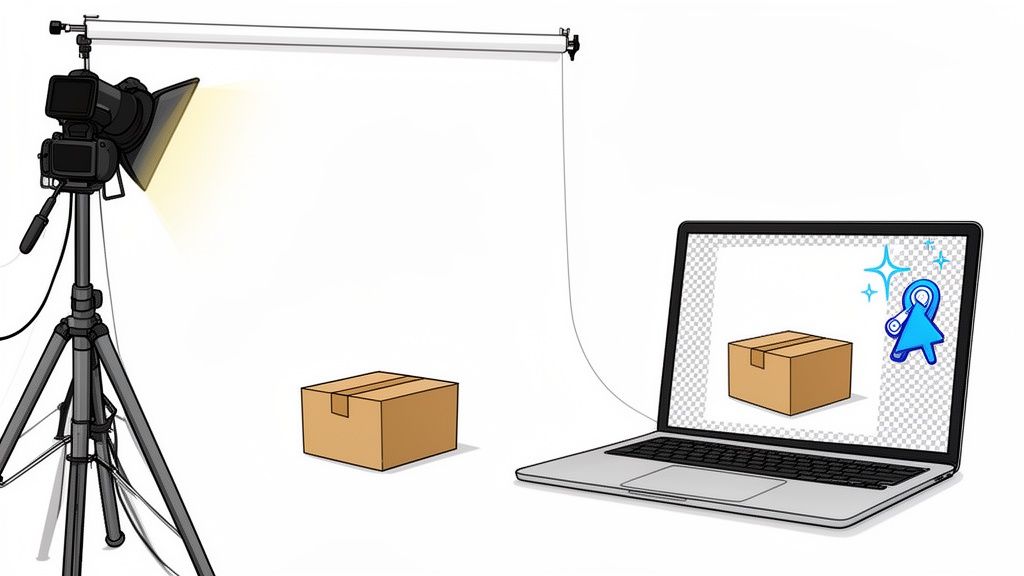
If you're selling on Amazon, your photo backdrop isn't just a piece of fabric or paper—it's one of your most important sales tools. It’s your ticket to getting past Amazon's gatekeepers and in front of millions of potential buyers.
What Is an Amazon Photo Backdrop and Why It Matters
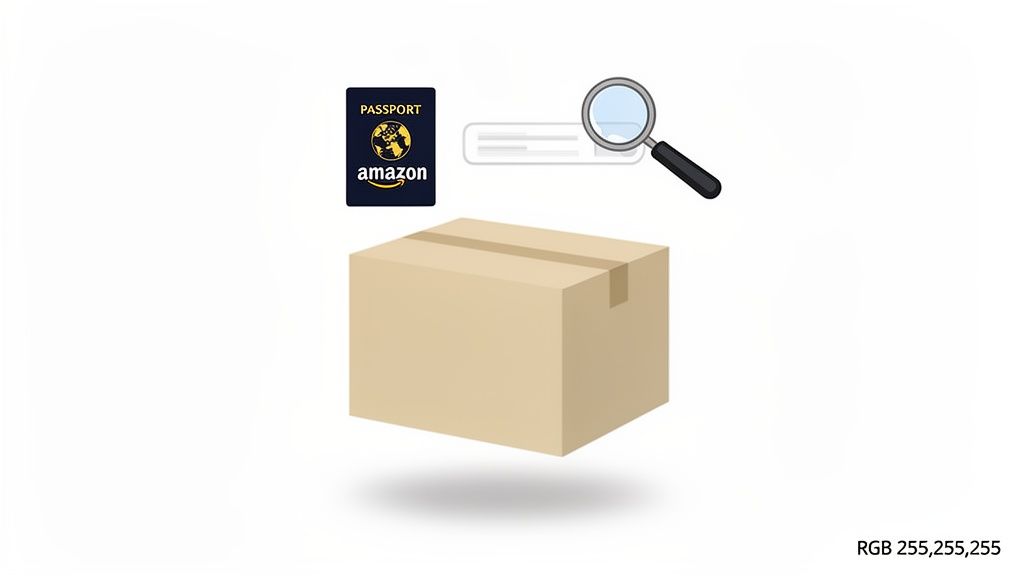
Think of your main product image as its passport. To get through Amazon's border control, it has to follow one non-negotiable rule: a pure white background. This isn't just a friendly suggestion for a clean look; it's a hard-and-fast technical requirement for your hero image.
This rule creates a consistent, streamlined shopping experience, letting customers focus entirely on the product without any distractions. If you don't play by this rule, your listing gets hit with a nasty penalty—it becomes "Search Suppressed." That means your product essentially vanishes from search results, and your sales grind to a halt before they even have a chance to start.
The Two Paths to a Perfect White Background
So, how do you get that perfect white canvas? You’ve got two main options.
The old-school way involves using a physical Amazon photo backdrop, like a big roll of seamless paper or a lightbox, along with a carefully controlled lighting setup. This gives you total control, but it also demands space, the right gear, and the skill to eliminate every pesky shadow and imperfection.
The more modern route ditches the physical setup altogether. Using digital background removal tools or AI-powered solutions, sellers can now turn any photo into a perfectly compliant Amazon image in just a few clicks. This method is all about speed, consistency, and saving money, making professional-looking product photos accessible to everyone.
Amazon's algorithm now cares just as much about technical compliance as it does about how good your photo looks. That means a pure white background (RGB 255,255,255) isn't just a best practice—it's foundational to your product's visibility and success.
Evolving Standards and Stricter Enforcement
Over the years, Amazon's guidelines have only gotten tighter. The platform now demands that main images have that pure white background, with the product filling at least 85% of the frame and a minimum size of 1,000 pixels on the longest side.
As Amazon keeps raising the bar for visual quality, investing in compliant images has gone from "nice to have" to "must-have." To really grasp why this is so critical today, it’s worth exploring the full history of Amazon's photo requirements.
Understanding these rules and picking the right workflow is your first step. It's how you'll create images that not only keep Amazon happy but also build real trust with your customers and, most importantly, drive sales.
Physical Backdrops Versus Digital Solutions
Deciding how to create that pure white Amazon photo backdrop is one of the biggest calls you'll make. It’s a classic showdown: old-school hands-on control versus new-school digital speed. Each route has its own set of pros and cons that directly affect your wallet, your schedule, and the final look of your images.
The traditional path is to build a mini photo studio. This usually means wrestling with physical materials like seamless paper rolls, vinyl sheets, or a lightbox to get that clean background. The upside? You have total, tactile control over the lighting and angles, letting you meticulously sculpt every reflection and shadow just right.
But that control doesn't come free. The startup cost for stands, lights, and backdrops can add up quickly. Even more critically, it eats up physical space—a luxury many entrepreneurs just don’t have. And then you have to deal with the endless real-world headaches: stubborn wrinkles in the paper, tiny dust specs that somehow look huge in the final shot, and pesky shadows that just won't cooperate.
The Rise of Digital and AI Alternatives
On the other hand, digital solutions flip the entire workflow on its head. Instead of spending hours perfecting the background during the shoot, you just focus on one thing: getting a crisp, well-lit photo of your product. It doesn't even matter what the background is, as long as it's simple and uncluttered. The software takes it from there.
This is where AI tools like ProdShot really shine, making the whole process ridiculously efficient. An AI product photo generator can create professional-grade images in seconds. These platforms are smart enough to automatically find your product, erase the original background, and drop in a perfectly compliant, pure white RGB (255, 255, 255) canvas. The need for bulky equipment and a dedicated studio space just vanishes.
The biggest win here is the massive amount of time and effort you save. A task that could take hours of manual setup and tedious editing can now be done in minutes. This also ensures every single one of your product photos is perfectly consistent. The only catch is that the AI is only as good as the photo you give it, so starting with a clear, sharp, and evenly lit image is key.
Comparing Your Options Head-On
To figure out what’s best for your business, it helps to see the two approaches side-by-side. Think about your budget, the number of products you need to shoot, and how comfortable you are with new tech.
Here’s a quick breakdown to help you weigh the options.
| Factor | Physical Backdrop (e.g., Paper Roll, Lightbox) | Digital/AI Solution (e.g., ProdShot) |
|---|---|---|
| Initial Cost | Moderate to high (equipment, lights, stands) | Low (often subscription-based, with free trials) |
| Space Required | Significant dedicated space needed for setup | Minimal, just enough room to take a photo |
| Time Investment | High (setup, shooting, manual editing, cleanup) | Low (quick photo session, automated editing) |
| Consistency | Difficult to maintain across different shoots | High, as AI applies the same rules every time |
| Flexibility | Limited to the physical backdrops you own | Extremely high, can generate any background style |
As you can see, the choice isn't always clear-cut and depends heavily on your resources and goals.
If you do decide to go the DIY physical route, inexpensive materials like foam core board are a lifesaver. It gives you a smooth, portable surface that’s perfect for at-home photoshoots. In the end, your Amazon photo backdrop strategy is all about finding the right balance between the hands-on control of a physical setup and the incredible efficiency of modern digital tools.
Your At-Home Photoshoot Guide for Perfect Source Images
You absolutely do not need a fancy, high-end studio to create amazing product photos. Truth is, the smartphone you're holding right now is more than capable of capturing the perfect source images that will become your next stunning Amazon listings.
It doesn’t matter if you plan to use a physical backdrop or a digital Amazon photo backdrop later on—the quality of your final image all comes down to the quality of your starting photo.
Think of it like building a house. Your raw photo is the foundation. If it's solid, you can build whatever you want on top of it. But if that foundation is shaky, the whole structure will have problems, no matter how great the design is. Getting this first step right makes everything else in the editing process faster, easier, and just plain better.
The best part? All it takes is a few simple, practical techniques.
Harnessing Natural Light for Flawless Photos
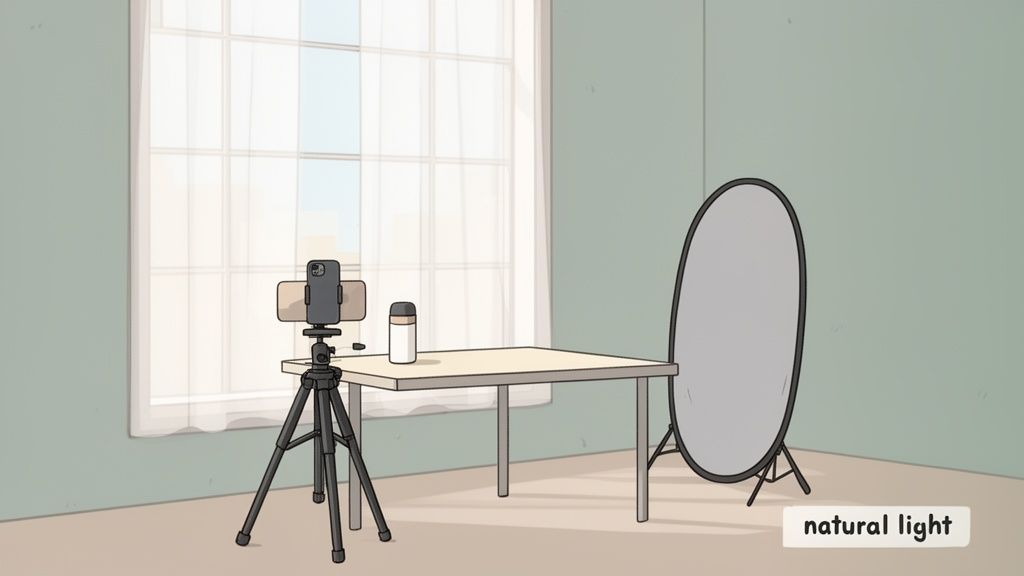
The secret weapon for incredible product photography isn't some expensive flash rig. It’s free, and it’s probably streaming through your window as you read this. Soft, natural light from a large window is your best friend here. It wraps around your product beautifully, getting rid of those harsh shadows and showing off the true colors and textures.
To get the most out of it, just follow this simple setup:
- Find the Right Spot: Set your product on a clean, stable surface near a big window, but make sure it’s not in direct, blaring sunlight. An overcast day is actually perfect for this kind of work.
- Position Your Product: Turn your product so the light is hitting it from the side. This simple move creates gentle shadows that give it depth and dimension, making your item look more three-dimensional and appealing.
- Use a Reflector: No need for fancy equipment. A simple piece of white foam board or even a sheet of printer paper will work perfectly as a reflector. Just place it on the side of your product opposite the window to bounce light back into the shadows, softening them up.
This one lighting trick can instantly take your photos from amateur to pro, giving you a clean canvas that's perfect for background removal.
Stabilize Your Shot for Ultimate Clarity
Even the tiniest handshake can turn a sharp photo into a blurry mess, especially when the light is a little low. The easiest way to guarantee crisp images is to get rid of movement altogether. A small, inexpensive smartphone tripod is a game-changer for keeping your phone perfectly still.
No tripod? No problem. You can easily stabilize your phone by propping it up against a stack of books or a heavy mug. The goal is to create a fixed position so you can tap the shutter button without causing any camera shake.
Also, start using your phone's self-timer. Setting a two or three-second delay gives the phone a moment to stop wobbling after you touch the screen. It's a small trick that makes a massive difference, ensuring a perfectly crisp and clear shot every single time.
Your Modern Workflow: From Raw Photo to an Amazon-Ready Image
Once you’ve snapped that perfect shot, it's time to turn it into a professional, compliant, and eye-catching Amazon listing photo. Forget about wrestling with complex software like Photoshop for hours on end. The modern workflow is all about using smart, AI-driven tools to get you from a raw snapshot to a sales-ready image in minutes, not days.
This new approach completely flattens the steep learning curve and high costs that used to be a barrier to entry. It puts professional product photography in the hands of every seller, giving you the power to create stunning visuals without a design degree or an expensive studio. The process is incredibly simple and built for pure efficiency.
Step 1: Upload and Let AI Handle the Background Removal
This first step is almost laughably easy. Just upload your well-lit, clear source image to an AI platform like ProdShot. This is where the real magic happens.
Instead of meticulously tracing your product’s edges with a digital pen, the AI instantly analyzes the photo. It intelligently figures out what's product and what's background, separating the two with incredible precision. It even handles the tricky stuff—like shadows, transparent bits, and fine textures—all on its own.
What you get is a perfectly cut-out product on a transparent layer, all set for the next step.
Step 2: Slap on That Pure White Amazon Backdrop
With the old background gone, the next move is to add the Amazon-compliant pure white canvas. AI tools make this part foolproof by applying a background that is precisely RGB (255, 255, 255). This is a huge deal—it guarantees your main image will sail through Amazon's technical review without getting flagged or search suppressed.
This automated step ensures every single one of your main product photos has the exact same clean, consistent look. That consistency is key to building a brand that looks professional and trustworthy.
This screenshot shows just how simple the interface is. An image gets instantly processed to meet Amazon's white background requirement.
The whole setup highlights the speed and simplicity of turning a standard photo into a compliant product image with just a couple of clicks.
Step 3: Enhance Your Image and Generate Lifestyle Scenes
Okay, this is where you go from just being compliant to creating images that actually sell. The best AI tools come packed with one-click enhancements that make a world of difference.
- AI Lighting Fixes: Automatically correct uneven lighting, brighten up dark spots, and add realistic shadows to make your product truly pop off the page.
- Smart Sharpening: Bring out the fine details and textures, giving your product a crisp, high-quality look that screams "buy me."
- Object Removal: Instantly zap away distracting dust motes, minor scuffs, or unwanted reflections from your product.
But don't stop at the main image. You can use the same AI to generate a whole gallery of lifestyle photos. Just describe a scene—like "on a marble countertop next to a plant"—and the AI will place your product right into that context. To take it even further, specialized tools can now automate the product to model conversion, turning simple flat lays into dynamic images with models that stop shoppers in their tracks.
This whole process turns a single photo into a complete, conversion-focused visual story for your listing, all done in a matter of minutes.
Building a Product Gallery That Converts
Your main image, with its perfect white Amazon photo backdrop, is your ticket into Amazon's marketplace. It gets you through the door. But it's the rest of your product gallery—all those secondary images—that actually convinces a shopper to stick around, look closer, and hit that "buy" button.
Think of these images as your best salespeople, working around the clock to tell your product's story. A truly great gallery does more than just show off your product from a few different angles. It proactively answers a buyer's questions, puts their worries to rest, and creates a genuine connection. The mission is to build a visual story so compelling that clicking "Add to Cart" feels like the most natural next step.
Crafting a Compelling Visual Story
To build a gallery that actually sells, you need a smart mix of image types. Each one has a specific job to do, like different parts of a really effective sales pitch.
- Lifestyle Shots: Show your product being used in a real-world setting. This is crucial because it helps customers picture it in their own lives, transforming it from just another item on a screen into a solution they need.
- Infographics: Use clean text and graphics to spell out the key features and benefits. This is your chance to highlight technical details or unique selling points in a way that's super easy to scan and understand.
- Scale Images: Put your product next to something familiar, like a person's hand or a common household object. This simple trick gives shoppers a clear sense of its actual size, managing expectations and cutting down on frustrating returns.
- Detail Shots: Zoom right in on the good stuff—high-quality materials, impressive craftsmanship, or special design features. These close-ups build a ton of trust by showing you’re proud of the quality you deliver.
Your AI-Powered Creative Assistant
Not too long ago, creating this whole suite of images was a massive undertaking. It meant big budgets, professional photoshoots, and a lot of time. But now, AI tools have completely rewritten the rules. You can generate an entire gallery of persuasive, high-quality images from just one solid product photo.
The whole process has been simplified down to its core.

As you can see, you just start with one good image, and the AI takes it from there, creating a whole range of marketing assets automatically.
With AI, you can instantly drop your product into dozens of different lifestyle scenes, design sharp-looking infographics, and polish every detail—all without getting up from your desk. It gives every seller, big or small, the power to build a top-tier product gallery.
This isn't just about being faster or cheaper; it’s about unlocking your creative potential. You can explore more about this modern workflow in our guide to professional Amazon product photography. It lets you experiment with different visual approaches and discover what truly connects with your customers, turning your product page into a real conversion powerhouse.
Common Photo Problems and How to Solve Them
Even with the perfect setup, you’re bound to run into a few frustrating hiccups when shooting your Amazon product photos. The key is knowing how to quickly spot and solve these common issues to keep your listings looking sharp and, more importantly, live.
One of the biggest headaches sellers face is an image rejection for a background that isn't pure white. That "almost white" or light gray from your physical Amazon photo backdrop simply won't cut it. Amazon's system is robotic and unforgiving; it's looking for a perfect RGB (255, 255, 255) value. No exceptions.
The fastest, most reliable fix here is an AI background removal tool. Instead of spending ages in Photoshop trying to manually select your product, these tools can instantly swap your backdrop for a guaranteed compliant, pure white canvas. It completely removes the guesswork.
Another all-too-common problem is blurry or soft-focus images. This usually comes down to a shaky camera hand or missing the focus point during the shoot. While reshooting is always the best option, let's be realistic—that’s not always on the table.
Quick Fixes for Common Photo Flaws
When you’re stuck with a less-than-perfect shot, you don't always have to start from scratch. Modern editing tools can often salvage a photo you thought was a lost cause, saving you a ton of time and effort.
Here are a few classic scenarios and how to tackle them:
- The Problem: A Blurry Product. If your image just isn't crisp enough, an AI sharpener can work wonders. These tools intelligently analyze the pixels and enhance the details, often bringing a soft photo back to a professional level of clarity.
- The Problem: Harsh Shadows. Bad lighting can create dark, distracting shadows that pull attention away from your product. Look for an AI lighting enhancement feature to automatically balance the exposure, soften those shadows, and make your product the clear hero of the shot.
- The Problem: Inaccurate Colors. The colors in your photo absolutely must match the real-life product to avoid returns. If your camera didn't get it right, use color correction tools to tweak the hue, saturation, and tone until you have a true-to-life representation.
Getting a handle on these quick fixes can help you overcome those everyday photography hurdles. And if you're selling on other platforms, you'll find a lot of the same rules apply. You can learn more in our guide on how to remove the background for Shopify images.
Frequently Asked Questions About Amazon Backdrops
Stepping into the world of Amazon product photography can feel like navigating a maze. Let's cut through the confusion and get straight to the answers you actually need about using an Amazon photo backdrop.
Do I Need a Professional Camera?
Nope, you absolutely don't. The camera on your smartphone is more than powerful enough to get the job done. The real secret isn't a pricey DSLR; it's getting a sharp, well-lit photo to start with. From there, editing tools can do the heavy lifting.
What Is the Exact White for an Amazon Backdrop?
Amazon's system is picky. It's looking for a pure, digital white, which has a specific color code: RGB (255, 255, 255). If you use a physical backdrop that’s even slightly off-white or a light grey, their automated bots will likely flag and reject your image. The only way to guarantee you hit that exact value is by using digital editing tools.
Can I Use a Colored Backdrop for Any Images?
Yes, just not for your main image. That first "hero" shot that shows up in search results must have that pure white background. But for all the other photos in your gallery? Go for it! This is where you can bring in different backdrops, lifestyle scenes, and pops of color to really tell your product's story.
Your main image gets the click, but it's the rest of your gallery that seals the deal. A smart mix of compliant white backdrops and creative lifestyle shots is what turns shoppers into buyers.
Think about it: a cool blue backdrop can make a new gadget look sleek and modern, while a rustic wood texture gives a home decor item a warm, inviting feel. The goal is to choose backgrounds that make your product look its best and help your customer imagine it in their own space.
Ready to stop worrying about backdrops and start creating perfect product photos? ProdShot’s AI can generate stunning, Amazon-compliant images in seconds from just one picture. Start your free trial today and see the difference for yourself!