
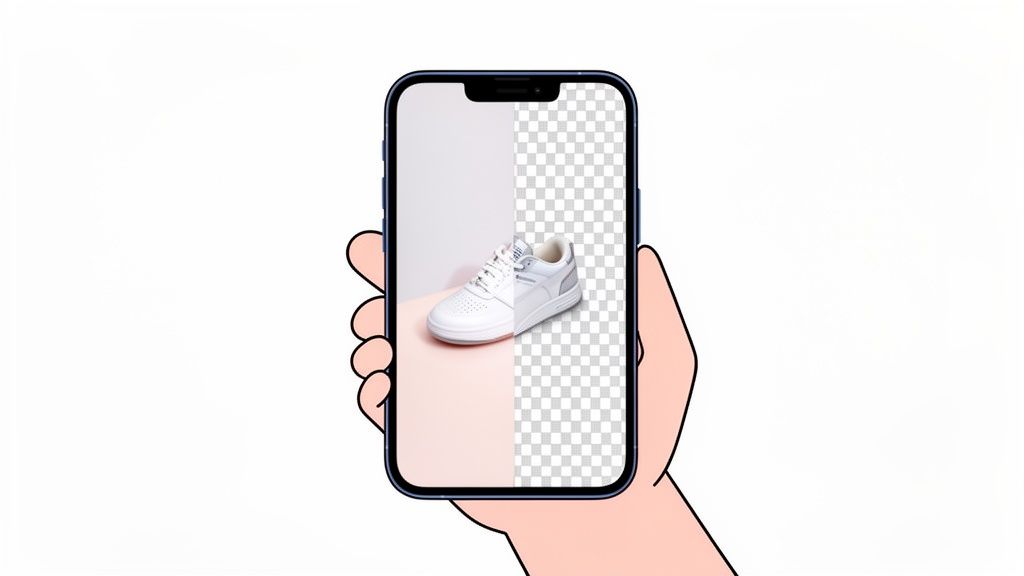
An app for cutting out images is your go-to tool for creating professional product photos right from your phone. These apps use AI to instantly ditch messy backgrounds, leaving you with a clean, crisp product image that’s ready for any online store or social media feed. Honestly, this one simple step is one of the most powerful things you can do to boost sales.
Why Perfect Cutouts Are Essential for E-Commerce Sales

Before we get into the how-to, let's talk about why this matters so much. High-quality product photos aren’t just a nice-to-have for big brands anymore; they are the foundation of e-commerce success for everyone. A clean, professional cutout is your first handshake with a potential customer—it has to be good.
Think about your own online shopping habits for a second. When you land on a product page and see a blurry photo set against someone’s cluttered kitchen table, what's your gut reaction? You probably start questioning the seller's professionalism and maybe even the product's quality.
Now, imagine that same item perfectly isolated on a clean, white background. It instantly looks more valuable, trustworthy, and just plain better. That visual upgrade is what separates a hobby seller from a real brand.
The Direct Impact on Sales and Trust
A polished image doesn’t just look pretty—it delivers real business results. For anyone selling online, the quality of your visuals has a direct line to your conversion rates. In fact, research shows that almost 9 out of 10 shoppers believe product images are essential to their buying decision.
An AI-powered app for cutting out images gives every seller a chance to compete. It closes the gap between a quick phone snapshot and a studio-quality shot, making professional results accessible to anyone.
This is also huge for preventing returns. A whopping 22% of online returns happen simply because the product looked different in person than it did online. Accurate, clean cutouts make sure customers know exactly what they’re buying, which means fewer unhappy customers and more money in your pocket.
Stand Out in a Crowded Marketplace
On platforms like Shopify, Amazon, and Etsy, your product is sitting right next to your competitors. A crisp, eye-catching image is your best—and sometimes only—chance to grab a buyer's attention and pull them into your listing.
Ultimately, getting that perfect cutout is about creating visuals that make people stop and look. This lines up with the core idea that high quality media is crucial for digital advertising, especially in the jam-packed world of e-commerce. When you get the background right, you’re building a consistent, professional brand that builds credibility and drives sales.
You wouldn't believe the incredible results you can get with just your phone. Forget the expensive camera gear and complicated studio setups—your smartphone is a powerhouse, perfectly capable of capturing photos that are ready for AI background removal. The real secret is knowing how to make the most of the tool you've already got in your pocket.
Think of it like this: when you feed a great app for cutting out images a clean, well-shot photo, it's like giving a master chef the best ingredients. The AI is smart, designed to find edges and separate your product, but it works its magic best when the starting photo is sharp, clear, and well-lit. You’re essentially setting your photo up for a win before you even open the app.
A few simple tricks can make a world of difference, making the AI's job a breeze and leaving you with a much cleaner, more professional cutout.
Find the Right Lighting
Light is everything in product photography. It's the one thing you can't fake. But you don't need a bunch of fancy strobes—just find a window. Soft, natural light is your best friend, giving you that beautiful, diffused look that minimizes ugly shadows and shows off your product’s true colors.
Try setting up near a window, but not in the harsh, direct sun. An overcast day is actually the secret weapon of pro photographers. The clouds act like a giant, free softbox, wrapping your product in even, flattering light. This simple move is the difference between a crisp, beautiful shot and a dark, grainy one from bad indoor lighting.
Create a Simple Background
You’ve got to give the AI a fighting chance to tell your product apart from its surroundings. The easiest way to do that? Contrast. A simple piece of white or light gray poster board from any craft store is the perfect, no-fuss backdrop.
Just place your product right in the middle of it. This clean separation helps the cutout app lock onto the product's edges with stunning accuracy. This is especially crucial for tricky items like fuzzy sweaters or delicate jewelry where a clean edge is everything.
Pro Tip: Whatever you do, steer clear of busy or patterned backgrounds. A cluttered scene will only confuse the AI, leading to sloppy edges and bits of the background getting stuck to your final image. A plain surface is always the way to go.
Keep Your Phone Steady
Blur is the absolute enemy of a good cutout. Even the slightest camera shake can soften your product's edges, making it nearly impossible for the AI to draw a sharp, clean line. You don’t need to rush out and buy a tripod, but you do need to find a way to stabilize your phone.
It's easier than it sounds. You can:
- Rest your elbows on a table or other solid surface.
- Grip your phone firmly with both hands.
- Get creative and prop your phone against a stack of books or a coffee mug.
Keeping things steady ensures your photo is as sharp as possible, which is what you need to capture those tiny details that scream high-quality. Taking a second to stabilize your shot is a small step that pays huge dividends in your final cutout.
Alright, you've taken a great shot. Now for the fun part. This is where we take that simple phone picture and turn it into a clean, professional product image that’s ready for your online store.
Using an app for cutting out images is where the magic really happens. The whole process is designed to be incredibly quick. Forget spending hours trying to trace edges with a mouse. We're talking about a few taps on your screen.
Once you pop your photo into an app like ProdShot, the AI instantly analyzes it. There’s no need to draw guides or select your product manually. The tech is smart enough to find the subject on its own and, in just a few seconds, that cluttered background simply disappears. It’s a pretty amazing moment, honestly.
What used to be a tedious task for designers in Photoshop, sometimes taking ages, now happens almost instantly. This is a massive time-saver.
Manual vs AI-Powered Image Cutout
The difference between the old way and the new way is night and day. Before tools like this, getting a clean cutout meant either hiring someone or buckling in for a long session with complex software. Now, it's accessible to anyone with a smartphone.
This table breaks it down:
| Feature | Manual Editing (e.g., Photoshop) | AI App (e.g., ProdShot) |
|---|---|---|
| Speed | Minutes to hours per image | Seconds per image |
| Skill Level | High; requires training & practice | Beginner-friendly; no experience needed |
| Cost | Expensive software subscription + time investment | Low cost per image, often with free trials |
| Consistency | Varies by user skill and effort | Highly consistent results every time |
| Tools | Complex (Pen tool, layer masks, selections) | Simple, intuitive interface (upload and tap) |
The takeaway is clear: AI-powered apps have democratized professional product photography, putting powerful editing tools directly into the hands of store owners.
Giving the AI Cutout a Quick Once-Over
After the app works its magic, take a second to look over the result. The AI is incredibly good, but a quick human check is always a smart move.
Zoom in on the edges. Are they sharp? A good cutout should follow the contours of your product smoothly, with no fuzzy or jagged bits left behind.
Pay special attention to tricky spots. If you’re shooting something with a complex texture, like a fuzzy knit sweater or a product with fine details, make sure the AI kept that texture intact. For clear objects like a glass vase or a perfume bottle, check that it still looks transparent and hasn't been turned into a solid, clunky shape. The best apps are trained on millions of photos, so they’ve gotten surprisingly good at handling these challenging materials.
This little graphic sums up the key things to nail when you're taking the initial photo. Getting these right makes the AI's job a whole lot easier.

Nailing these three fundamentals—good light, a simple background, and a steady hand—is the secret to getting a perfect AI cutout, fast.
A Clean and Simple Editing Interface
Modern apps are built to be dead simple. You won't find a hundred confusing icons and dropdown menus. Instead, you get your isolated product and a handful of straightforward tools for the final polish. It's a world away from the steep learning curve of traditional design software.
If you’re a Shopify seller, you know how vital that clean, uniform look is for your collections. A consistent background makes your whole store feel more trustworthy and professional. If you're looking for more tips on this, we've got a great guide on how to remove the background from your Shopify images.
A developer once built an entire iOS app in just two days using AI tools. That same principle is at play here. An app for cutting out images takes a complex, skill-based task and makes it so simple that anyone can get a pro-level result.
With just a couple more taps, you can drop your product onto a pure white background, add a natural-looking shadow for depth, or even create a whole new AI-generated scene around it. The goal is to give you total creative freedom without the technical headaches. It just goes to show you don't need to be a graphic designer to create images that stop the scroll and build a standout brand.
Polishing Your Cutout: The Final Touches That Sell

Getting a clean, automatic cutout is a huge win, but that's just your starting point. The real magic happens in the final refinements—those small, professional touches that turn a simple cutout into a product photo that actually drives sales.
The initial AI pass does the heavy lifting, but even the best app for cutting out images might struggle with really complex details. I’m talking about things like the wispy fibers on a scarf or the super-thin chain on a piece of jewelry. It’s always worth taking a second to zoom in and use a manual eraser or touch-up tool to get those edges looking perfectly sharp.
Give It Some Weight with Realistic Shadows
One of the biggest giveaways of an amateur photo is a product that looks like it's floating in a white void. It just feels flat and a little cheap. Adding a realistic shadow is a non-negotiable step that grounds your product, giving it weight and making it feel real.
Thankfully, modern apps have made this dead simple. Forget about complex lighting setups in Photoshop; here, you just get intuitive sliders. You can easily adjust the shadow's direction, softness, and distance to match a natural light source.
- For flat items, like a folded t-shirt, a gentle drop shadow is usually all you need.
- For standing products, like a bottle or a pair of shoes, you'll want a floor shadow to make it look like it's sitting on a surface.
This one tweak can completely change the perceived value of your product. It’s a tiny detail that makes a huge psychological difference for shoppers.
Getting these final details right is what separates an amateur listing from a professional e-commerce store. It’s about building a cohesive brand where every image meets the same high standard of quality and realism.
Smart Tweaks for Color and Lighting
Your phone’s camera is pretty good at capturing colors accurately, but weird lighting can sometimes wash out your product or give it a strange color cast. A good cutout app will have smart tools built right in to fix this.
You don't need to be a photo editing wizard to use them. Simple sliders for brightness, contrast, and saturation let you make your product pop without looking oversaturated or fake. The goal is always to make the product look its absolute best while staying true to life—this is key for building trust and keeping your return rates low.
The growth of AI-powered editing tools has been a game-changer for e-commerce sellers. In 2024, the AI photo editor market ballooned to $2.1 billion, and it's on track to hit $8.9 billion by 2034. With over 15 billion AI-generated images created since 2022, it's obvious this tech is now a core part of selling online.
If you want to take things a step further, an AI product photo generator can place your polished cutout into entirely new, professional scenes. These final enhancements are how you ensure your images aren't just clean, but genuinely compelling.
Exporting Images for Shopify, Amazon, and Beyond
Getting a perfectly edited image is a huge win, but it’s only half the battle. This is the final step where so many sellers stumble: getting that photo formatted correctly for the specific platform where you sell.
A file that’s too large can slow your page to a crawl, tanking your search rankings and sending frustrated customers clicking away. The wrong file type might not even upload, or worse, it could display incorrectly. Nailing this final export step is just as critical as getting the initial cutout right.
You don't need to memorize a bunch of technical jargon. Modern tools like an app for cutting out images often have presets for the big platforms. But understanding why you’re choosing certain settings gives you a ton more control. It's all about finding that sweet spot between image quality and file size to give your customers the best possible experience.
Choosing the Right File Type
When you go to export your finished image, you'll almost always see two main options: JPEG and PNG. They might look similar, but they're built for very different jobs.
- JPEG (or JPG): This is your go-to for most product photos. JPEGs are fantastic at compressing images with lots of colors and details, like a photo of a textured handbag. This compression results in a much smaller file size, which is exactly what you need for fast-loading websites.
- PNG: You'll want to switch to this format anytime you need a transparent background. If you plan to place your product on a custom-colored backdrop or layer it over other designs on your site, PNG is the only way to preserve that transparency. The only trade-off is a larger file size.
The rule of thumb is simple: if your image has a solid background (like the pure white Amazon requires), stick with JPEG. If you need that background to be transparent, choose PNG.
Platform-Specific Export Settings
Every e-commerce giant has its own rulebook for images. Trust me, following these guidelines is non-negotiable if you want your products to show up properly. Trying to upload an image that doesn't meet the specs will just lead to errors and a whole lot of wasted time.
Here's a quick cheat sheet for the big three:
| Platform | Recommended File Type | Background Requirement | Minimum/Maximum Size |
|---|---|---|---|
| Amazon | JPEG | Pure White (RGB 255,255,255) is mandatory. | Longest side must be at least 1,000 pixels. |
| Shopify | JPEG (recommended) | Any background is fine. | Up to 4472 x 4472 pixels, but 2048 x 2048 is a great target for square images. |
| Etsy | JPEG (recommended) | Any background is fine. | At least 2000 pixels on the shortest side for a crisp zoom. |
Amazon is easily the strictest of the bunch. Their requirement for a pure white background (RGB 255,255,255) is absolute. A good app will let you punch in that precise color code, ensuring you meet their compliance rules without any guesswork.
Once you have your images cut out and cleaned up, you can often resize them all at once. To make this part of your workflow even faster, a dedicated tool can get your photos to the right dimensions in a snap. If you’re juggling dozens of product shots, learning more about a smart image resizer can be a massive time-saver.
By creating a smooth process from photo capture to final export, you can get your products listed faster—spending less time fighting with settings and more time making sales.
Common Questions About Image Cutout Apps
Even with a great tool in your hands, a few questions are bound to pop up. Let's walk through some of the most common things sellers ask when they first start using apps to cut out their product images. I want to give you clear, practical answers so you feel completely confident in your workflow.
Can I Get Professional Results Without a DSLR?
You absolutely can. Honestly, the cameras in modern smartphones are fantastic. When you combine a solid phone picture with a high-quality app for cutting out images, the results can easily stand up against shots that used to demand an expensive studio setup.
The real trick is giving the AI a clean photo to work with. Like we talked about, good, soft lighting and a simple background are your best friends here. The app takes over from there, handling the heavy lifting—like professional background removal, fixing the lighting, and even adding realistic shadows—all on its own.
What Are the Most Common Mistakes to Avoid?
Without a doubt, the biggest mistake is starting with a bad photo. If you feed the AI a blurry or poorly lit image, you’re just asking for a sloppy cutout with jagged edges and weird artifacts. Always take a second to check your photos before you upload them.
Another slip-up I see often is not double-checking the final image. Zoom right in and scan for any little imperfections the AI might have missed. Finally, a lot of new sellers forget to optimize their images for the web. They upload huge files that bog down their store, which can hurt their search rankings.
A developer once built an entire iOS app in just two days using AI tools. That same idea applies here. An app for cutting out images takes a complex, skill-based job and makes it so simple that anyone can get a pro-level result in seconds, not days.
How Do I Handle Tricky Items Like Glass or Jewelry?
I get this question a lot. Products with shiny, reflective, or transparent surfaces can be a real headache. The good news is that the more advanced AI cutout apps have been trained on millions of images, so they're surprisingly good at figuring out these tricky materials.
Here’s a pro tip: for items like these, try shooting them against a neutral gray or off-white background instead of pure white. This little bit of extra contrast helps the AI find the edges with much better accuracy. Once the background is gone, you can drop the clean product image onto any background you need, including the pure white that platforms like Amazon require.
If you want to dive deeper into specific tools, you can even find dedicated guides on using services like PhotoRoom for background removal that offer more specialized tips. With the right technique and a powerful app, even your most difficult products can look incredible.
Ready to transform your product photos from simple snapshots to professional, sales-driving assets? See what ProdShot can do for your business and start creating stunning images in seconds. Try it for free today at https://prodshot.net.