
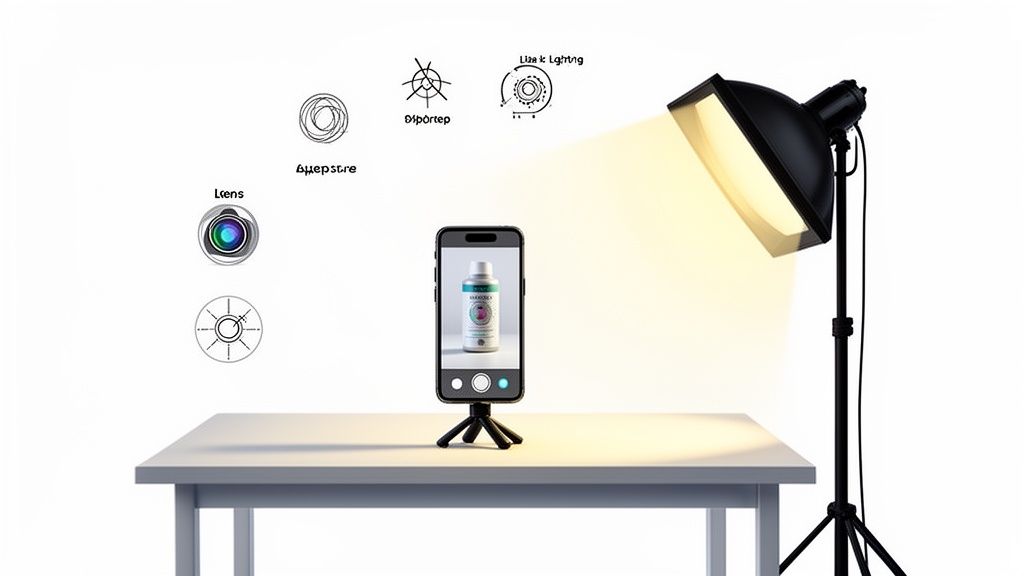
If you're an online seller, the best phone for taking pictures of your products is probably the one you already own. While the latest iPhone Pro, Google Pixel, and Samsung Galaxy Ultra models deliver incredible images, you don't need a flagship to get the job done. Even today's mid-range phones can produce fantastic results with the right setup and tools.
Why Your Smartphone is the Secret to Pro-Level Product Photos
Not too long ago, getting high-quality product photos meant shelling out for a professional studio and a big budget. Those days are over. The camera tech packed into modern smartphones has gotten so good that it easily rivals dedicated cameras, especially for the specific needs of e-commerce.
This is a huge deal for sellers on platforms like Etsy, Shopify, and Amazon. It means you can create sharp, compelling images that drive sales without a massive upfront investment.
The real magic, though, isn't just the camera. It’s about building a smart, efficient workflow around it. For any online store, the goal isn't just one perfect shot; it's about consistently creating clean, attractive, and marketplace-ready photos for every single item you sell. Your phone is the perfect hub for this entire process.
From a Good Shot to a Great Listing
Getting from a raw photo to a polished product listing takes more than just a good lens. You have to turn a simple snapshot into an asset that builds trust and makes people want to click "buy." This used to require clunky software and a lot of technical know-how, but now, much of it can be automated.
For instance, see how a simple phone photo can be instantly upgraded for an e-commerce platform using AI.

This is a perfect example of how a tool like ProdShot can take a basic picture from your phone and generate a professional-grade image ready for any marketplace you sell on.
The single biggest advantage of using a smartphone is speed. You can shoot, edit, and list a new product in just a few minutes, all from one device. This cuts out the complicated and expensive steps of a traditional photography process. To see just how much you can save, check out the typical cost of professional product photography and compare it to a phone-based workflow.
This guide will walk you through everything you need to know to turn your phone into a product photography powerhouse. We'll cover:
- Essential Camera Specs: We’ll translate specs like sensor size and aperture into what they actually mean for your product shots.
- Top Phone Comparisons: Get clear, real-world recommendations for the best phones at every budget—flagship, mid-range, and entry-level.
- A Practical Shooting Workflow: Learn the simple techniques and settings that will help you nail the shot every single time.
- AI-Powered Editing: Discover how to transform your raw photos into perfect, marketplace-ready assets in seconds.
What Camera Specs Actually Matter for Product Photography
Diving into smartphone camera specs can feel like trying to crack a secret code. Brands love to throw around huge megapixel numbers, but when it comes to product photography, the specs on the box rarely tell you the whole story.
Let's cut through the marketing noise. To get crisp, color-accurate photos that turn browsers into buyers, you need to know which pieces of hardware genuinely make a difference. These are the core components that dictate how well a phone can capture the tiny details that make your products shine.
Sensor Size: The Real MVP
If you only pay attention to one spec, make it the main camera sensor size. It’s simple: a bigger sensor captures more light, and light is the single most important ingredient for a great photo. Think of it like a bucket in a rainstorm—a bigger bucket collects more water, faster.
A larger sensor gives you a few crucial advantages for product shots:
- Insane Detail: It can resolve finer textures, which is a must-have for things like handcrafted leather, intricate textiles, or shiny jewelry.
- Cleaner Images: In less-than-perfect lighting, a bigger sensor produces images with less grainy "noise," giving you a much more professional look right out of the camera.
- Better Dynamic Range: It captures a wider spectrum of tones from the brightest highlights to the darkest shadows, so you don't lose detail in either extreme.
This is exactly why a phone with a 1/1.3-inch sensor will almost always blow a phone with a smaller 1/2.55-inch sensor out of the water, even if the second one boasts more megapixels.
Aperture: Creating Depth and Gathering Light
Next on the list is aperture, which you'll see written as an "f-number" like f/1.8 or f/2.4. Just remember this: a lower f-number means a wider opening, which lets in more light. It’s also your key to achieving that professional-looking "bokeh" effect where your product is razor-sharp and the background is beautifully blurred.
An aperture of f/1.8, for instance, is fantastic for lifestyle shots where you want to make a single product pop. While most marketplace photos need a clean white background, a wide aperture gives you a ton of creative freedom for social media and marketing content where a little context goes a long way.
The Power of a Multi-Lens System
Thankfully, single-lens phones are a thing of the past. A versatile multi-lens system is a total game-changer for sellers with different kinds of products. The market for smartphone camera lenses is booming, expected to jump from USD 5.85 billion in 2026 to USD 8.49 billion by 2031. This explosive growth is all thanks to multi-lens setups that let you capture everything from tiny details to entire room setups. You can explore the market trends to see just how fast this tech is moving.
Here’s a quick rundown of how to use each lens for your shop:
1. The Main (Wide) Lens
This is your workhorse. It almost always has the biggest sensor and widest aperture, making it your go-to for the best possible image quality and color accuracy. Use it for your primary hero shots of clothing, accessories, and most of your standard-sized inventory.
2. The Telephoto Lens
A telephoto lens is your secret weapon against distortion. Ever noticed how things can look a bit warped or bowed when you get too close with the main camera? A telephoto lets you stand back and zoom in, capturing a tight, true-to-life shot without any weirdness.
Pro Tip: Always switch to the telephoto lens for products with straight lines, like electronics, books, or anything in a box. It delivers a much more accurate and flattering perspective, completely avoiding that dreaded "fisheye" effect.
3. The Ultrawide Lens
You might not use it for every product, but the ultrawide lens is invaluable when you need to shoot something big. Selling furniture, large art, or home decor? This lens lets you fit the whole item in the frame without having to back up across the room. It’s perfect for showing scale and context.
Once you understand how sensor size, aperture, and different lenses work together, you can look past the megapixel hype and choose a phone based on what it can actually do for your business.
Comparing the Top Phones for E-commerce Photography
Figuring out the best phone for your product shots isn’t about finding one single “perfect” device. It’s about matching the right tool to what you sell and how you shoot. The small differences between top-tier phones can make a huge difference in your workflow, especially when you’re dealing with tricky products.This isn’t just another feature list. We're going to dive into what actually matters for an online seller: the nuances of image processing, color science, and RAW file quality. You'll see how these specs translate into real-world results for your store.
Flagship Contenders: The Ultimate Product Photography Tools
At the high end, the battle between Apple, Google, and Samsung is intense. Each one has a different philosophy on what makes a great photo, which gives them unique strengths depending on your product category.
Apple iPhone Pro Series: For True-to-Life Color Accuracy
The iPhone Pro lineup has built a reputation for its commitment to natural, realistic color. The camera's software is tuned to capture images that look incredibly close to what you see with your own eyes. This has made it a go-to for anyone selling fashion, cosmetics, or artwork.
If you sell clothing, getting the exact shade of a fabric right is everything. An iPhone’s consistency means that beautiful crimson dress you're shooting won't end up looking slightly orange on your product page, which can save you a ton of headaches from returns over color mismatch.
Google Pixel Series: For Unmatched Computational Detail
Google’s Pixel phones are the undisputed kings of computational photography. They use powerful software to pull an incredible amount of detail, texture, and dynamic range out of every single photo. This makes the Pixel a fantastic choice for sellers of handmade goods, intricate jewelry, or anything with fine textures you want to show off.
Let's say you sell handcrafted leather wallets. A Pixel will bring out the rich grain of the leather and the fine detail in the stitching, giving the image a tactile feel that helps customers truly appreciate the quality.
Samsung Galaxy S Ultra Series: For Versatility and Control
Samsung's flagships are all about giving you options. They pack in impressive hardware with extensive manual controls. With a versatile camera setup that usually includes a powerful zoom lens, the Galaxy S Ultra is perfect for sellers who need crisp, distortion-free shots of products like electronics or packaged goods.
The "Pro mode" in Samsung's camera app gives you direct control over settings like ISO, shutter speed, and white balance. That level of command is a game-changer when you're trying to create a consistent look across an entire product catalog under controlled lighting.
This guide breaks down the core camera specs that really separate these top-tier phones.
At the end of the day, a bigger sensor and a wider aperture simply let more light in. That extra light data is what gives you cleaner, more detailed images.
Mid-Range Performers: High Quality on a Budget
Don't think you need a flagship phone to get amazing product shots. The mid-range market is packed with incredible value, often borrowing the best software tricks from the top models and putting them into a more affordable package.
The Google Pixel A-Series is the standout here. It brings Google's world-class image processing to a much more accessible price point. While the camera hardware might not be as beefy as its flagship cousin, the software smarts are nearly identical, giving you sharp, vibrant images perfect for most online stores.
Key Takeaway: For most sellers, a mid-range phone like the Pixel A-Series paired with good lighting will beat a flagship phone in a poorly lit room every time. Your investment in lighting will almost always give you a bigger bang for your buck than the phone itself.
The hardware is catching up, too. The market for smartphone camera actuators—the tiny motors that handle focus and stabilization—is projected to grow from 3,708 million units in 2025 to over 4,675 million by 2033. This tech, once exclusive to flagships, powers features like Optical Image Stabilization (OIS) that can cut down on motion blur by up to 80%—a massive plus for anyone shooting handheld.
Smartphone Camera Comparison for Online Sellers
To make your decision a bit easier, I've put together a table that breaks down the key strengths of each phone category specifically for e-commerce. As you look it over, keep your platform's rules in mind. Knowing Amazon's product image requirements is key to making sure your photos get approved and look their best.
| Phone Model | Price Tier | Best For (Product Type) | Key Camera Strength | RAW Capture Quality |
|---|---|---|---|---|
| iPhone Pro Series | Flagship | Fashion, Cosmetics, Art | True-to-life color science | Excellent (ProRAW) |
| Google Pixel Series | Flagship | Handmade goods, Jewelry | Computational detail | Excellent |
| Samsung Galaxy Ultra | Flagship | Electronics, Packaged goods | Lens versatility, Manual controls | Very Good |
| Pixel A-Series | Mid-Range | General E-Commerce | Software processing, Value | Good |
This table simplifies the top choices, showing how each one shines in a different scenario. Your product type is the best guide for which phone will serve you best.
Making the Final Decision
The best phone for you really comes down to what you sell and how you work.
Here’s a quick cheat sheet:
- For color-critical items like clothing or art, the iPhone Pro is your most reliable bet for its dead-on color accuracy.
- If you need to show off texture and fine details, the computational magic of the Google Pixel family is tough to beat.
- For sellers who need maximum flexibility and manual control, the Samsung Galaxy S Ultra gives you a complete photographer's toolkit.
- For most sellers starting out or on a budget, the Pixel A-Series is the smartest buy. It delivers flagship-level software results for a fraction of the price.
No matter which phone you pick, remember it's just one piece of the puzzle. Getting your lighting right, nailing the composition, and having a solid post-processing workflow are what will truly take your product photography from good to great.
Mastering Your Phone for Flawless Product Shots
Owning a great camera phone is just the starting line. The real secret to creating images that sell is knowing how to use it. Moving beyond the default "point-and-shoot" mode is what separates amateur snapshots from professional, compelling product photos that build trust with your customers.

Before you even think about taking a picture, start with the absolute basics. The first step, which is surprisingly easy to forget, is to wipe your camera lens. Your phone’s lens is constantly collecting fingerprints and dust, which can create a hazy, soft look in your photos. A quick wipe with a microfiber cloth can instantly sharpen your images.
Next, get your lighting in order. Even the most advanced camera sensor struggles in a poorly lit room. The best light you can get is almost always natural light, so set up your product near a window.
Crucial Tip: Turn off all the overhead lights in the room. Artificial lighting often casts an unflattering yellow or orange hue and creates harsh shadows. Relying on soft, diffused window light will give you much more accurate colors and a cleaner, more professional look.
Unlocking Your Camera's Full Potential
To really take control, you need to dive into your camera’s settings. A few simple adjustments here can dramatically improve your results and streamline your entire workflow, especially when you're shooting multiple products.
Activate Gridlines for Perfect Composition
This is non-negotiable for product photography. Turning on the grid overlay in your camera settings helps you align your product perfectly. It’s the easiest way to ensure your vertical and horizontal lines are straight—a hallmark of professional shots. For an in-depth look at improving your product presentation, learn more about creating compelling photos for electronics products.
Here’s how to quickly enable it:
- On iPhone: Go to Settings > Camera, and toggle on the Grid option under the Composition section.
- On Android: Open your camera app, head to Settings, and look for Grid lines or a similar option to enable.
Lock Your Focus and Exposure
When you're shooting a batch of similar items, consistency is everything. Your phone’s camera constantly tries to readjust its focus and brightness, which can lead to frustrating variations between shots.
To prevent this, just tap and hold on your product on the screen. A yellow box will appear, and you’ll often see an "AE/AF Lock" notification pop up. This locks both the Auto Exposure and Auto Focus, guaranteeing every photo in that session has the same lighting and focal point. You can still slide the sun icon up or down to manually fine-tune the brightness after it’s locked.
Essential Gear That Makes a Real Difference
You don't need a studio full of expensive equipment. In fact, a couple of low-cost accessories will elevate your photos from good to great. These two items are the most impactful investments you can make.
1. A Sturdy Tripod
A tripod is your best friend for guaranteeing sharpness and consistency. It eliminates camera shake, which is especially important in lower light conditions where your phone uses a slower shutter speed. More importantly, it locks your phone into a specific angle, ensuring every product is framed identically.
2. Simple Lighting Tools
You don't need a complex lighting rig. A simple setup can work wonders:
- A Reflector: A white foam board from a craft store is perfect. Place it opposite your light source (the window) to bounce light back onto your product, which softens shadows.
- An LED Light: For more control or for shooting on overcast days, an affordable tabletop LED panel provides consistent, clean light.
Mastering these straightforward techniques and adding a few key accessories will transform your smartphone into a powerful tool for your e-commerce business. As you refine your product shots, learn more about effective visual content for social media strategies to ensure your images captivate your audience on every platform.
From Raw Photo to Ready-to-Sell with AI Editing
Even with the best phone camera in hand, the picture you snap is just the starting point. Marketplaces like Amazon and Shopify have strict image requirements, and shoppers have even higher expectations for clean, professional visuals. This is where the real work begins: turning a good shot into an image that actually sells. It’s the final, crucial step that bridges the gap between your phone and a polished, professional listing.
But this is also where things get incredibly simple. Instead of getting bogged down in complex software like Photoshop, you can let AI handle the heavy lifting. The workflow is refreshingly straightforward: you take the photo, upload it, and let the tech do the rest.
The Simple AI-Powered Workflow
The whole point is to remove the friction between taking a picture and listing a product. A fast post-processing pipeline means you can get products online quicker and maintain a high-quality storefront without all the usual effort.
Here’s how it works with a tool like ProdShot:
- Capture Your Image: Using the techniques we’ve covered, grab a clear, well-lit photo of your product with your phone.
- Upload to the AI Editor: Get the photo onto your computer or use a mobile app to send it straight to the platform.
- Let AI Do the Work: The software instantly gets to work, identifying the product, cleanly cutting out the background, and balancing the light and shadows.
- Generate a Polished Final Image: In just a few seconds, you get a perfectly isolated product on a crisp, compliant background, ready for any marketplace.
This entire process is built for speed and consistency—two things every online seller needs more of.
Why AI Editing Is a Game-Changer for Sellers
The smartphone camera market is exploding, projected to hit $9,847.75 million by 2033. This isn't just a tech trend; it shows how central these devices have become to how we do business. In North America, the US dominates with a 74.70% market share, driven by a massive community of e-commerce sellers just like you. But here's the reality check: even with the best cameras, raw photos need work. Studies consistently show that high-quality images can boost sales by up to 30%, making smart editing more critical than ever. You can read more about these market trends and see how technology is reshaping online retail.
AI photo editing isn't just a shortcut; it's a competitive advantage. It puts professional-grade product photography within reach for everyone, letting solo entrepreneurs and small businesses create visuals that can compete with big brands, all without the huge costs or steep learning curve.
This technology directly solves the biggest headaches for sellers. It completely eliminates tedious tasks like manually tracing a product to remove the background or spending hours tweaking colors to get them just right.
Here’s a perfect example of how a quick phone photo gets an instant upgrade into a professional, marketplace-ready asset.

The "before" shot is what most of us get—a decent picture on a messy desk. The "after" shot is clean, professional, and puts all the focus right where it belongs: on the product.
Beyond Background Removal
A clean white background is the gold standard, but modern AI tools can do so much more. They can generate custom backgrounds, cast realistic shadows, and even place your product into lifestyle scenes that help customers imagine it in their own space.
Think about these possibilities:
- Instant Background Generation: Create anything from solid colors and gradients to photorealistic settings like a marble countertop or a warm wooden table.
- Shadow and Reflection Control: Automatically add soft, natural shadows that make your product feel real and three-dimensional.
- Lighting and Color Enhancement: Tweak the brightness, contrast, and color balance to make your product pop and look its absolute best.
This level of creative control used to be reserved for skilled graphic designers. Now, any seller can pull it off in seconds. If you want to see what these advanced features can do, you can learn more about how an AI product photo generator can create a huge variety of compelling visuals for your brand.
By adding this final AI editing step, your workflow becomes both powerful and incredibly efficient. You can confidently use the best phone for taking pictures, knowing you have a simple, scalable way to turn every raw photo into a polished, high-converting image that will drive sales and help your business grow.
Got Questions? We've Got Answers
Jumping into smartphone photography for your store can feel like a minefield of questions. When your sales are on the line, you want to get it right. Here are some straightforward answers to the things online sellers ask us most.
Do I Really Need the Latest Flagship Phone for Good Product Photos?
Honestly? No, not at all. While the big-name flagship phones have incredible RAW capabilities and work wonders in low light, today's midrange phones are more than capable. The real game-changer isn't the phone—it's your lighting and your technique.
A well-lit photo taken on a decent midrange phone will look better than a poorly-lit shot from a top-of-the-line flagship every single time. And once you run your images through an AI tool for post-processing, that playing field gets leveled completely. It can take a good shot from almost any modern device and make it look professional and consistent with the rest of your store.
Is an iPhone or Android Better for Product Photography?
This is the classic debate, but for product shots, there’s no single winner. Both platforms have fantastic options. iPhones are famous for their simple, intuitive interface and incredibly consistent, true-to-life color reproduction. If you’re selling fashion or art where color accuracy is everything, that’s a huge plus.
On the other hand, high-end Androids from brands like Google or Samsung often give you more granular manual controls. They’re also at the forefront of computational photography, which can pull out stunning detail in products like intricate, handmade goods. The right choice comes down to your personal workflow and budget, not the operating system. Just learn the strengths of whatever phone you have.
The iPhone vs. Android debate really boils down to a difference in philosophy. Apple strives for realism, what the eye actually sees. Google and Samsung often lean into enhancing reality for a punchier, more dramatic look. For e-commerce, realism is almost always the safer bet to avoid returns from customers saying, "the color isn't what I saw online."
How Much Does Lighting Matter Compared to the Phone’s Camera?
Lighting is everything. It is, without a doubt, more important than the camera itself. A world-class camera simply cannot save a photo from bad lighting. Period.
Good lighting is what carves out your product’s shape, kills ugly shadows, and locks in accurate colors. It doesn't have to be expensive, either—a big window with a simple reflector or an affordable LED panel can do the job. A budget phone with a great lighting setup will produce far better images than a brand-new flagship in a dim, poorly-lit room. If you're on a tight budget, spend it on lights first. And please, turn off your overhead room lights; they cast a weird yellow tint and create distracting glares.
Can I Get Professional Results Without Using a Tripod?
You can get okay shots handheld if the light is perfect, but a tripod is a cheap and indispensable tool for getting truly professional results. It’s a non-negotiable for any serious online seller because it nails two critical things:
- Guarantees Sharpness: A tripod completely eliminates the tiny shakes from your hands, ensuring every single image is perfectly crisp. This is especially important if you’re not shooting in a studio with perfect, bright light.
- Ensures Consistency: It locks your camera angle and framing in place. When a customer clicks through your product gallery, every photo looks like it belongs. That consistency builds a massive amount of trust and makes your storefront look clean and professional.
For any kind of batch photography where you're shooting multiple products or angles, a tripod isn't just a nice-to-have. It's essential for keeping your quality high.
Ready to turn your phone photos into professional, marketplace-ready images in seconds? ProdShot uses AI to instantly remove backgrounds, balance lighting, and create stunning product shots that sell. Try ProdShot for free today and see the difference it makes for your online store.