
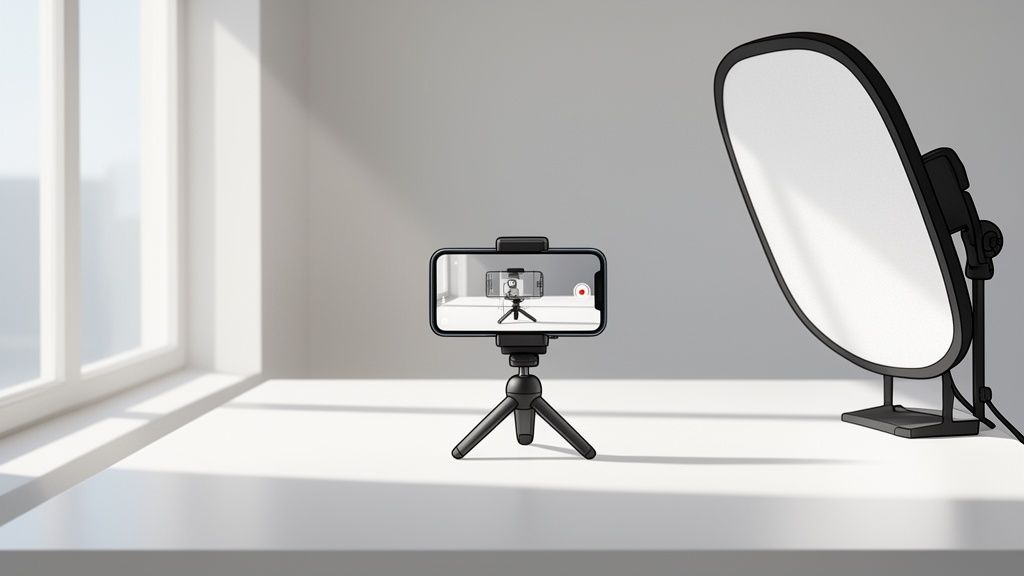
Think of your product photos as your best, hardest-working salesperson. They work 24/7, never take a break, and are often the first—and sometimes only—interaction a customer has with your brand. High-quality images do more than just display what you're selling; they build trust, communicate your product's value, and are the deciding factor for that final click on the "Add to Cart" button.
Why Great Photos Are Your Best Sales Tool

In the digital aisle of e-commerce, your product photos are your storefront. They're the first handshake and the critical first impression. Put yourself in your customer’s shoes for a second. You find two identical products online. One is shown in a few blurry, poorly lit shots. The other is showcased with a set of crisp, detailed, and beautifully lit images. Which one inspires more confidence?
It’s an easy choice. Professional-looking visuals instantly signal that you’re a professional business. It tells customers you care about quality, from your products to your customer service. Good photos remove doubt, answer questions before they're even asked, and make the path to purchase feel seamless and safe.
The Real Impact on Sales and Trust
The link between photo quality and sales isn't just a hunch; it’s a proven driver of e-commerce success. It’s simple, really. A blurry or amateur photo can make a potential buyer hit the back button in seconds. They’re left wondering, "If the seller couldn't be bothered to take a decent photo, what does that say about the product itself?"
Great photography stops the scroll. It makes someone pause, zoom in, and start imagining your product in their life. In a sea of online listings, that pause is everything.
The quality of your images directly influences key e-commerce metrics in very tangible ways. Poor images can hurt your business, while high-quality ones provide a significant lift.
This table breaks down how different levels of image quality directly influence crucial online selling metrics, highlighting the tangible business benefits of investing in better visuals.
| Metric | Impact of Low-Quality Images | Impact of High-Quality Images |
|---|---|---|
| Conversion Rate | Low trust leads to fewer sales. Customers hesitate to buy what they can't see clearly. | Clear, appealing photos make products more desirable, turning more visitors into buyers. |
| Return Rate | High returns due to "not as described" complaints. Photos mislead on size, color, or texture. | Lowers returns by setting accurate expectations. What customers see is what they get. |
| Perceived Value | Product appears cheap, forcing you to compete on price alone. | A well-photographed item looks more valuable, justifying a higher price point. |
| Bounce Rate | Visitors leave your page almost immediately due to a lack of trust and unprofessionalism. | Captures attention and encourages visitors to explore the product and your store further. |
Ultimately, great visuals foster trust and satisfaction, which are the cornerstones of a successful online brand. To dig deeper into the numbers, you can explore the typical cost of professional product photography and see how it delivers a powerful return on investment.
A Growing Market Means More Competition
The shift toward better visuals is backed by serious market data. E-commerce product photography isn't just a small part of the industry; it's a massive and rapidly growing field.
Valued at US$163.91 million in 2022, this sector represents about 45% of the entire commercial photography market. Projections show it rocketing to US$275.4 million by 2030.
This trend tells a clear story: your competitors are already investing in better images. A solid business photo shooting process is no longer a luxury—it’s a basic requirement to compete and win.
The great news? You don't need a high-end DSLR and an expensive studio to get there. With the smartphone in your pocket and the right techniques—which we’re about to walk you through—you can create stunning images that boost your brand and drive real sales.
Planning Your Shoot for Flawless Results

Here’s a little secret most people get wrong: the best photos happen long before you even open your phone’s camera app. I’ve seen it countless times—a successful shoot is 90% preparation and only 10% actually taking pictures. If you just jump in without a clear plan, you're setting yourself up for frustration, wasted hours, and a gallery of images that just don't click with your customers.
Think of this planning stage as drawing the blueprint for your visual story. This is where you make the big calls that define your brand's entire look and feel. A little bit of strategic thinking here saves you a mountain of headaches and reshoots later.
Build Your Essential Shot List
Your shot list is your absolute, non-negotiable guide for the day. It’s simply a checklist of every single photo you need for each product. Without one, you’re almost guaranteed to forget that one crucial angle or detail shot—the very image that could have convinced a hesitant buyer.
Your real goal here is to anticipate every question a customer might have and answer it with a picture. For any given product, you should always plan to capture these essentials:
- The Hero Shot: This is your star player. A crisp, clean, front-and-center image of your product on an uncluttered background.
- Angle Shots: Let the customer inspect the product from all sides. Show them the front, back, top, side, and a nice 45-degree angle. Leave no stone unturned.
- Detail and Texture Shots: Get close. Zoom in on the unique features, the quality of the materials, the texture of the fabric, or the precision of the stitching. This is how you visually prove your product's quality.
- In-Context or Lifestyle Shots: Show the product being used. A piece of jewelry on a model, a mug steaming with fresh coffee, a skincare bottle on a clean bathroom shelf—these shots help customers see it in their own lives.
- Scale Shot: This one is critical. Place your product next to something universally understood, like a hand or a coin. It gives an immediate, undeniable sense of its true size and can dramatically cut down on returns from customers who imagined it differently.
When you map all this out, your photoshoot transforms from a chaotic scramble into a smooth, efficient workflow. You'll work faster and with more confidence because you know exactly what you need to get done.
A detailed shot list isn’t just about being organized; it's a customer service tool. It ensures you provide the visual information shoppers need to make a confident purchase, reducing their uncertainty and building immediate trust.
Define Your Visual Style
Before you start snapping away, you need to decide on the story your photos will tell. Your visual style is a direct extension of your brand. Are you modern and minimalist? Rustic and handmade? Or maybe vibrant and playful? The props and backgrounds you choose are your main storytellers.
Think about it: a bar of handmade oatmeal soap just feels right sitting on a piece of rough linen or a rustic wooden slab. A sleek tech gadget, on the other hand, demands a clean, minimal surface, like a matte white or gray background. Your background should always compliment the product, never compete with it for attention.
A great way to nail down your style is to see what your competitors are doing. Spend a little time looking at the top sellers in your category.
Competitive Photo Analysis
| Question to Ask | What to Look For | Actionable Insight |
|---|---|---|
| What works well? | Consistent lighting, clear angles, cohesive branding. | Identify successful techniques you can adapt for your own brand. |
| Where are the gaps? | Missing detail shots, poor scale reference, generic lifestyle images. | These are opportunities for you to do better and stand out. |
| What's their brand story? | Do they feel premium, budget-friendly, or eco-conscious? | Define a unique visual narrative that differentiates your products. |
This research isn’t about copying what others are doing. It's about understanding the visual conversation happening in your market so you can find a unique angle. By seeing what’s already out there, you can carve out a look that makes your products more memorable and desirable to your ideal customer.
Mastering Light and Composition on a Budget
You don't need a Hollywood-sized studio or a massive budget to get incredible product shots. In fact, the two most powerful tools in your arsenal are often completely free: light and composition. Once you learn how to shape natural light and arrange your products thoughtfully, you can create images that look stunningly professional using just your phone.
Let's get one thing straight. Photography is simply "painting with light." The quality of your light is far more important than the quality of your camera. A top-of-the-line DSLR in a dark, poorly lit room will give you worse results than a smartphone set up next to a big, bright window.
Working with Natural Light
First rule of smartphone photography: turn off your phone's built-in flash. It’s your enemy. It blasts your product with harsh, flat light that cheapens its appearance and kills any sense of depth.
Your new best friend is a large window on an overcast day. This acts like a giant, natural softbox, wrapping your product in gentle, flattering light.
Here’s a dead-simple setup you can try right now:
- Find a small table or any flat surface and place it right next to a window.
- Position your product on the surface so the light hits it from the side. This is called side lighting, and it’s my go-to for revealing texture and creating a sense of three-dimensionality.
- Take a look. One side of your product is bright, and the other has a shadow. These shadows are good—they create dimension—but they might be a bit too intense.
This is where a simple bounce card comes in. You don't need anything fancy; a piece of white foam board or even a sheet of printer paper propped upright will do the trick. Place it on the side of your product opposite the window, and watch it bounce light back into the shadows.
This one move instantly brightens the dark areas, giving you a balanced, professional look without completely washing out the shadows that give your product its shape. Try moving the bounce card closer or farther away to see how it changes the intensity.
The goal isn't to eliminate shadows entirely, but to soften them. Well-managed shadows are what make a two-dimensional image feel real and pop off the screen.
Arranging Your Scene for Impact
Composition is just a fancy word for how you arrange things in the frame to guide the viewer’s eye. Even with perfect lighting, a messy or boring composition will fall flat. The good news is, your phone has a built-in tool to help you nail this every time.
First, dive into your camera settings and turn on the gridlines. This simple 3×3 grid is your guide to using the Rule of Thirds. Instead of sticking your product dead-center, try placing it along one of the lines or at a point where two lines intersect. This simple shift instantly makes your photo feel more dynamic and visually engaging.
Think about these other compositional guides as you set up your shot:
- Leading Lines: Use elements already in your scene—the edge of a table, a fold in fabric, or a prop—to create a path that draws the eye right to your product.
- Negative Space: Don't be afraid of empty space! Leaving some uncluttered room around your product makes it the undeniable hero of the shot and gives the image a clean, high-end feel.
- Framing: Use other objects in the foreground to create a natural frame. A blurred plant leaf in the corner or a nearby prop can add a ton of depth and context.
The visual appeal of your photos is non-negotiable. It's a huge factor in e-commerce, with a staggering 93% of consumers calling it the most critical element when making a purchase. High-quality images can boost conversion rates by up to 30%, and high-resolution photos have been shown to convert 94% better than blurry ones. You can discover more insights about the power of e-commerce photography and see how it really drives sales.
Taking Control of Your Smartphone's Camera
Your phone's default automatic mode is built for quick snapshots, not a professional photo shoot. To really elevate your images, you need to take control of two simple but powerful settings: focus and exposure.
Locking Focus and Exposure
On almost any smartphone, you can tap and hold on your screen right where you want the camera to focus. A box or circle will pop up, often with a little sun icon next to it. This "AE/AF Lock" message means you've just locked both the focus point and the exposure level.
This is a game-changer for two reasons:
- It guarantees your product is perfectly sharp, not the background.
- It stops the camera from randomly changing the brightness while you're trying to frame the perfect shot.
Once it’s locked, you can slide your finger up or down next to that sun icon to manually adjust the exposure. Is the image a little too dark? Slide up. A bit too bright? Slide down. This gives you precise control to make sure your whites are clean, and your colors look true to life.
This tiny step is what separates an amateur snapshot from a deliberate, professional photo. Make it a habit, and you’ll see a dramatic improvement in every picture you take.
Your Smartphone Shooting Workflow
Alright, you’ve planned your shots and have your lighting dialed in. Now for the fun part: actually taking the pictures. All that prep work is about to pay off, turning what could be a frantic scramble into a smooth, efficient workflow. The idea is to move methodically from one shot to the next, building a library of consistent, high-quality images ready for editing.
This whole process really boils down to three simple, repeatable actions.

It’s a simple reminder: get the light right first, compose your shot with intention, and only then press the shutter button.
Establish Absolute Consistency
Consistency is the secret sauce of professional product photography. It’s what makes your entire product gallery look polished and trustworthy. Even tiny shifts in camera angle or height between photos can feel off to a customer, even if they can't quite put their finger on why.
A tripod is your best friend here. You don't need a fancy, expensive model—a basic smartphone tripod is a game-changer. It completely eliminates the blur from shaky hands and, more importantly, locks your phone in one position. This guarantees every single photo is framed exactly the same.
If you’re working with zero budget, you can get creative. A sturdy stack of books and something to prop your phone against will do the job in a pinch. The goal is simply to create a stable camera position you can use for every shot.
Capture a Complete Set of Angles
To turn a curious browser into a confident buyer, you have to show them everything. Your business photo shooting workflow should be built around answering every question a customer might have, but with pictures instead of words.
For any given product, I make sure to capture a core set of views. My checklist almost always includes:
- The Hero Shot: A straight-on, front-and-center view. This is your main image and your first impression.
- 45-Degree Angle Shots: These show the front and side of the product at once, giving it a more dynamic, three-dimensional feel.
- Side and Back Profiles: Don't leave any part of the item a mystery. Show them all of it.
- Top-Down (Flat Lay): Absolutely essential for things like apparel, food, or any product laid out in a kit.
- Detail Close-ups: Get in close on logos, interesting textures, or unique features that scream quality.
- Lifestyle Shots: Show the product being used. This helps customers picture it in their own lives.
Shooting this full range gives customers the confidence they need to click "buy" and seriously cuts down on returns from surprises. Of course, knowing your phone's strengths helps, too. For example, understanding which iPhone has the best camera can give you insight into how different models handle fine details and light.
Shoot for a Clean Raw File
Here’s a pro tip that simplifies everything: your goal during the shoot isn't to create the final, perfect image. Your job is to capture a "clean" raw file that’s perfectly prepped for an AI editor like ProdShot. Think of it as handing over a pristine canvas for the final masterpiece.
A "clean" raw file is simply an image with even lighting, a simple background, and your entire product in sharp focus. By steering clear of weird shadows or cluttered backdrops, you give the AI the best possible data to work with, which means faster, more accurate results.
This approach makes your shooting day so much easier. You don't have to stress about getting a perfectly white background right on set. Instead, you just have to nail three things:
- Even Lighting: Use your bounce cards to fill in any dark, distracting shadows.
- Simple Background: Keep it clean and free of any clutter.
- Sharp Focus: Make sure the product is crisp from front to back.
When you focus on these fundamentals, you create source images that AI can transform into marketplace-ready photos in seconds. It’s especially helpful when you need to resize images for different platforms. If you need a quick way to do that, a good online image resizer can handle all the different requirements for you.
From Raw Shot to Sales Magnet with AI and ProdShot
You’ve got your clean, raw photos. Now for the fun part. This is where we turn those good smartphone shots into polished, marketplace-ready images that actually drive sales.
Not long ago, this step meant hours wrestling with software like Photoshop or handing over a chunk of your budget to a designer. Today, AI-powered tools like ProdShot do all the heavy lifting for you in just a few clicks. This isn't just about slapping on a filter; it's a completely new way for small businesses to handle post-production, making it possible to create a ton of professional, consistent images without the high cost or time sink.
Turning Your Photos into Professional Assets
The entire process with ProdShot is designed to be dead simple. You don't need any design experience—just the photos you already took. Once you upload an image, the AI gets to work on tasks that would normally take a skilled retoucher a good amount of time.
Here's a quick look at what happens behind the scenes:
- Flawless Background Removal: The AI instantly identifies your product and perfectly cuts it out from its original background. No more trying to trace around your product with a clumsy mouse.
- Realistic Shadow Creation: It then adds a natural, soft shadow, which is crucial for making the product look grounded and real, not like it’s just floating on the page.
- Smart Lighting Adjustments: The tool analyzes your photo’s lighting and automatically makes it look brighter, clearer, and more true-to-life.
This whole sequence is over in seconds. You get to see a dramatic before-and-after, transforming your simple shot into a clean, professional hero image ready for any e-commerce platform.
AI editing isn’t just about making things faster. It’s about giving entrepreneurs the power to create images with a quality and consistency that used to be reserved for huge brands with massive budgets.
Why AI is a Game-Changer for E-commerce Visuals
The role of artificial intelligence in product photography has exploded, and for good reason. It tackles major industry problems around cost and consistency. The AI product photography market, valued at $450 million in 2024, is expected to skyrocket to $5 billion by 2035.
This growth is driven by real business needs. A staggering 22% of all product returns are because the item looks different in person than it did online, a problem that directly connects image quality to your revenue. If you want to dive deeper into the numbers, you can read the full research about AI photo editing stats to see the financial impact.
For businesses aiming to produce incredible visuals quickly, exploring different AI image generation tools can really boost your creative output. The ProdShot AI product photo generator is a perfect example of a specialized tool that takes your existing photos and perfects them for one critical purpose: making sales.
Effortlessly Meeting Marketplace Requirements
One of the biggest headaches for online sellers is trying to keep up with the unique image rules for platforms like Amazon, Shopify, and Etsy. Each has its own strict guidelines for resolution, aspect ratio, and backgrounds. If you get it wrong, your listings can get suppressed, or they’ll just look bad to shoppers.
ProdShot takes care of this by giving you presets tailored for the major marketplaces, ensuring your photos are not only beautiful but also perfectly compliant.
Marketplace Image Requirements At a Glance
Here’s a quick reference table to help you keep track of the specific image requirements for the big players. Using a tool like ProdShot helps you nail these specs every single time without having to think about it.
| Marketplace | Minimum Resolution | Aspect Ratio | Background Requirement |
|---|---|---|---|
| Amazon | 1000px on longest side | 1:1 (Square) preferred | Pure White (RGB 255, 255, 255) |
| Shopify | Up to 4472 x 4472px | Any, but 1:1 is best for galleries | Varies by theme, white is standard |
| Etsy | 2000px on shortest side | 4:3 or 5:4 recommended | No strict rule, but clean is best |
By automating this part of the process, you can stop worrying about the tedious technical rules and spend more time focusing on what actually grows your business.
A Few Common Questions About DIY Business Photos
Even with the best plan, you’re bound to run into a few snags when you start shooting. It’s just part of the process. Knowing how to troubleshoot these little problems is what really makes a photo session successful.
Let's walk through some of the most common questions I hear from entrepreneurs who are just getting started with their own product photography. These are the real-world sticking points that can cause a lot of frustration, but the solutions are often simpler than you think.
Do I Really Need a Tripod for My Smartphone?
Honestly, yes. If you're going to make one small investment, make it a tripod. While you can technically prop your phone on a stack of books, a tripod is what separates amateur shots from professional-looking ones. Its entire job is to guarantee absolute consistency.
When you're shooting a product from multiple angles, even the tiniest hand-shake can alter the framing. The result? A product gallery that looks messy and inconsistent. A tripod locks your phone in place, gets rid of motion blur, and ensures every single shot is perfectly aligned with the last.
Think of a tripod as your quality control manager. It's the one tool that enforces the sharpness and consistency that define professional product photography.
If the budget is just too tight, you can still make it work. Propping your phone against a solid object is your next best bet. The goal is the same: keep that camera completely still and in the exact same spot for every photo in a series.
What’s the Best (and Cheapest) Lighting Setup?
The best and cheapest light source you’ll ever find is already in your home or office: a large window. And it's totally free. For the best effect, shoot on a day when it's slightly overcast. The clouds act like a giant, natural diffuser, softening the light and wrapping it evenly around your product.
Set up your little photo station right next to the window. You want the light coming from the side, not straight on and definitely not in direct, harsh sunlight. Side lighting is fantastic for defining a product’s shape and showing off its texture without creating ugly, hard shadows.
To take this free setup to the next level:
- Grab a piece of white foam board or even a large sheet of white paper. A clean white t-shirt stretched over a box works in a pinch.
- Place this on the side of your product that's opposite the window.
- This simple prop will act as a "bounce card," reflecting light back into the shadows.
You'll immediately see the shadows soften and the entire product brighten up. This little trick costs almost nothing and can easily produce results that look like you used an expensive lighting kit.
Can I Mix My Smartphone Photos with Professional Shots?
You can, but you have to be incredibly careful. If you want to mix photos from different sources without anyone noticing, you need to nail consistency across three key areas:
- Background: The background color has to be an exact match. If your pro photos use a pure white background (RGB 255, 255, 255), your smartphone shots must have that exact same value. Close isn't good enough.
- Lighting Style: The light needs to look and feel the same. If your pro shots have soft light coming from the left, your phone shots can't have hard light coming from the front. The difference will be jarring.
- Editing: Your color balance, brightness, and contrast have to be uniform across the entire photo set.
This is where a tool like ProdShot becomes your secret weapon. You can run your smartphone photos through the editor to automatically replace the background with pure white and apply consistent lighting effects. This makes it possible to slot them right next to professionally shot images, and your customers will never know the difference.
Ready to turn your smartphone pictures into high-converting product photos? With ProdShot, you can get professional, marketplace-ready images in seconds. Try it for free and see how easy it is to create a stunning product gallery that drives sales. Get started with ProdShot today!