
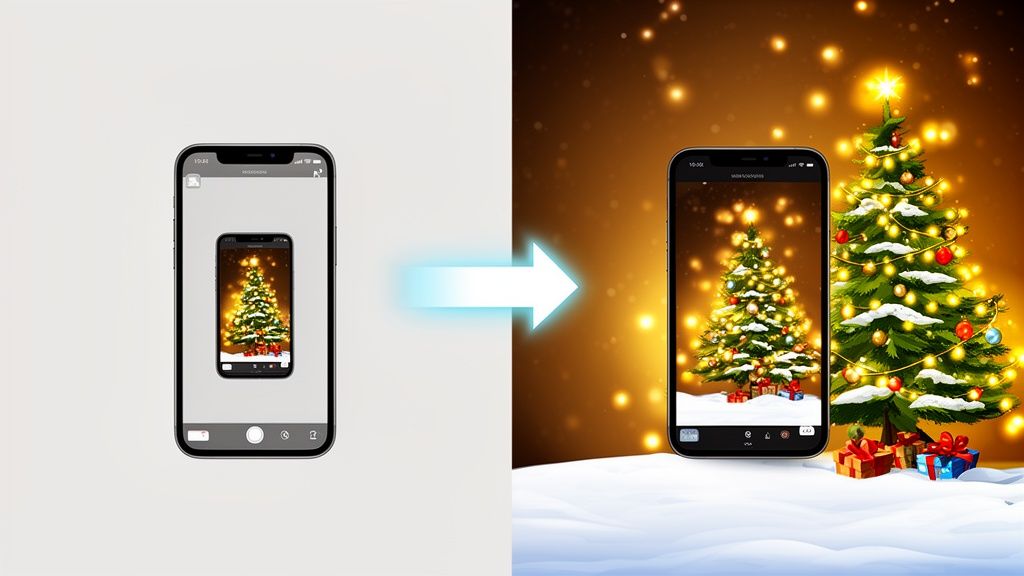
Christmas photo backgrounds are an instant holiday makeover for your products. They swap out a plain backdrop for a festive scene, making your items look immediately gift-worthy and ready for the season. For e-commerce sellers, they’re a simple way to grab a shopper's attention and tell a story that turns a product into the perfect present. Best of all, with AI, you can get this high-end look in minutes, no professional studio required.
Why Festive Backgrounds Are Your Secret Sales Weapon
Let's be honest: the holiday shopping season is a visual fight for attention. Every day, customers on Amazon, Etsy, and Shopify are scrolling through an endless feed of products. In that environment, a standard, plain white background—while clean—just blends in. Your product needs to do more than just show up; it needs to make someone feel something.
This is where the magic of a great Christmas background comes in. It's not just about sprinkling some festive cheer on your photos. It’s a smart, strategic move that taps directly into how people shop during the holidays. When a customer sees your handmade candle set against a cozy fireplace with twinkling lights, they don't just see a candle. They picture a warm, inviting holiday at home.

Tell a Story That Sells
A festive background accomplishes what a plain one simply can't: it tells a story. It gives your product context and helps the customer imagine it in their own life. A snowy landscape behind a winter scarf makes it feel cozier. A backdrop of neatly wrapped presents frames a piece of jewelry as the ultimate gift.
It’s a simple change with some powerful benefits:
- Emotional Connection: Festive visuals trigger feelings of joy, nostalgia, and generosity—the very emotions that drive holiday spending.
- Increased Perceived Value: A product presented in a high-quality, thematic setting automatically looks and feels more premium than one sitting on a plain white background.
- Standout Visuals: Custom backgrounds make your listings pop. They stop the scroll and dramatically increase click-through rates on crowded marketplace pages.
For small businesses, competing with the massive photography budgets of big-box retailers is a real struggle. The cost of professional product photography can be a huge barrier, yet shoppers still expect and demand high-quality, engaging visuals.
This is exactly why AI background replacement has become such a game-changer. You can now create these stunning, story-driven images without the high cost of a studio or the headache of traditional photo editing software. Just upload a clean photo of your product, and you can instantly place it into any Christmas scene you can dream of.
It's a strategy that completely levels the playing field. It gives you the power to produce compelling, sales-driving visuals that capture the magic of the season—and more importantly, the attention of your customers.
How to Shoot Products for Flawless AI Backgrounds
Want to know the secret to those incredible Christmas product photos? It doesn’t happen in an AI editor. The real magic begins the moment you pick up your camera.
Getting a fantastic result with AI background replacement all comes down to the quality of your original shot. You’re not just taking a picture; you’re giving the AI a clean slate to work with. The good news? Your smartphone is more than powerful enough for the job.
The entire goal is to make it dead simple for the AI to tell your product apart from its surroundings. This is called subject isolation, and it’s the foundation for a clean, professional edit without any of those weird, fuzzy edges.

Master Your Lighting and Surface
If you can get just two things right, you're 90% of the way to a perfect product photo: the lighting and the surface.
When it comes to light, think soft and diffused. The best light source is often free—a large window on an overcast day provides beautiful, even light that wraps around your product. This prevents the kind of harsh, dark shadows that trip up AI algorithms. Steer clear of direct sunlight at all costs.
For your surface, the key is contrast. A simple sheet of white poster board, a clean bedsheet, or even a neutral-colored floor will do the trick. If your product is white, shoot it on a dark gray or black surface. That clean, contrasting edge is exactly what the AI needs to perform a perfect cutout.
Practical Shooting Tips for Common Products
How you stage your product makes a huge difference. Different items need different angles to look their best and give the AI a clear silhouette to work with.
- Jewelry and Reflective Items: These can be tough. Position your light source to create a nice highlight, but try to avoid any direct, blinding glare. For necklaces, lay them flat on a contrasting piece of fabric to really define their shape.
- Home Decor and Textiles: Got a cozy knitted blanket or a ceramic mug? You want to show off that texture. Set up your light slightly to the side. This creates soft, subtle shadows that bring out the material's feel without being distracting.
- Bottles and Glassware: Reflections are the enemy here. Shoot them against a solid, plain background and stick to one large light source. A pro tip is to place white cards just out of the frame to bounce light back onto the product, creating clean, defined edges.
For the absolute best results, nothing beats the contrast of a dedicated green screen backdrop. It makes the AI's job incredibly easy and gives you a near-perfect cutout every single time.
Ultimately, your goal is a sharp, well-lit photo of your product against a simple, non-distracting background. Taking a few extra minutes to get the shot right from the start will save you headaches later. This prep work is what ensures your product will look like it truly belongs in whatever festive Christmas background you choose.
Choosing a Christmas Background That Sells
Now that your product shots are clean and ready, it’s time for the fun part—choosing a Christmas background that makes your product absolutely irresistible. This isn't just about slapping a festive scene behind your item. It’s a strategic choice that frames your product's story and connects with your brand's identity.
A great background can instantly make a product feel luxurious, cozy, modern, or nostalgic. Your choice is a crucial marketing move, designed to stop scrollers in their tracks and resonate with the exact person you want to reach.
Find Your Festive Vibe
The world of Christmas backdrops is huge, but you'll find most successful themes fall into a few key categories. The real question is: what feeling do you want your product to evoke?
- Cozy Traditional: This is the classic Christmas you see in movies. We're talking warm fireplaces, trees twinkling with lights, and piles of beautifully wrapped presents. It's a perfect match for handmade goods, delicious food items, and any product that screams comfort and family.
- Rustic Chic: Think weathered barn wood, burlap ribbons, scattered pinecones, and snowy outdoor scenes. This style works wonders for natural or organic products, masculine-leaning gifts, and brands with an earthy, down-to-earth aesthetic.
- Minimalist Modern: This approach is more subtle. It uses soft bokeh lights, clean and crisp snowy landscapes, or simple geometric patterns in holiday colors. It's an ideal choice for tech gadgets, high-end jewelry, and sophisticated brands that want a touch of holiday spirit without distracting from the product itself.
The Undeniable Demand for Festive Backdrops
Don't just take my word for it. The power of these themes is backed by hard sales data. The market for physical photo backdrops explodes every holiday season as sellers scramble to create those perfect festive shots.
Just look at the Haboke 12x8ft Christmas Fireplace Theme Backdrop on Amazon. This one backdrop sold 3,071 units in a single month leading up to the 2025 holiday season. At a price of $39.99 and with a near-perfect 4.8-star rating, its massive popularity proves how much demand there is for these cozy, traditional Christmas scenes.
This data is a clear signal: shoppers are drawn to products displayed in warm, inviting, and festive settings. When you use similar themes for your digital backgrounds, you're tapping directly into a proven consumer desire.
Your background choice is a visual handshake. It’s the first thing that communicates your brand’s personality and the product’s story, all before the customer even reads your description. Make it a good one.
Generate Unique Backgrounds with AI
While popular themes are a fantastic starting point, you don't have to use the same stock images that thousands of other sellers are using. This is where AI tools give you a massive competitive advantage. You can go beyond simply picking a backdrop and generate something completely unique that’s tailored to your product.
You can prompt an AI to create a "minimalist Scandinavian Christmas scene with soft morning light" or a "rustic kitchen table with gingerbread cookies and cinnamon sticks." This kind of specific control lets you create a background that is not only festive but perfectly on-brand, ensuring your products truly stand out from the crowd. For those who want to get even more hands-on with their setup, you can learn how to make a backdrop for photos to physically complement your AI-generated scenes.
Your AI Workflow for Adding Festive Backgrounds
Alright, you've got your product shots. Now for the fun part. This is where a simple smartphone photo gets a major holiday upgrade, turning into a professional, festive shot in just a few minutes—all thanks to AI. You don’t need a design degree or any complicated software, either.
Let's walk through a real-world example. Say you sell handmade soy candles and you're prepping for the holiday rush on Etsy. You’ve already snapped a clean, well-lit photo of your "Winter Pine" candle against a plain white background. Now, let’s drop it into the perfect Christmas scene.
First thing’s first: you’ll upload that photo to an AI product photo tool. The AI immediately gets to work, identifying the candle and cleanly cutting it out from the white background. This used to be a tedious task for designers, but now it happens automatically in seconds. What you’re left with is a perfect cutout of your product, ready for its new home.
Selecting and Generating Your Christmas Background
Once your product is isolated, it's time to pick a festive backdrop. You can browse a library of ready-made templates or generate something totally unique with a text prompt. For our candle, a prompt like “cozy fireplace with a marble hearth, decorated with a Christmas garland and soft-focus string lights” is a great starting point to create that warm, gift-worthy vibe.
You need to pick a theme that actually fits your brand's aesthetic. Are you rustic, modern, or more traditional?

Think about how different themes—from rustic wood to modern bokeh patterns—can tell a different story about your product and connect with the right kind of customer.
After dropping the candle into our generated fireplace scene, the AI does some of the most important work: making it look real. A good tool will automatically analyze the lighting in the new background and adjust your product to match. It then adds a realistic shadow underneath the candle, grounding it on the marble hearth so it doesn't look like a sticker floating in space.
Pro Tip: Perspective is everything. If you shot your candle straight-on, don't use a background that’s looking down from above. The mismatch will feel instantly fake to shoppers. Make sure the angles of your product and background line up.
Fine-Tuning for a Flawless Finish
Those final tweaks are what really sell the image. You can use simple sliders to adjust the intensity of the shadow or refine the lighting on the candle itself for a seamless blend. This whole workflow—upload, background removal, scene generation, and lighting adjustments—takes less time than making a cup of coffee. You can get a closer look at the technology by learning about an AI product photo generator and what it can do.
By following this quick, AI-powered process, you can create a whole gallery of incredible Christmas backgrounds for your entire product line. You’re not just changing a background; you’re telling a story that turns a simple candle into a must-have holiday gift. That’s how you grab a shopper’s attention and drive more sales.
Optimizing Images for Shopify, Amazon, and Etsy
You’ve done the hard work of creating the perfect festive product photo. But all that effort goes to waste if the image doesn't play by the rules of the platform you're selling on.
A gorgeous Christmas lifestyle shot might be a showstopper, but it can get you in trouble if it’s too big, slows down your site, or violates a marketplace’s strict guidelines. Each platform—whether it's Shopify, Amazon, or Etsy—has its own playbook.
Amazon, for example, is notoriously strict. Your main product image must have a pure white background. No exceptions. But don’t toss out your festive shots! You can—and absolutely should—use those beautiful Christmas photos in your secondary image slots to tell a story and show your product in a real-world holiday context.
Etsy is a different world. It thrives on creativity, so a well-executed Christmas background on your main image can make your listing pop in a sea of search results. Lead with your most eye-catching shot. Shopify, on the other hand, gives you total freedom, which means it's up to you to maintain a consistent brand feel across all your product visuals.
Getting the Technical Specs Right
Beyond the platform rules, the technical details are where the rubber meets the road. Things like file size and even how you name your files can have a huge impact on your visibility and sales. Holiday shoppers are impatient, and a slow-loading image is a guaranteed way to lose them.
- Keep It Light: Aim for an image file size under 500KB. This is the sweet spot for fast page loads that keep customers from bouncing. Most AI photo tools have built-in compression to get you there without turning your image into a pixelated mess.
- Get the Shape Right: While it can vary, a square (1:1) or slightly rectangular (4:3) aspect ratio is a safe bet. These formats look great on both desktop and mobile, which is critical.
- Name Your Files for SEO: Don't just upload
IMG_5834.jpg. Think like a customer and use descriptive, keyword-rich titles. For example,handmade-leather-wallet-christmas-gift.jpgis infinitely better for search engines than a generic camera name.
Adhering to these technical details is one of the most important aspects of professional Shopify product photography. Getting it right ensures your images not only look great but also perform optimally on the platform.
Marketplace Image Specification Cheat Sheet for 2026
Every marketplace has its own quirks. Getting your image dimensions, file sizes, and background rules right from the start saves a ton of headaches later. Here’s a quick reference table to help you optimize your festive photos for the biggest e-commerce players.
| Platform | Recommended Dimensions | Max File Size | Primary Image Rule | Lifestyle Image Tip |
|---|---|---|---|---|
| Amazon | 2000 x 2000 pixels | 10MB | Pure white background ONLY | Use all other slots for festive, in-context shots. |
| Shopify | 2048 x 2048 pixels | 20MB | Full creative control | Keep your branding consistent across all holiday images. |
| Etsy | 2000 pixels (shortest side) | 1MB | Creative backgrounds encouraged | Make your first image your most festive and eye-catching. |
Remember, these are just guidelines. Always double-check the latest official documentation for each platform, as specifications can and do change. A few minutes of checking can prevent your listings from being suppressed during the busiest shopping season.
Riding the Holiday Wave
Getting these small details right is more important than you might think. The demand for festive visuals is exploding right alongside the holiday decor market itself.
That market was valued at a massive USD 8.75 billion in 2025 and is projected to rocket to USD 13.42 billion by 2034. You can read the full research on the booming Christmas decoration market to see just how big this is. This incredible growth signals a huge opportunity for sellers who nail their visual presentation.
By tailoring your perfectly crafted Christmas photos to each platform's specs, you sidestep common technical traps. This final optimization step ensures your products aren't just seen—they're primed to convert, helping you capture your slice of that massive holiday spending pie.
Frequently Asked Questions About Christmas Product Photos
Even with the best plan, a few questions always pop up when you're diving into a new project. Getting your holiday product shots just right can feel like a huge task, but a few quick answers can clear things up fast.
Let's walk through some of the most common hurdles sellers face with Christmas backgrounds so you can get back to creating images that actually sell.
What If My Product Is Very Small or Complex?
This is something I hear all the time, especially from sellers with jewelry, tiny crafts, or detailed electronics. When your product is small, the quality of your original photo is everything. Seriously, it's non-negotiable.
If your phone has a macro setting, now is the time to use it. Make sure your lighting is bright but soft—harsh light creates tiny, harsh shadows that can swallow up important details. When you bring it into an AI tool, always zoom way in on the final image. Hunt for any fuzzy edges or little artifacts from the old background that might have been left behind.
A high-resolution source photo gives the AI more data to work with, which almost always means a cleaner, more professional result.
Can I Use the Same Background for All My Products?
I get the temptation. You find one amazing background, and you want to use it everywhere. It saves time! But slapping the same cozy fireplace scene on a waterproof watch and a delicate silk scarf just feels… off. Shoppers notice that kind of disconnect instantly.
Consistency is key, but the real goal is context.
A much better strategy is to pick a consistent theme or style, not a single background. For example:
- Your Theme: Minimalist & Modern
- Product 1 (Skincare): Place it against a backdrop of soft, out-of-focus white and gold bokeh lights.
- Product 2 (Tech Gadget): Set it on a clean, white marble surface with a single pine branch artfully placed in the corner.
This approach makes your shop look cohesive and thoughtfully curated, rather than like you just batch-edited everything on the same template.
The goal is to make your product look like it belongs in the scene. Each background should feel like a natural extension of the product's story, not just generic holiday wallpaper.
Will AI-Generated Backgrounds Look Fake?
This is the big one, and it's a totally valid fear. A bad AI background can scream "fake" from a mile away and torpedo your brand's credibility.
The good news is that modern AI tools are incredibly sophisticated. The secret to getting a realistic result comes down to two things: lighting and shadows.
Your product has to look like it's lit from the same direction as the light source in your new background. Just as important, it needs a soft, believable shadow to "ground" it in the scene. Most AI photo editors are pretty good at this automatically, but don't be afraid to jump in and manually tweak the shadow’s direction or softness. That little adjustment is often what makes the final image truly believable.
Ready to stop worrying and start creating? ProdShot takes all the guesswork out of making stunning, realistic Christmas photo backgrounds. Just upload your product photo and let our AI handle the tricky parts—from perfect cutouts to natural lighting and shadows.
Try it free and see for yourself how easy it is to make your products shine this holiday season.