

In the competitive e-commerce space, a high-performing social media strategy relies on more than just consistent posting. While schedulers manage your calendar, the core challenge is producing a constant flow of high-quality, engaging visuals that stop the scroll and drive sales. For Shopify, Amazon, and Etsy sellers, this means creating everything from crisp product photos and dynamic carousels to captivating video ads and Reels. Juggling a patchwork of separate apps for background removal, video editing, and graphic design creates an inefficient, time-consuming workflow that bottlenecks your marketing efforts.
This guide provides a comprehensive breakdown of the essential content creation tools for social media that streamline your entire production pipeline. We move beyond simple schedulers to give you a curated toolkit designed for modern e-commerce. You will discover platforms that solve specific, critical problems, such as generating professional product images without a photo shoot or editing vertical video with AI-powered features.
Inside, we analyze 12 of the best tools on the market, organized into clear categories for easy navigation. Each entry includes:
- Practical Use Cases: See exactly how to integrate the tool into your Shopify or Amazon marketing.
- Honest Pros & Cons: Understand the specific strengths and limitations before you commit.
- Clear Pricing Tiers: Find the plan that fits your budget and business needs.
- Screenshots & Direct Links: Visualize the interface and access the tool instantly.
Our goal is to help you build a powerful, cost-effective content engine. We’ll show you how specialized tools like ProdShot for AI product imagery fit perfectly alongside video editors like CapCut and design suites like Canva, creating a seamless workflow that lets you produce more high-converting content in less time. Let’s dive into the tools that will elevate your social media presence.
1. ProdShot
ProdShot is an AI-first product photography platform that fundamentally changes how sellers create high-impact visuals for social media and e-commerce. It empowers anyone with a smartphone to produce studio-quality, conversion-optimized product images in seconds, eliminating the need for expensive equipment, professional photographers, or complex editing software. This makes it an indispensable tool for creating a consistent and professional feed.
The platform's core strength lies in its intelligent automation. Users simply snap a photo, upload it, and let ProdShot's AI handle the heavy lifting: background removal, lighting enhancement, detail upscaling, and composition. This streamlined three-step process is a game-changer for time-strapped entrepreneurs and agencies. Its built-in batch processing, which accepts ZIP files, allows for entire product catalogs to be transformed at once, ensuring brand consistency across dozens or hundreds of SKUs.
Key Features & Use Cases
- AI-Powered Editing: Automatically generates clean, professional shots optimized for marketplaces like Shopify, Amazon, and Etsy. It's ideal for creating uniform collection galleries for Instagram or product-focused pins for Pinterest.
- Batch Processing: Agencies and retailers can upload a ZIP file of raw product photos to receive a full set of polished, ready-to-use images. This dramatically cuts down on manual editing time for new product launches.
- Integrated Toolkit: Includes essential functions like a background remover, image upscaler, and object remover, consolidating the editing workflow into a single platform. This is especially useful for creating clean PNGs for use in Canva or other design tools.
Why It Stands Out
ProdShot is more than just an editor; it's a complete product content creation engine. While other tools offer background removal, ProdShot’s AI is specifically trained for e-commerce, focusing on lighting and detail enhancements that drive conversions. The seamless workflow and powerful batch capabilities provide a level of efficiency that standalone editors cannot match, making it a superior choice for serious sellers. Explore the technology behind its AI product photo generator to see how it works.
Pros & Cons
| Pros | Cons |
|---|---|
| Transforms basic phone photos into professional, studio-quality images. | AI can struggle with highly reflective or transparent objects, which may still require manual retouching. |
| Batch processing via ZIP upload is perfect for large catalogs. | Pricing isn't immediately visible on the homepage; requires signing up for the free trial to view plans. |
| Built-in tools (upscaler, resizer) eliminate the need for other software. | |
| Streamlines content creation for Shopify, Amazon, Etsy, and social feeds. |
Pricing: ProdShot offers a free trial to get started. Subscription plans are based on usage and can be viewed after signing up on the website.
Best For: Shopify, Amazon, and Etsy sellers, marketing agencies, and social media managers who need to produce high-quality product visuals at scale without a traditional photography setup.
2. Adobe Express
Adobe Express serves as the accessible, all-in-one content creation tool for social media managers and small business owners who need professional-looking assets without the steep learning curve of Adobe's pro software. Its core strength lies in its template-driven workflow, allowing anyone to quickly create stunning social posts, Stories, and short videos that are on-brand and perfectly sized for any platform. For an Etsy or Shopify store owner, this means turning a product photo into a polished Instagram Reel or a promotional Facebook post in minutes, not hours.
The platform integrates Adobe’s powerful generative AI, Firefly, allowing for unique text effects and image creation directly within the editor. Its built-in content scheduler is another key feature, enabling users to design, schedule, and publish content to platforms like Instagram, Facebook, and TikTok from a single interface, streamlining the entire content pipeline.
Pricing and Features
| Plan Name | Price (Monthly) | Key Features | Best For |
|---|---|---|---|
| Free | $0 | 100K+ templates, basic editing tools, 25 monthly generative AI credits | Individuals or beginners testing the platform. |
| Premium | $9.99 | Everything in Free, plus 100M+ Adobe Stock assets, Brand Kit, 250 AI credits. | Solopreneurs and small teams needing brand consistency. |
Pros & Cons
Pros:
- Intuitive Interface: Much simpler to learn and use than Photoshop or Illustrator.
- Brand Kit Control: Easily maintain brand consistency with pre-set logos, colors, and fonts.
- Integrated Workflow: Design, schedule, and publish content without leaving the app.
Cons:
- Limited Advanced Editing: Complex manipulations still require professional-grade Adobe apps.
- Gated Premium Assets: The best stock photos, videos, and templates are behind the paywall.
Unique Selling Proposition
Adobe Express stands out by bridging the gap between overly simplistic design apps and complex professional software. It provides access to high-quality Adobe Stock assets and powerful AI features within a user-friendly, web-based environment. This makes it an ideal choice for serious marketers who need quality and speed.
Implementation Tip: Use the "Brand Kit" feature to upload your Shopify or Etsy store’s logo, primary colors, and fonts. This ensures every social media graphic you create, from a quick sale announcement to a new product reveal, is instantly recognizable and reinforces your brand identity.
For more information, visit the official Adobe Express website.
3. Canva
Canva has become the go-to design suite for millions, from solo creators to large teams, thanks to its incredibly accessible and powerful platform. It excels at empowering users to produce a vast range of social media assets, including static posts, carousels, and short videos, with unmatched speed. For an Etsy seller, this means creating an entire week’s worth of visually consistent Instagram Stories or a promotional carousel for a new product line in a single session, all without prior design experience.
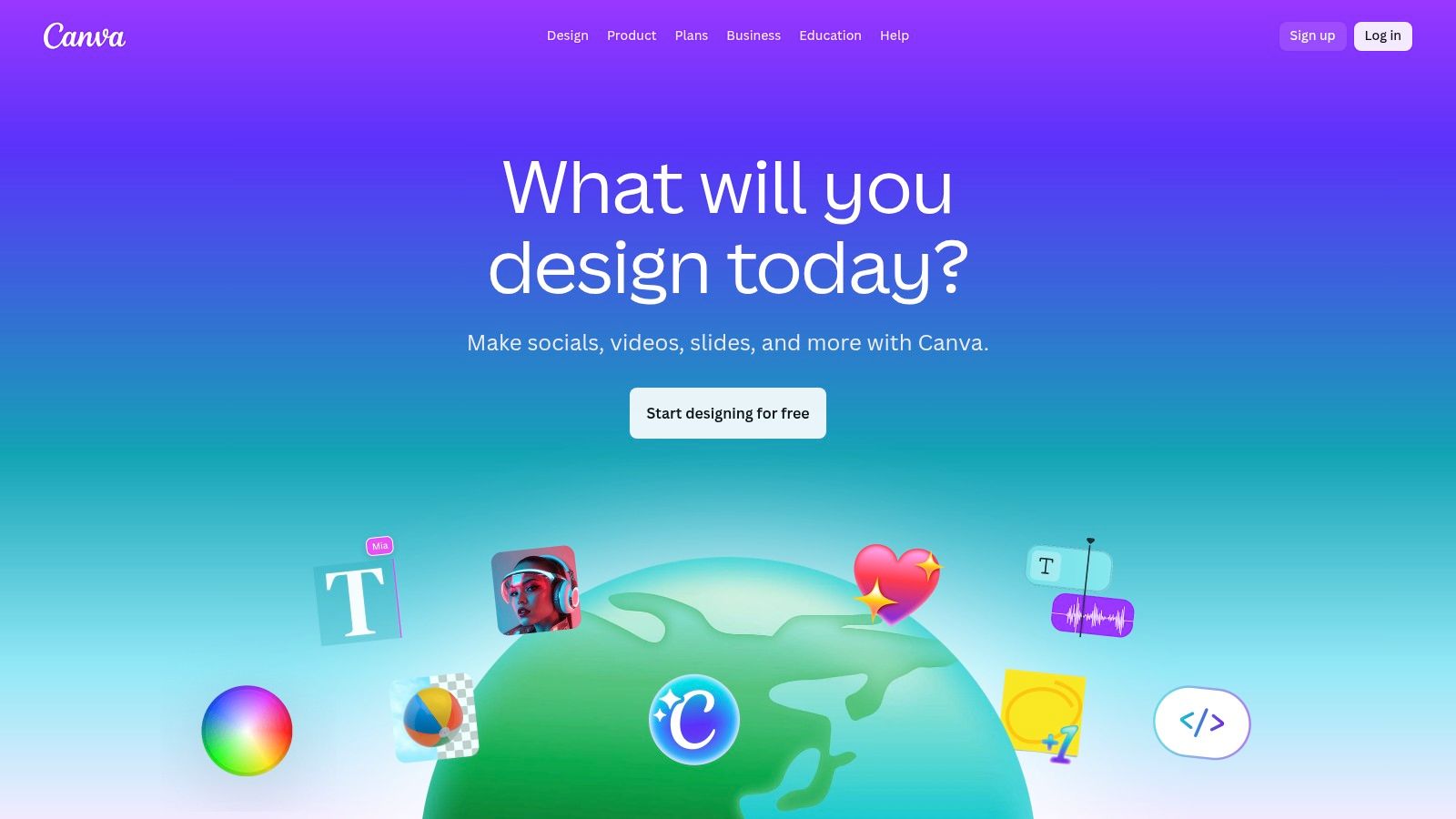
The platform is built around a massive library of customizable templates and a drag-and-drop editor that simplifies the entire creative process. Its Magic Studio suite introduces powerful AI tools like Magic Expand, which intelligently resizes images, and Magic Media, which generates visuals from text prompts. Real-time collaboration features also allow marketing teams to comment on and approve designs directly within the project, streamlining feedback loops.
Pricing and Features
| Plan Name | Price (Monthly) | Key Features | Best For |
|---|---|---|---|
| Free | $0 | 250K+ templates, drag-and-drop editor, 1M+ free photos & graphics. | Individuals and small teams starting with design. |
| Canva Pro | $14.99 (1 person) | Everything in Free, plus Brand Kits, 100M+ premium assets, Magic Studio AI. | Solopreneurs and professionals needing premium tools. |
| Canva for Teams | $29.99 (5 people) | Everything in Pro, plus team collaboration, brand controls, reporting. | Growing businesses and agencies needing collaboration. |
Pros & Cons
Pros:
- Ease of Use: An extremely intuitive interface makes it one of the fastest content creation tools for social media.
- Vast Template Library: Quickly find a starting point for almost any social media format or campaign.
- Seamless Collaboration: Real-time commenting and editing simplify team-based content approvals.
Cons:
- Can Look Generic: Over-reliance on popular templates can make designs look unoriginal.
- Paywalled Assets: The best stock media and most powerful AI features are locked behind Pro or Teams plans.
Unique Selling Proposition
Canva’s core strength is its unparalleled combination of simplicity, speed, and a comprehensive feature set. It democratizes design by giving non-designers the tools to create professional-quality assets in minutes. For Shopify store owners looking to enhance their visuals, Canva serves as an excellent platform for turning product photos into engaging social media content. You can learn more about how it compares to other Shopify photo editor options.
Implementation Tip: Create multiple Brand Kits in Canva Pro for different product lines or seasonal campaigns on your Etsy store. This allows you to quickly switch between color palettes, font pairings, and logos to maintain a distinct and appropriate aesthetic for each marketing push.
For more information, visit the official Canva website.
4. CapCut
CapCut is the go-to video editor for creators focused on vertical, short-form content for platforms like TikTok, Instagram Reels, and YouTube Shorts. Its strength lies in a mobile-first design that prioritizes speed and trend-focused features, making it incredibly simple to produce engaging videos with minimal effort. For a Shopify merchant, this means quickly turning raw product clips into a viral-style video complete with trending audio, auto-captions, and dynamic effects directly from their phone.

The platform offers powerful, AI-driven tools like one-click background removal and motion tracking that are typically found in more complex software. With cross-platform availability on mobile, desktop, and web, users can start a project on one device and finish on another, thanks to its cloud-sync capabilities. This seamless workflow is ideal for creating and publishing content on the fly.
Pricing and Features
| Plan Name | Price (Monthly) | Key Features | Best For |
|---|---|---|---|
| Free | $0 | No watermark, templates, auto-captions, 1GB cloud storage. | Creators and small businesses making standard social videos. |
| Pro | Varies (approx. $7.99) | Everything in Free, plus premium effects, 100GB cloud storage, AI features. | Marketers and influencers who need advanced effects and more storage. |
Pros & Cons
Pros:
- Built for Social: Optimized for vertical video workflows and trending content styles.
- Powerful Free Version: The free offering is remarkably capable for most users.
- Cross-Device Sync: Start on mobile and seamlessly continue editing on desktop.
Cons:
- Lacks Professional Tools: Missing advanced color grading and audio mixing features of NLEs.
- Variable Pricing: Pro subscription cost can differ based on region and app store promotions.
Unique Selling Proposition
CapCut stands out by offering a near-desktop-level editing experience in a simple, mobile-centric package. Its deep integration with TikTok’s ecosystem gives users a direct line to trending templates and sounds, making it one of the most effective content creation tools for social media managers aiming for relevance and speed.
Implementation Tip: For an Etsy shop, use the "Auto Captions" feature to create text overlays for your product demonstration videos. This makes your content accessible and engaging for viewers watching with the sound off, which is common on social media feeds.
For more information, visit the official CapCut website.
5. Descript
Descript revolutionizes video and audio editing by making it as simple as editing a text document. Its core innovation is transcript-based editing, where deleting a word from the transcript automatically cuts the corresponding video or audio clip. This makes it an incredibly efficient tool for e-commerce store owners who want to repurpose long-form content like product tutorials, webinars, or customer interviews into dozens of short, engaging social media clips. For a Shopify merchant, a 30-minute product demonstration can be sliced into multiple TikToks and Instagram Reels in a fraction of the time it would take in a traditional video editor.
The platform is packed with AI-powered features designed to save time. "Studio Sound" enhances audio quality with one click, removing background noise to give your videos a professional polish. The "Filler Word Removal" feature instantly cleans up "ums" and "ahs," while its dynamic captions and screen recorder make it a comprehensive solution for creating polished, shareable video content.
Pricing and Features
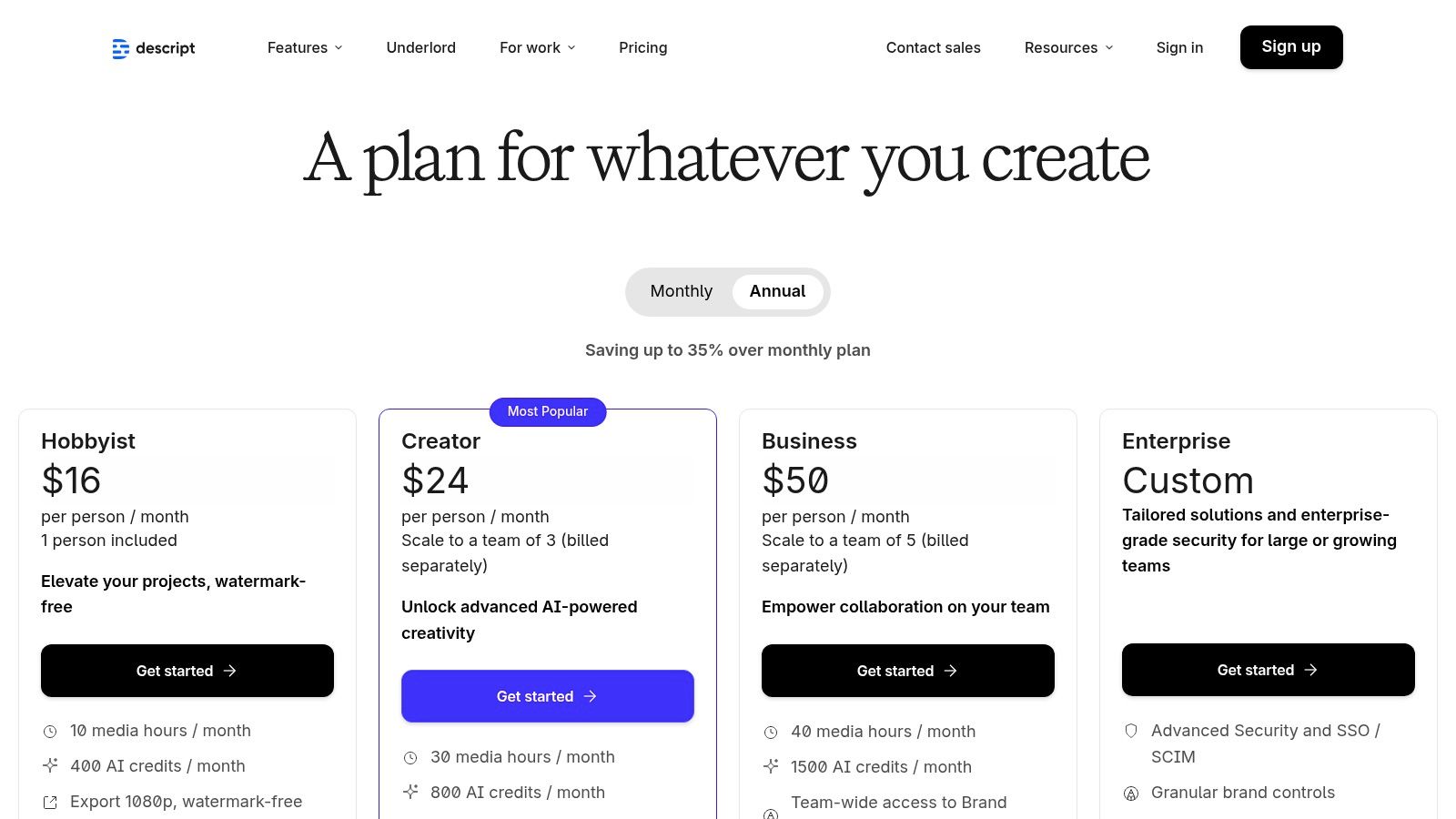
| Plan Name | Price (Monthly) | Key Features | Best For |
|---|---|---|---|
| Free | $0 | 1 hr of transcription/month, 1 watermark-free export at 720p resolution. | Individuals creating occasional short videos or testing the workflow. |
| Creator | $15 | 10 hrs of transcription/month, unlimited watermark-free exports at 4K. | Solopreneurs and content creators regularly producing social media video. |
| Pro | $30 | 30 hrs of transcription/month, Filler Word Removal, Studio Sound Pro. | Power users and small teams focused on high-volume video repurposing. |
Pros & Cons
Pros:
- Intuitive Editing: Editing video by editing text is a massive time-saver for dialogue-heavy content.
- AI-Powered Features: Studio Sound and filler word removal significantly speed up the post-production process.
- Content Repurposing: Excellent for turning one long video into multiple, perfectly-sized social media clips.
Cons:
- Atypical Workflow: Those accustomed to traditional timeline editors may face a slight learning curve.
- Resource Intensive: The desktop app can be demanding on computer resources, especially with large files.
Unique Selling Proposition
Descript’s unique selling point is its text-based approach to video editing. No other tool makes it this fast or easy to find key moments, remove mistakes, and create compelling social media clips from long-form content. This makes it one of the most effective content creation tools for social media managers focused on video.
Implementation Tip: Record a long Q&A session about your products. Upload it to Descript and use the transcript to quickly identify the best customer questions and your most compelling answers. Isolate these sections to create a series of 30-second "FAQ" videos for Instagram Stories and TikTok.
For more information, visit the official Descript website.
6. Kapwing
Kapwing is a powerful, browser-based video and image editor designed for social media teams that prioritize speed and collaboration. Its main advantage is eliminating the need for software installation, allowing creators to produce high-quality video content from any computer with an internet connection. For a remote team managing a Shopify store's social presence, this means one person can upload footage, another can add subtitles, and a manager can review and export the final TikTok or Reel without passing large files back and forth.

The platform excels at video-centric tasks crucial for social engagement, such as its best-in-class auto-subtitle generator and AI-powered dubbing tools. With presets for all major social media formats, Kapwing simplifies the process of creating and repurposing content, ensuring your videos look native to every platform. This makes it one of the most efficient content creation tools for social media managers juggling multiple accounts.
Pricing and Features
| Plan Name | Price (Monthly) | Key Features | Best For |
|---|---|---|---|
| Free | $0 | 720p exports, limited to 4-minute videos, includes watermark | Individuals creating occasional short-form videos. |
| Pro | $24 | 4K exports, no watermark, auto-subtitling, Brand Kit, AI tools | Solopreneurs and professional creators needing speed. |
| Business | $64 | Everything in Pro, plus team workspaces, consolidated billing, priority support | Marketing teams and agencies collaborating on content. |
Pros & Cons
Pros:
- True "Work From Anywhere" Editor: Fully browser-based for seamless remote collaboration.
- Easy to Learn: The intuitive interface allows new users to get started quickly.
- Solid Subtitle & Dubbing: High-quality, automated tools for social media accessibility.
Cons:
- Credit-Based AI Features: Heavy users of AI tools must monitor their credit usage or purchase more.
- Browser Performance: Very large or complex 4K video projects can sometimes cause browser lag.
Unique Selling Proposition
Kapwing’s unique strength is its combination of robust, collaborative video editing features within an entirely web-based environment. Unlike desktop software, it provides unparalleled accessibility and team-based workflows, while its AI-powered subtitling and repurposing tools are specifically tailored for the fast-paced demands of social media video content.
Implementation Tip: Use Kapwing's "Smart Cut" tool to automatically remove silences from product testimonials or tutorial videos. This instantly makes your content more engaging and fast-paced, which is critical for retaining viewer attention on platforms like TikTok and Instagram Reels.
For more information, visit the official Kapwing website.
7. DaVinci Resolve (Blackmagic Design)
DaVinci Resolve is a full-scale professional video editing suite, offering cinema-grade tools for creators who demand the highest quality for their social media content. While it’s known for its Hollywood-level color grading, its powerful editing, audio mixing (Fairlight), and VFX (Fusion) capabilities make it an end-to-end solution for producing polished Instagram Reels, TikToks, and YouTube videos. For a Shopify store owner launching a high-end product, Resolve provides the tools to create a visually stunning video ad that rivals professional productions.
The platform is built around a "page-based" workflow, separating tasks like media management, editing, color correction, and delivery into dedicated workspaces. This streamlines the post-production process, even for complex projects. When mastering video for social media in powerful tools like DaVinci Resolve, learning how to effectively reduce MP4 file size without sacrificing quality is essential; this is where understanding export settings and optimizing video file size becomes a critical skill for fast-loading, high-quality social content.
Pricing and Features
| Plan Name | Price (Monthly) | Key Features | Best For |
|---|---|---|---|
| Free | $0 | Professional editing, color, VFX, and audio tools up to 60fps in Ultra HD. | Most creators and small businesses needing pro-level social videos. |
| Studio | $295 (One-time) | Everything in Free, plus AI tools, 120fps 32K resolution, advanced HDR. | Professional videographers and agencies requiring advanced features. |
Pros & Cons
Pros:
- Industry-Standard Tools: Unmatched color grading and professional audio tools in a free package.
- All-in-One Workflow: Eliminates the need to switch between different applications for editing, color, and VFX.
- Highly Capable Free Version: The free offering is more powerful than many paid competitors.
Cons:
- Steep Learning Curve: Significantly more complex than template-based editors like CapCut or Express.
- Hardware Intensive: Requires a powerful computer to run smoothly, especially for 4K workflows.
Unique Selling Proposition
DaVinci Resolve stands out by offering a complete, Hollywood-caliber post-production suite for free. No other content creation tool provides this level of professional polish, especially in color grading and audio finishing, without a subscription. It is the go-to for creators who have outgrown basic editors and want to elevate their video content to a cinematic standard.
Implementation Tip: When creating an Instagram Reel or TikTok, start your project with the correct vertical aspect ratio (1080×1920) in the project settings. Use the "Dynamic Zoom" feature on the Edit page to create engaging Ken Burns-style movement on static product shots, adding a professional touch without complex keyframing.
For more information, visit the official DaVinci Resolve website.
8. LumaFusion
LumaFusion is a powerhouse video editor designed for creators who demand professional-level features within a mobile-first workflow. It transforms an iPhone or iPad into a multi-track editing suite, perfect for social media managers or e-commerce store owners who shoot and edit high-quality video content on the go. For a Shopify seller filming product demos or behind-the-scenes footage, this means creating cinematic 4K Instagram Reels or YouTube Shorts directly on their device without transferring files to a desktop.
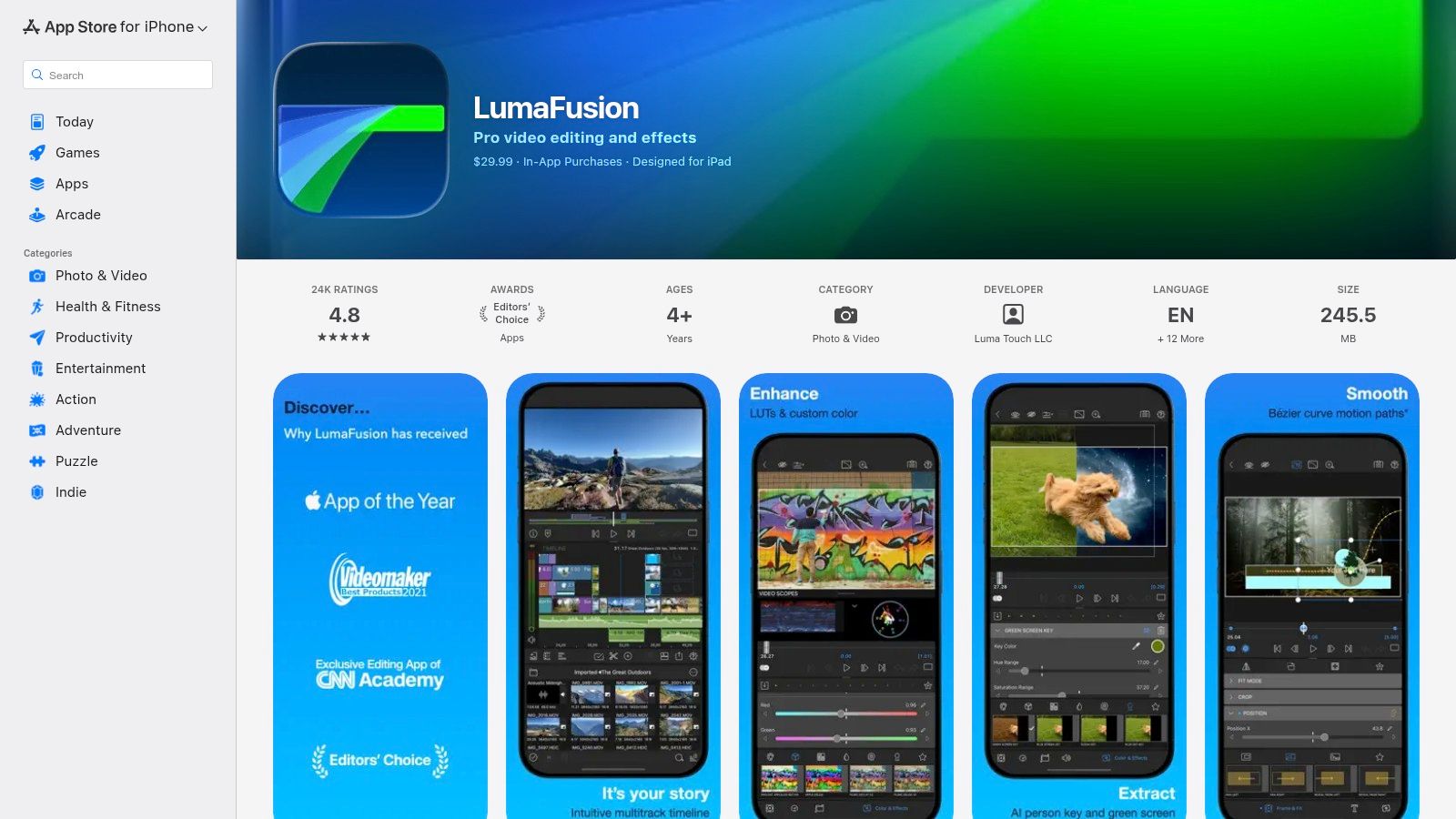
The app's strength lies in its robust, touch-based timeline that supports multiple video and audio tracks, advanced keyframing, and professional tools like a built-in stabilizer and chroma key for green screen effects. Its optimization for Apple silicon ensures buttery-smooth performance even with 4K HDR media. The ability to export FCPXML project files also allows for a flexible workflow, starting an edit on an iPad and finishing it in Final Cut Pro on a Mac.
Pricing and Features
| Plan Name | Price (One-Time) | Key Features | Best For |
|---|---|---|---|
| LumaFusion | $29.99 | Multi-track timeline, keyframing, stabilizer, 4K/HDR support, FCPXML export. | Mobile-first creators and professionals needing robust editing on iOS/macOS. |
| Add-Ons | Varies | Advanced features like Multicam Studio (in-app purchase). | Users requiring specialized, professional-grade video editing capabilities. |
Pros & Cons
Pros:
- Pro-Level Mobile Editing: Unmatched professional features in a mobile application.
- One-Time Purchase: Excellent value for a comprehensive core editing suite without a subscription.
- Optimized Performance: Fast and responsive, especially on modern Apple devices.
Cons:
- Apple Ecosystem Only: Not available for Android or Windows users.
- Steeper Learning Curve: More complex than template-based video apps like CapCut.
Unique Selling Proposition
LumaFusion stands out by offering a near-desktop-class editing experience on a mobile device. It is the go-to tool for serious videographers and content creators who refuse to compromise on quality or control, even when working away from a traditional editing bay. The one-time purchase model makes it an accessible yet powerful investment for long-term use.
Implementation Tip: Use LumaFusion to edit customer testimonial videos or product unboxings filmed on your iPhone. Apply color correction presets and add your store’s logo as a watermark to create a consistent, high-quality video style for your brand’s TikTok or Instagram feed.
For more information, visit the official LumaFusion App Store page.
9. Envato Elements
Envato Elements acts as a vast digital library for social media creators who need a constant supply of high-quality assets. Instead of purchasing items individually, it offers a subscription model for unlimited downloads, covering everything from video templates and stock footage to music tracks and presentation themes. For an Etsy seller creating a promotional video for their handmade goods, this means they can download a professional After Effects template, background music, and stylish fonts, all under one simple license without worrying about individual costs.
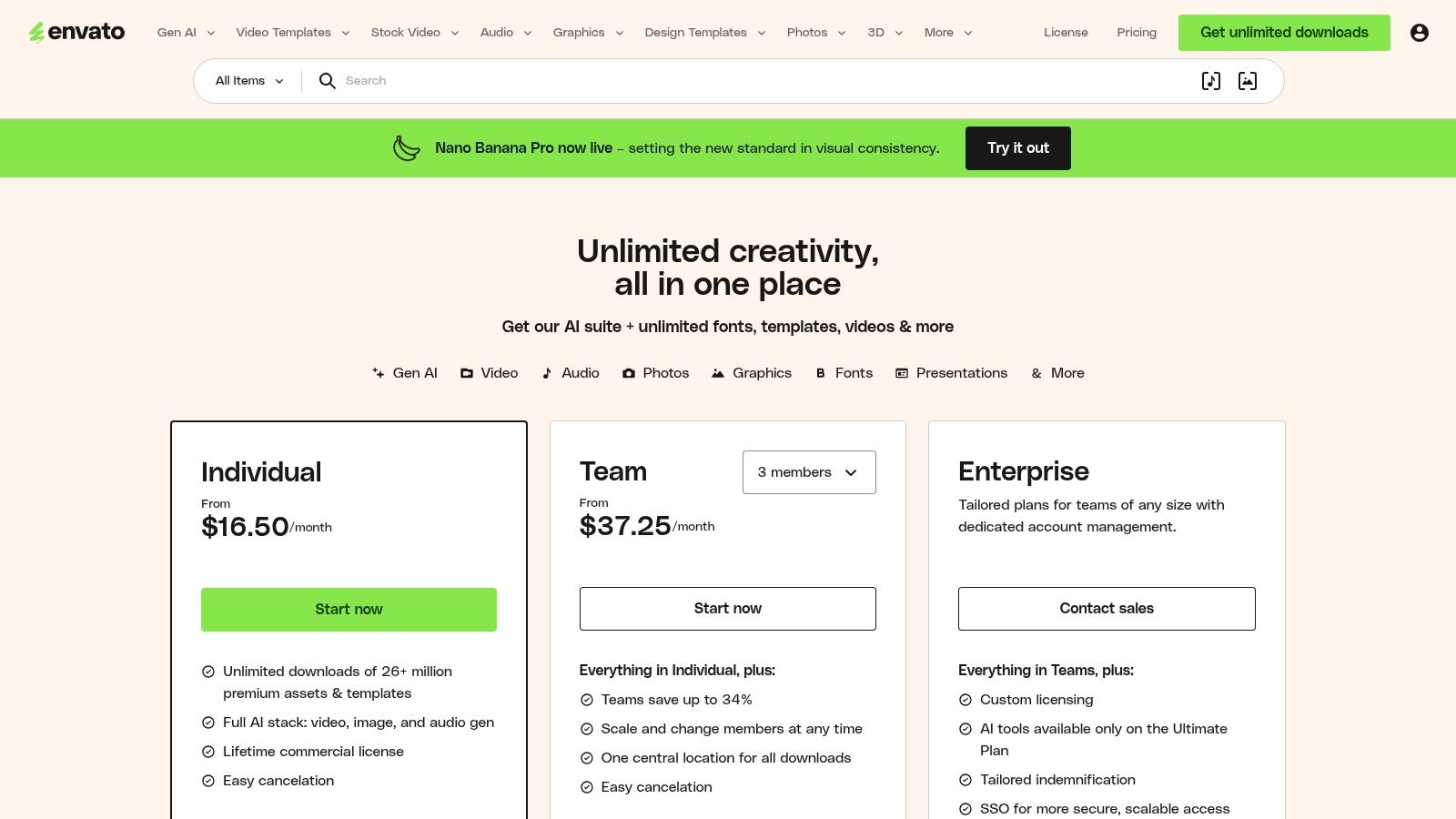
The platform’s core value is its sheer volume and variety, providing over 26 million assets that cater to nearly any creative need. The simple commercial license for every downloaded item provides peace of mind, ensuring that assets used in social media campaigns are legally covered for commercial use. This makes it an indispensable resource for agencies and freelancers managing multiple client accounts with diverse aesthetic requirements.
Pricing and Features
| Plan Name | Price (Monthly) | Key Features | Best For |
|---|---|---|---|
| Individual | $16.50 | Unlimited downloads of 26M+ creative assets, simple commercial license. | Solopreneurs, freelancers, and small businesses with consistent content needs. |
| Teams | from $10.75/user | Everything in Individual, plus team management and shared asset folders. | Creative agencies and marketing teams needing collaborative access. |
Pros & Cons
Pros:
- Incredible Value: A single subscription covers an extensive range of creative asset types.
- Simple Licensing: Clear commercial licensing simplifies usage rights for marketing content.
- Huge Variety: Massive library of video templates, stock media, and design elements.
Cons:
- Variable Quality: Asset quality can differ significantly between different creators.
- Overwhelming Choice: Finding the perfect asset can be time-consuming due to the sheer volume.
Unique Selling Proposition
Envato Elements stands out by offering a comprehensive, "all-you-can-eat" subscription for a wide array of creative assets. Unlike platforms that specialize in just stock photos or video, it provides a one-stop solution for nearly every component of a social media content strategy, making it one of the most cost-effective content creation tools for social media for prolific creators.
Implementation Tip: Create dedicated collections within Envato Elements for your Shopify store’s different product lines or marketing campaigns. Save specific video templates, graphic styles, and font pairings to these collections to quickly produce cohesive and on-brand content for Instagram Reels or TikToks.
For more information, visit the official Envato Elements website.
10. Creative Market
Creative Market isn't a singular tool but a vast marketplace where independent creators sell high-quality design assets. For social media managers and e-commerce store owners, it's an invaluable resource for acquiring unique social media templates, custom fonts, graphics, and mockups that break away from the generic look of mainstream design apps. If you're an Etsy seller wanting a truly one-of-a-kind Instagram Story template or a Shopify store needing a specific font to define your brand, this is where you find it through one-off purchases.
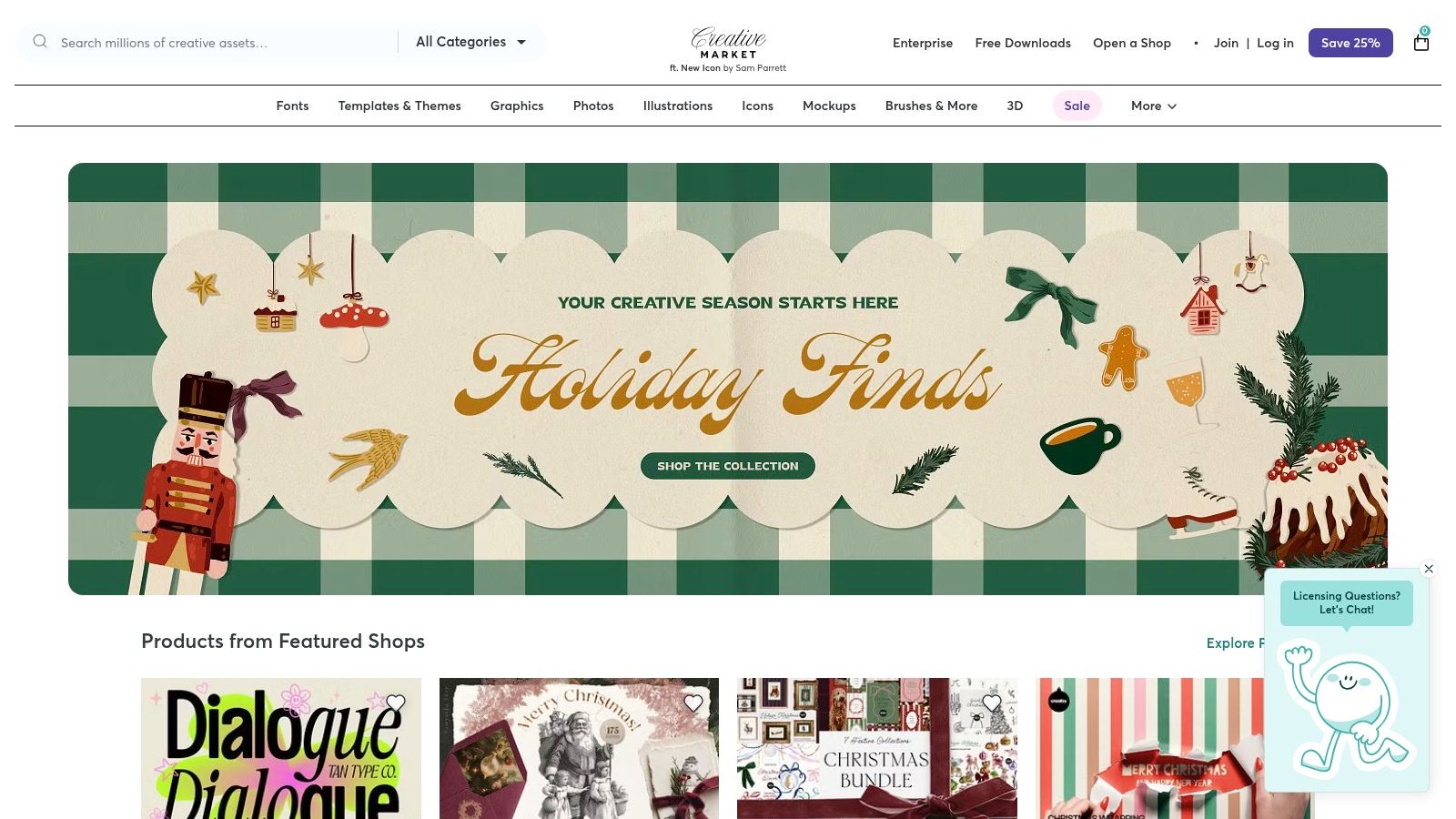
Unlike subscription-based services, Creative Market operates on a per-product licensing model, giving you more control over your budget. This platform is a key part of many content creation tools for social media workflows, providing the foundational assets that are then customized in platforms like Canva or Adobe Express. It empowers brands to build a distinct visual identity without needing to design everything from scratch.
Pricing and Features
| Plan Name | Price (Monthly) | Key Features | Best For |
|---|---|---|---|
| Per-Asset Purchases | Varies by asset | One-time payment for individual products, Standard and Extended commercial licenses available, Access to millions of unique design assets. | Businesses needing specific, high-quality assets without a recurring subscription. |
Pros & Cons
Pros:
- One-Off Purchases: Pay only for what you need, avoiding subscription fatigue.
- Unique Variety: Access to niche styles and handcrafted designs not found in large, standardized libraries.
- Directly Supports Creators: Your purchases directly fund independent designers.
Cons:
- License Management: Buyers must carefully check the license terms for each asset for commercial use.
- Variable Quality: As a marketplace, the quality and usability can vary between different creators.
Unique Selling Proposition
Creative Market's unique selling proposition is its model as a curated, creator-driven marketplace. It offers unparalleled diversity in design style, allowing brands to purchase and own unique assets that set their social media content apart from competitors who rely on the same pool of subscription-based templates.
Implementation Tip: Before purchasing, check the file types included with a template (e.g., .PSD for Photoshop, .AI for Illustrator, or Canva links). This ensures the asset is compatible with the design software you already use, allowing for a seamless integration into your content creation process.
For more information, visit the official Creative Market website.
11. Motion Array
Motion Array is an all-in-one digital asset library built for video creators who need to produce high-quality content quickly and efficiently. Its strength lies in providing a massive, subscription-based catalog of templates, stock footage, royalty-free music, and sound effects specifically designed for professional editing software. For a Shopify store owner creating a product demo Reel, this means having access to thousands of pre-made After Effects templates or Premiere Pro transitions that can elevate a simple video into a dynamic, engaging social media asset.
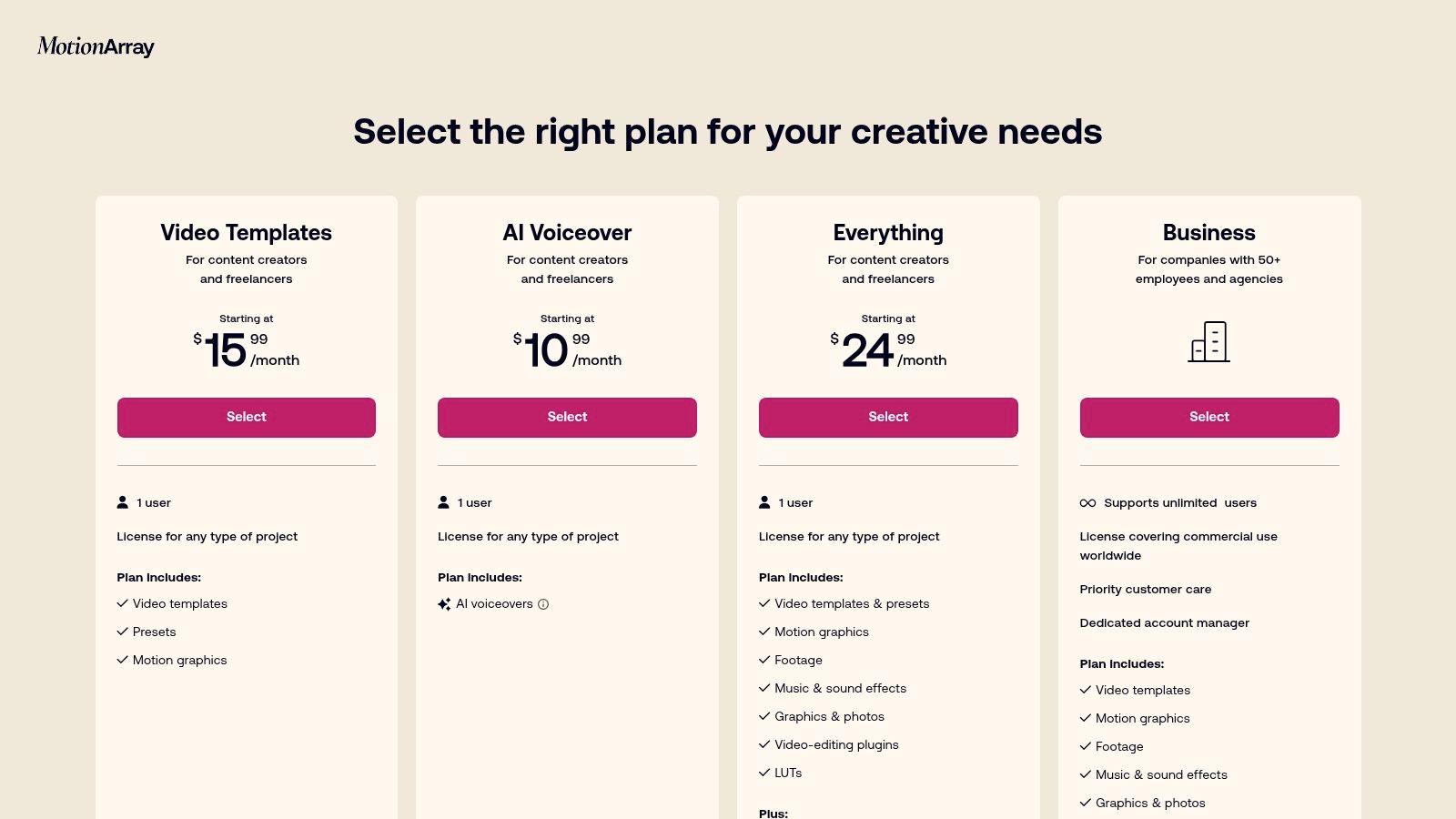
Beyond its core library, Motion Array offers practical plugins and tools like an AI voice generator, which can quickly create narration for explainer videos or product tutorials. The platform’s unlimited download model is a key advantage, empowering creators to experiment with different assets without worrying about per-item costs, making it a valuable resource in the toolkit of any serious video content creator.
Pricing and Features
| Plan Name | Price (Monthly) | Key Features | Best For |
|---|---|---|---|
| Annual | $19.99 | Unlimited downloads, 1M+ assets, plugins & tools, simple universal license. | Frequent video creators and agencies needing a constant asset supply. |
| Monthly | $29.99 | Everything in Annual, with the flexibility of a monthly subscription. | Individuals or businesses with short-term or fluctuating project needs. |
| Team | $37.50/member | Everything in Annual, plus team management and shared billing. | Creative teams and marketing departments collaborating on video projects. |
Pros & Cons
Pros:
- Comprehensive Video Assets: An extensive library of templates, footage, and music tailored for video editors.
- Simple Licensing: The universal license covers most commercial and social media uses without complex restrictions.
- Unlimited Downloads: Encourages creative freedom and experimentation with a flat-rate subscription.
Cons:
- Requires Editing Software: Assets are meant for use in programs like Premiere Pro or DaVinci Resolve, not a standalone editor.
- Variable Asset Quality: The vast library contains assets of varying quality, requiring some curation to find the best ones.
Unique Selling Proposition
Motion Array stands out by being a dedicated one-stop shop for professional video editors. While other stock sites offer a bit of everything, Motion Array focuses exclusively on the tools and assets that accelerate video production workflows, from motion graphics templates to LUTs and presets. This specialized focus makes it an indispensable subscription for anyone consistently producing video content for social media.
Implementation Tip: When creating a promotional video for an Etsy craft, search Motion Array for a "Handmade" or "Craft" themed Premiere Pro template. Use the included placeholders to drop in your product clips, customize the text with your brand's font, and add a track from the royalty-free music library to create a professional-grade video in a fraction of the time.
For more information, visit the official Motion Array website.
12. Epidemic Sound
Epidemic Sound solves one of the biggest headaches for social media video creators: finding high-quality, royalty-free music and sound effects that won’t get your content flagged or demonetized. It provides a massive library of tracks specifically licensed for use on platforms like YouTube, Instagram, and TikTok. For an e-commerce brand creating a product showcase Reel or a behind-the-scenes TikTok, this means adding a professional audio track without worrying about copyright strikes that could harm their account's standing.
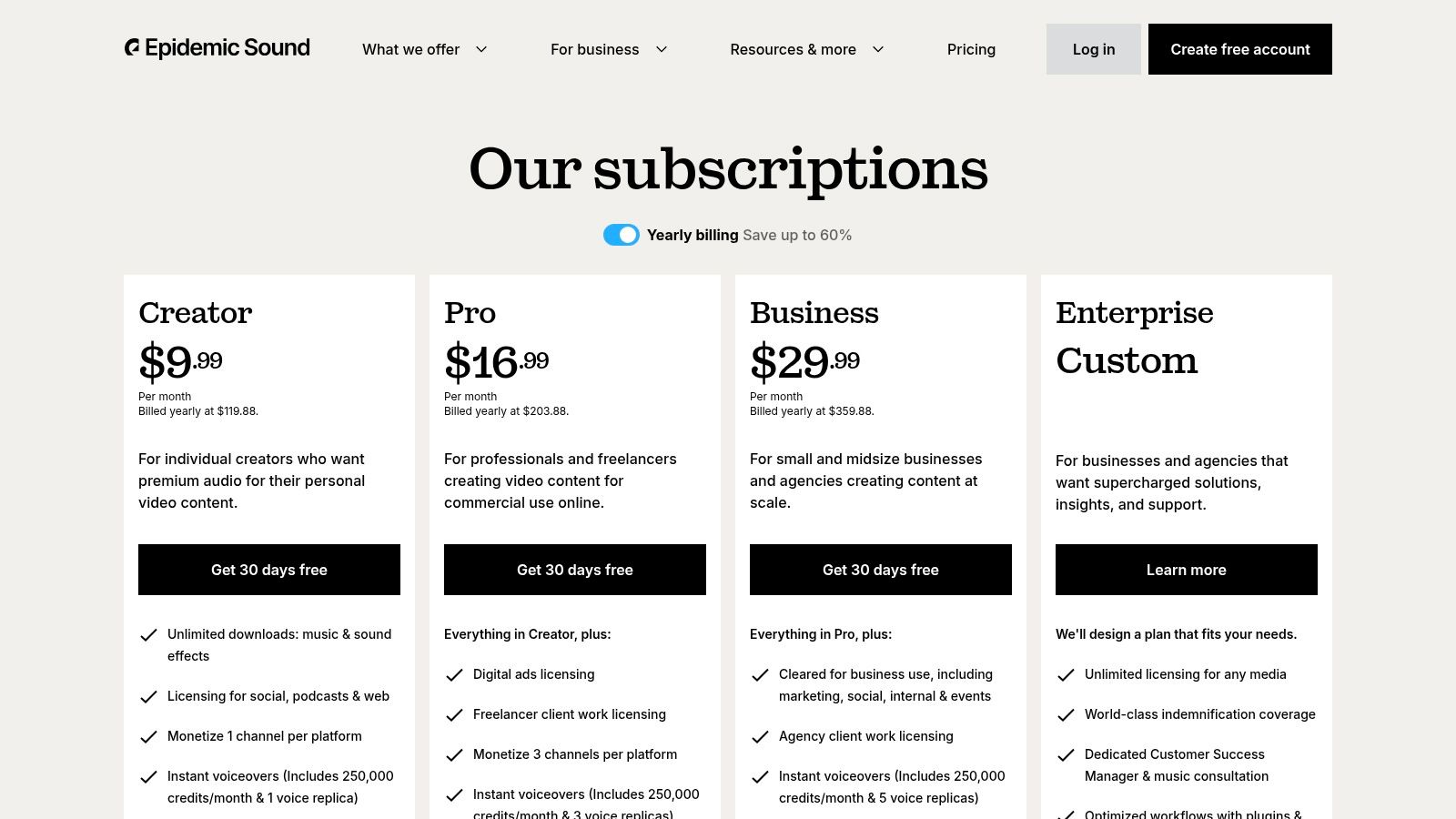
The platform's key strength is its simple yet comprehensive licensing model. An active subscription allows you to "clear" your social channels, protecting any video published during that time from future claims, even if you later cancel. Furthermore, many tracks offer "stems," which are separate instrumental and vocal tracks, giving video editors granular control to perfectly match the audio to their visuals.
Pricing and Features
| Plan Name | Price (Monthly) | Key Features | Best For |
|---|---|---|---|
| Personal | $14.99 | Unlimited downloads, use on 1 channel per platform, monetization on YouTube. | Individual creators and influencers. |
| Commercial | $29.99 | Everything in Personal, plus use on 3 channels per platform, monetization of client content, and use in digital ads. | Freelancers, agencies, and small businesses running paid social media ads. |
Pros & Cons
Pros:
- Worry-Free Licensing: Simple channel clearing system protects your content from copyright claims on major platforms.
- High-Quality, Diverse Catalog: Extensive library of music and sound effects across countless genres and moods.
- Useful Editing Tools: Access to stems (instrumental/vocal tracks) allows for more creative and professional video editing.
Cons:
- Subscription-Dependent: Licensing protection only applies to content published while you have an active subscription.
- Ad Use Requires Higher Tier: Running paid social media ads with their music requires the more expensive Commercial plan.
Unique Selling Proposition
Epidemic Sound's unique value is its "set it and forget it" approach to music licensing for social media. By connecting your channels directly, it automates the copyright clearance process, making it one of the most reliable content creation tools for social media managers who need to produce video content at scale without legal risks.
Implementation Tip: Before launching a new product on your Shopify store, create a short-form video campaign for Instagram Reels and TikTok. Use Epidemic Sound to find a trending audio style and download the stems. Layer the instrumental track under your voiceover explaining the product, then bring in the full vocal track during the final call-to-action for maximum impact.
For more information, visit the official Epidemic Sound website.
Top 12 Social Media Content Tools — Feature Comparison
| Tool | Core features | UX / Quality ★ | Price & Value 💰 | Target audience 👥 | Standout ✨ |
|---|---|---|---|---|---|
| ProdShot 🏆 | AI background removal, batch ZIP, upscaler, resizer, marketplace integrations | ★★★★☆ | 💰 Free trial → usage-based plans | 👥 Sellers, agencies, creators, retailers | ✨ AI-tuned e‑commerce edits; 3‑step fast workflow |
| Adobe Express | Templates, 1‑click resize, Firefly AI, scheduler | ★★★★☆ | 💰 Free tier; premium via Adobe subscription/credits | 👥 Social marketers, small teams | ✨ Template library + Firefly integration |
| Canva | Massive templates, collaboration, stock media, Magic AI | ★★★★☆ | 💰 Free + Pro/Business subscriptions | 👥 Individuals, teams, marketers | ✨ Huge template + Magic AI toolkit |
| CapCut | Vertical video editor, auto-captions, effects, cloud sync | ★★★★☆ | 💰 Free core; Pro varies by region | 👥 Short‑form creators (TikTok/Reels) | ✨ Mobile-first, fast vertical workflows |
| Descript | Transcript-based editing, Overdub, Studio Sound | ★★★★☆ | 💰 Free + paid tiers (add-on transcription hrs) | 👥 Podcasters, tutorial & long-form repurposers | ✨ Edit via transcript; AI voice cloning |
| Kapwing | Browser editor, auto-subtitles/dubbing, team workspaces | ★★★★☆ | 💰 Free limited; Pro subscription/credit packs | 👥 Remote teams, quick editors | ✨ True web-based collaboration & AI tools |
| DaVinci Resolve | NLE + color grading (Fairlight, Fusion), pro finishing | ★★★★★ | 💰 Powerful free; Studio paid for advanced AI | 👥 Professional editors, colorists | ✨ Industry-leading color & finishing |
| LumaFusion | Multi-track mobile editor, keyframing, FCPXML export | ★★★★☆ | 💰 One-time app purchase (+ in-app extras) | 👥 iOS/mobile creators & pros on‑the‑go | ✨ Pro-level mobile timeline & export |
| Envato Elements | Unlimited downloads: templates, stock, music, fonts | ★★★★ | 💰 Subscription (unlimited downloads) | 👥 Designers, agencies needing assets | ✨ Massive asset library + commercial license |
| Creative Market | Marketplace for templates, fonts, mockups; per-item licensing | ★★★★ | 💰 One-off purchases; Standard/Extended licenses | 👥 Designers seeking unique/indie assets | ✨ Unique creator styles; flexible licensing |
| Motion Array | Templates, stock footage, plugins, NLE presets | ★★★★ | 💰 Subscription unlimited downloads | 👥 Video editors & production teams | ✨ NLE templates + plugin/preset hub |
| Epidemic Sound | Music & SFX, stems, platform clearance/licensing | ★★★★★ | 💰 Subscription (Creator/Pro tiers) | 👥 Monetized creators, advertisers | ✨ Platform-friendly licensing & stems |
Building Your Ultimate Social Media Content Stack
Navigating the crowded landscape of content creation tools for social media can feel overwhelming, but the journey from good to great content is all about strategic selection and integration. The tools we’ve explored, from the AI-powered efficiency of ProdShot to the comprehensive video editing suite of DaVinci Resolve, are not just isolated solutions; they are potential components of a powerful, interconnected content engine. The goal isn't to use every tool available but to assemble a curated "stack" that aligns perfectly with your brand's unique needs, budget, and workflow.
Think of your content stack as a specialized team. At the foundation, you need a reliable source of high-quality product visuals. This is where a tool like ProdShot becomes indispensable for e-commerce sellers on Shopify or Etsy, transforming basic product photos into professional, studio-quality images in seconds. This foundational step ensures every subsequent piece of content, from a simple Instagram story to a detailed product carousel, starts with a visually stunning and conversion-focused asset.
How to Choose Your Core Tools
Selecting the right combination of content creation tools for social media depends on three key factors: your content format, your skill level, and your desired scale.
-
Define Your Primary Content Format: Are you focused on short-form video like TikToks and Reels? Then your priority should be a powerful yet intuitive video editor like CapCut or Descript. If your strategy leans heavily on static images, infographics, and carousels, a design platform like Canva or Adobe Express will be your daily workhorse.
-
Be Realistic About Your Skill Level: While professional-grade software like DaVinci Resolve offers unparalleled control, it also comes with a steep learning curve. If you're a solo entrepreneur or a small team, choosing tools known for their user-friendly interfaces and template libraries, such as LumaFusion or Canva, will deliver faster results and prevent creative bottlenecks. Your stack should empower you, not intimidate you.
-
Consider Your Production Scale: How much content do you need to produce weekly? For high-volume creation, efficiency is paramount. Integrating a specialized tool like ProdShot to automate product image generation, using a scheduler to plan posts, and leveraging asset libraries like Envato Elements or Motion Array for templates and stock media can dramatically accelerate your pipeline without sacrificing quality.
Integrating Your Stack for a Seamless Workflow
The true power of your toolkit is realized when the individual tools work together seamlessly. A common and effective workflow for an e-commerce brand might look like this:
- Step 1 (Asset Generation): Use ProdShot to create a batch of 10-20 high-quality, on-brand product images with various backgrounds and scenes.
- Step 2 (Graphic Design): Import these polished images directly into Canva to design a week's worth of Instagram posts, stories, and Facebook ads using pre-made templates.
- Step 3 (Video Creation): Use CapCut to stitch those same product images and short video clips into a dynamic Reel, adding trending audio from a subscription service like Epidemic Sound.
- Step 4 (Scheduling & Analysis): Upload all finished assets into a social media management platform to schedule them for optimal posting times and later track their performance.
This integrated approach transforms a series of disconnected tasks into a streamlined, repeatable process. By selecting complementary content creation tools for social media, you build a system that saves time, maintains brand consistency, and ultimately drives better results. To further expand your toolkit, dive into our curated list of the 12 Best Content Creation Tools to Master in 2025. The right stack is your competitive advantage, enabling you to produce professional-grade content at the speed the modern digital landscape demands.
Ready to elevate your product visuals and build the foundation of your content stack? ProdShot empowers you to create stunning, studio-quality product photos in seconds using AI, eliminating the need for expensive photoshoots. Transform your social media feed and product listings today by visiting ProdShot and see how easy professional content creation can be.