
If you want to improve your click-through rates (CTR), you have to make your product listings, ads, or emails the most compelling choice in a sea of options. It's about combining scroll-stopping visuals with persuasive copy and making sure you're hitting the right audience so your message clicks instantly.
Understanding What Truly Drives Clicks in E-Commerce
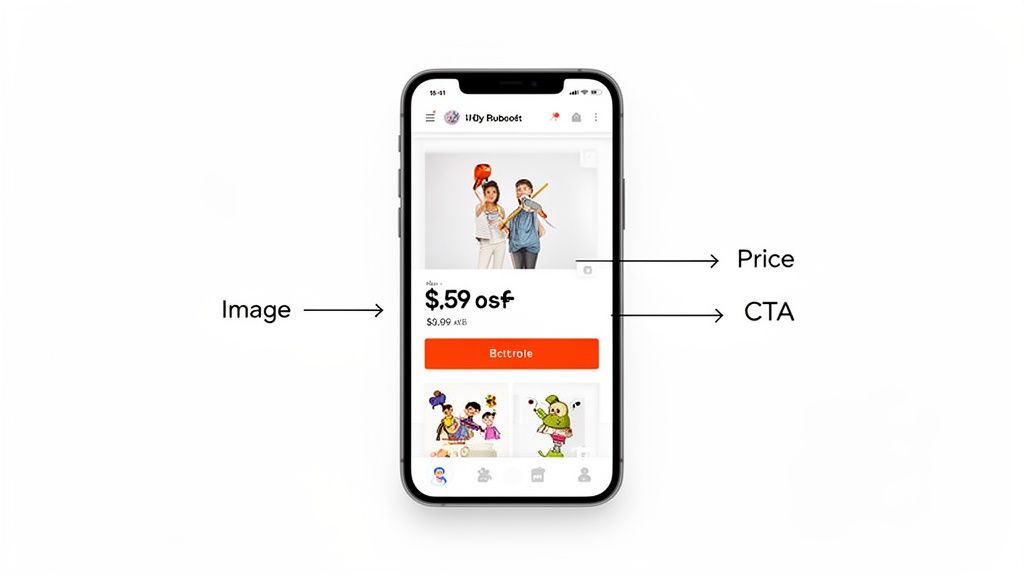
Before you start tweaking headlines or running A/B tests, you need to get inside the mind of a shopper. In e-commerce, a click isn't just an action; it's a split-second decision based on trust, desire, and clarity. A high CTR is a strong signal that what you're offering is perfectly aligned with what a potential customer is searching for at that very moment.
Let's be real: the modern digital marketplace—whether it's Amazon, Shopify, or a Google search—is a visual battleground. Shoppers make snap judgments based almost entirely on your main product image. Getting that visual right is the first and most critical hurdle to earning that click.
The Shifting Landscape of User Clicks
The way people interact with search results is always in flux. Things like AI-generated summaries and featured snippets have really changed the game. For instance, recent data showed that Google's featured snippets could slash the CTR for the top organic spot by as much as 20-30%.
But it's not all bad news for e-commerce. A positive trend has been the first-position mobile results, which saw a 2.42 percentage point increase in CTR. This tells us that shoppers with high intent are more likely to click through when they're on their phones. It really drives home how important it is to have compelling titles and descriptions that scream value.
What this all means is that simply ranking high isn't enough anymore. Your listing has to stand out and communicate its unique value in an instant.
Why Visuals and Clarity Come First
Think about how you shop online. When you search for a "blue ceramic coffee mug," you don't read every single title first, do you? You scan the images. Your eyes naturally gravitate to the photos that are bright, clear, and help you picture yourself using the product.
A click is a micro-commitment. A customer is essentially saying, "You've earned a few seconds of my attention because your offer looks more promising than the others." That initial promise is almost always made visually.
This is why a simple, honest audit of your current listings is the best place to start. Put yourself in your customer's shoes and ask a few direct questions:
- Does my main image immediately show what my product is and who it's for?
- Is my headline clear and benefit-driven, or just a jumble of keywords?
- Side-by-side with my top competitors, does my listing look more professional and trustworthy?
Answering these honestly will point you straight to the low-hanging fruit—the biggest opportunities for a quick win. If you're looking for a deeper dive, check out this excellent guide on boosting your SEO CTR. Getting these fundamentals right is what sets the stage for the more advanced tactics we’ll get into next.
Turning Your Product Photos Into Click Magnets
In a crowded online marketplace, your product images aren't just pictures. They’re your digital storefront, your silent salesperson, and frankly, your single best tool for earning that all-important click.
The first impression is almost always visual. A killer photo can stop a potential customer mid-scroll, making it the most critical piece of the puzzle in your quest for a better click-through rate.
Think about it from a customer's perspective. When they search on Amazon or Google Shopping, they see a wall of options. What makes one stand out? Before they ever read your carefully crafted title or description, they judge the image. A blurry, poorly lit, or boring photo immediately signals low quality and a lack of professionalism, subconsciously pushing them toward your competitors.
On the other hand, a crisp, vibrant image that shows the product in context builds instant trust. It helps the customer feel what it's like to own it. It's the difference between showing a pair of headphones on a sterile white background and showing someone happily jogging with them, clearly lost in their music. One shows a product; the other sells an experience.
From Smartphone Snap to Professional Shot
Here's the good news: you don't need a high-end DSLR and a professional studio to create click-worthy images anymore. The camera in your pocket is more than powerful enough if you nail the fundamentals.
Good lighting is non-negotiable. Natural light from a window is often your best and cheapest option. Seriously, just move your setup next to a window and see the difference it makes.
Always shoot from multiple angles. A potential customer wants to see the front, back, side, and any unique details. If you're selling a handbag, show the clasp, the interior lining, and the texture of the material up close. These shots answer questions visually and remove the friction that keeps people from clicking.
“The goal of a product photo isn't just to show what a product looks like. It's to evoke a feeling and answer a potential customer's unasked questions. A great image builds enough confidence to make the click feel like the next logical step.”
Once you have these basic shots, the real magic begins with editing. This is where AI-powered tools have completely changed the game, especially for sellers on a budget.
Using AI for a Competitive Edge
Let's be real—most small retailers and solo entrepreneurs can't afford professional photoshoots. This is where AI-driven image tools become a powerful equalizer. Platforms like ProdShot can take a simple smartphone photo and instantly transform it into something polished and ready to convert.
This goes way beyond slapping on a simple filter. These AI tools can:
- Remove and Replace Backgrounds: Instantly drop your product into a lifestyle setting, onto a clean white background for marketplace rules, or within a custom branded scene.
- Improve Lighting and Color: Automatically fix poor lighting, make colors pop, and ensure your product looks true-to-life.
- Add Realistic Shadows: Create depth and professionalism by adding natural-looking shadows that make the product feel tangible and real.
Imagine taking a basic photo of a skincare bottle on your kitchen counter. With a few clicks, that same bottle is now sitting on a marble surface next to fresh botanicals. No design skills needed. Here's a perfect example of how AI can turn a simple image into something that actually grabs attention.
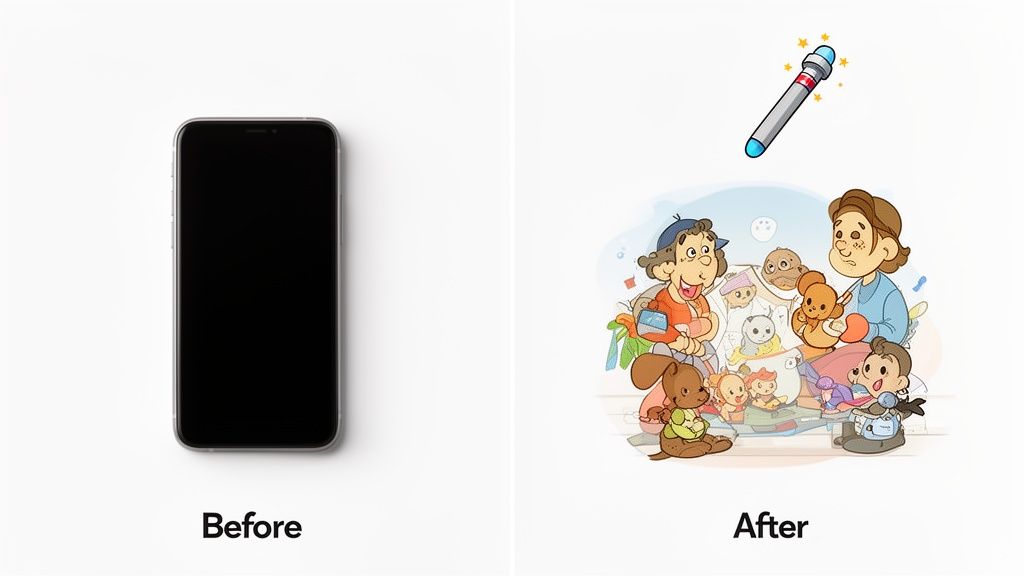
The "after" image isn't just better—it tells a story. It creates an emotional connection, which is exactly what you need to stop the scroll and earn that click. You can get started with a tool like an AI product photo generator to see just how accessible this technology has become.
The Power of Visual Context
The data doesn't lie: visuals are a massive lever for improving click-through rates. Just look at Product Listing Ads (PLAs), which consistently hit higher CTRs than standard text ads—often in the 3% to 6% range.
The difference between a 3% and a 6% CTR is huge. On 10,000 impressions, that's 300 extra clicks. For a small business, that's a game-changer. Using AI tools to create polished visuals is no longer just a nice-to-have; it's a practical strategy to compete with much larger brands.
It’s also crucial to know when to use different types of images.
- Product-on-White (POW): This should be your primary thumbnail. It's clean, often required by marketplaces like Amazon, and makes it easy for shoppers to compare products at a glance.
- Lifestyle Shots: These are your conversion powerhouses. Use them as secondary images to show your product in action. A coffee maker looks so much more appealing brewing on a cozy kitchen counter than it does floating in a white void.
- Infographics: These are a mix of images and text that call out key features, dimensions, or materials. They’re fantastic for communicating important info quickly and visually.
By strategically combining these image types, you build a compelling visual story that not only catches the eye but also educates and persuades. That's how you win the fight for the click.
Writing Headlines and Descriptions That Actually Convert
Once your killer product photo stops the scroll, your words have to do the heavy lifting. The headline and description are what turn a casual glance into an interested click. This isn't just about stuffing in keywords; it's about telling a story that connects with what your customer actually wants and needs.
Think of it this way: your image creates the initial spark of attraction. The text you write builds the confidence and gives them the logical reasons they need to take the next step. It's a classic one-two punch for earning that click.
Sell the Benefit, Not Just the Feature
This is probably the most common mistake I see sellers make. They get so caught up in the technical specs that they forget what the customer is really buying. A customer doesn't just want a "waterproof jacket"; they want the peace of mind of "staying dry and comfortable on their hike." They aren't buying a "lithium-ion battery"; they're buying "all-day power so they never miss a moment."
Always frame your copy around the outcome for the customer. Before you type a single word, ask yourself, "What problem does my product solve?" or "What desire does it fulfill?" That answer needs to be front and center in your headline.
- Feature: 100% Organic Cotton Baby Onesie
- Benefit: Keep Your Baby Safe and Comfy in a Rash-Free, All-Natural Fabric
Making this simple shift in perspective is huge. It connects with the customer on an emotional level, and that’s what drives a much higher click-through rate.
Master the Action-Oriented Headline
Your headline has one job: get the click. Using strong, action-oriented verbs is a proven way to make that happen. Things like ad copy optimization aren't just buzzwords; they have a real, quantifiable impact on your CTR.
In fact, simply using verbs like 'Get,' 'Save,' and 'See' has been shown to boost CTR by more than 20% compared to more passive language. Just look at Google Search Ads, where the average CTR is 6.66%. High-performing niches like Arts & Entertainment can hit 13.1%, which proves that aligning your copy with your audience's intent is absolutely critical. Want to dive deeper? Exploring what makes a good CTR can help you understand these benchmarks better.
The best headlines make a clear promise. They tell the reader exactly what they're going to get by clicking. This removes any guesswork and makes their decision to click feel easy and obvious.
For example, don't just say "High-Quality Leather Wallet." Try something more compelling like, "Get the Slim Wallet That Protects Your Cards and Lasts a Lifetime." It’s packed with benefits (slim design, protection, durability) and kicks off with a clear command.
Create Urgency and Scarcity (Without Being Pushy)
People are far more likely to act when they feel like they might miss out. You can build this sense of urgency into your descriptions and ad copy without sounding like a sleazy infomercial. You don't need a constant "SALE ENDS TONIGHT!" banner flashing on the screen.
Instead, weave it into your language more naturally:
- Use time-sensitive language. Phrases like "Limited Edition," "Seasonal Favorite," or "While Supplies Last" hint that the product won't be around forever.
- Highlight demand. Mentioning an item is a "Bestseller" or "Almost Gone!" uses social proof to nudge people toward an immediate decision.
- Emphasize speed. For digital products or services, headlines like "Start Designing in 5 Minutes" appeal to our natural desire for instant gratification.
This works because it taps into a core psychological trigger: loss aversion. We're often more motivated by the fear of missing out than by the idea of gaining something new. If you're struggling for ideas, a good product description generator can give you some great starting points that you can then polish and make your own.
Use Power Words to Trigger an Emotional Response
Let's face it, some words just have more punch. "Power words" are persuasive, emotionally charged terms that make your copy stickier and more engaging. Sprinkling a few of these into your headlines and descriptions can make a world of difference.
Here’s a quick look at what I mean:
| Category | Power Words |
|---|---|
| Urgency | Instant, Exclusive, Limited, Rare, Final |
| Value | Free, Bonus, Guaranteed, Proven, Effortless |
| Trust | Authentic, Certified, Official, Secure, No Risk |
| Curiosity | Secret, Shocking, Surprising, Unveiled |
The key is not to overdo it. A single, well-placed power word can be the final nudge a customer needs. Instead of "Good Skincare Serum," try "Get Effortless, Glowing Skin with Our Proven Serum." See the difference? The second one feels more valuable and trustworthy, making it far more likely to win the click.
Platform-Specific Plays to Boost Your CTR
Getting more clicks isn't a one-size-fits-all game. A strategy that absolutely crushes it on your Shopify store could fall completely flat on Amazon. Why? Because each platform has its own algorithm, its own audience, and its own unspoken rules of engagement. To really move the needle on your CTR, you have to stop thinking in general terms and start tailoring your approach to the specific digital shelf where your products live.
Think of it this way: selling on Amazon is all about winning the mobile search grid. For a Shopify store, it’s about owning your space in Google Shopping and organic search. And on Etsy, success comes from capturing the hearts of niche, long-tail searchers.
Let's dig into the playbook for each.
Winning on Amazon, Where Mobile Is King
The first thing to accept about Amazon is that most of your customers are scrolling on their phones. This simple fact makes your main product image the single most important lever you can pull to improve your CTR. On that small screen, a clean, high-contrast photo that screams "this is what you're looking for" is non-negotiable.
Your primary image has to be a crisp, product-on-white shot that fills the frame. It needs to be so clear that a shopper can identify it while their thumb is moving at a blur. You're fighting for attention against a dozen other tiny thumbnails—clarity is your weapon. Once you’ve earned that click with a perfect main image, then you can tell a richer story with lifestyle shots and infographics in your secondary slots and A+ Content.
On Amazon, the click is won or lost in the first second. If a customer has to squint to figure out what you’re selling from the main image, you've already lost. Your goal is immediate recognition and perceived quality.
Beyond the image, your title is your next best friend. The first 80 characters are prime real estate on mobile, so lead with your most important keywords and the core benefit. Put yourself in your customer’s shoes. "Waterproof Hiking Backpack for Men" is worlds more effective than a generic title like "Premium Outdoor Gear Bag." Give them what they're searching for, right away.
Dominating Search with Your Shopify Store
If you're running a Shopify store, a huge chunk of your CTR battle happens off your site. Your two biggest arenas are Google's organic search results page (SERP) and the Google Shopping feed. This is where mastering your metadata isn't just a good idea—it's essential.
Think of your meta description as your 3-second ad on the SERP. While it doesn't directly boost your rankings, a killer description can skyrocket your organic CTR. Don't just stuff it with keywords. Ask a question, solve a problem, and give them a reason to click.
- Weak Meta Description: "High-quality leather wallets, men's bifold wallet, RFID blocking. Buy now."
- Strong Meta Description: "Tired of bulky pockets? Our slim leather wallet holds 10 cards, blocks RFID theft, and is guaranteed for life. Get organized today."
See the difference? One is a list, the other is a solution.
The same logic applies to your Google Shopping feed. High-quality images are table stakes, but your product titles are just as crucial for getting clicks. You need a descriptive, logical structure like Brand + Product Type + Key Attributes (Color, Size, Material). This level of detail helps Google show your product to people making very specific searches—the kind of people who are ready to buy.
Capturing High-Intent Traffic on Etsy
Etsy is all about discovery, and its search algorithm loves specificity. Getting clicks here means becoming a master of long-tail keywords and using every single tool the platform gives you, especially your 13 available tags. So many sellers waste this opportunity with single-word tags like "necklace" or "art." That’s a huge mistake.
You need to think like a real person searching for something unique. Instead of just "earrings," use multi-word phrases that capture intent, like "minimalist gold hoops," "boho beaded earrings," or "handmade clay studs." Every tag is another hook in the water, another chance to show up in a different search. Make all 13 count.
Your Etsy title should follow the same principle—it should be a descriptive, keyword-rich phrase that still sounds natural. Weave your best tags into a title that tells a story.
- Weak Title: "Gold Necklace"
- Strong Title: "Dainty Gold Necklace, 14k Gold Filled Chain with Tiny Pearl, Minimalist Layering Necklace for Women, Bridesmaid Gift"
This approach gets your listing in front of a much wider range of high-intent searches. A person searching for a "bridesmaid gift" is much further down the buying funnel than someone vaguely looking for a "gold necklace." When your copy meets their specific need, you attract shoppers who are practically guaranteed to click because you have exactly what they were looking for.
Platform-Specific CTR Optimization Checklist
To help you stay focused, here's a quick-reference guide highlighting the top priorities for each platform. Think of this as your cheat sheet for making the biggest impact in the shortest amount of time.
| Platform | Top Priority Visuals | Top Priority Copywriting | Top Priority Technical |
|---|---|---|---|
| Shopify | High-res images optimized for Google Shopping feed | Compelling meta descriptions for organic search | Structured data (Schema) for rich snippets |
| Amazon | Clean, product-on-white main image | Keyword-rich title (first 80 characters count most) | Backend search term optimization |
| Etsy | A mix of product & lifestyle shots; video is a plus | Descriptive, long-tail keyword titles | Maximizing all 13 multi-word tags |
While every aspect of your listing matters, focusing on these specific areas first will give you the most bang for your buck on each respective platform. They are the foundational elements that everything else is built upon.
Using Data to Find Your Next Big Win
Improving your click-through rate is a game of inches, not a home run derby. The biggest gains rarely come from one magical change. Instead, they’re the result of consistent testing and learning—moving from hopeful guesswork to a strategy backed by real customer behavior.
You don’t need a fancy, expensive software suite to get started. Honestly, the analytics tools you're probably already using—like Google Search Console, Amazon Seller Central, and your email marketing platform—are gold mines of insight. The trick is building a simple, repeatable system for improvement.
Start with Your Biggest Opportunities
Before you start tweaking random elements, you need to know where your efforts will count the most. The low-hanging fruit is always the pages or listings that get tons of impressions but have a pathetic CTR. Think about it: this combo is a huge opportunity. It means people are seeing your stuff, but something is making them scroll right past.
Google Search Console is your best friend here. Just pop open your performance report and hunt for queries where your pages are getting a lot of eyeballs (high impressions) but few actual clicks (low CTR). Those are your prime candidates for a makeover.
This same logic works everywhere else, too:
- On Amazon: Dive into your Business Reports. You're looking for products with high page views but a low session percentage.
- For Email Campaigns: Compare your open rates to your click rates. If everyone's opening the email but nobody's clicking, you know your subject line was great, but the content inside fell flat.
By zeroing in on these assets first, you guarantee your time is spent where it can make a real difference to your bottom line.
Running Simple and Effective A/B Tests
A/B testing (or split testing) sounds more complicated than it is. All you're doing is creating two versions of something—say, a headline—showing each one to a different group of people, and seeing which one wins. This is the heart and soul of data-driven optimization.
Let's imagine you've found a product with a dismal CTR on your Shopify store. You could run a dead-simple A/B test on its title.
- Form a Hypothesis: Start with an educated guess. For example, "I think adding the main benefit right into the headline will get more people to click."
- Create Two Versions:
- Version A (The Control): "Premium Leather Journal – A5 Size"
- Version B (The Variant): "The Last Journal You'll Ever Buy – Premium A5 Leather"
- Run the Test: Swap the product title to Version B and let it run for a set period, like two weeks.
- Measure the Results: Compare the CTR from the two weeks before the change to the two weeks after you made it. Simple as that.
The single most important rule of A/B testing is to change only one thing at a time. If you change the headline, the main photo, and the price all at once, you’ve learned nothing. You'll have no idea which change actually moved the needle. Isolate your variables for clean, actionable data.
Key Metrics to Watch on Each Platform
Knowing what to measure is just as crucial as knowing how to test. Different platforms serve up different data, so you need to focus on the numbers that actually matter for CTR.
Here’s a quick-and-dirty guide to what you should be tracking:
| Platform | Key Report/Tool | Primary Metric to Watch | What It Tells You |
|---|---|---|---|
| Google Search Console | Organic CTR by Query/Page | How well your title tag and meta description are convincing people to click from the search results. | |
| Amazon | Seller Central Business Reports | Unit Session Percentage | This is the percentage of visitors who actually buy your product. It directly shows how well your entire listing turns clicks into cash. |
| Your Email Service Provider | Click-to-Open Rate (CTOR) | Of the people who opened your email, what percentage clicked a link? This isolates how effective your email's body copy and CTA really are. |
By keeping a close eye on these specific metrics, you create a powerful feedback loop. You make a change, measure what happens, learn from it, and then do it all over again. This iterative process is how you turn a bunch of small, consistent tweaks into significant, long-term growth.
Have Questions About Improving Your Click-Through Rate?
Once you start digging into CTR optimization, a lot of questions pop up. It’s one thing to know the theory, but it’s another to put it into practice and figure out what to expect. Let's tackle some of the most common questions I hear from sellers and marketers.
Think of this as your quick guide for handling the tricky parts of getting more clicks.
How Quickly Will I See My CTR Go Up?
This is the big one, and the honest answer is: it really depends on the channel you're working with. Some platforms give you feedback almost instantly, while others make you wait. Knowing this ahead of time can save you a lot of frustration.
With paid ads, like campaigns on Google or Meta, you'll see results right away. You can A/B test a headline in the morning and have real, actionable data by dinner. The speed of paid channels is a huge advantage—you can test, learn, and improve in just a day or two.
Organic SEO, on the other hand, is a marathon, not a sprint. When you tweak a page title or meta description, it can take weeks for Google to re-index your site and for those changes to actually impact your CTR. Patience is everything here.
Marketplaces like Amazon and Etsy land somewhere in between. Their algorithms are built to respond pretty quickly to shopper behavior. A better main image or a sharper product title can often give you a noticeable bump in just a few days as the platform sees how people are reacting.
What’s a Good CTR for E-commerce, Anyway?
Chasing a single, universal "good" CTR is a waste of time. There’s no magic number. A great CTR is completely relative to your channel, your industry, and even the specific keywords you’re targeting.
Let’s get specific:
- A 5% CTR on a Google Shopping ad for a super competitive product? That’s fantastic.
- A 2% CTR on an email blast to a huge, general list? That could be a sign you need to rethink your approach.
- A 10% CTR on an Etsy listing for a niche, long-tail search term? That might just be business as usual.
The best thing you can do is stop worrying about vague industry benchmarks and start competing with yourself. Your real goal is simple: continuous improvement. Bumping your CTR from 2% to 3% is a 50% increase in traffic. That’s a huge win.
Focus on beating your own numbers, week after week. That's the path to real growth.
Can I Actually Improve My CTR Without Spending More Money?
Yes, 100%. Some of the most effective ways to boost your click-through rate cost nothing but your time and a bit of creativity. A tight budget should never be a barrier to getting better results.
Think about it: rewriting a product title to focus on benefits instead of just features is completely free. Reshooting product photos with your phone using natural light against a clean backdrop costs zero dollars.
Most email marketing tools, like Mailchimp or Klaviyo, have built-in A/B testing for subject lines, letting you figure out what grabs your audience's attention without spending an extra dime. Even powerful AI image editors, like the one we're building, usually have free trials so you can professionally polish your best shots.
Start with what you already have. Maximize the performance of your existing content before you even think about upping your ad budget.
Ready to turn your basic product photos into click-magnets? ProdShot uses AI to create stunning, professional-grade images in seconds. Try it for free today at ProdShot.