

When it comes to selling online, your product photos are everything. I mean everything. Forget the price, forget the reviews for a second—the quality of your images is often the single biggest reason someone clicks "add to cart" or bounces off your page forever.
They’re your 24/7 digital salesperson, doing all the heavy lifting to build trust and show off your product before a customer even reads a word of your description. In a marketplace where everyone is screaming for attention, your visuals are your first, and often your only, shot to make a real impression.
Why Great Images for Ecommerce Are Your Best Salesperson

Think about your online store like a brick-and-mortar shop for a minute. Your product images have to do it all. They're the eye-catching window display, the friendly salesperson pointing out all the best features, and the fitting room where a customer can imagine the product in their own hands.
Since shoppers can't physically pick up or touch what you're selling, they are relying completely on what they see. This turns your images for ecommerce from a simple creative choice into one of your most critical business assets.
Bad photos are a deal-breaker. A blurry, poorly lit, or generic image immediately creates friction. It plants a tiny seed of doubt in a buyer's mind, making them question not just the product's quality, but your entire brand's professionalism. A fuzzy picture screams "I don't care," and customers will assume that lack of care extends to the product itself.
On the flip side, crisp, detailed, and authentic photos build instant credibility. They close the trust gap that naturally exists when you're buying something sight unseen.
The Psychology Behind Visual Commerce
Let's get into the brain science for a second. We are visual creatures, hardwired to process images at lightning speed. A fantastic product photo can communicate value, quality, and how to use something in a fraction of a second—way faster than a paragraph of text ever could.
This isn't just about showing what an item looks like. It’s about answering all the little subconscious questions bouncing around in a customer's head:
- What's the texture like? A tight close-up shot can show the weave of a fabric or the grain of a piece of wood.
- How big is it, really? An in-context or lifestyle photo gives a crucial sense of scale.
- Will this actually solve my problem? A photo of the product in action confirms its benefit.
When your images answer these questions without the customer even having to ask, you eliminate hesitation and dramatically cut down on abandoned carts.
The numbers don't lie. For a whopping 90% of online shoppers, image quality is the most important factor in their decision. That makes it more influential than price (83%), shipping costs (76%), and even customer reviews (73%). You can dig deeper into these compelling product photography statistics and see the impact for yourself.
The core job of your ecommerce photos is to build confidence. Every single image should be a deliberate step toward convincing the customer they're making a fantastic choice, turning a hesitant browser into a happy buyer.
More Than Just a Pretty Picture
At the end of the day, you have to treat your product photography as a strategic priority. It’s not just an expense; it’s an investment in your growth.
Great images do more than just attract buyers. They set clear expectations, which can slash your return rates. When what shows up in the box looks exactly like the gorgeous photos they saw online, you're not just making a sale—you're building brand loyalty and earning repeat business.
In the sections that follow, we'll break down exactly how to create and use these powerful sales tools for your own store.
Building the Perfect Product Gallery
Let’s be honest: a single, lonely photo almost never seals the deal. To guide a customer from just browsing to confidently clicking “buy,” you need to tell a complete visual story. Building the perfect product gallery isn't about snapping one amazing shot; it's about curating a series of images for ecommerce that work together, each one answering a different question popping up in your customer's mind.
Think of your gallery like a conversation. Each image type has a specific role, building on the last one to convince the shopper that your product is the one. If you leave out a key shot, it’s like leaving a question unanswered—and an unanswered question almost always leads to an abandoned cart.
The Foundation: Your Main Product Shot
First up is the star of the show: the main product shot. You’ll often hear this called the "hero" image, and for good reason. This is your primary, front-and-center photo, almost always set against a clean, plain white or neutral background. Its only job is to show the product clearly and accurately, with zero distractions.
This classic white-background shot has become the industry standard because it just works. It screams professionalism, provides crystal-clear clarity on any marketplace from Shopify to Amazon, and makes sure your product is the undisputed focus. It's the firm, confident handshake that introduces your item to the world.
Bringing Your Product to Life with Lifestyle Photos
Okay, so they know what your product is. Now you need to show them what it does. That’s where lifestyle, or in-context photos, come into play. These images drop your product right into a real-world setting, effortlessly demonstrating its use, scale, and the benefits it brings.
A backpack on a white background is informative, sure. But that same backpack on a hiker trekking through a sun-drenched forest? That tells a story. It sells the adventure, not just the object.
- Show, Don't Just Tell: A lifestyle shot of your ceramic mug on a cozy, cluttered home office desk is way more persuasive than just writing "perfect for your workspace."
- Instantly Communicate Scale: Seeing a handbag carried by a model gives a much better sense of its size than a list of dimensions ever could.
- Create Aspiration: These images are powerful because they help customers actually picture the product in their own lives, forging an emotional connection.
Highlighting Quality with Detail Shots
After seeing the big picture, savvy buyers will want to lean in and inspect the details. This is the moment for detail shots or close-ups. These zoomed-in images are your chance to show off the craftsmanship, texture, and unique features that justify your price tag.
Think about the intricate stitching on a leather wallet, the nubby texture of a hand-woven blanket, or the precisely engineered buttons on a new gadget. These shots build massive trust by proving you have nothing to hide and are genuinely proud of your product's quality.
Every detail shot is a testament to quality. It's your chance to visually communicate the care and craftsmanship that went into your product, turning a simple item into a premium one.
To put it all together, here’s a quick breakdown of the essential image types and what they accomplish for your store. Each one plays a unique and critical role in building a compelling case for your product.
Essential Ecommerce Image Types and Their Purpose
| Image Type | Primary Goal | Best For |
|---|---|---|
| Main/Hero Shot | Clarity & Identification | Showing the product clearly on a neutral background for category pages and initial views. |
| Lifestyle/In-Context | Aspiration & Connection | Demonstrating the product in use, showing its benefits, and helping customers envision it in their lives. |
| Detail/Close-Up | Quality & Trust | Highlighting fine craftsmanship, unique features, materials, and textures to justify price. |
| 360-Degree View | Transparency & Confidence | Giving customers a complete, interactive view from all angles, reducing returns and uncertainty. |
By having a complete set, you’re not just showing a product; you’re answering questions, building desire, and proving its value before the customer even reads the description.
Offering a Complete View with 360-Degree Images
For the ultimate power move in transparency and customer confidence, nothing beats a 360-degree view. This interactive format allows shoppers to digitally "pick up" your product, spin it around, and inspect it from every conceivable angle. It’s the closest you can possibly get to an in-person shopping experience online.
Adding 360-degree imagery has been shown time and again to boost conversions and slash return rates, simply because it eliminates surprises. Customers know exactly what they’re getting, from front to back and every side in between. While it definitely requires more upfront effort, the payoff in customer satisfaction is huge.
By strategically combining these essential image types, you create more than just a gallery. You build a comprehensive and persuasive visual journey that moves a customer from casual interest to a confident purchase.
Meeting Technical Specs for Top Ecommerce Platforms
There's nothing more frustrating than uploading a beautiful product photo, only for it to get rejected, distorted, or turn blurry. Every ecommerce platform—whether it's Shopify, Amazon, or Etsy—has its own set of rules for images. These aren't just suggestions; they are hard technical requirements built to keep the shopping experience fast, consistent, and high-quality for everyone, on every device.
Think of these specs as the "dress code" for an exclusive party. If you don't follow the rules, you aren't getting in. Ignoring them can lead to your listings getting buried, looking terrible on mobile, or just failing to load. All of which will absolutely kill your sales. Nailing these technical details is the first real step in presenting your brand like a pro.
Why Platforms Are So Strict About Image Rules
So why all the fuss? It really boils down to three things: performance, user experience, and functionality. Platforms have to walk a tightrope between image quality and site speed, because massive files slow down page loads and send customers bouncing. They also need to make sure your photos look sharp on every screen, from a tiny phone to a giant desktop monitor.
Finally, specific dimensions are often needed to power key features like zoom. If your image is too small, the zoom function won't work, and you've just robbed your customer of the chance to get a closer look at your product's details. Following the rules isn’t just about staying out of trouble; it’s about making sure your images can actually do their job.
Mastering Shopify Product Image Sizes
Shopify gives you a lot of creative freedom, but there are still clear best practices that will make your store look clean and professional. You can technically upload images up to 4472 x 4472 pixels with a file size of 20 MB, but the real secret is consistency. A uniform size is what creates that polished, organized grid on your collection pages.
For most product shots, a square aspect ratio is the way to go.
- Recommended Size: 2048 x 2048 pixels is the sweet spot. This resolution is big enough to show off fine details and works perfectly with Shopify's built-in zoom.
- Minimum for Zoom: Your images need to be larger than 800 x 800 pixels for the zoom feature to even activate.
- File Format: Stick with JPEG for most product photos to get the best balance of quality and file size. Only use PNG when you absolutely need a transparent background.
By using a consistent size like 2048 x 2048 pixels for all your main product images, you ensure your store looks organized and professional, which builds subconscious trust with shoppers from the moment they land on a category page.
Winning on Amazon with Compliant Images
Amazon's rules are famously rigid, and for good reason—they serve millions of customers and demand a uniform experience. Getting your images for ecommerce right here is non-negotiable. One wrong move can get your entire listing suppressed from search results, making it practically invisible.
The main "hero" image is the most important. It must have a pure white background (RGB 255, 255, 255), and the product itself has to fill at least 85% of the frame.
- Pixel Dimensions: Images must be at least 1000 pixels on the longest side. To really impress, Amazon recommends 2560 pixels on the longest side.
- File Size: Make sure your files are under 10 MB.
- Accepted Formats: You can use JPEG, TIFF, PNG, or GIF, but JPEG is strongly preferred by the platform.
These specs are what enable Amazon’s powerful zoom feature, which customers constantly use to inspect product quality. If you want to dive deeper, you can learn more about crafting the perfect listing in our guide on professional Amazon product photography.
Standing Out on Etsy and eBay
While marketplaces like Etsy and eBay are often seen as more creative, they still have clear guidelines to help your products look their best. Both platforms know that high-resolution images are what give buyers the confidence to click "add to cart."
On Etsy, your images should be at least 1000 pixels wide. The sweet spot is between 2000 and 3000 pixels on the shortest side, which ensures everything stays crystal clear when a buyer zooms in. Over on eBay, the absolute minimum is 500 pixels on the longest side, but the strong recommendation is 1600 pixels for a professional look that actually drives sales.
It’s no surprise that in fashion eCommerce, 61.49% of top brands use images over 1000×1000 pixels. That’s because they know size matters, especially for mobile zoom-ins where 67% of shoppers begin their search.
The infographic below shows how a standard product gallery works, moving from the hero shot to lifestyle and detail images to tell a complete story.
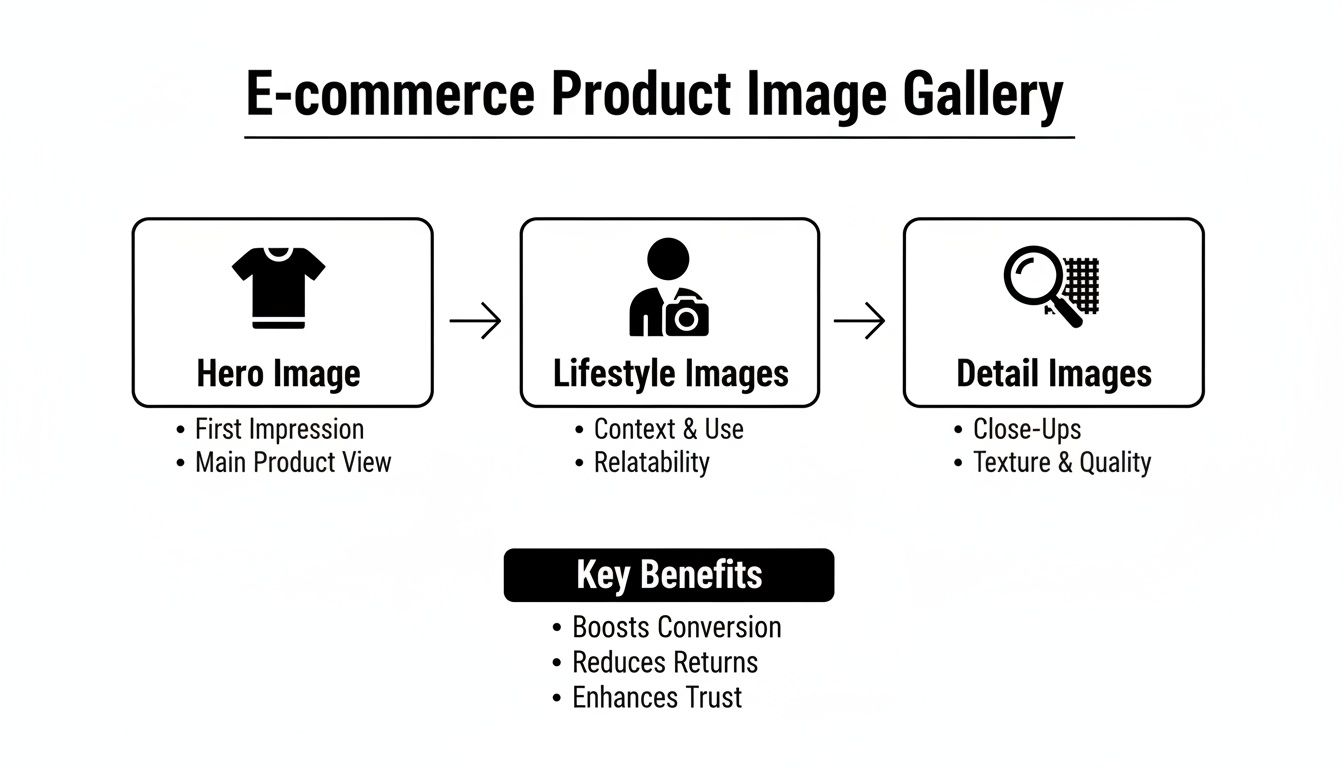
This workflow shows how you build a powerful visual narrative for the customer—start with a clean hero shot, add real-world context, and finish with close-ups that seal the deal.
Optimizing Your Images to Attract Buyers and Boost Sales
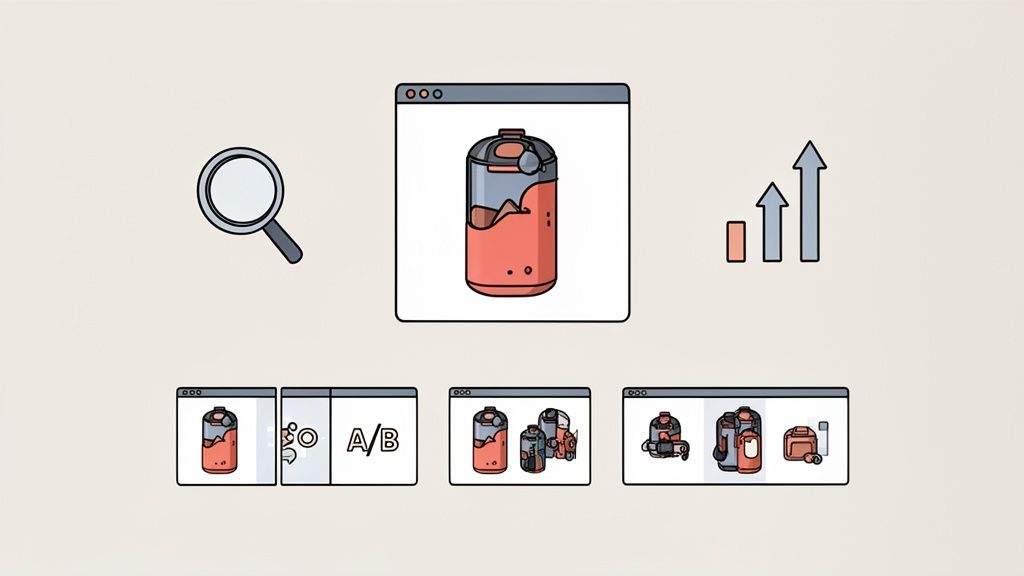
Having beautiful photos is one thing. Making sure they actually find customers and convince them to buy is another challenge entirely. This is where optimization comes in. It's the bridge between a pretty picture and real business results, turning your images for ecommerce into tireless sales assets.
The whole process really boils down to two key jobs: Search Engine Optimization (SEO) and Conversion Rate Optimization (CRO). SEO helps new customers discover your products in the first place, while CRO is all about persuading them to pull the trigger once they've landed on your page.
Driving Traffic with Image SEO
Think of Google Images as one of the biggest product discovery engines in the world. When someone types in "blue ceramic coffee mug," you want your product popping up. That’s what good image SEO does.
Google can't "see" a photo the way we can. It relies on text-based clues you provide to figure out what's in the picture. By optimizing these little signals, you're essentially telling search engines exactly what you're selling, which helps them show your products to the right people.
Here’s where to focus:
- Descriptive File Names: Before you even upload an image, ditch the generic
IMG_8432.jpg. Rename it to something clear and keyword-rich, likeblue-ceramic-coffee-mug-16oz.jpg. This is your first, easiest SEO win. - Strategic Alt Text: The alt text is a short, simple description of the image. It's what shows up if the image breaks, but more importantly, it's what search engines and screen readers for visually impaired users rely on to "read" the image. Be specific: "Side view of a blue ceramic coffee mug with a large handle on a white background."
Mastering these simple steps turns every product photo into an asset that can rank on its own in search results, bringing you a steady stream of interested shoppers for free.
Converting Browsers into Buyers with CRO
Once a shopper is on your product page, your images have a new job: they need to shift from discovery to persuasion. This is the world of Conversion Rate Optimization (CRO)—the art and science of turning visitors into customers. Your photos are your single most powerful CRO tool.
The real goal of image CRO is to build unshakable confidence. Every visual should work to erase doubt, answer unasked questions, and make clicking "Add to Cart" feel like the most natural, obvious next step.
The difference high-quality visuals make is staggering. Brands that switched to larger, higher-quality images saw sales jump by an average of 9.46%. Meanwhile, crisp, high-resolution photos can pull in 94% higher conversion rates than blurry ones. If you want to dive deeper into the data, you can explore the full findings on product photography statistics.
Practical CRO Tactics for Your Images
To get that add-to-cart rate climbing, focus on these visual strategies:
-
Maintain Visual Consistency: Make sure all your product photos share a similar style, lighting, and background. This creates a professional, trustworthy brand vibe that puts shoppers at ease. A messy, inconsistent gallery just feels chaotic and amateur.
-
A/B Test Your Hero Image: Your main product photo is your most valuable piece of visual real estate. Don't just guess which one is best. Test a clean studio shot against a dynamic lifestyle photo and let the data tell you what drives more sales. Even a tiny lift in conversion can have a huge impact on your bottom line.
-
Embed Trust Signals: Use your images to show, not just tell. Include a shot that highlights a "Made in the USA" tag, shows off your eco-friendly packaging, or features a close-up of a quality seal. These visual cues build credibility in an instant.
Ultimately, a well-optimized image gallery works on two fronts: it pulls customers in through search and then masterfully guides them toward a purchase. For sellers looking to guarantee their visuals are always ready to convert, exploring different photo editing services for ecommerce can provide that professional edge without a steep learning curve.
Using AI to Create Professional Photos Instantly
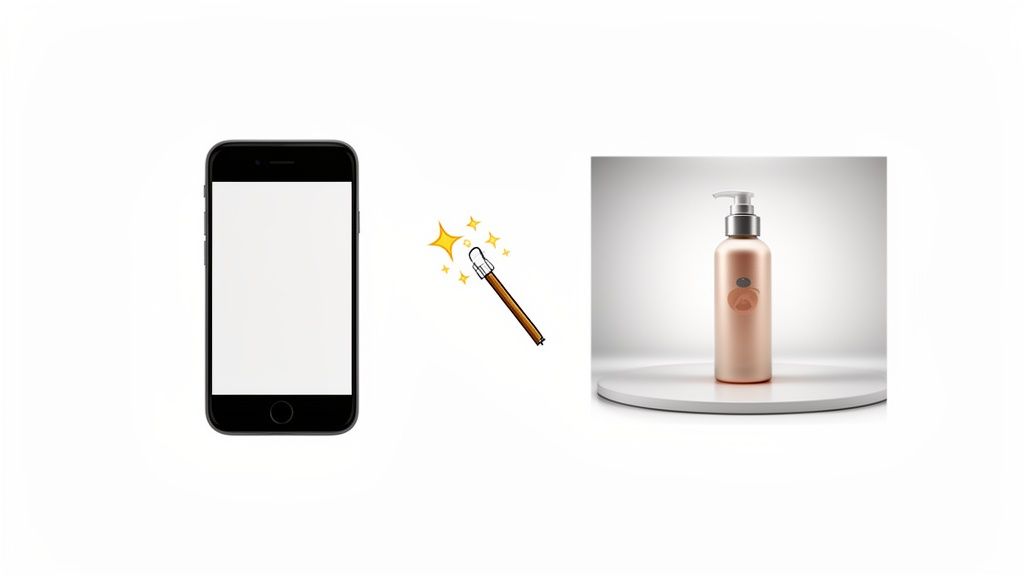
Not long ago, professional product photography was a huge pain for online sellers. The old way meant booking pricey studios, hiring photographers, and then waiting days—or even weeks—for the final edited shots. It wasn't just expensive; it was slow, putting small businesses at a major disadvantage against the big brands.
Thankfully, that entire process is being turned on its head. The arrival of AI-driven tools puts the power of a professional photo studio right in your hands, no matter your budget or technical skill.
The idea is incredibly simple but powerful. You just snap a basic photo of your product with your smartphone. No need for fancy lighting or a perfect backdrop. Then, you upload that simple picture to an AI platform and let the magic happen.
The New AI-Powered Workflow
In seconds, the AI takes over, handling tasks that used to take a skilled photo editor hours of manual work. We're not talking about simple tweaks, either. This is a complete visual overhaul.
- Flawless Background Removal: The AI instantly snips your product out of its original background, giving you a clean slate to work with.
- Intelligent Lighting and Shadows: It then analyzes your product and adds realistic lighting and natural-looking shadows, giving it depth and a professional finish.
- Creative Scene Generation: From there, you can place your product into tons of stunning lifestyle scenes or on crisp, studio-quality backgrounds—all without needing any design skills.
This new workflow lets a small seller create a whole gallery of polished, on-brand product photos in just minutes. It truly levels the playing field, making sure your visuals look every bit as good as those from the major retailers. For a closer look at how it all works, check out a complete guide on how to use AI for professional photo generation.
Before and After: The AI Transformation
To really get it, you have to see the difference. The "before" might be a dim photo of your product sitting on the kitchen table. The "after" is a perfectly lit, beautifully composed shot that’s ready for your Shopify homepage or an Amazon listing.
This is a screenshot from ProdShot's website, showing how a simple product photo can be instantly placed into a high-quality, customized scene.
As you can see, the interface lets you generate multiple background options, from clean studio settings to rich, textured environments, all with realistic lighting and shadows.
This kind of visual consistency is so important for building a strong brand. When every product photo has the same high-quality feel, it creates a cohesive and trustworthy experience for your customers. That level of polish used to be out of reach for many, but now it's just a few clicks away.
By automating the technical and creative heavy lifting of product photography, AI frees sellers up to focus on what they do best: running their business. It removes the bottleneck of image creation, clearing the way for faster product launches and more creative marketing.
This isn't just about looking good, either. It directly tackles a huge problem in ecommerce: returns. A whopping 22% of returns happen because the item looks different in person than it did in the photo. AI helps create accurate, high-fidelity images that set clear expectations, which can dramatically cut down on this costly issue.
Ultimately, these tools are all about efficiency and empowerment. They save you countless hours and dollars, letting you create visuals that not only look professional but actively work to boost your sales. By using an AI product photo generator, you can quickly build a full suite of images that builds customer confidence and drives them to click "buy."
Alright, you’ve made it this far. You now have the complete playbook for turning your product photos from just okay into your hardest-working sales team. The path from a quick phone snap to a gallery that actually converts is laid out. Now, it's time to get to work.
This isn't about making your products look pretty for the sake of it. It's about building a visual engine for your business—one that pulls in traffic, builds unshakable trust, and directly fattens your bottom line. Every single image you upload is a new chance to stop a scroller in their tracks and convince them you're the real deal.
Your Action Checklist for Images That Sell
Let's boil it all down. To make your next steps dead simple, here’s a quick-and-dirty checklist of what actually matters. If you can nail these four things, you’ll be miles ahead of most of your competition.
- Quality Is Everything: Don't forget that for 90% of shoppers, the quality of your images is the single most important factor in their decision. Treat your photos like a core business investment, not a last-minute chore.
- Know Your Platform's Rules: Whether you’re on Shopify, Amazon, or Etsy, play by their rules. Getting the dimensions and file sizes right isn't just a suggestion; it’s what keeps you visible and ensures your site loads fast.
- Optimize for People and Google: Every single image file needs a descriptive, keyword-rich name and solid alt text. This is your free ticket to showing up in Google Images and grabbing organic traffic.
- Tell the Whole Story: One photo is never enough. You need to combine those clean, white-background hero shots with lifestyle images that create desire and close-ups that show off the quality. Answer every question before it's even asked.
The real goal here is to sand down every point of friction and erase every shred of doubt from the buying process. Your images for ecommerce should work together to make clicking "add to cart" feel like the easiest, most obvious choice your customer will make all day.
Start Working Smarter, Not Harder
Finally, stop thinking you have to do this the old-fashioned way. The traditional photoshoot is no longer your only option. Modern tools can take a simple photo from your phone and instantly strip the background, fix the lighting, or even generate a slick lifestyle scene out of thin air. It saves a staggering amount of time and money, giving you pro-level results without the pro-level price tag.
This guide gives you the foundation, but the real growth happens when you keep learning. For more tips, tricks, and deep dives into using AI to level up your e-commerce images, read the Copycat247 blog for more insights. Apply what you've learned here, stay curious, and watch your product visuals become your most powerful tool for growth.
Got Questions About Ecommerce Images? We’ve Got Answers.
Even with the best plan, you're bound to run into a few specific questions when you're in the thick of managing product photos. Let's tackle some of the most common ones head-on, so you can get back to building your store with confidence.
How Many Product Photos Is Enough?
There's no hard-and-fast rule, but the sweet spot for most products is somewhere between 5 and 8 photos. Think of it as a visual conversation with your customer. This range gives you enough space to show off a killer hero shot, a few lifestyle photos of the product in action, some juicy close-ups of the details, and maybe even a shot of the packaging or an image that shows its scale.
The real goal is to answer every question a customer might have before they even think to ask it. For a simple product like a basic t-shirt, five solid images will probably do the trick. But for something more complex, like a technical backpack with lots of features, you'll likely need eight or more to really show off every strap, pocket, and zipper.
What’s the Best Image File Format to Use?
Choosing your file format is a classic balancing act between image quality and website speed. For almost every product photo you upload, JPEG is going to be your best friend. It delivers fantastic quality while keeping file sizes small, which is absolutely critical for fast page-load times.
You should really only reach for a PNG when you need a transparent background—think logos or specific design elements where the background needs to be invisible. PNGs look great, but their file sizes are much larger. There's also a newer format called WebP that offers even better compression, but it isn't quite supported by all older browsers. For now, JPEG is the safest and most reliable bet.
The Bottom Line: Make JPEG your default for all product photos. This will keep your site zippy and accessible for everyone. Only switch to something else when transparency is a must-have.
Can I Really Use My Smartphone for Product Photos?
Absolutely! The camera in your pocket is a powerhouse. Modern smartphones are more than capable of taking high-resolution, professional-looking photos. The secret isn't some fancy camera; it's all about how you control the light, keep things steady, and polish the final image.
Here’s how to get incredible results with just your phone:
- Find Good Light: Set up near a big window. Natural light is soft, even, and gets rid of those harsh, distracting shadows.
- Keep It Steady: A cheap tripod is a game-changer. It gets rid of camera shake and ensures every shot is perfectly sharp.
- Edit for a Pro Finish: This is where the magic happens. Use an app or an AI tool to instantly remove the background, tweak the brightness, and make sure your colors are spot-on.
Your job is just to capture a clear, well-lit picture. After that, editing tools can do the heavy lifting to give you that polished, studio look without the expensive gear. Don't forget, products with crisp, clear images get 40% more shares on social media, which is free marketing for you. You can read more about the impact of great visuals on grabon.com.
Tired of wrestling with backgrounds and lighting? ProdShot turns your simple phone pictures into stunning, professional product photos in seconds. Try it free and see the magic for yourself on prodshot.net.