
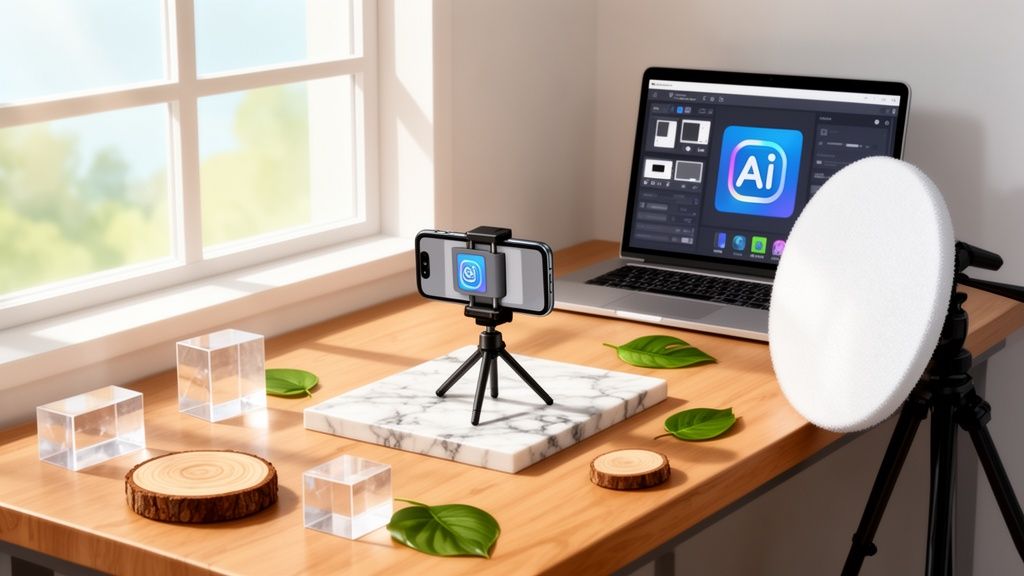
Let's be honest: bad product photos are a silent killer for sales on Shopify and Amazon. But the thought of building a full-blown photography studio with props probably sounds like a massive headache and an even bigger expense.
Here’s the thing, though. Getting those high-quality images—the kind that build instant trust and make your pricing feel like a steal—is way more achievable than you think. A single, well-chosen prop can be the difference between a boring product shot and a lifestyle image that makes someone need to own your item.
Why Pro Product Photos Matter and How to Get Them
In e-commerce, your photos are your storefront. They’re doing all the talking, convincing a customer to hit "add to cart." A blurry, poorly lit photo doesn't just look bad; it screams low-quality and makes your brand feel untrustworthy. On the flip side, a sharp, beautifully styled image communicates professionalism and value. It’s why a staggering 93% of shoppers say visual appearance is the most important factor when they buy.
This is where props become your secret weapon. They aren't just there to look pretty; they're powerful storytelling tools. A sprig of lavender next to a bar of soap instantly tells a story about its scent and natural origins. A sleek metal stand holding a piece of jewelry hints at modern elegance. It's all about applying the principles of visual merchandising in retail to make your photos pop.
The Real-World Obstacles for Entrepreneurs
Of course, knowing you need great photos and actually getting them are two different things. The traditional route is full of roadblocks for small business owners. Renting a professional photography studio with all the gear and props can get expensive fast, and every hour you spend shooting is an hour you’re not spending on the hundred other things your business needs.
Building your own studio is an option, but it means finding space you might not have and sinking cash into equipment and a prop collection that just keeps growing.
For so many e-commerce sellers I talk to, the biggest pain point is the sheer logistics of a physical prop library. Storing delicate, bulky, or seasonal items is a nightmare when you're running a business from home.
This is exactly why a modern, hybrid approach is a game-changer. You don't have to choose between a five-figure studio and subpar photos. By blending a minimal, budget-friendly DIY setup with smart AI tools, you can achieve top-tier results without the traditional overhead.
Here’s how it works:
- DIY for Brand Storytelling: Use a simple, cheap setup to capture those unique hero images that scream your brand. These are perfect for your homepage, social media feeds, and eye-catching banner ads.
- AI for Catalog Consistency: Let an AI photo editor like ProdShot handle the rest. You take a basic picture of your product, and the tool can instantly generate a clean, consistent look for all your listings. It can add virtual props, create perfect white backgrounds, or drop your product into a realistic lifestyle scene in seconds.
This strategy gives you creative control where it counts and incredible efficiency for your day-to-day catalog management. It’s a smarter path that saves you time and money, letting you move at the speed of the market.
If you want to see how much you're saving, take a look at our breakdown of the cost of professional product photography. The benefits of a hybrid approach become obvious very quickly.
Planning Your Budget-Friendly Studio Space
Before you start adding gear to your cart, let’s get real about what you actually need. Forget the idea that you need a dedicated room or a pricey rental to create a photography studio with props. For most of us running an online shop, a clean corner, a small desk, or even a clear patch of floor is more than enough. The goal is to find the right spot, not the biggest one.
When I first started, my “studio” was nothing more than a tiny desk I’d pushed up against the only window in my apartment that got decent, indirect sunlight. That soft, diffused light is the single most valuable asset you can have, and it’s totally free. Try to find a space near a north-facing window if you can—it gives you consistent, gentle light all day without creating nasty, harsh shadows.

Finding Your Perfect Spot
Your ideal space doesn't need to be permanent. It just needs to be available when you are. Think about areas you can temporarily take over for an hour or two when you need to shoot.
- A cleared dining table: This gives you a big, flat surface that’s perfect for rolling out backdrops and arranging your props.
- A spot on the floor: This works surprisingly well for larger products or for creating those popular flat-lay shots from directly above.
- A garage or spare room: If you’re lucky enough to have one, this can become a more permanent setup, but it’s absolutely not a deal-breaker.
The most important thing is the light. You want to avoid direct, intense sunlight at all costs, as it creates a harsh glare and deep shadows that are a nightmare to fix later. If your only option gets direct sun, no worries—you can easily diffuse it by taping a thin white bedsheet or even a sheet of parchment paper over the window.
Setting a Realistic Budget
Now, let's talk money. The cost of a professional photoshoot is a huge hurdle for new businesses. For sellers on Shopify and Amazon, studio sessions often run $100-$300 per product, and you can expect props to tack on another 20-30% to the final invoice. It adds up fast.
A 2024 poll found that 55% of small retailers were spending over $2,000 a year on these services, which often caused product launch delays and put a serious strain on cash flow. It’s no wonder the market for photography studio software is growing, as more sellers look for digital alternatives. You can dig into the numbers yourself in this market report from The Business Research Company.
By putting a small amount into your own kit, you can save thousands of dollars every year and, more importantly, take back control of your own creative schedule.
A small, one-time investment in a DIY photography setup can pay for itself after shooting just one or two products. The long-term savings are massive, and the ability to shoot on your own schedule is priceless.
To put this into perspective, a single professional session for just a handful of products can easily cost more than a complete mid-range DIY studio that you can use for years. The table below breaks down what you can expect to spend to get started.
Studio Setup Cost Comparison
| Setup Component | DIY Budget Studio (Under $100) | DIY Mid-Range Studio (~$300) | Professional Studio Rental (Per Hour) |
|---|---|---|---|
| Backdrop | Poster board, fabric remnant | Seamless paper roll, vinyl backdrop | Included, with multiple options |
| Lighting | Natural light + foam board reflector | 2x softbox lights, ring light | Professional strobes & modifiers |
| Props | Found items, craft store finds | Curated props, acrylic risers | Extensive prop library access |
| Camera | Your smartphone | Your smartphone | Your smartphone or their camera |
| Estimated Total | ~$75 | ~$280 | ~$50 – $150+ |
As you can see, you can get up and running for less than the cost of a single hour in a pro studio. This small initial investment empowers you to create content whenever inspiration strikes, quickly test new product angles, or refresh your listings without worrying about booking appointments or paying recurring fees. That kind of agility is a massive competitive advantage.
Choosing Essential Props That Actually Sell Your Products
Props are your secret weapon. They’re how you tell a product’s story, transforming a simple item into a must-have object. In your DIY photography studio, the right props add context, signal quality, and help shoppers imagine your products in their own homes. Forget generic clutter—we’re talking about strategic choices that actually drive sales.
I’ve seen it happen time and time again: a single, well-chosen prop can completely transform a photo. It’s not about spending a ton of money, either. It’s about being clever and intentional. When you start thinking like a visual storyteller, you make your product the undeniable hero of the shot.

Props That Tell a Story
The best props never steal the spotlight. They’re the supporting cast, there to make your product—the main character—shine. Their job is to answer a customer's unspoken questions or highlight a key feature without a single word of text.
Think about the feeling you want to sell.
- For luxury items (cosmetics, jewelry): Use props that whisper elegance and quality. I once went to a hardware store and bought a single, polished marble tile for less than $10. Placing a high-end face cream on it instantly made the product look more expensive.
- For natural or organic products (skincare, food): Bring the outside in. Natural elements like wood slices, slate, smooth river stones, or fresh botanicals are your best friends. They visually reinforce that your product is wholesome and pure.
- For modern tech or accessories: Go for clean lines and simple geometry. Clear acrylic blocks are a fantastic investment. They can give a watch or a pair of earrings a "floating" effect for a sleek, minimalist vibe that just looks professional.
This approach works so well that pro studios started building massive prop inventories. It became a huge business, especially as 75% of Etsy and Shopify sellers found that professional images boosted their conversions by 30% on average. In major markets, sessions using props grew to make up 40% of studio revenues. The problem? The cost for small brands was staggering—a full prop collection for something like home decor could easily run $10,000 annually.
Sourcing Props on a Shoestring Budget
Building a versatile prop collection doesn't have to drain your bank account. Some of the best items are hiding in plain sight. You just have to keep your eyes open and think creatively.
The goal isn’t to build a warehouse full of stuff. You just need a curated box of essentials—a small library of go-to items that are flexible and fit your brand’s look.
Here are some of my favorite budget-friendly places to hunt for props:
- Hardware Stores: The source of my beloved marble tile! You can also find interesting textures like slate, plywood sheets, or metal fittings.
- Craft Stores: Look for foam blocks you can paint, acrylic sheets, textured papers, and faux greenery that won't wilt under hot lights.
- Your Own Backyard: Don’t underestimate what you can find for free. Interesting leaves, smooth stones, branches, and seasonal flowers add an authentic, and free, touch.
- Fabric Stores: A yard of linen, velvet, or burlap can serve as a beautiful textured backdrop for just a few dollars.
If you’re selling things like beauty or children’s products, you can even get creative with the background itself. Learning how to create stunning paper flower backdrops can add a unique and memorable visual flair to your shots.
A Starter Kit for Versatile Props
Starting from scratch? Focus on a few versatile pieces that you can use over and over. Think of it as a "capsule wardrobe" for your product photos.
- Textured Surfaces: Get one light surface (like painted wood) and one dark one (a piece of slate or dark fabric).
- Risers and Blocks: A simple set of wooden or clear acrylic blocks will let you add height and dimension to your shots.
- A Neutral Fabric: Grab a piece of linen or muslin in a neutral color like gray, beige, or off-white to soften your scenes.
- Brand-Specific Elements: Have one or two items that directly relate to your product—think dried orange slices for a citrus-scented candle.
This small collection is a fantastic starting point. As you shoot more, you'll get a better feel for what works for your products and can slowly add to your collection. For instance, if you sell home goods, our guide on creating beautiful home decor product photos has even more specific ideas for styling. By choosing wisely, you can build an effective toolkit that makes your products look incredible without breaking the bank.
Mastering Lighting and Composition With Your Smartphone
Think you need a pricey DSLR and a bunch of complicated gear for stunning product photos? Think again. The powerful camera you already have in your pocket is more than enough to create images that sell, especially when you have a simple photography studio with props at your disposal.
The real secret isn’t expensive equipment. It's knowing a few tricks of the trade about lighting and composition. Once you get these down, you'll be able to shoot clean, professional photos for your online store with total confidence. It's a lot easier than you might imagine.
Getting Pro-Level Light for Free
Great lighting is everything in product photography. It's the one thing that will make or break your shots. And the best source of light you can possibly use is completely free: a window.
What you're looking for is soft, diffused light. This kind of light wraps gently around your product, gets rid of harsh shadows, and brings out texture beautifully. Just set up your product on a small table or even the floor near a window that isn't getting hit with direct, harsh sunlight.
North-facing windows are perfect because they give you consistent, gentle light all day long. If all you have are windows with direct sun, no problem. Just tape a thin white bedsheet or a sheet of parchment paper over the glass to soften that light right up.
Now, let's talk about the real game-changer: a simple white foam board.
You can grab one for a dollar or two at any craft store. Just stand it up on the side of your product opposite the window. This board becomes a reflector, bouncing that soft window light back into the shadows. This one tiny step instantly fills in the dark spots, making your product look bright, clear, and a hundred times more professional.
Smartphone Camera Settings That Make a Huge Difference
Your phone’s camera has a couple of simple settings that can totally transform your photos. Forget digging through confusing menus—these are the only two you really need to worry about.
- Locking Your Focus and Exposure: Ever line up the perfect shot, only for your phone to randomly refocus and blur your product? There’s an easy fix. In your camera app, just tap and hold on your product until you see a yellow box pop up with "AE/AF Lock" (or something similar). This locks the Auto Exposure and Auto Focus, keeping your product sharp and the brightness consistent, even if you move your phone a bit.
- Turning On Your Gridlines: Dive into your phone’s camera settings and switch on the grid. This overlays a simple 3×3 grid on your screen, which is an absolute lifesaver for getting balanced shots. It helps you keep your lines straight and use classic composition rules without even thinking about it.
By simply turning on your gridlines and learning to lock focus, you've already sidestepped two of the biggest mistakes that scream "amateur photo." These little tweaks give you so much more control.
Simple Composition Rules to Make Your Products Pop
Composition is just a fancy word for arranging things in your photo to look good. You don't need an art degree to learn a few simple rules that will make your products the star of the show.
- The Rule of Thirds: With your gridlines on, try putting your product where the lines cross instead of dead center. It’s a small shift that makes the photo feel more dynamic and visually interesting, pulling the customer's eye right to it.
- Embrace Negative Space: Negative space is just the empty area around your product. Don’t be afraid of it! Leaving plenty of clean, uncluttered space makes your product the undeniable hero and gives the whole image a more high-end, sophisticated feel.
- Shoot from Different Angles: Don’t settle for one straight-on shot. Get down on the product’s level for an eye-level view, try a 45-degree angle to show dimension, or shoot a flat lay from directly above. Different angles highlight different features and help customers really visualize the product in their hands.
Combine these simple techniques for lighting, camera settings, and composition, and you'll see a dramatic improvement in your product photos. Your smartphone, a window, and a piece of foam board are all you need to start creating images that build trust and turn browsers into buyers.
The Smarter Alternative: Skipping the Physical Studio Entirely
Let's be real—building out a full photography studio with props is a mountain of work. Between finding the space, buying the gear, and then sourcing and storing all those props, it’s a huge drain on your time and budget. What if you could get the same professional results without all that hassle?
There’s a much more modern way to do this. The idea is to take a simple, well-lit photo of your product on your phone and then use a smart tool to handle the rest. It's about letting technology do the heavy lifting so you can focus on what matters: selling.
You snap the picture, and an AI tool can instantly remove the background, fix the lighting, and, most importantly, place your product in a stunning, pro-level scene with realistic props.
The Problem With Physical Props
The logistical nightmare of physical props has always been a major bottleneck for small businesses. Back in the early 2000s, massive prop collections were the only way to get high-end product shots. A basic setup could easily cost a small brand anywhere from $5,000 to $20,000 upfront, not to mention ongoing freelance fees of $50-$150 per hour.
It's a huge pain point. In the Asia-Pacific region, 68% of small online retailers pointed to prop storage and maintenance as a major headache. The market is shifting, too. By 2023, many traditional studios saw a 15-20% drop in repeat product photography clients as more sellers moved to digital solutions. You can see more data on how the photography services market is changing for yourself.
The recurring issues are always the same:
- Cost: Building a varied prop library is seriously expensive.
- Storage: All those props need a home, which is a real problem if you're running your business from one.
- Damage: Delicate items break, and finding replacements is just another task on your list.
- Setup Time: Styling and re-styling scenes for every single shot is incredibly slow.
This is where a tool like ProdShot completely changes the game. It takes the entire propping and styling process and moves it into a simple, digital workflow.
How a Digital Studio Works
The process is incredibly straightforward. You just need to apply the basic skills we've already covered—taking a clean photo with your phone using good, natural light. After that, the technology takes over.
This workflow is all about mastering the basics to give the AI the best possible starting point.

Once you nail those three steps—lighting, composition, and shooting—you have the perfect raw material.
From there, you just upload your photo to a platform like ProdShot, and the AI gets to work:
- It instantly removes the background with perfect precision. No more tedious manual editing.
- It analyzes and enhances the lighting, making sure your product looks its absolute best.
- It lets you place your product into a massive library of professionally designed scenes with virtual props.
The real magic is in the speed and flexibility. You can test your product in a dozen different settings in the time it would take to set up one physical shot.
With just one simple photo, you can generate a huge variety of scenes, from clean e-commerce shots to rich lifestyle images, without ever touching a physical prop.
This approach is easily the most cost-effective and efficient way to create product photos for a modern e-commerce brand. You can use an AI product photo generator to create stunning visuals for your entire product line in a single afternoon. It's the ultimate shortcut, letting you bypass the old studio model and get straight to what you do best: selling.
Answering Your Top Questions
When you’re first starting, it feels like you have a million questions and not enough clear answers. I get it. Let’s cut through the noise and tackle some of the most common questions I hear from sellers who are ready to level up their product photos.
These are the practical, no-fluff answers you need to start building your own photography studio with props from the ground up. It’s not as complicated or expensive as you might think. By focusing on what actually matters, you can create stunning images without the stress.
How Many Props Should I Start With?
This question trips up so many new sellers. It’s tempting to think you need a huge collection of props to look professional, but the opposite is true. When you’re starting out, clutter is your biggest enemy—both in your photos and your workspace.
The key is to think like a minimalist and build a small, curated "capsule collection" of props that can be used in dozens of ways.
- Start with 3-5 core pieces. This is a manageable number that won’t feel overwhelming.
- Focus on flexibility. Your first props should work for different products and brand styles.
- Prioritize quality. A few high-quality, versatile props will serve you much better than a mountain of cheap, single-use items.
Your starter kit can be as simple as a neutral backdrop, a textured surface like a piece of wood or a stone tile, and a few simple geometric blocks to add height. This approach keeps your photos clean and ensures your product is always the star of the show.
Can I Mix DIY Photos With AI-Generated Images?
Not only can you, but you absolutely should. This hybrid strategy is one of the most efficient ways to manage your product visuals today. It’s a false choice to think you have to pick between a fully DIY setup and an all-AI approach. The real magic happens when you combine them.
Use your simple physical setup to create those unique, brand-defining hero images. These are the photos for your homepage, social media announcements, and email campaigns—the ones that tell your brand’s story and build an emotional connection.
Use your physical photography studio with props for creative, one-of-a-kind storytelling. Then, use AI for the repetitive, high-volume work of creating consistent catalog images. It’s the best of both worlds.
For all your standard product listings on Shopify or Amazon, an AI tool like ProdShot is a game-changer. You can take one clean photo of your product and let the AI generate dozens of consistent, perfectly edited catalog images. You get maximum creative impact where it counts and incredible efficiency for everything else.
Is Natural Light Always the Best Choice?
For anyone just starting, my answer is a firm yes. Natural light is your best friend because it's so forgiving. It’s free, it creates a beautiful softness that flatters almost any product, and you don’t need any technical knowledge to make it work.
All you really need for professional-looking results is a window and a simple reflector—even a cheap white foam board will do the trick. This simple combo gives you a soft, directional light source that you can easily control. While studio lighting offers more control down the line, it comes with a steep learning curve. Master natural light first; it will teach you everything you need to know about how light behaves.
How Do I Shoot Reflective Products Without Glare?
Photographing shiny products like jewelry, glassware, or electronics is a common headache. The secret is to avoid harsh, direct light, which is what creates those distracting bright spots and reflections. The solution is to use soft, diffused light instead.
Position your light source (whether it's a window or a lamp) to the side of your product—never directly in front of it. You can soften the light even more by placing a thin white sheet, a piece of vellum, or even parchment paper between the light and your item. This diffuser scatters the light, creating a much softer, more even glow. AI tools are also great for making final tweaks, helping you tone down highlights or remove minor reflections in post-production.
Ready to skip the hassle of physical props and studio setups? ProdShot lets you turn simple product photos into professional-grade images with stunning backgrounds and virtual props in seconds. Try it for free and see how easy it can be.