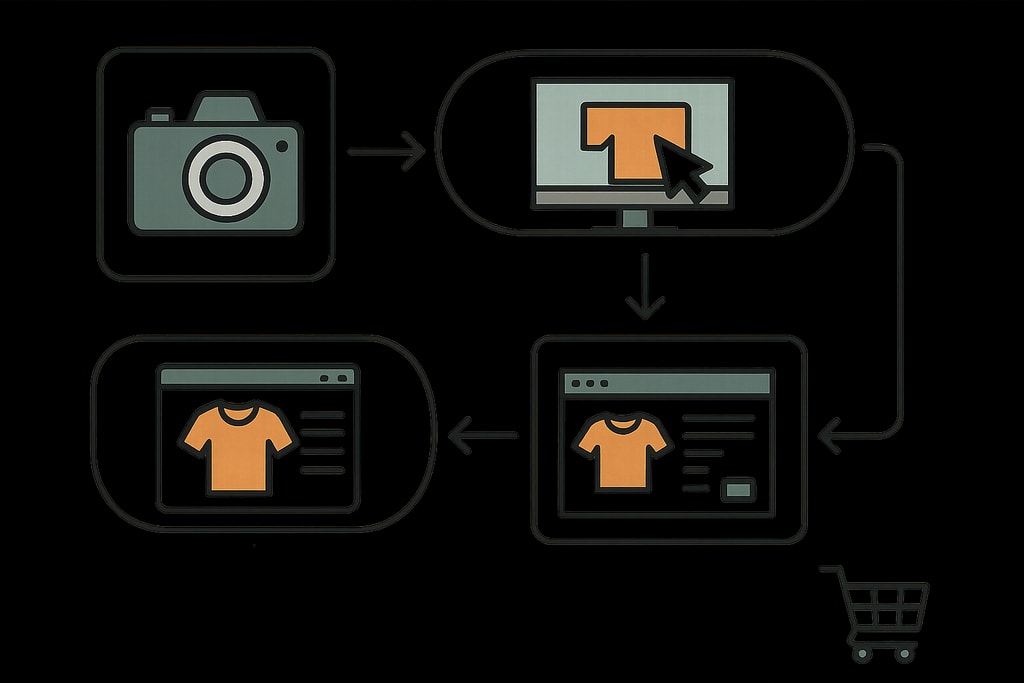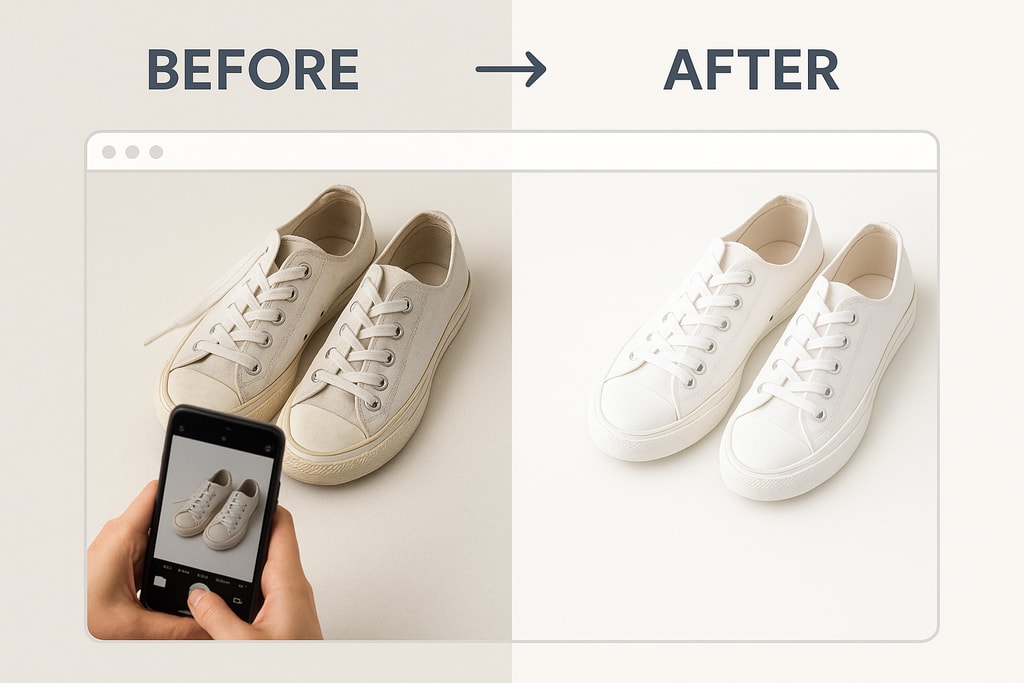
High-quality product images are vital in ecommerce, influencing purchase decisions and increasing sales. This detailed guide covers essential tips, practical examples, and common pitfalls to improve your product photography and maximize your store’s appeal.
Why High-Quality Product Images Matter
Product images form a critical component in the buyer’s journey. Clear, well-edited images can:
- Boost Click-Through Rates (CTR): Capture attention and entice clicks on your listings.
- Establish Trust: Professional images signal quality and reliability.
- Minimize Returns: Accurate visuals align customer expectations, reducing dissatisfaction.
Essential Image Editing Techniques
1. Background Removal and Replacement
A distraction-free background directs focus to the product. Many marketplaces require a pure white background (e.g., Amazon standard). Here’s how you can achieve this effectively:
- Utilize Background Removal Tools: Remove.bg provides easy solutions for background removal, offering clean results efficiently.
- Refine Edges: After removal, ensure the edges are smooth to avoid halos or jagged lines.
Practical Example:
Consider a jewelry seller using Remove.bg to isolate necklaces against a white backdrop, enhancing detail focus without color distractions.
Mistakes to Avoid:
Avoid leaving rough cuts and inconsistent shadows; these can make images look unprofessional.
2. Correcting White Balance
Correct white balance ensures true color representation, vital for customer trust. Failure to do so often leads to dissatisfaction due to color expectations not being met.
- Editing Software Utilization: Adjust the color temperature in tools like Photoshop or GIMP to correct color casts.
- Color Comparison: Always compare edited images with the actual product to ensure authenticity.
Decision Criteria:
Select software based on your comfort level and the platform’s capabilities for precise color correction.
3. Adjusting Exposure and Contrast
Balanced exposure highlights product details while contrast enhances visual appeal. Address overexposed or underexposed issues promptly.
- Brightness Adjustment: Increase brightness in shadows to reveal hidden details.
- Contrast Enhancement: Slightly boost contrast to make colors more vibrant.
Example:
A clothing seller adjusts contrast to make fabrics’ textures pop without altering natural colors.
4. Sharpening for Detail
Sharpening clarifies textures but requires caution to prevent artifact introduction.
- Moderate Use of Sharpen Tool: Enhance detail subtly without overdoing effects.
- Test Different Settings: Experiment across products to find optimal sharpening levels.
Mistakes to Avoid:
Over-sharpening can introduce noise and reduce image quality.
5. Resizing and Cropping
Different platforms demand specific image dimensions. For instance, Amazon favors images at least 2000 pixels on their longest side.
- Adjust Dimensions: Verify dimensions align with marketplace guidelines to avoid listing rejections.
- Cropped Composition: Remove unnecessary space while centering the product for maximum impact.
6. Ensuring Consistency Across Images
Consistency strengthens brand identity, making your store visually cohesive.
- Apply Presets: Use Lightroom or similar software presets to ensure uniformity.
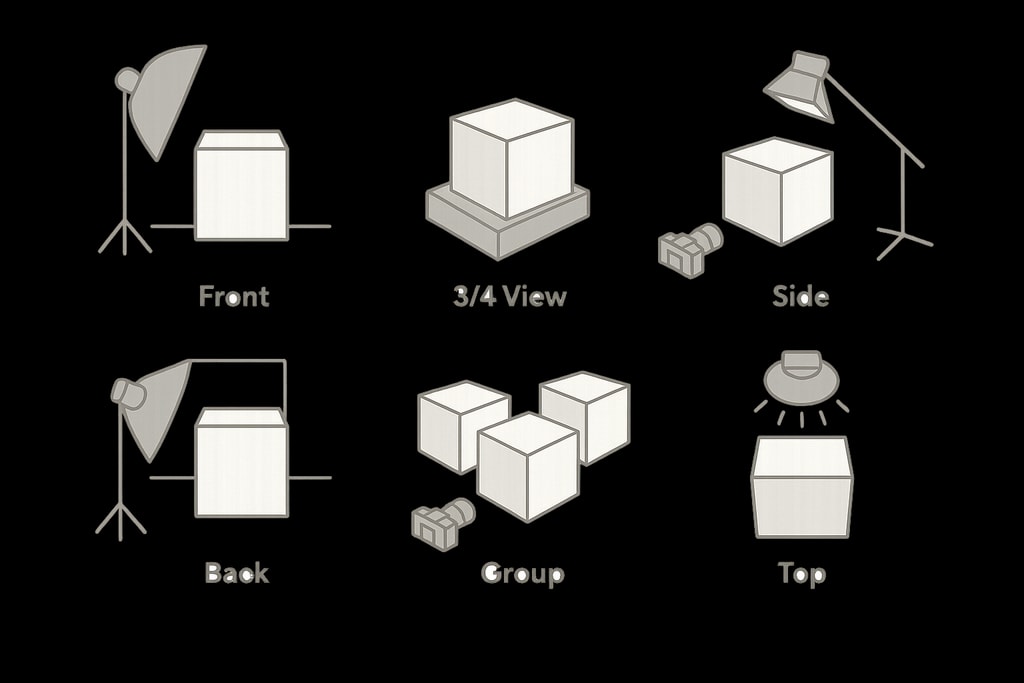
- Standardize Conditions: Keep backgrounds and lighting conditions constant across images.
Resources:
Explore Create product photos for AI-driven adjustments that standardize image aesthetics.
Streamlining with Batch Processing
Editing each image manually can overwhelm. Batch processing aids efficiency, especially when using tools such as Adobe Lightroom.
- Implement Preset Editing: Apply uniform presets to batch process images, maintaining consistency.
- Review and Adjust: Post-edit checks ensure quality control per image.
Leveraging Free Editing Tools
Great editing doesn’t have to break the bank. Free tools like GIMP and Snapseed offer robust features such as cropping, color correction, and sharpening.
Checklist for Successful Product Image Editing
- [ ] Ensure background removal and refinement.
- [ ] Correct white balance as per product standards.
- [ ] Optimize exposure and contrast levels.
- [ ] Apply moderate sharpening without overdoing it.
- [ ] Resize and crop as per platform specs.
- [ ] Maintain consistency throughout the image portfolio.
Frequently Asked Questions (FAQ)
Q: How should I approach background removal?
A: Use dedicated online tools such as Remove.bg, ensuring smooth refinements to preserve a professional look.
Q: What platform-specific tips apply to main ecommerce marketplaces?
A: Always follow platform guidelines such as dimension requirements and background colors to avoid any listing issues.
Q: Are there free tools I can leverage for expansive editing capabilities?
A: Absolutely, leverage Free product photo tools for extensive editing features without extra costs.
Sources and Further Reading
- Why Free Photo Editing Is Essential for Online Sellers
- Ecommerce Photo Editing Checklist (2026 Guide)
- 7 Editing Tips for Better Product Photography
- Product Photography Tips for Online Sellers
- Ecommerce Product Photography: The Complete Guide
Enhance your product images to significantly improve your online sales. For streamlined and professional-grade editing solutions, explore ProdShot, tailored to elevate your ecommerce presence.