
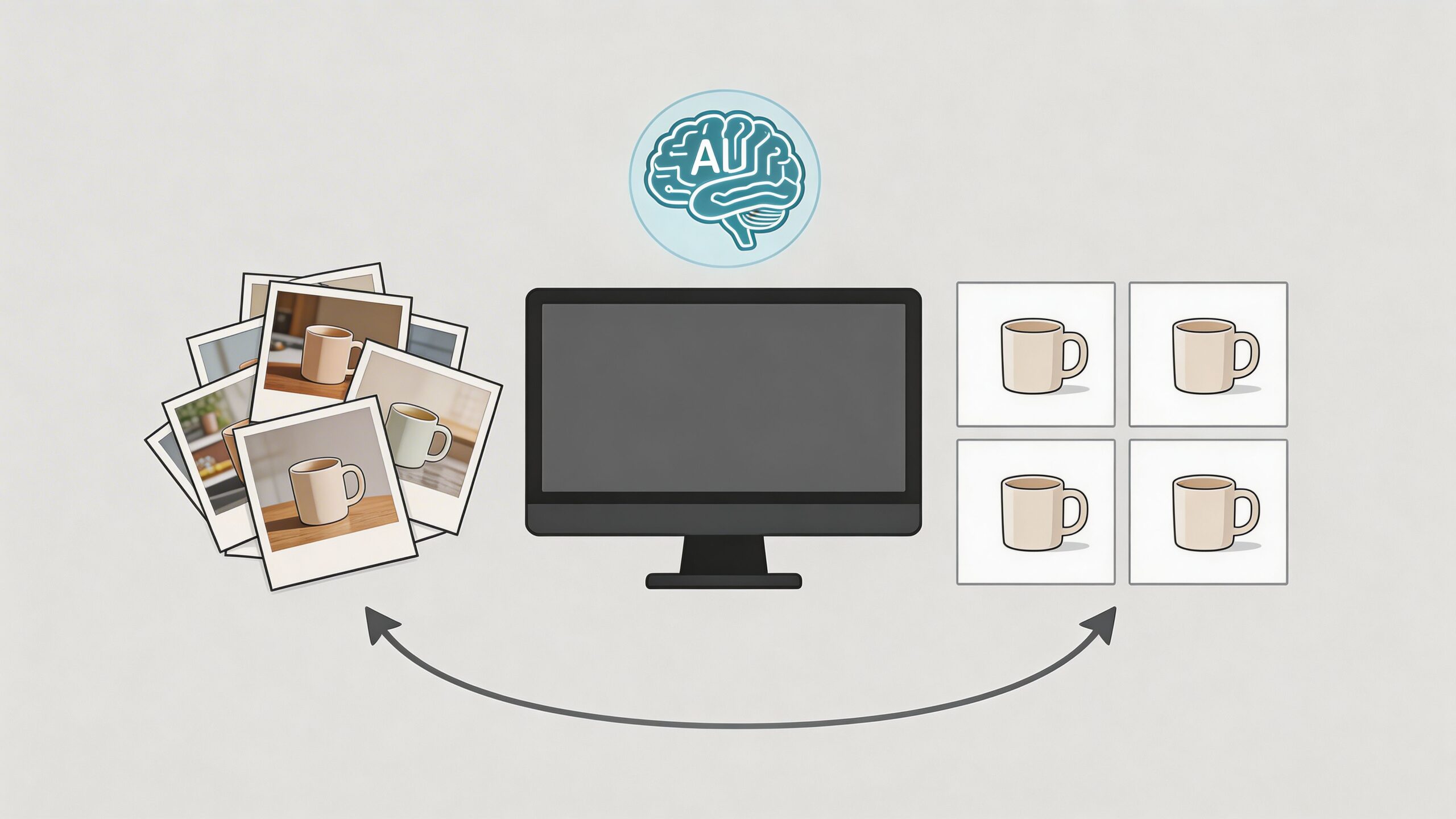
A new shipment arrives. You open the boxes, line up the products, and then the primary work starts.
Not listing them. Photographing them.
For a small catalog, that’s annoying. For a growing store, it becomes a bottleneck. Every new item needs a clean main image, a few angle shots, maybe a lifestyle version, maybe marketplace-ready white background images, and all of it has to look consistent enough that your store still feels like one brand.
That’s why more sellers are trying to create product photos in bulk with artificial intelligence instead of treating product photography like a one-by-one chore. The change isn’t just about making one image look better. It’s about turning catalog photography into a repeatable system.
The End of Endless Product Photo Shoots
A lot of store owners hit the same wall.
They start by photographing a few products themselves. It works well enough. Then the catalog expands. Now there are seasonal launches, variant updates, bundle listings, marketplace requirements, and old images that no longer match the new style. Suddenly, photography isn’t a creative task anymore. It’s an operations problem.

Traditional studio workflows weren’t built for that kind of speed. They’re slow to schedule, expensive to repeat, and hard to standardize when you need a large number of images across many products.
AI changes that by treating product visuals as a scalable workflow. The market reflects that shift. The AI product photography market is projected to grow from $450 million in 2024 to $5 billion by 2035, and one reason is simple: AI tools can process over 5,000 images in a single batch, which is a scale traditional photography can’t match, according to these AI product photography statistics.
What bulk creation solves
Bulk AI creation helps with three problems at once:
- Volume pressure: You don’t have to edit every image individually.
- Consistency gaps: Catalog images can share the same background, lighting style, and framing rules.
- Launch delays: New products can go live faster because visuals stop being the slowest part of the workflow.
A seller with ten handmade products can survive with a manual process. A seller with a larger catalog usually can’t.
Bulk image creation isn’t just faster editing. It’s a different way to run your catalog.
Why small sellers should care
This isn’t only for large retail teams. Smaller shops benefit even more because they usually don’t have an in-house designer, a studio setup, or time for reshoots.
If you’ve been putting off product launches because you don’t want another week of photo work, this is the kind of shortcut that matters. Not flashy. Practical.
Understanding AI Photo Enhancement Technology
AI product photography sounds mysterious until you break it into parts. In practice, it works like a series of focused tools that each do one job well.

The digital scissors
The first step is segmentation. That means the software identifies exactly where the product ends and the background begins.
Segmentation is like a pair of digital scissors that can cut around a product with far more precision than a quick manual selection.
This is part of a multi-stage AI pipeline that includes product segmentation with models like SAM for boundary extraction, inpainting to remove backgrounds, and relighting to simulate studio lighting, as described in this breakdown of AI product photography technology.
That matters because a clean cutout is the foundation for everything else. If the edges are wrong, the final image looks fake. If the edges are right, the rest of the workflow has a much better chance of looking natural.
The smart eraser
After the product is isolated, AI uses inpainting to remove the old background and rebuild the scene.
Think of it as a smart eraser. It doesn’t just delete. It replaces.
A cluttered kitchen counter can become a white marketplace background. A dim phone photo can become a styled scene. The product stays in place while the surroundings change.
If you want a simple parallel, the same idea shows up in other visual industries too. This Virtual Staging AI Guide is useful because it shows how AI can transform a base image by rebuilding the environment around the subject while keeping the subject believable.
The virtual studio
The third part is relighting. Here, AI adjusts highlights, shadows, and overall mood so the product looks like it was photographed under better lighting.
Relighting is a virtual studio. It helps a flat phone snapshot look more like a controlled product shot.
This is also where many readers get confused. AI isn’t always “drawing a new product.” In many product-focused tools, it’s working from your original item photo and improving the presentation around it.
Why quality jumps so quickly
When those steps work together, a rough image can turn into a polished listing photo without opening Photoshop.
A typical flow looks like this:
- Upload the raw photo.
- The tool identifies the product edges.
- It removes or replaces the background.
- It corrects lighting, shadows, and placement.
- It exports a cleaner image for your store or marketplace.
If your source file is a little soft, an AI upscaler can help before or after editing. A practical example is this image upscaler, which fits into the workflow when you need sharper output from a basic phone shot.
How Bulk AI Creation Drives Sales and Saves Money
Good product images don’t just make a store look polished. They affect buying decisions.
Shoppers rely on visuals to judge quality, fit, finish, and trustworthiness. If the photos feel inconsistent, dark, or amateur, they hesitate. If the images look clean and detailed, they move faster.
According to this eCommerce image conversion analysis, businesses using high-quality visuals see 58% higher conversion rates, and upgrading to larger, high-quality images can increase sales by 9.46%.
Why bulk matters to revenue
Most advice about AI product photos focuses on a single image. That misses the business advantage.
The significant gain comes when you can improve an entire catalog instead of a few featured products. That changes how customers experience your store:
- Category pages look stronger: The store feels more professional at a glance.
- New launches go live sooner: You stop waiting on editing.
- Marketplace listings stay aligned: Amazon, Etsy, Shopify, and other channels can share a consistent image style.
The cost side is just as important
Hiring a photographer, booking studio time, and paying for retouching can make sense for a flagship campaign. It’s harder to justify for routine catalog maintenance.
Bulk AI creation changes the math because the workflow is repeatable. Once you settle on a visual style, you can apply it to a large set of images instead of paying for the same setup again and again.
That’s especially useful when you need alternate backgrounds, seasonal updates, or fresh images for ads. Instead of treating every photo like a separate project, you treat the catalog like a system.
Better visuals help sales. Bulk production helps operations. The strongest stores need both.
If you’re comparing your current spend with an AI workflow, this overview of the cost of professional product photography helps frame where traditional shoots still fit and where a scalable AI process can take over the routine workload.
Your Workflow for Bulk Product Photo Creation
Most sellers don’t need a complicated production setup. They need a process they can repeat every week without burning time.
That process starts with raw photos and ends with export-ready images for your store, marketplaces, and ads.

Start with organized source images
Bulk workflows break when the inputs are messy.
Before you upload anything, group your photos by product type, collection, or intended visual style. If one batch is meant for clean white backgrounds and another is meant for lifestyle scenes, separate them early. Don’t throw everything into one upload and hope the tool figures it out.
Structured input is a big reason batch processing saves so much time. For large catalogs, AI batch processing can reduce work from a potential 1,300 hours for an 8,000-SKU catalog down to just a few hours by using structured inputs and parallel processing, according to this explanation of batch AI image generation.
Apply one style to many products
Here, the bulk advantage becomes real.
Instead of editing every item one by one, you set a style once, then apply it across a full group of products. That could mean:
- A white background set for marketplace compliance
- A soft shadow style for your Shopify collection pages
- A branded lifestyle look for social posts and ads
- Uniform cropping and scale across a product family
If you’re exploring tools built for this kind of workflow, ProdShot’s AI product photo generator is one example of a product-focused system that turns smartphone photos into marketplace-ready images. For larger catalogs, its batch create workflow is specifically aimed at processing many items together through https://prodshot.net/product-photography-1000-items-batch.
Review in waves, not one by one
A common mistake is reviewing every output as if it were a hero image for your homepage.
Bulk production works better when you review in passes:
- First pass: Check edge accuracy and obvious errors.
- Second pass: Check consistency across the batch.
- Third pass: Flag only the products that need manual attention.
That keeps your time focused where it matters. Most products will be good enough after the standard workflow. A smaller group will need extra care, usually complex materials, reflective items, or unusually shaped products.
A quick video helps make that workflow easier to picture:
Export for each channel
Different channels need different image treatments. Your own site may want one style. Marketplaces may need another.
Keep the export step simple:
- For Shopify: prioritize clean consistency across collection pages.
- For Amazon: keep the main image compliant and plain.
- For Etsy or eBay: use a strong main image, then add supporting context in secondary visuals.
- For social content: reuse the same product cutouts in multiple branded scenes.
Practical rule: Build one master batch, then export channel-specific versions from that same approved set.
That approach prevents duplicate work and keeps your catalog aligned everywhere you sell.
Shooting Photos to Maximize AI Results
AI can improve a lot. It still needs a usable starting point.
The easiest way to get better outputs is to make your original photos simpler for the software to interpret. You don’t need a studio. You need clean inputs.
Make the product easy to isolate
Use a background that contrasts with the product and doesn’t compete with it.
A plain wall, foam board, or clean tabletop is often enough. If the background is cluttered, the AI has to guess what belongs to the product and what belongs to the scene. That’s where rough edges and strange cutouts start showing up.
Keep lighting even
Lighting inconsistency is one of the biggest weak spots in bulk generation. User reports from 2025 showed 20% to 30% inconsistency rates for complex products, which can create mismatched image sets and hurt performance on platforms like Shopify and Amazon, according to this discussion of AI product image consistency.
That doesn’t mean AI is unreliable. It means your source photos matter more than many realize.
Try this:
- Use window light: Soft daylight is often easier for AI to work with than a harsh overhead bulb.
- Avoid mixed lighting: Don’t combine yellow room light with daylight if you can avoid it.
- Watch your own shadow: If you cast a shadow across the product, the AI may preserve or exaggerate it.
- Keep angle and distance similar: When products in one batch are photographed from wildly different viewpoints, consistency gets harder later.
Frame for the final use
Don’t crop too tightly. Leave a little room around the product.
That gives the tool space to place shadows, recenter the item, and create alternate layouts. It also helps when you later need the same source photo for a white background version and a lifestyle version.
Stay organized after the shoot
Bulk creation gets easier when your files are named and grouped clearly. If you’re managing a growing catalog, it also helps to think beyond image generation and into image organization. This guide to digital asset management AI is useful for understanding how teams keep product visuals searchable, tagged, and reusable after they’re created.
Good source photos don’t need to be fancy. They need to be clear, consistent, and easy for the software to read.
Comparing AI Creation with Traditional Studio Shoots
AI isn’t the answer to every photography problem. But for bulk catalog work, it solves a very specific pain point better than older methods.
The trade-off is straightforward. You give up some hands-on creative control in exchange for speed, repeatability, and scale.
Product Photography Methods Compared
| Metric | Bulk AI (e.g., ProdShot) | Manual Retouching | Professional Studio |
|---|---|---|---|
| Cost per 100 images | Lower in many routine catalog workflows | Higher due to labor time | Highest in most cases |
| Time to delivery | Fast, especially for batches | Slow when edits are done one by one | Slower due to scheduling, shooting, and editing |
| Scalability for 1000+ SKUs | Strong fit | Poor fit | Difficult and expensive |
| Consistency | Good when source images are consistent | Depends on editor discipline | Can be high, but harder to repeat across many shoots |
| Creative control | Moderate | High | Highest |
Where AI wins
AI can cut traditional photo costs by 90%, but small sellers still run into hidden credit limits or slow processing. A 2025 Shopify survey found 62% of small sellers need 200+ weekly visuals and cite speed and cost as major barriers, according to this review of bulk image generation bottlenecks.
That’s the key distinction. The issue usually isn’t whether AI can make one nice image. It’s whether the tool can support ongoing catalog production without creating a new bottleneck.
Where studios still matter
Studios still make sense for hero shots, premium campaigns, and highly art-directed brand work.
If you need a homepage banner, a major product launch shoot, or a luxury campaign with exact styling control, a studio can still be the right choice. But most catalogs don’t need studio-level effort for every SKU. They need reliable coverage at scale.
That’s where bulk AI creation fits. Not as a total replacement for photography, but as the practical system for the large middle of the catalog.
The Future of E-commerce is Scalable Visuals
The shift isn’t really about AI as a novelty. It’s about scale.
Stores now need more images, for more channels, in more formats, with faster turnaround. A manual workflow can’t keep up for long. The businesses that adapt are the ones that treat product visuals like an ongoing production system instead of an occasional creative task.
That matters most for smaller teams. A solo Shopify seller, an Etsy shop owner, or a marketplace reseller can now produce a cleaner, more consistent catalog without building a studio or hiring a full creative team.
Bulk image creation also changes how you test and sell. You can refresh older listings, create alternate looks for ads, prepare seasonal campaigns faster, and keep your store visually current without turning every update into a major project.
The advantage isn’t just better photos. It’s the ability to keep producing them when your catalog grows.
Common Questions about AI Product Photography
Can AI really make phone photos look professional
Yes, if the original image is clear enough. The biggest improvement usually comes from background cleanup, lighting correction, and consistent presentation. AI works best when the product is fully visible, well lit, and photographed against a simple background.
Will my images all start to look generic
They can if you use the same default style as everyone else.
The fix is simple. Set your own visual rules. Choose backgrounds, shadows, cropping, and scene styles that match your brand. AI should help standardize your look, not replace it.
What products are hardest for AI
Reflective, transparent, and highly detailed items are usually the hardest. Jewelry, glass, polished metal, and textured fabrics often need more careful source photos and closer review after generation.
For these products, don’t rush the input stage. A better raw photo usually solves more problems than extra editing later.
Do I still need a professional photographer
Sometimes, yes.
If you’re creating campaign assets, magazine-style brand imagery, or a hero launch concept, a photographer may still be the right choice. For routine catalog production, white background sets, and repeated marketplace updates, bulk AI is often the more practical option.
How do I keep my catalog consistent
Use one repeatable workflow for similar products. Keep source photos organized, apply the same visual style to each batch, and review outputs as a set instead of judging every image in isolation.
That’s the ultimate power of learning to create product photos in bulk with artificial intelligence. You stop thinking like an editor working image by image. You start thinking like an operator managing a catalog.
If your team is spending too much time cleaning up product photos by hand, ProdShot is worth a look. It’s built for turning basic product snapshots into polished listing images, and its batch-focused workflow fits sellers who need catalog-scale output rather than one-off edits.