
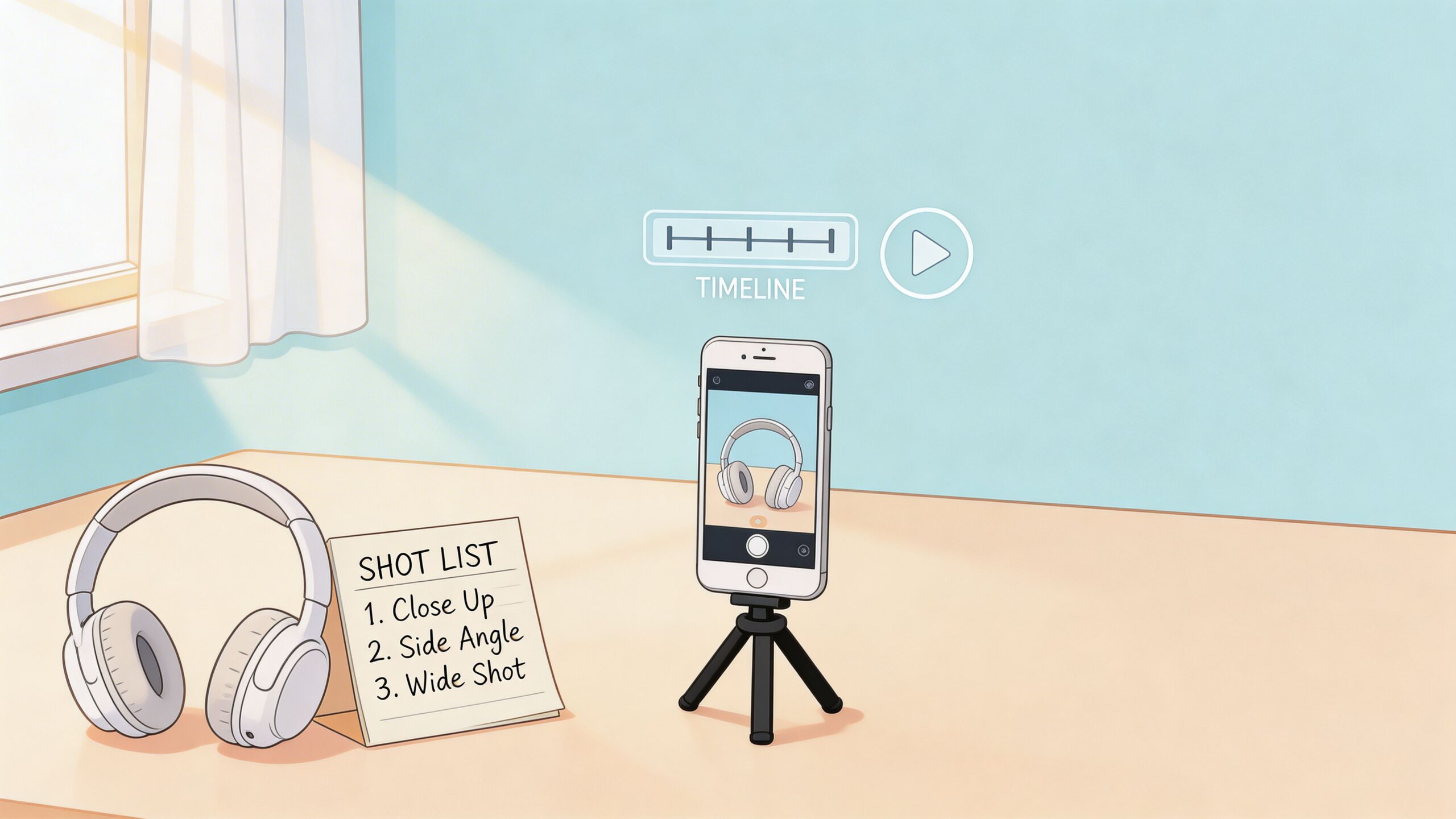
You already know the feeling. Your product is solid, your photos are decent, and people still hesitate.
They scroll. They zoom. They leave.
That gap usually is not the product. It is the missing context. Buyers cannot pick up the item, turn it over, test the texture, hear the click, or see the size in motion. Good e commerce videos close that gap faster than another paragraph of copy ever will.
The good news is you do not need a studio, a camera rig, or a production crew. A current smartphone, a window, a clean surface, and a disciplined workflow are enough to make videos that help products sell on Shopify, Amazon, and Etsy. The trick is knowing what matters, what does not, and where “good enough” beats “perfect.”
Why E-commerce Videos Are Your Secret Sales Weapon
Most small sellers start with static images because that is manageable. A white background, a few angles, maybe one lifestyle shot, then publish. The problem shows up when the product needs motion to make sense. A bag needs to show storage. A skincare bottle needs to show texture. A kitchen tool needs to show how it works in a hand, not on a blank page.
That is where e commerce videos stop being optional and start acting like a sales tool.

Video changes buyer confidence
The strongest reason to use video is simple. It answers doubt quickly.
A shopper looking at a wallet photo may still wonder whether the leather looks stiff, whether the card slots are tight, or whether it feels bulky in a pocket. A short video can show all three in seconds. That removes friction that product copy often cannot.
The upside is not minor. According to the State of Video Commerce 2025 report, shoppable videos achieve add-to-cart rates as high as 22%, a 3.4x lift over traditional product pages, and can contribute up to 43% of a website’s total GMV.
That should get any seller’s attention.
Static images explain less than you think
Photos still matter. They are the first filter. But video handles the questions photos leave behind.
A good product video can show:
- Scale: How large the item looks in a real hand or room
- Function: What the zipper, lid, clasp, hinge, or interface does
- Material behavior: How fabric drapes, how foam compresses, how liquid pours
- Trust signals: That the product exists, works, and looks real outside of polished catalog shots
If you already have polished stills, pairing them with strong motion is even better. Many sellers also tighten their catalog presentation by improving core images first through services like photo editing services for ecommerce, then using video to handle demonstration and persuasion.
Tip: If your product solves a problem through movement, setup, texture, fit, or before-and-after use, video will usually do more selling work than another gallery image.
Buyers already expect video
This is not just a nice creative format. Video is where attention is. By the end of 2025, video is projected to account for 82% of all internet traffic, and videos on social media generate 1200% more shares than text and images combined, according to these video marketing statistics.
That does not mean every product needs a cinematic brand film. It means buyers are already trained to evaluate products through motion. If you want a useful checklist for execution, these video marketing best practices are worth reviewing before you publish.
How to Plan E-commerce Videos That Sell
The fastest way to waste time is to start filming without deciding what the video needs to prove.
That sounds obvious, but it is where most weak e commerce videos fail. They show the product, but they do not answer the buyer’s next question. Planning fixes that.
Pick one job for the video
A single video can do several things, but one purpose should dominate. For a small store, these are the most useful lanes:
- Demo video: Best when the product has a moving part, setup step, or feature that needs proof.
- Lifestyle video: Best when the product sells through context, such as decor, apparel, or accessories.
- Unboxing or tactile video: Best when packaging, texture, finish, or first impression matters.
- Comparison video: Best when buyers are likely choosing between sizes, colors, or versions.
- Problem-solution clip: Best when the product solves a clear annoyance and the “before” is easy to show.
If you sell a handcrafted wallet, a lifestyle montage alone is usually too soft. A better plan is a demo-led video with real use. Open the wallet. Slide in cards. Fold it. Put it in a front pocket. Show the stitching close-up. That gives the shopper evidence.
Write the message in plain language
Do not script like an ad agency. Write like a seller explaining the product to a customer at a booth.
For a wallet, your rough script might be:
- This is the size in hand.
- Here is how many cards it holds.
- Here is the cash compartment.
- Here is the leather texture up close.
- Here is how slim it looks in a pocket.
- Final prompt to shop.
That is enough. You do not need clever lines. You need useful sequence.
Build a shot list you can film
A good shot list prevents reshoots and keeps phone footage organized. Keep it short.
For the wallet example:
| Shot | What to capture | Why it matters |
|---|---|---|
| Hero angle | Wallet on clean surface | Opening visual |
| Hand pickup | Pick up and rotate slowly | Real scale and finish |
| Card insert | Add cards one by one | Capacity proof |
| Fold and press | Close wallet naturally | Thickness and flexibility |
| Pocket test | Put in jeans or jacket | Everyday use |
| Detail close-up | Stitching, edges, logo | Craft and quality |
The missing piece in many guides is the workflow for sellers who only have a phone. That gap matters because small shops do not have studio teams. One overlooked angle in e-commerce is creating professional-grade demo videos from smartphone footage. The same source notes that 72% of Instagram users make purchases after viewing a product, while most guidance still misses how small retailers can use AI-enhanced workflows for Shopify or Amazon without a studio, as discussed in this smartphone-to-demo-video resource.
Plan for platform, not just aesthetics
Before filming, decide where the clip will live first.
A product page demo can run a bit slower and show more detail. A social clip needs a faster opening. An Amazon listing often needs cleaner proof of product features than a mood-heavy edit. An Etsy shopper usually responds well to authenticity, but shaky or dim footage still looks careless.
Key takeaway: The cheapest way to improve video quality is not buying gear. It is cutting bad shots before you film them by knowing the exact message and sequence.
Smartphone Filming Techniques for Crisp Product Videos
Most budget product videos fail for three reasons. Bad light, shaky hands, and too much footage.
You do not need premium gear to fix any of them.

Use window light and stop fighting your ceiling bulbs
If I had to keep one filming trick and throw out the rest, I would keep window light.
Place a small table next to a bright window. Shoot when the light is indirect, not when direct sun is blasting across the product. If the shadows look harsh, hang a thin white curtain or use a plain white shower curtain as a diffuser. It is cheap and works.
Do this:
- Face the light source: Put the product so the window lights the front or front-side.
- Use white foam board: Stand it opposite the window to bounce light back and soften shadows.
- Turn off mixed indoor lights: Yellow overhead bulbs and blue daylight together make products look odd.
Not that:
- Do not film under kitchen downlights: They create ugly hotspots and hard shadows.
- Do not use digital zoom: Move the phone closer instead.
- Do not switch filming spots shot to shot: Inconsistent light makes editing harder.
Stabilize the phone without buying a gimbal
A shaky camera makes even great products look cheap.
For tabletop shots, stack books and lean the phone against a mug or box. For top-down shots, use a shelf, tripod, or clamp arm if you already have one. For moving shots, keep your elbows tucked in and move your whole body, not just your wrists.
If you want one small purchase, a basic phone tripod is more useful than a flashy accessory. It improves consistency, helps framing, and saves time in editing.
Make movement slow on purpose
New sellers usually move too fast. Slow movement looks more confident and gives the product time to read on screen.
Try three simple moves:
- Push-in: Start a little wider and move in slowly toward a key detail
- Slide across: Move left to right to show texture or shape
- Rotate the product, not the camera: Easier, cleaner, and more repeatable
For watches, jewelry, tools, and small electronics, rotating the item on a clean surface often beats waving the phone around.
Audio matters only when you need it
Many product videos work fine with music and text overlays only. If you are not speaking, you can ignore room sound and focus on visuals.
If you are speaking on camera, record in a soft room with curtains, rugs, or bedding to reduce echo. A cheap lav mic can help, but good phone placement in a quiet room matters more than people think.
For visual examples of framing and pacing, this guide on how to create product videos is a useful companion to a smartphone workflow.
A quick reference helps when you are setting up:
| Problem | Better low-cost fix | Skip this mistake |
|---|---|---|
| Harsh shadows | Window light plus white bounce board | Direct overhead bulbs |
| Shaky footage | Books, tripod, elbows tucked | Handheld fast pans |
| Soft focus | Tap product on screen to focus | Let autofocus hunt |
| Cluttered background | Plain board, fabric, or wall | Busy kitchen counters |
This walkthrough is worth studying before your first shoot.
Film short clips, not one long take
Short clips are easier to edit and easier to repeat. Record the same action two or three times from slightly different angles. You will be grateful later.
A practical sequence looks like this:
- Wide clip: Product in full view
- Medium clip: Product in use
- Tight clip: Material or feature detail
- Proof clip: Show the result, fit, or transformation
That is enough for most listings.
Tip: The best smartphone footage usually looks almost boring while filming. Stable, bright, and simple beats dramatic but unusable every time.
Editing Your Smartphone Video for Higher Engagement
Editing is where a decent clip turns into a selling asset.
You do not need advanced software. CapCut, InShot, VN, iMovie, or a basic desktop editor is enough for most stores. What matters is judgment. Cut quickly. Show proof early. Keep the screen readable.
Start by trimming hard
The first pass is not about style. It is about removing anything slow.
Cut out:
- the second before your hand enters frame
- the wobble at the end of a shot
- the moments where focus drifts
- duplicate angles that do not add information
If a clip does not help the buyer understand the product, cut it. Small sellers often leave extra footage in because they worked hard to shoot it. Buyers do not care. They reward clarity.
Edit for mobile first
A common mistake is building one horizontal master and forcing it everywhere. That usually weakens the result.
According to Firework, vertical videos can yield 130% higher engagement than horizontal ones, and failing to include interactive elements can mean missing a potential 591% lift in user activity in some contexts, as outlined in this analysis of video content and conversion rates.
That does not mean every placement should be vertical. It means your editing decisions should follow the screen where the buyer sees the clip first. For social placements, vertical is often the right call. For onsite product pages, square or horizontal formats can still work if the frame stays clean and product-focused.
Use text overlays like shelf labels
On-screen text should clarify, not decorate.
Good overlay examples:
- Full-grain leather
- Fits cards and cash
- Slim front-pocket profile
- Twist-lock lid
- Wipe-clean surface
Bad overlays:
- Long slogans
- Tiny captions
- Paragraphs explaining features
- Fancy fonts with weak contrast
Keep text large, high-contrast, and brief. If your underlying images need resizing for different placements, tools such as this image resizer help keep supporting visuals consistent across your storefront.
Build a simple conversion sequence
A practical edit usually follows this rhythm:
| Order | What appears | Purpose |
|---|---|---|
| Opening | Best visual in first moment | Stop the scroll |
| Proof | Product in use | Answer “what does it do?” |
| Detail | Close-up of feature or material | Build trust |
| Outcome | Final state or result | Show benefit |
| CTA | Shop now, see details, choose color | Prompt action |
Music is optional. If you use it, keep it low and neutral. For many product videos, crisp cuts and clean text beat dramatic audio.
Add CTAs where they feel natural
A call to action should match the placement.
On a product page, the CTA can be simple: shop now, choose your size, see color options. On social, a visual cue toward the next click matters more. If the platform supports interactive elements, use them. If not, use a short verbal or text cue near the end.
Do not overstuff every second with stickers, arrows, and effects. Many sellers try to make the edit look “professional” by adding too much motion. The result feels busy and low trust.
Key takeaway: The cleanest edit often converts better than the most creative one. Buyers are not grading your style. They are checking whether the product looks credible and useful.
Where to Use Your Videos for Maximum Impact
A finished video sitting in your camera roll does nothing. Placement is half the job.
Different channels ask different things from the same footage. A sharp seller makes one shoot do several jobs by cutting versions for product pages, marketplaces, social, email, and ads.

Start with the places closest to purchase
If time is limited, publish in this order:
Product pages
Video helps answer final objections here. Use your clearest demonstration clip here.Marketplace listings
On Amazon or Etsy, video can differentiate you when competitors rely on static galleries.Social clips
Cut shorter, faster versions for discovery. These should earn attention before they ask for a click.Email and paid ads
Use proven clips, not untested ones. If a video keeps visitors engaged on your product page, it often makes a stronger candidate for campaigns.
The broad trend supports this channel mix. By the end of 2025, video is projected to account for 82% of all internet traffic, and videos on social media generate 1200% more shares than text and images combined, according to this roundup of video marketing statistics for 2025.
Match the cut to the platform
Shopify product pages usually reward clarity and completeness. Amazon often favors concise, practical product proof. Etsy buyers often respond well to authenticity, handmade process, and detail.
If you are cleaning up a storefront before adding motion, professional supporting imagery still matters. This guide to professional Shopify product photography is useful if your catalog visuals need tightening alongside video rollout.
Here is a practical spec table you can use as a starting point.
| Platform | Recommended Aspect Ratio | Max Length | Recommended Resolution |
|---|---|---|---|
| Shopify product pages | 1:1 or 4:5 for mobile-friendly viewing, 16:9 for wider demos | Keep it short enough to hold attention | 1080p |
| Amazon listings | 1:1 or 16:9 depending on listing layout and product type | Keep feature demos concise | 1080p |
| Etsy listings | 1:1 or 4:5 | Short clips work best for quick product understanding | 1080p |
| Instagram Reels and Stories | 9:16 | Short, fast-paced clips | 1080×1920 |
| TikTok | 9:16 | Short, hook-first videos | 1080×1920 |
| YouTube product explainer | 16:9 | Longer format is acceptable when detail matters | 1080p |
Repurpose one shoot into multiple assets
One filming session can create:
- A product page demo
- A vertical social teaser
- A detail-focused marketplace clip
- An email thumbnail video
- A retargeting ad version
Budget sellers win here. Not by making more videos, but by extracting more use from one clean batch of footage.
Keep a simple testing loop
Watch for practical signals:
- Are shoppers watching enough of the clip to reach the product proof?
- Do they interact more after seeing the video?
- Do some products clearly need demo footage while others only need a quick visual loop?
You do not need a giant media operation. You need repeatable habits.
Tip: Put your strongest “I get it now” moment first. Onsite buyers may watch longer than social users, but both groups decide fast whether the video is worth their attention.
Your Next Step to Video-Powered E-commerce Growth
Strong e commerce videos are not about expensive equipment. They are about removing uncertainty.
That is why a smartphone setup can work so well. You can plan around the buyer’s real questions, film in clean window light, edit with a ruthless hand, and publish the same core footage across Shopify, Amazon, Etsy, and social channels without turning the process into a production headache.
The practical standard is not perfection. It is usefulness.
If the video shows the product clearly, proves the feature that matters, and helps the shopper imagine ownership, it is doing its job. A smooth but empty video loses to a simple clip with honest product proof almost every time.
Start small. Pick one product this week. Write a six-shot list. Film near a window. Cut the dead space. Add three short text overlays. Publish it where purchase intent is already high.
Then repeat with the next item.
That is how most sellers build a real video workflow. Not with a grand launch. With one solid clip, then another, then a library of assets that keep selling long after the shoot is over.
If your product visuals still need cleanup before you turn them into videos, ProdShot can help you get there faster. It turns raw smartphone product photos into polished, marketplace-ready images with AI-enhanced editing, which makes it easier to build cleaner listings, stronger thumbnails, and better source material for your next video shoot.