
Introduction
In the vibrant marketplace of Etsy, where creativity meets commerce, the visual appeal of your product listings can make or break a sale. High-quality, compelling product photos are essential to attract buyers and convey the value of your handmade or vintage items. With advancements in artificial intelligence (AI), creating professional-grade images has become more accessible than ever. This guide will walk you through best practices for crafting irresistible Etsy product photos using AI tools, helping you stand out and boost your sales.
Understanding Etsy’s Image Requirements
Before diving into AI-enhanced photography, it’s crucial to understand Etsy’s image requirements and best practices:
- File Types: Etsy supports .jpg, .gif, .png, .svg, and .heic formats. Animated .gif files and transparent .png files are not supported. (help.etsy.com)
- Image Size: The recommended size for listing photos is at least 2000 pixels on the shortest side. This ensures clarity and quality across various devices and allows for optimal zoom functionality. (help.etsy.com)
- Aspect Ratio: A 4:3 aspect ratio is ideal, as it aligns with Etsy’s display layout, ensuring your images appear correctly in thumbnails and listing pages. (podpartner.com)
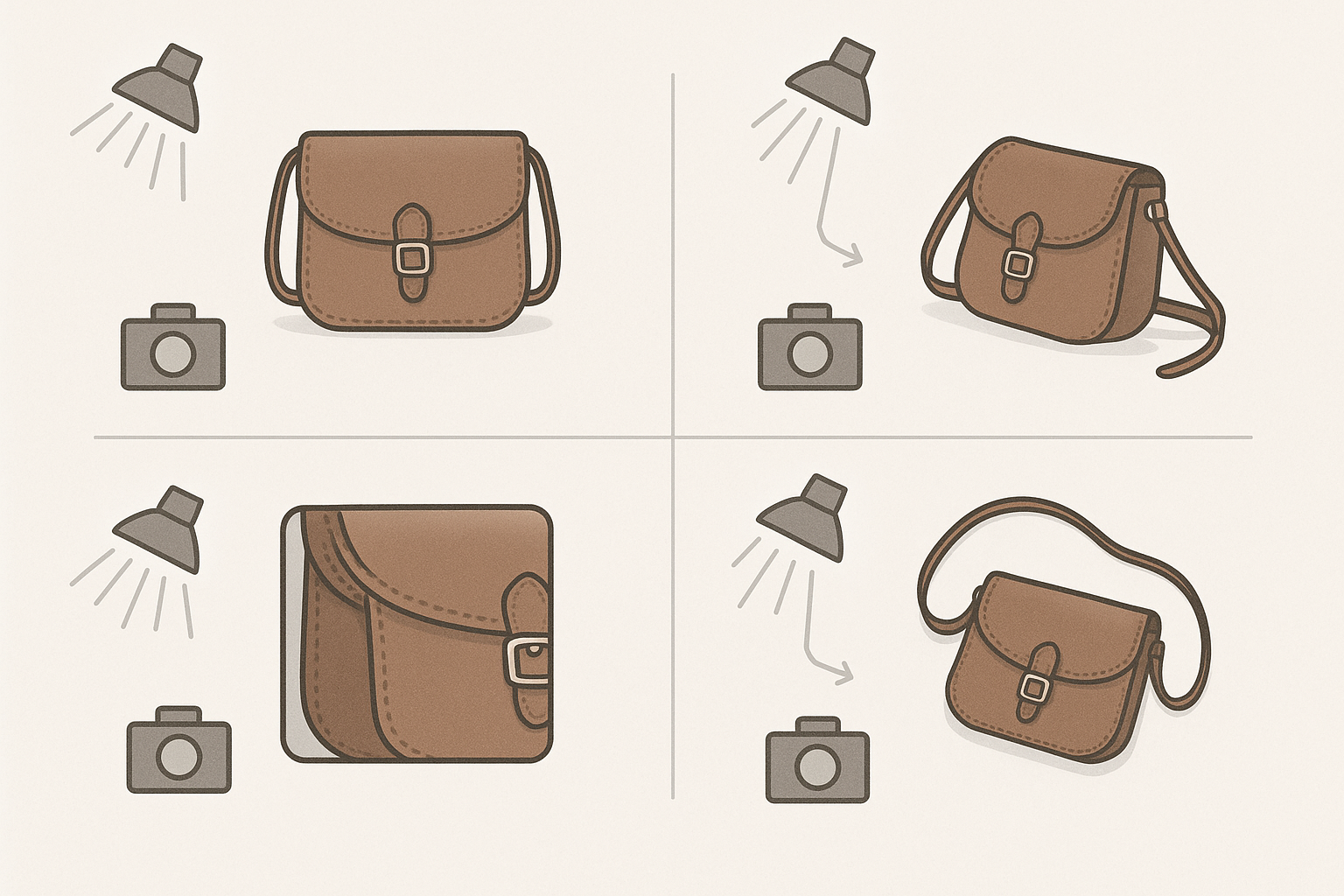
- Number of Images: Etsy allows up to 10 images per listing. Utilizing all available slots provides a comprehensive view of your product, showcasing different angles, details, and usage scenarios. (everlysthq.com)
Leveraging AI for Product Photography
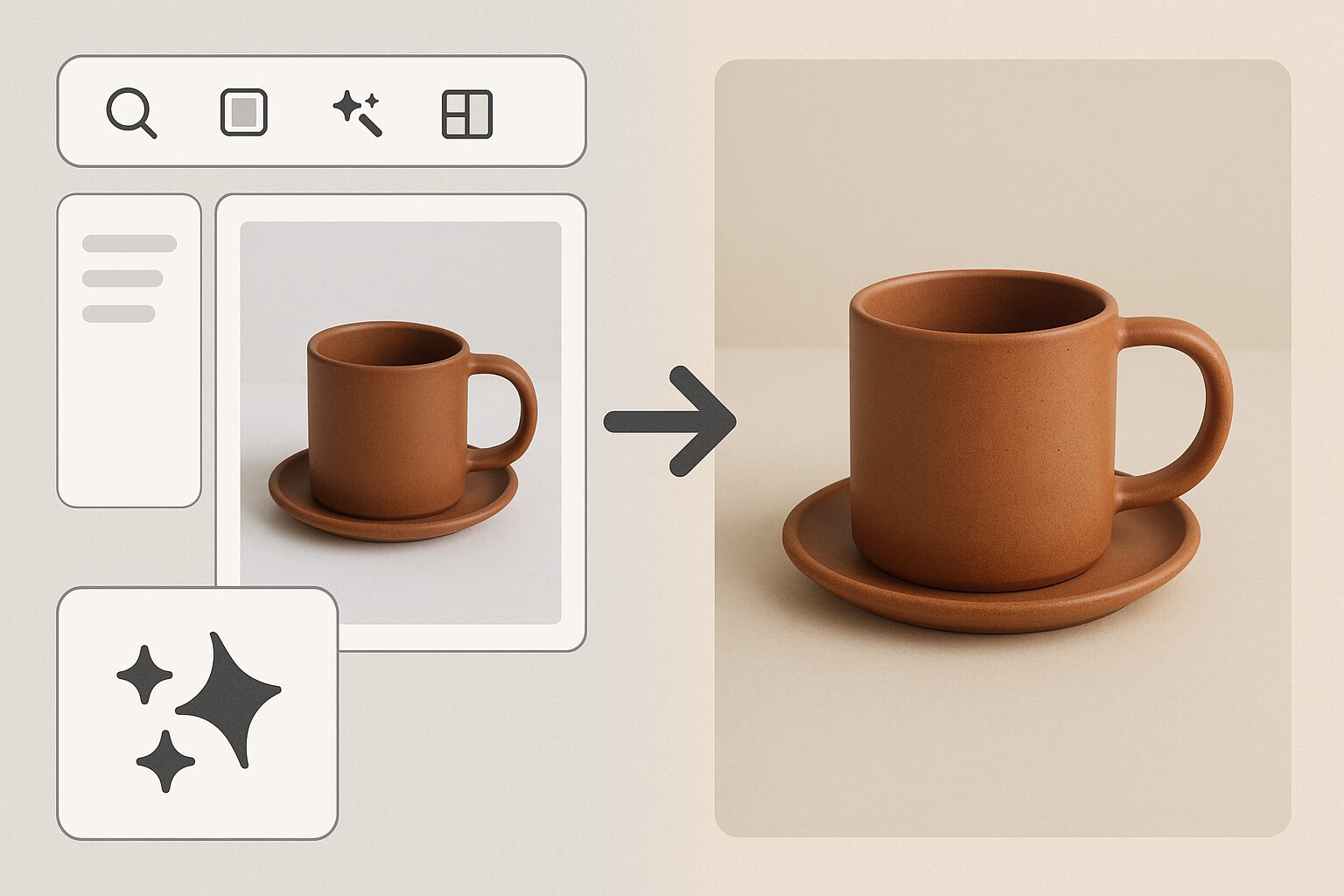
AI-powered tools have revolutionized product photography, enabling sellers to create professional images without extensive equipment or expertise. Here’s how you can leverage AI to enhance your Etsy product photos:
AI Image Generators
AI image generators can create high-quality product images from text prompts or enhance existing photos. Tools like Google’s AI image editor, Pics, allow users to generate images, manipulate elements, and correct common issues. (techradar.com)
AI Upscaling
Enhancing the resolution of your product photos ensures they remain sharp and clear, even when zoomed in. AI upscaling tools can increase image resolution by up to 4x, improving details and reducing pixelation. (digitalcameraworld.com)
AI-Powered Editing
AI editing tools can assist in removing backgrounds, adjusting lighting, and enhancing colors, making your product photos more appealing. For instance, AI tools can automatically detect and remove clutter from images, ensuring the focus remains on your product. (arxiv.org)
Best Practices for AI-Enhanced Product Photos
To maximize the impact of your AI-enhanced product photos, consider the following best practices:
Consistency
Maintain a consistent style across all your product photos to create a cohesive brand identity. This includes using similar backgrounds, lighting, and angles.
Natural Lighting
Whenever possible, use natural lighting to capture your products. AI tools can enhance lighting, but starting with well-lit photos yields the best results.
Multiple Angles
Showcase your product from various angles to give buyers a comprehensive view. Include close-ups of important details and features.
Contextual Images
Include images that show your product in use or in a lifestyle setting. This helps buyers visualize how the product fits into their lives.
High Resolution
Ensure your images are high-resolution to maintain quality across different devices and allow for zoom functionality.
Checklist for AI-Enhanced Etsy Product Photos
- [ ] Use AI tools to remove backgrounds and enhance lighting.
- [ ] Ensure images are at least 2000 pixels on the shortest side.
- [ ] Maintain a 4:3 aspect ratio for optimal display.
- [ ] Utilize all 10 image slots to provide a comprehensive view.
- [ ] Include contextual images to showcase product usage.
- [ ] Maintain consistency in style and branding across all photos.
Practical Examples
Let’s explore some real-world applications:
- Jewelry Photography: Use AI tools to enhance details and remove backgrounds, focusing on intricate designs.
- Apparel Listings: Model clothing in various natural settings, utilizing AI to balance colors and lighting.
- Handmade Crafts: Highlight textures by zooming in on details and using AI to improve sharpness.
Decision Criteria for Choosing AI Tools
When selecting AI tools, consider:
- Compatibility: Ensure the tool supports the file formats Etsy accepts.
- Functionality: Look for features like upscaling, editing, and background removal.
- Ease of Use: The tool should be user-friendly, especially if you’re new to AI-powered editing.
- Cost: Compare costs and choose a tool that fits within your budget without compromising quality.
Mistakes to Avoid
- Over-editing: Don’t alter images so much that they misrepresent the product.
- Ignoring Etsy’s Guidelines: Always adhere to Etsy’s image requirements to avoid potential listing issues.
- Neglecting Angles: Failing to showcase multiple angles can lead to missed sales opportunities.
Marketplace-Specific Advice
Remember that Etsy shoppers appreciate authenticity. Ensure your AI-enhanced images maintain a natural look that aligns with your brand’s aesthetic.
Stronger FAQ
Q: Can AI tools help if I don’t have a background in photography?
A: Absolutely. AI tools streamline the process, allowing you to create professional images easily.
Q: What if I’m not tech-savvy?
A: Look for user-friendly AI tools with tutorials and community support.
Q: How can I test the impact of my photos?
A: Monitor your Etsy insights to track engagement and tweak your photos as needed.
Sources and Further Reading
- How to Edit Your Listing Photos – Etsy
- Requirements and Best Practices for Images in Your Etsy Shop – Etsy
- Etsy Listing Photo Size Guide and Optimization Tips
- Etsy Product Photo Requirements 2026: Dimensions, Aspect Ratio & Tips | SellHound
- Etsy Listing Photo Requirements and Strategy 2026 | Everlyst
Conclusion
Creating compelling product photos is essential for success on Etsy. By understanding Etsy’s image requirements and leveraging AI tools, you can produce professional-quality images that attract buyers and boost sales. Remember to maintain consistency, use natural lighting, and showcase your products from multiple angles. For an efficient and effective way to enhance your product photos, consider using AI-powered tools like ProdShot to transform your images and elevate your Etsy shop’s visual appeal.
—
For more tips and tools to enhance your product photography, explore this Etsy Listing Photo Checklist and learn how to Create product photos.