Introduction
In the competitive landscape of Etsy, your product photos are paramount—they're often the first thing potential buyers notice. High-quality images not only highlight your products effectively but also build trust and drive sales. Thanks to advancements in artificial intelligence (AI), enhancing your product photos to meet Etsy's standards has never been more accessible. This comprehensive guide will explore how to leverage AI tools to optimize your Etsy listings and elevate your business.
Understanding Etsy's Image Requirements
Before diving into enhancement techniques, it’s essential to understand Etsy's image guidelines:
- File Types: Etsy supports .jpg, .gif, .png, .svg, and .heic formats. Note that animated .gif files and transparent .png files are not supported.
- Image Size: Images should be at least 2000 pixels on the shortest side for clarity and zoom functionality.
- Orientation: The first photo should be horizontal (landscape) or square for proper thumbnail display.
These specifications ensure that your photos are displayed effectively across the platform, attracting more views and potential sales. Learn more about Etsy's image requirements here.
The Role of AI in Product Photo Enhancement
AI-powered tools significantly streamline the process of enhancing product photos, offering features such as:
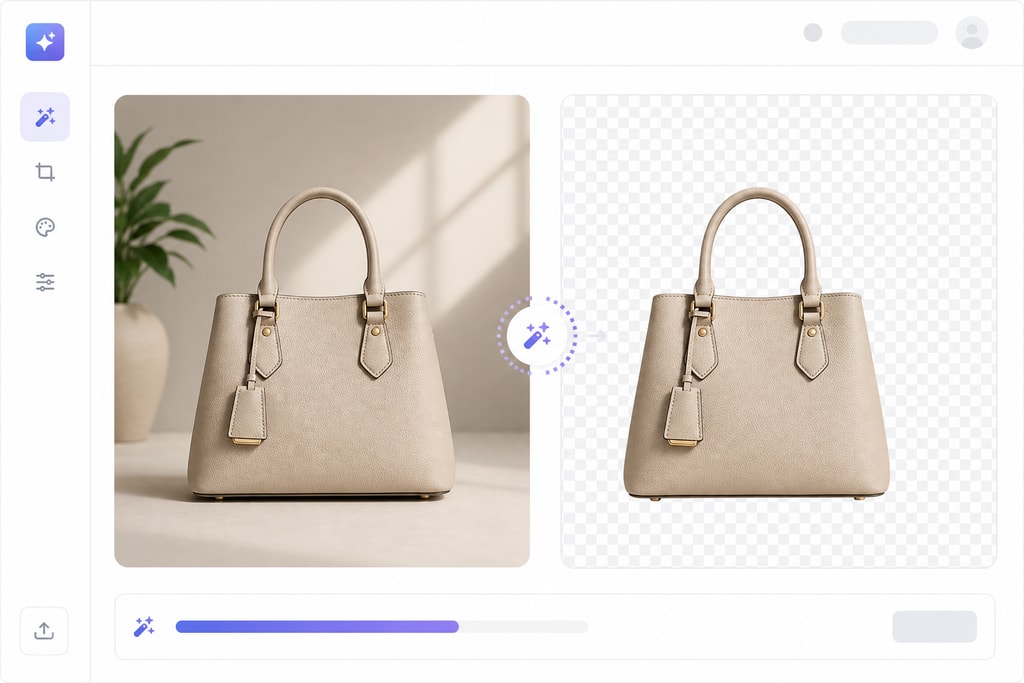
- Background Removal: Isolate products from backgrounds for cleaner presentations.
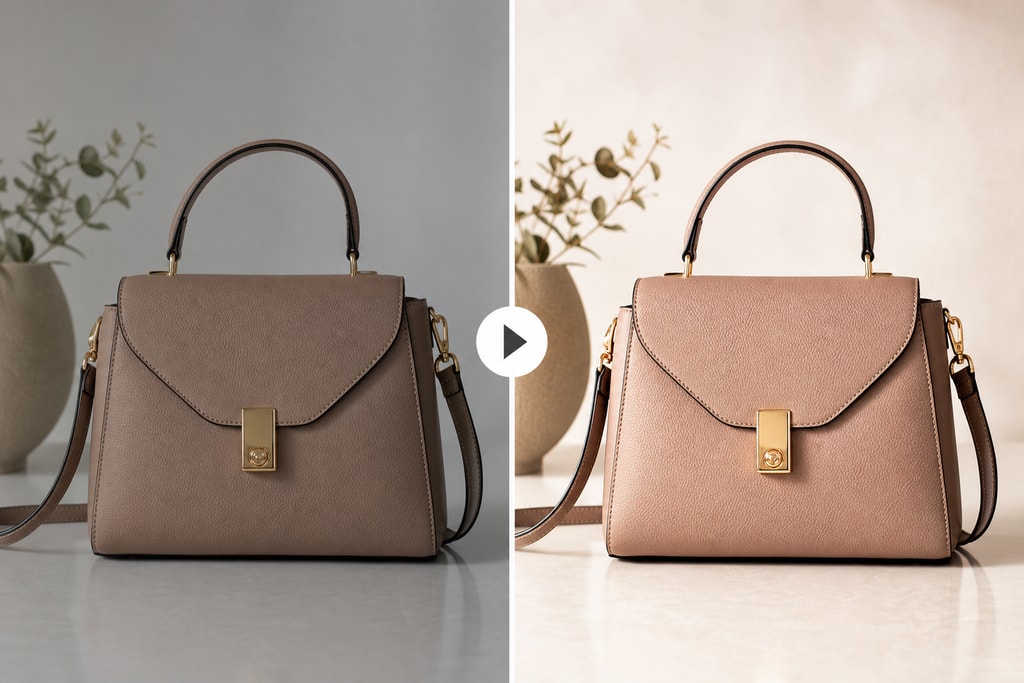
- Color Correction: Adjust lighting and colors to maintain consistency across images.
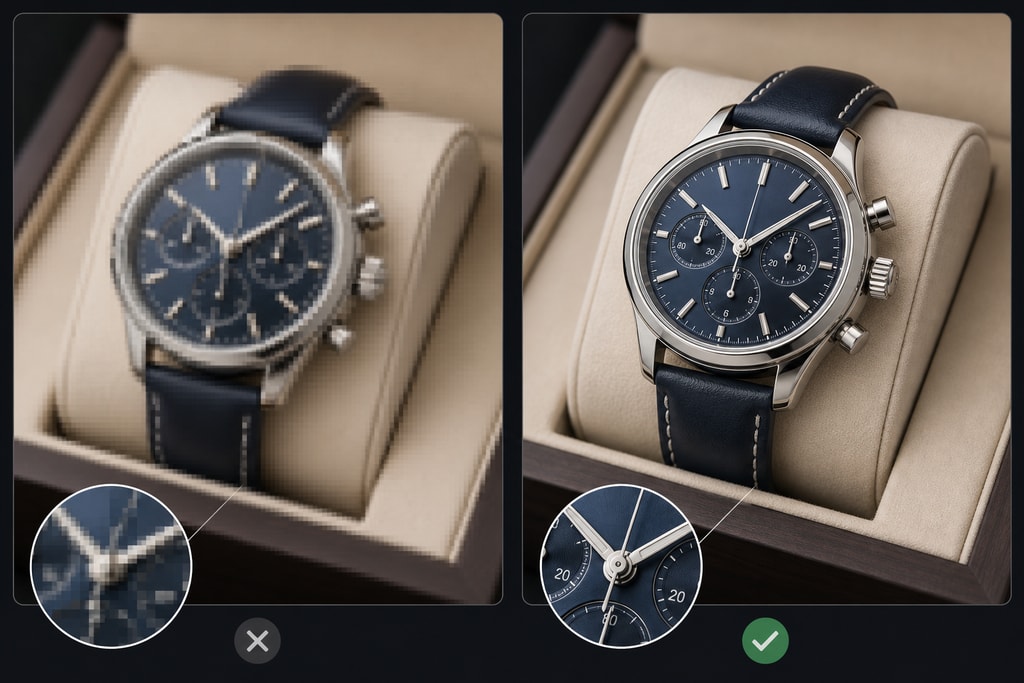
- Image Upscaling: Enhance resolution without compromising quality, meeting size requirements.
Benefits of AI Tools
Using AI tools not only saves time but also ensures precision and consistency, giving your store a more professional look which can translate into higher sales.
Strategies for Using AI to Meet Etsy's Image Standards
1. Automated Background Removal
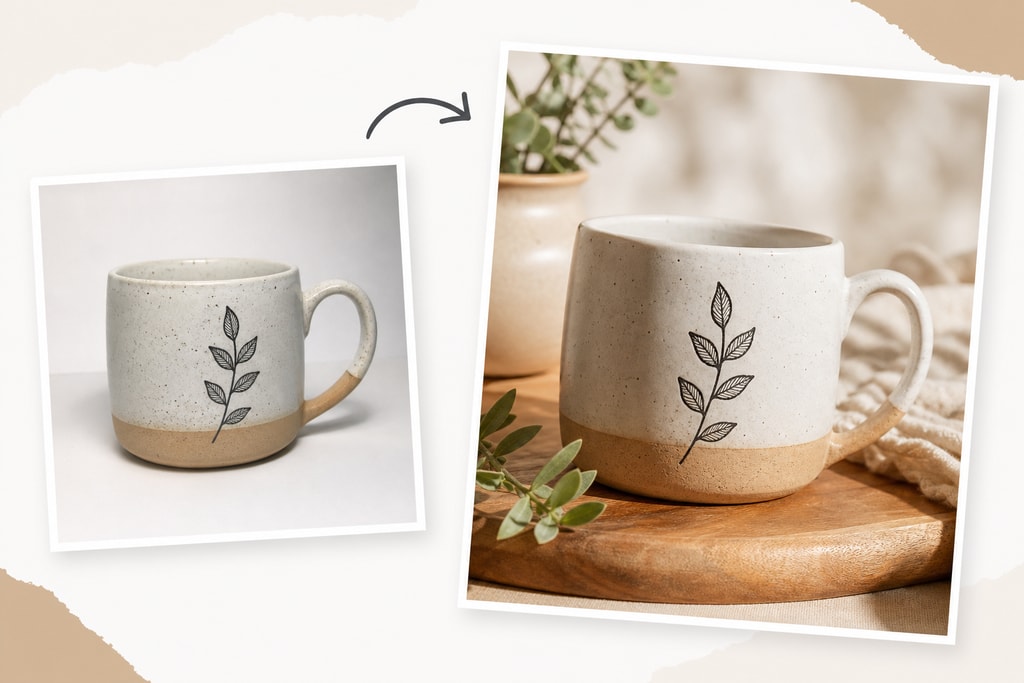
A clean background focuses attention on the product. AI tools efficiently remove backgrounds, replacing them with neutral or brand-consistent colors.
Steps:
- Upload your image to an AI background removal tool.
- Allow the AI to process the image to isolate the product.
- Replace the background with a solid color or a subtle texture that complements your product.
Practical Example
Consider selling vintage jewelry. By removing a busy background, potential buyers focus directly on the product's details, enhancing its appeal.
2. Consistent Lighting and Color Correction
Inconsistent lighting can detract from professionalism. AI can analyze and adjust lighting to ensure uniformity across your photos.
Steps:
- Use AI photo editing software to analyze lighting in your images.
- Apply suggested adjustments to balance exposure and color tones.
- Ensure the product's true colors are accurately represented.
Mistake to Avoid
Avoid over-editing that alters the authenticity of your product. This can lead to customer dissatisfaction and returns.
3. Image Upscaling for Higher Resolution
Low-resolution images can appear pixelated when zoomed in. AI upscaling tools enhance image quality to meet Etsy's standards.
Steps:
- Upload your image to an AI upscaling tool.
- Select the desired output resolution (e.g., 2000 pixels on the shortest side).
- Download the enhanced image and replace the original in your listing.
Decision Criteria
Choose a tool known for preserving detail during upscaling to avoid losing quality.
Checklist: Preparing Your Product Photos for Etsy
- [ ] Ensure images are in supported formats (.jpg, .png, etc.).
- [ ] Verify images are at least 2000 pixels on the shortest side.
- [ ] Use AI tools to remove distracting backgrounds.
- [ ] Adjust lighting and colors for consistency.
- [ ] Upscale images to enhance resolution if necessary.
- [ ] Preview images to ensure proper thumbnail display.
FAQs
Q: Can I use AI-generated images for my Etsy listings?
A: Etsy requires that listing photos accurately represent the product being sold. While AI can enhance photos, the images should depict the actual item.
Q: Are there any free AI tools for photo enhancement?
A: Yes, several free AI tools offer features like background removal and color correction, though premium tools may provide more advanced capabilities.
Q: How often should I update my product photos?
A: Regular updates keep your listings fresh. Consider updating photos seasonally or with new product variations.
Topic-Specific Advice
- Use AI enhancements to highlight unique product features that matter to your niche audience.
- Test various backgrounds and lighting to determine which combinations garner the most engagement.
- Leverage ProdShot's guide on creating product photos for additional tips and techniques.
Additional Resources
- Etsy listing photo checklist
- Etsy Product Photography Tips (2025 Guide) – Outfy
- Etsy Product Photography: 7 Tips That Actually Increase Sales | ListifyAI Blog
Conclusion
Enhancing your Etsy product photos using AI not only ensures compliance with platform standards but also elevates your listings' overall appeal. By integrating AI tools into your photography workflow, you can produce professional images that captivate potential buyers and drive conversions. For a seamless experience in creating marketplace-ready images, explore ProdShot, an AI-powered service designed to transform casual photos into professional visuals.