Facebook Marketplace is a bustling environment for e-commerce sellers, offering access to a large audience. However, capturing buyers' attention involves more than just uploading your listings. High-quality product photos are paramount for standing out. This guide explores in-depth techniques to enhance your product photos, building buyer trust and boosting sales.
The Importance of Quality Photos
Product photos form the first impression potential buyers have. Clear, well-lit images enhance trustworthiness and elevate engagement rates. Studies show that listings featuring multiple high-quality photos receive increased views and inquiries, directly impacting sales positively.
Essential Photography Techniques
1. Use Natural Lighting
Natural light emphasizes the true colors and finer details of your product. Position your items near a daylight-filled window to achieve uniform lighting. Notably, avoid flash usage since it can cast harsh shadows and distort colors.
Practical Tip
Capture photos during the golden hours—early morning or late afternoon—when natural light is soft and diffused.
2. Choose a Clean Background
A minimalist, clutter-free background keeps the focus on your product. Opt for a plain wall, solid-colored fabric, or simple table arrangement. This reduction in visual noise helps showcase your product professionally.
Marketplace-Specific Advice
Consider keeping a consistent background color for all your product listings, reinforcing your brand and making it recognizable.
3. Capture Multiple Angles
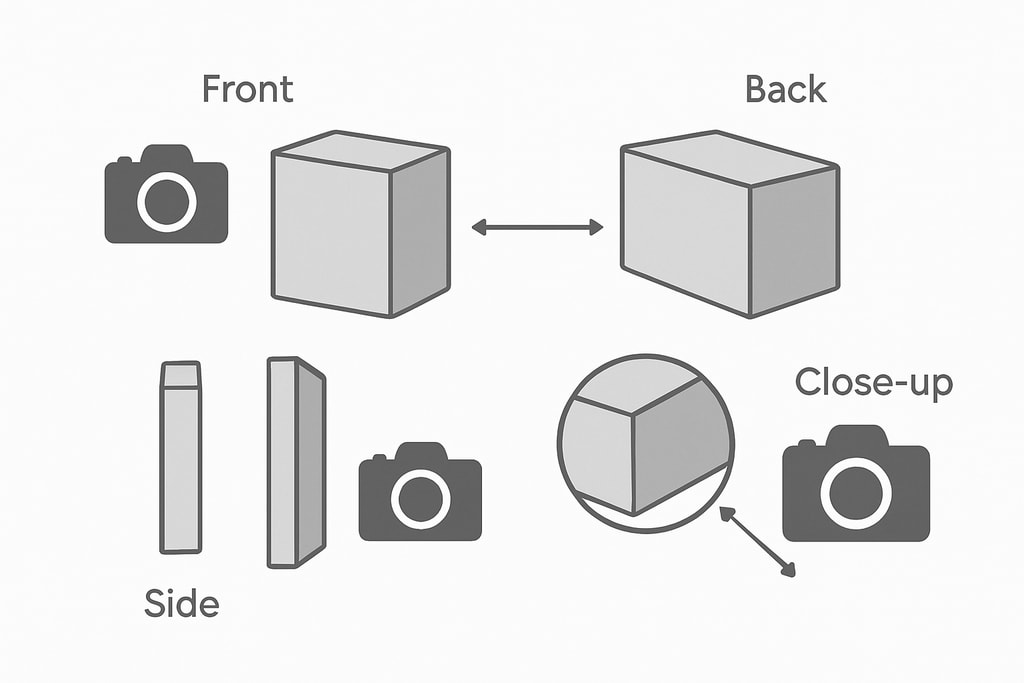
Showcasing your product from varied perspectives offers a comprehensive buyer view. Include front, back, side, and detailed shots of distinctive features or defects. Such transparency builds buyer trust and mitigates purchase hesitation.
Decision Criteria
When determining angles, consider what aspects of the product customers value most—show these features clearly.
4. Highlight Product Details
Close-up photos emphasizing textures, labels, or intricate designs can be persuasive. They allow buyers to appreciate craftsmanship, making your listing more appealing.
Practical Examples
For clothing, focus on stitching and fabric; for electronics, highlight control panels and ports.
5. Ensure Proper Image Resolution
High-resolution images enhance clarity and professional appearance. Facebook recommends a minimum of 600 x 600 pixels; however, aiming for 1080 x 1080 pixels ensures superior clarity. Most modern smartphones meet these criteria easily.
Internal Tip
Check out our Ecommerce product photo checklist for more detailed resolution tips.
Common Mistakes to Avoid
- Blurry Images: Ensure photos are sharp and focused. Consider a tripod or steady your hands to avoid camera shake.
- Poor Lighting: Avoid dark or overly bright photos. Aim for balanced, natural lighting.
- Cluttered Backgrounds: Eliminate distracting elements to maintain product focus.
- Inconsistent Angles: Ensure uniform viewing experiences with consistent angles and distances.
Mistakes in Context
Uploading misleading photos can lead to increased returns, negatively affecting seller ratings.
Editing Your Photos
Post-processing can optimize images, but keep edits minimal and realistic. Adjust brightness, contrast, and sharpness to mirror the product accurately. Avoid heavy filters that may mislead on appearance.
Practical Editing Guide
Tools like Canva or Lightroom offer easy-to-use features for quick adjustments that enhance without overdoing.
Utilizing AI Tools for Photo Enhancement
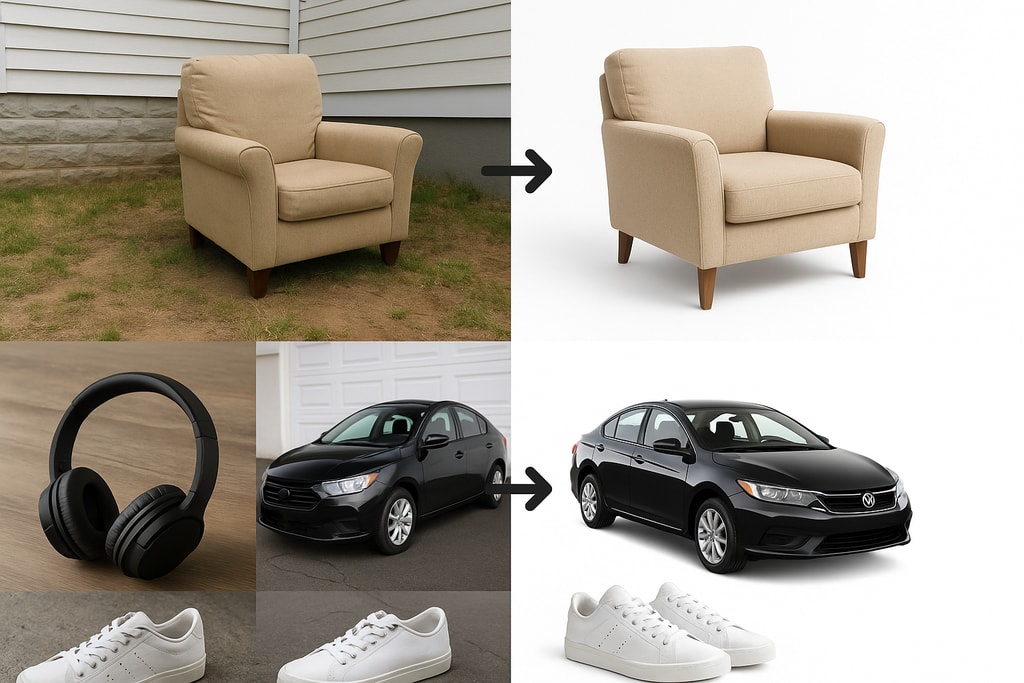
Sellers seeking efficiency might explore AI tools like ProdShot. ProdShot adapts casual photos into professional, platform-ready images with ease.
AI Usage Example
Upload your images to ProdShot for professional-level enhancements that enable higher Facebook Marketplace visibility.
Checklist for Effective Product Photos
- [ ] Use natural lighting
- [ ] Choose a clean, uncluttered background
- [ ] Capture multiple angles
- [ ] Highlight features
- [ ] Ensure high-resolution
- [ ] Edit to enhance clarity minimally
Frequently Asked Questions
Q: How many images should accompany my listing?
A: It's optimal to include at least 5-8 photos to offer a detailed view of the product.
Q: Are stock photos suitable for listings?
A: Actual product photos are recommended. Authentic images build trust and inform buyers of the product's condition accurately.
Q: Is professional photography equipment necessary?
A: No, smartphones today have capabilities to produce high-quality photos for e-commerce purposes.
Q: Can I enhance my images via software?
A: Yes, ensuring adjustments accurately reflect the product without misleading effects is crucial.
Sources and Further Reading
- Facebook Marketplace Photo Guide: Tips for Listings That Sell
- How to Edit Photos for Facebook Marketplace Listings
- Modern Product Photography Techniques for Marketplace Success
Implementing these photography practices can improve your Facebook Marketplace listings, drawing in more buyers and boosting sales. Quality images not only display your products effectively but also amplify your credibility as a seller.
Explore more on creating stellar product photos here.