
Introduction
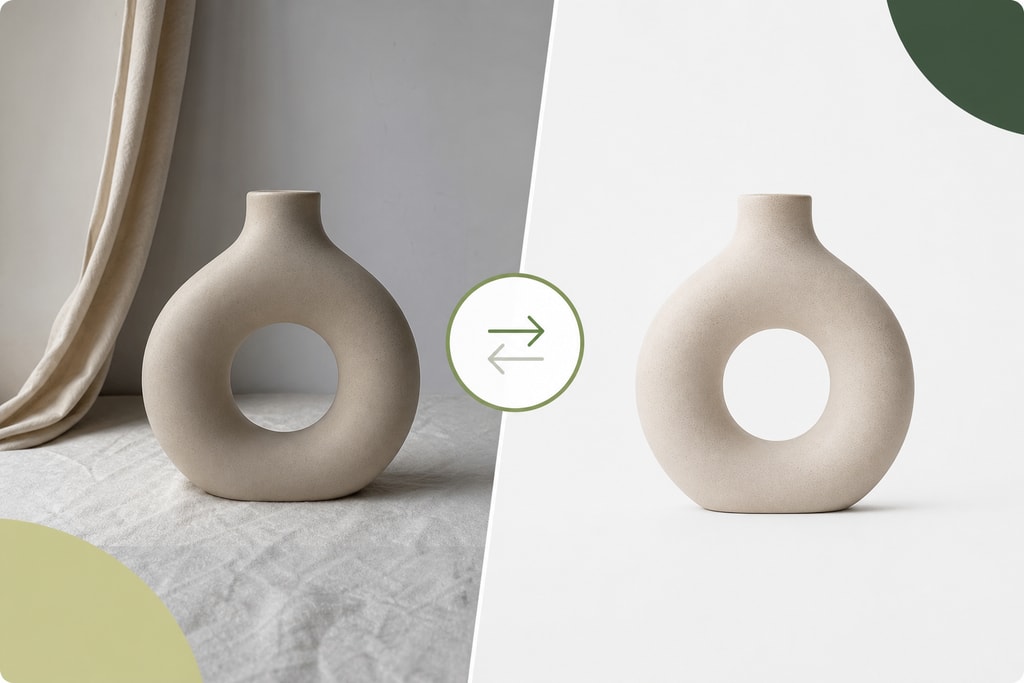
In the competitive world of e-commerce, your product images are more than just visuals—they're pivotal in influencing purchasing decisions. For Shopify store owners, optimizing product images is crucial to enhance user experience, improve site performance, and ultimately, increase sales. This comprehensive guide will walk you through effective strategies to optimize your Shopify product images.
Why Image Optimization Matters
Unoptimized images can significantly slow down your website, leading to higher bounce rates and lower conversions. According to Shopify's research, a one-second delay in page load can reduce conversions by up to 7%. Therefore, efficient image optimization not only improves engagement but also enhances overall customer satisfaction. Remember: Page speed is a ranking factor in search engines, so image optimization supports SEO efforts.
Recommended Image Sizes and Formats
Optimal Image Dimensions
Shopify recommends the following image sizes to ensure high-quality visuals without unnecessarily large file sizes:
- Product Images: 2048 x 2048 pixels (1:1 aspect ratio)
- Collection Images: 1024 x 1024 pixels
- Slideshow/Hero Banners: 1920 x 1080 pixels
- Blog Post Featured Images: 1024 x 512 pixels
- Logo: 250 x 250 pixels
- Favicon: 32 x 32 pixels
Using these dimensions leverages zoom functionality, ideal for showcasing product details. If you're unsure about resizing tools, consider using an Image Resizer to streamline this process. (ppimage.com)
Choosing the Right File Format
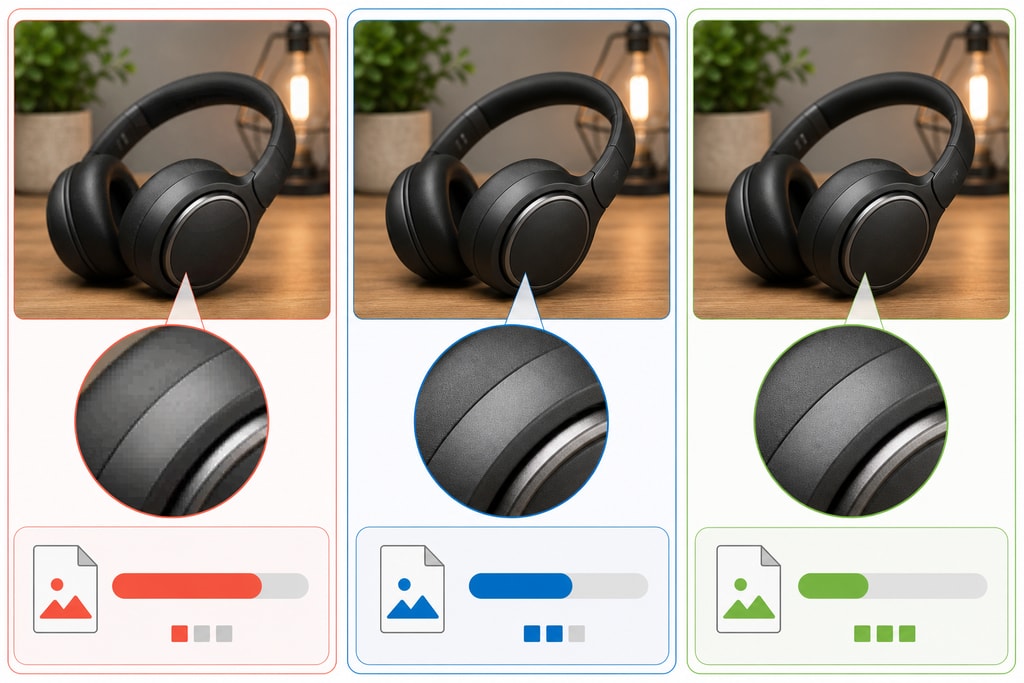
Selecting the appropriate file format balances image quality and file size, which is crucial for page speed:
- JPEG: Ideal for product photos with many colors and gradients due to its compression capabilities.
- PNG: Best for images requiring transparency, such as logos, though typically larger in size.
- WebP: Offers superior compression and quality; Shopify automatically serves WebP to supported browsers. Assess support for WebP for your target audience, as not all browsers may be compatible yet. (sellhound.com)
Compressing Images for Faster Load Times
Large image files can slow down your site. Compress images to reduce file size without compromising quality. Aim for product images between 200–500 KB. Utilize tools like TinyPNG or Squoosh to achieve this balance, or explore Shopify apps designed for image optimization. Note: Compress images before uploading them to Shopify to achieve optimal results. (webp4shopify.com)
Implementing Lazy Loading
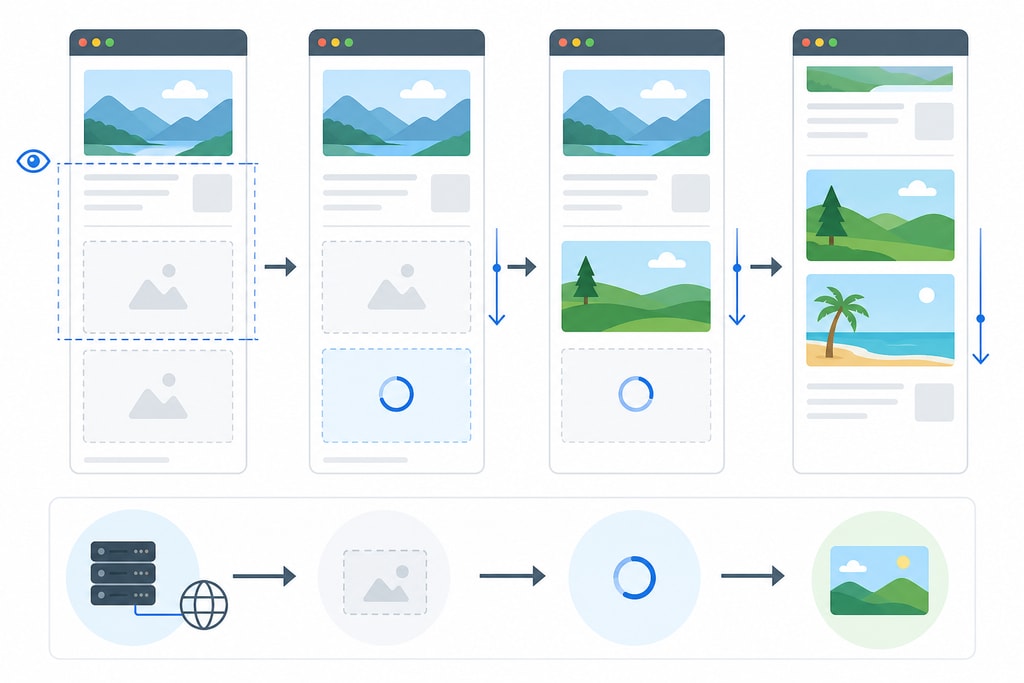
Lazy loading defers the loading of images until they're needed, improving initial page load times. Enable Shopify's native lazy loading for better performance. This technique allows browsers to load only above-the-fold images at first, helping perceived load speed and reducing server load. Considerations: Ensure your site's design supports lazy loading to avoid layout shifts. (shugertmarketing.com)
Writing Descriptive Alt Text
Alt text improves accessibility and SEO by providing descriptions for images, important for visually impaired users and search engines. Best Practices: Include relevant keywords naturally in the alt text, but avoid keyword stuffing. Descriptive alt text leads to better SEO performance. (webp4shopify.com)
Maintaining Consistent Aspect Ratios
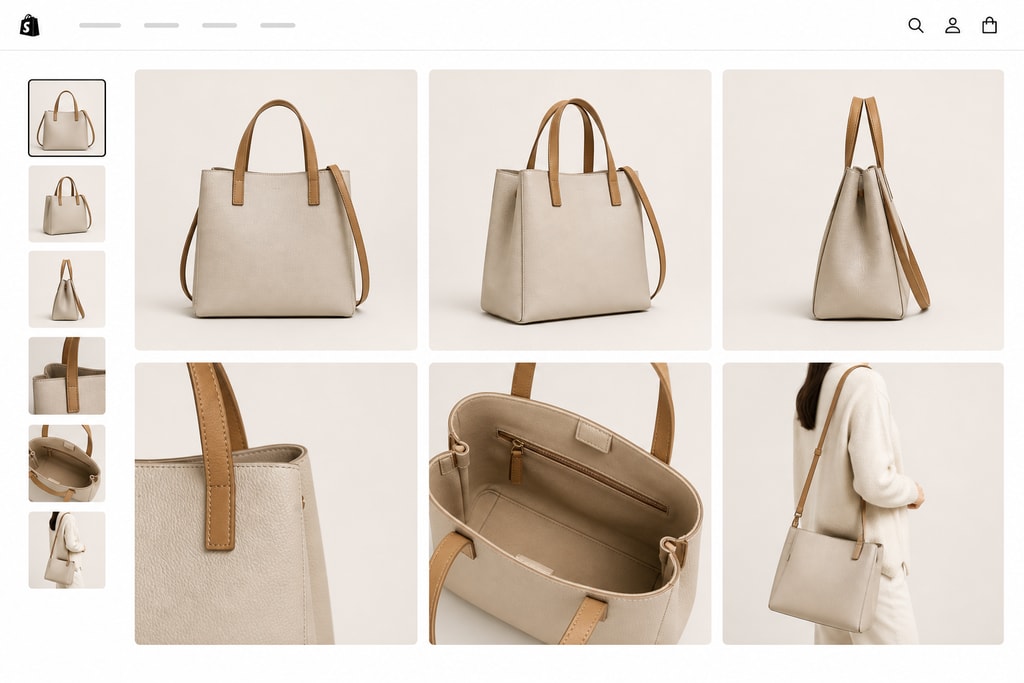
Consistent aspect ratios across product images create a uniform and professional appearance on your store. Square images (1:1) are commonly used and work well with most Shopify themes. Tip: Review your theme's image requirements to ensure they maintain consistency with your product photography approach. (craftshift.com)
Utilizing Shopify's Content Delivery Network (CDN)
Shopify's CDN serves images efficiently, reducing load times. By uploading optimized images, you leverage the CDN's capabilities to deliver content swiftly to users worldwide. Tip: Regularly audit your CDN settings and update images to remain competitive in global markets. (shugertmarketing.com)
Batch Processing for Large Catalogs
For stores with extensive product catalogs, batch processing tools can streamline image optimization. Services like ProdShot allow you to upload multiple images and process them simultaneously, saving time and ensuring consistency.
Common Mistakes to Avoid
- Uploading Raw Images: Never upload unoptimized images directly; always resize and compress them first.
- Ignoring Mobile Optimization: Ensure images are mobile-friendly, as a large portion of users shop via phones.
- Lack of Consistency: Varying image formats and sizes create a disjointed user experience.
- Overlooking SEO: Alt texts and filenames are crucial for search visibility and should not be generic.
Checklist for Shopify Product Image Optimization
- [ ] Resize images to recommended dimensions before uploading.
- [ ] Choose appropriate file formats (JPEG for photos, PNG for transparency).
- [ ] Compress images to reduce file size without quality loss.
- [ ] Add descriptive alt text to each image.
- [ ] Ensure consistent aspect ratios across all product images.
- [ ] Enable lazy loading for below-the-fold images.
- [ ] Regularly audit and update images to maintain quality and relevance.
Frequently Asked Questions
Q: How often should I update my product images?
A: Regularly review and update images to reflect current products and maintain quality. Aim for at least once every quarter, or whenever significant changes are made to products.
Q: Can I use the same images across different platforms?
A: While you can reuse images, ensure they meet the specific requirements and best practices of each platform. Consider the unique layout and user interface of platforms like Instagram or Pinterest.
Q: What tools can help with image compression?
A: Tools like TinyPNG, Squoosh, and Shopify apps designed for image optimization can assist in compressing images effectively.
Q: Does lazy loading affect SEO?
A: Properly implemented lazy loading should not negatively impact SEO. Ensure images are indexed by search engines and that critical images are loaded promptly.
Q: How can I ensure accessibility compliance with my images?
A: Use descriptive alt text and consider the use of detailed captions where necessary. Regular accessibility audits can be beneficial.
Sources and Further Reading
- Shopify Product Image Guide — Sizes, Formats & Optimization Tips
- Shopify Product Image Best Practices 2026: Specs, Optimisation and Conversion Tips
- Shopify Image Optimization: Complete Guide 2026
- Create product photos
By implementing these strategies, you can enhance your Shopify store's visual appeal, improve loading times, and provide a better shopping experience for your customers. For efficient batch processing and professional product images, consider using ProdShot to streamline your workflow.